
Clearscope MCP. Grade drafts and audit content performance in chat.
 Gemini
 Works with every AI agent you already use
…and any MCP-compatible client









Just plug in your AI agents and start using Vinkius.
Clearscope. This MCP Server lets your AI agent manage your entire content strategy. Use it to grade drafts in real-time with advanced NLP, run deep keyword research, analyze competitor outlines from SERP data, and generate content briefs—all without leaving your chat window.
It's built for content teams that need to turn raw search data into actionable, high-ranking articles.
What your AI agents can do
Create report
Runs an asynchronous analysis of search results (SERP) to generate a full SEO report.
Get brief
Identifies specific instructions needed to structure a piece of writing.
Get keyword research
Calculates potential Google traffic limits for any given keyword.
Checks a piece of text against SEO best practices and a specified report, returning an actionable grade and a list of missing terms.
Retrieves data points like theoretical Google traffic limits and CPC estimates for any keyword.
Extracts the structural hierarchy (H2/H3) and competitor outlines from the top 30 Google search results for a given topic.
Creates structured content briefs, including target word counts and required semantic topics, for a specific keyword or report.
Generates and lists full SEO reports to assess the overall topical authority and performance of a content cluster.
Lists active links and structural components from top-ranking competitors on a given SERP.
Ask AI about this MCP
Supported MCP Clients
Gemini Waiting for input…
Clearscope MCP Server: 10 Tools for Content Strategy
These tools let you run every SEO analysis—from keyword research to competitor audits—using your AI agent without leaving your chat.
019d7571create report
Runs an asynchronous analysis of search results (SERP) to generate a full SEO report.
019d7571get brief
Identifies specific instructions needed to structure a piece of writing.
019d7571get keyword research
Calculates potential Google traffic limits for any given keyword.
019d7571get outline
Extracts structural arrays for creating content hierarchies and outlines.
019d7571get report details
Pulls specific metrics and properties from an existing SEO report.
019d7571grade content
Compares your text against SEO rules and a report, giving you an actionable grade and suggestions.
019d7571list competitors
Identifies and lists the active links and structural elements of top competitors on a SERP.
019d7571list reports
Retrieves a list of saved and available SEO reports within Clearscope.
019d7571list terms
Extracts and organizes the specific NLP variables and term frequencies for a given topic.
019d7571list workspaces
Retrieves a list of your organizational workspaces to keep content projects separated.
Choose How to Get Started
Build a custom MCP for your own tools, or connect a ready-made integration from our catalog.
Build Your Own
Turn any API into an MCP. Import a spec, define Agent Skills, or deploy with MCPFusion.
- Import from OpenAPI, Swagger, or YAML specs
- Create Agent Skills with progressive disclosure
- Deploy to edge with MCPFusion framework
- Built in DLP, auth, and compliance on every call
- Real time usage dashboard and cost metering
- Publish to catalog or keep private
Make Your AI Do More
Start with Clearscope, then connect any of our 4,700+ other servers whenever your AI needs more. One click, no limits.
- Use this MCP plus 4,700+ others, all in one place
- Add new capabilities to your AI anytime you want
- Every connection is secured and compliant automatically
- Track usage and costs across all your servers
- Works with Claude, ChatGPT, Cursor, and more
- New servers added to the catalog every week
What you can do with this MCP connector
You connect your AI agent to the Clearscope MCP Server and manage your whole content strategy from one place. You grade drafts with advanced NLP, run deep keyword research, analyze competitor outlines from SERP data, and generate content briefs—all without ever leaving your chat window. This is built for content teams who need to turn raw search data into articles that actually rank.
Grade Content Drafts: You check a piece of text against SEO best practices and a specified report, and the server gives you an actionable grade and a list of missing terms.
Research Keywords: You get data points like theoretical Google traffic limits and CPC estimates for any keyword.
Analyze Search Results: The server extracts structural hierarchies (H2/H3) and competitor outlines from the top 30 Google search results for a given topic.
Generate Content Outlines: You create structured content briefs, including target word counts and required semantic topics, for a specific keyword or report.
Audit Topical Performance: You generate and list full SEO reports to assess the overall topical authority and performance of a content cluster.
Identify Competitors: You list active links and structural components from top-ranking competitors on a given SERP.
You can run an asynchronous analysis of search results (SERP) to generate a full SEO report using create_report. You pull specific metrics and properties from any existing SEO report using get_report_details. You get a list of saved and available SEO reports with list_reports. You can organize your projects by retrieving a list of organizational workspaces with list_workspaces.
You find the specific NLP variables and term frequencies for a given topic by running list_terms. You identify and list the active links and structural elements of top competitors on a SERP by calling list_competitors. You get structural arrays for creating content hierarchies and outlines using get_outline. You find specific instructions needed to structure a piece of writing by using get_brief.
Finally, you calculate potential Google traffic limits for any given keyword with get_keyword_research and grade content by comparing your text against SEO rules and a report using grade_content.
How Clearscope MCP Works
- 1 Subscribe to the server and enter your Clearscope API Key (requires a Business or Enterprise plan).
- 2 Ask your AI client to execute a task, such as 'Run a keyword research for X' or 'Grade this draft.'
- 3 The server executes the necessary Clearscope tool and returns the structured data, report, or outline directly to your chat.
The bottom line is you use your AI agent to run complex SEO analyses that would normally take hours of manual work, getting the results instantly in your chat.
Who Is Clearscope MCP For?
This is for content strategists and SEO specialists who are tired of managing a dozen different dashboards. If your job involves writing articles, checking keyword rankings, and verifying competitor content, this server saves you hours of context switching. It puts the entire SEO stack into your chat window.
Runs grade_content on a first draft to see if it hits an A++ grade, then uses get_outline to add missing structural sections.
Uses get_keyword_research to identify low-competition, high-traffic keywords and then runs create_report to audit topical coverage.
Runs list_competitors to see the structural headings used by top-ranking sites, ensuring product documentation matches industry standards.
What Changes When You Connect
- Stop guessing if your content is good enough. Use
grade_contentto check a draft's SEO grade instantly, and get a list of exactly which terms you're missing. It tells you what to write, not just what to read. - Don't waste time on dead-end keywords. Run
get_keyword_researchto find keywords with low competition and good traffic potential. You get the numbers you need to prioritize your next article. - Stop guessing what structure to use. Use
list_competitorsto see the exact H2 and H3 headings the top 3 search results use. You build your content structure based on what's already ranking. - Stop manually building outlines. Use
get_outlineto generate a structured content brief, including target word counts and required semantic topics, before you write a single word. - Don't lose track of your content. Use
list_workspacesto manage different clients or product lines, keeping the SEO reports for each project totally isolated. - Deeply audit your performance. Use
create_reportto generate a full report that checks your topical authority and overall search performance, letting you see where your content cluster is weak.
Real-World Use Cases
Revising a Weak Blog Post Draft
A content marketer finishes a draft. Instead of manually checking it against SEO best practices, they ask their agent to grade_content using a specific report. The agent responds with a B+ grade and a list of 5 missing terms, allowing the marketer to revise the text immediately and boost the grade.
Launching Content for a New Product Line
A product team needs to write documentation. They run get_keyword_research to find high-intent, low-competition terms for the product. They then use get_outline to build a comprehensive, structured brief that guides the writing process.
Benchmarking Against Rivals
An SEO specialist wants to know what their top 3 competitors are doing. They run list_competitors and immediately get the full structural list of links and headings, letting them match or beat the competition's structure.
Auditing a Content Cluster's Health
An editor needs a holistic view of 50 articles. They use create_report to audit the cluster's topical authority. The resulting report shows which core topics are weak, guiding them to write the highest-impact, missing piece of content.
The Tradeoffs
Checking SEO metrics in multiple tools
Opening a separate keyword tool for data, then opening a CMS tool for grading, and finally opening a competitor tool for structure. This requires copying and pasting the same topic three times.
→
Use your AI agent to run the full sequence in one prompt: 'First, run get_keyword_research for X. Then, get_outline for X. Finally, use grade_content on a draft using the results.' The agent manages the handoff.
Writing content without knowing the market structure
Writing a 2,000-word article that covers ten topics, but none of the headings match what the top 3 Google results use. The content feels exhaustive but ranks poorly.
→
Before writing, run list_competitors to see the exact headings and structural elements used by top-ranking sites. Use that structure as your mandatory H2/H3 guide.
Ignoring content gaps
Writing content on a broad topic like 'AI tools' without checking if your specific angle is competitive or if there's a better opportunity somewhere else.
→
Use get_keyword_research to narrow down 'AI tools' to a specific niche, like 'AI tools for legal billing.' Then, use get_report_details to check if that niche has strong enough traffic potential.
When It Fits, When It Doesn't
Use this server if your goal is to move from raw ideas to fully optimized, structured content. You need to validate a topic against real market data (using get_keyword_research and list_competitors) and then check your actual writing against those standards (using grade_content). Don't use it if you just need to list your reports—list_reports handles that. It's a content production tool, not a content inventory tool. If your only need is to see what reports you've run before, those simple inventory tools are enough. But if you need to act on the data to improve a draft, this is what you need.

Independent Platform Disclaimer: Vinkius is an independent platform and is not affiliated with, endorsed by, sponsored by, verified by, or otherwise authorized by Clearscope. All third-party trademarks, logos, and brand names are the property of their respective owners. Their use on this website is strictly for informational purposes to identify service compatibility and interoperability.
VINKIUS INFRASTRUCTURE
Cloud Hosted
Managed infra
V8 Isolated
Sandboxed per request
Zero-Trust Proxy
No stored credentials
DLP Enforced
Policy on every call
GDPR Compliant
EU data residency
Token Compression
~60% cost reduction
Works with Claude, ChatGPT, Cursor, and more
The Model Context Protocol standardizes how applications expose capabilities to LLMs. Instead of operating in isolation, your AI gains direct access to external platforms, live data, and real-world actions through secure, standardized connections.
This server provides 10 capabilities that interface natively with Claude, ChatGPT, Cursor, and any MCP client. No middleware. No custom integration required.
Available Capabilities
Wasting hours bouncing between dashboards to check if your content is good enough.
Today, optimizing content means opening your CMS, then opening a keyword research tool, then opening a competitor analysis platform. You spend time copying the topic name into three different places, manually cross-referencing grades, and trying to remember which tool showed which metric. It's a multi-tab, copy-paste nightmare.
With this MCP server, you tell your agent to grade your draft. It runs `grade_content` and immediately shows you the B+ score and the 5 missing terms. The whole process stays in your chat. You get instant, actionable feedback without ever leaving your workflow.
Clearscope MCP Server: Grade your content and research keywords from chat.
You no longer have to manually run a report, wait 30 minutes, download a CSV, and then upload it somewhere else to see if your topic is covered. The agent runs `create_report` and delivers the analysis right where you are working.
This means your content flow is uninterrupted. You go from identifying a content gap using `get_keyword_research` to generating a structural brief with `get_outline`, and finally, running the whole thing through `create_report`—all without leaving the chat.
Common Questions About Clearscope MCP
How do I use the `grade_content` tool with my draft? +
You must provide the content text and the ID of a specific report. The tool will then compare your text against the mapped NLP boundaries of that report and give you a score and specific recommendations.
What is the difference between `get_outline` and `get_brief`? +
get_outline extracts structural arrays for generating content hierarchies. get_brief identifies explicit instructions needed to resolve writing boundaries, focusing more on the conceptual requirements than the structure.
Can I find competitor analysis using `list_competitors`? +
Yes. You run list_competitors and it identifies precise arrays of active links and structural elements from the top-ranking search results, letting you know exactly what they are saying.
Do I need a paid plan for `create_report`? +
Yes, the server requires an API key from a Business or Enterprise plan to run reports. The create_report function handles the full asynchronous parsing of the SERP results.
How does `get_keyword_research` help me choose a topic? +
It calculates theoretical Google traffic limits and CPC estimates for any keyword, giving you the data needed to decide if a topic is worth writing about.
How do I check my available content reports using `list_reports`? +
It lists all top-level reports associated with your account. You can use this tool to see which SEO reports you've already generated and audit your content history.
What does `list_workspaces` do for managing multiple projects? +
This tool retrieves the root identity mappings for your organizational containers. It lets you switch contexts between different content projects without mixing data.
If I run `get_keyword_research` for a high-volume keyword, what metrics do I get? +
You get three key metrics: theoretical Google traffic limits, CPC, and competitiveness. This data helps you assess the viability and difficulty of a keyword target.
Can my agent grade my content drafts in real-time? +
Yes. Provide the report ID and your content text. The agent calls Clearscope's NLP engine to return an exact SEO grade (from A++ to F), identifying which terms you've covered and which ones are missing for optimal ranking.
How can I extract the structural outline of my top search competitors? +
Use the 'get_outline' tool. Your agent will fetch the H2 and H3 heading hierarchies from the top-ranking results for your keyword, helping you understand the document structure needed to compete on Google.
Does the agent help with keyword research and traffic volume? +
Absolutely. The 'get_keyword_research' tool provides search volume, CPC, and competitiveness data directly from Clearscope's database. This allows your agent to suggest target keywords based on actual market demand.
Use it with your favorite AI tools
Connect this server to Cursor, Claude, VS Code, and more.
More in this category

Taboola
Manage Taboola advertising campaigns, ads, and performance reports directly from any AI agent.

Algolia Analytics
Search performance intelligence — audit CTR, conversions, and top searches via AI.

Criteo Retail Media API
Equip your AI agent to manage Criteo retail campaigns, line items, and product data directly via the Criteo API.
You might also like
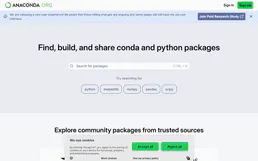
Conda (Anaconda.org)
Enable your AI agent to search packages, inspect metadata, and explore channels on Anaconda.org via the Conda API.

Google Search Console
Monitor your website's search performance, fix indexing issues, and manage sitemaps via AI.

WooCommerce Inventory Updater
This MCP allows your AI agent to surgically update the stock quantity of any product or variation in your WooCommerce store. Perfect for reading supplier spreadsheets and syncing inventory automatically.