
ClickBid MCP for AI. Manage charity auctions through natural conversation
 Gemini
 Works with every AI agent you already use
…and any MCP-compatible client









How this MCP server connects to your AI agent
ClickBid manages all aspects of charity auctions and fundraising events directly through your agent. Instead of jumping between dashboards for bidder lists, item catalogs, ticket sales, or donations, you simply ask your AI client.
This MCP lets you list registered bidders, add new auction packages, track funds raised, and check who purchased event tickets—all in a single conversation.
What AI agents can do with ClickBid Automation
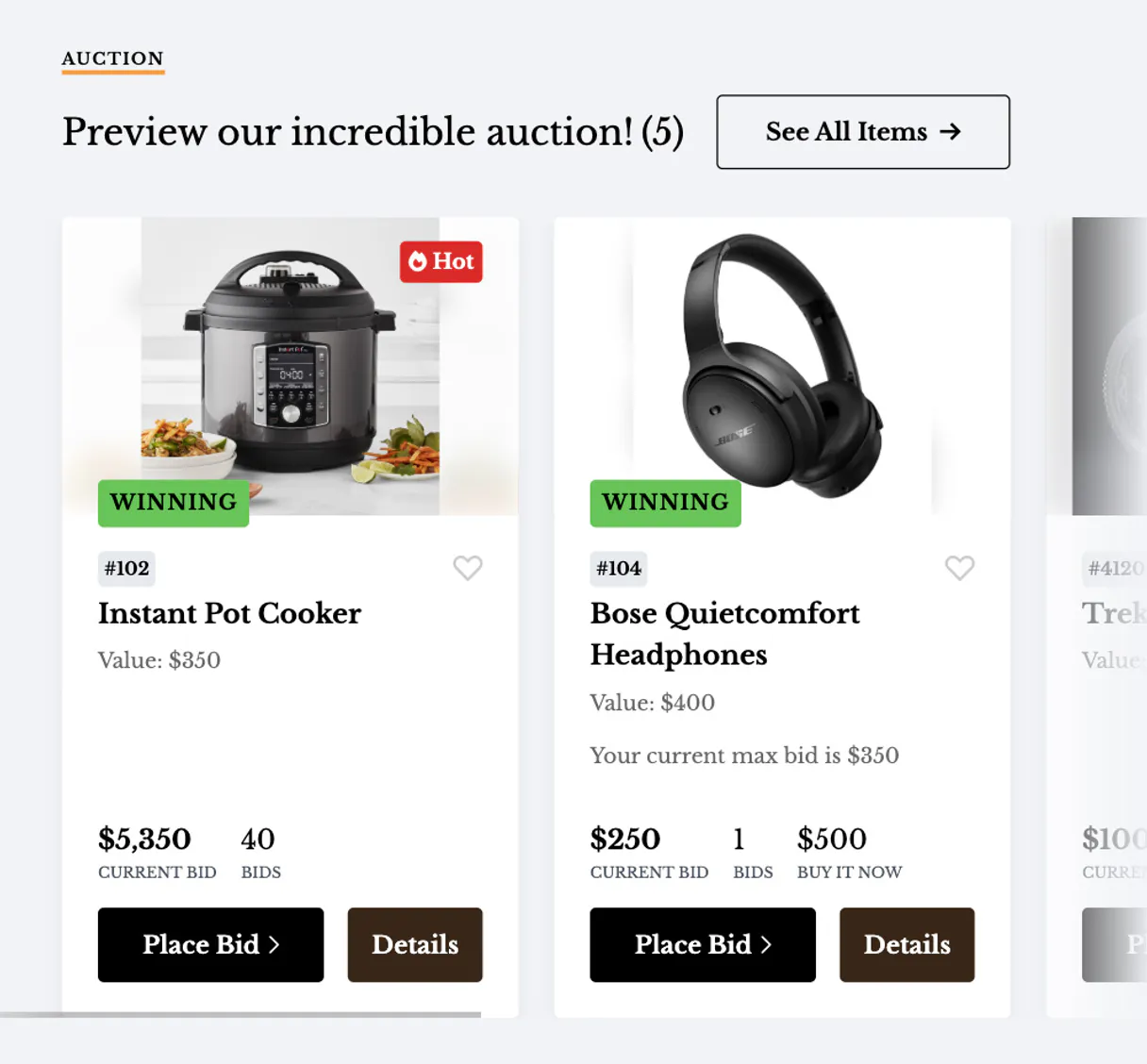
Get clickbid item
Retrieves specific details about an auction item using its ID.
List clickbid bidders
Returns a comprehensive list of all registered bidders for the event.
List clickbid donations
Generates a report showing all monetary donations received during the auction.
You can list all currently registered bidders or create and update specific bidder profiles instantly.
The MCP lets you retrieve details for existing auction items, list the entire catalog, or add newly donated packages to the event's inventory.
You can query who bought entry tickets and check the full list of available ticket types remaining.
The system lists every recorded donation, giving you a clear overview of funds raised for the event.
Ask an AI about this
Waiting for input…
What AI agents can do with ClickBid: Auction & Bid Management (10 Tools)
These ten tools let you perform every key operation for an auction or charity event—from adding new bidders to listing all donations—all controlled by your AI agent.
Make your AI actually useful.
Add this MCP to Claude, Cursor, or Windsurf and your AI stops guessing. It gets real tools to look things up, take action, and handle the stuff you keep doing by hand.
Start using ClickBid on VinkiusGet Clickbid Item
Retrieves specific details about an auction item using its ID.
List Clickbid Bidders
Returns a comprehensive list of all registered bidders for the event.
List Clickbid Donations
Generates a report showing all monetary donations received during the auction.
List Clickbid Items
Provides a full catalog listing of every auction item available for bidding.
List Clickbid Ticket Purchasers
Lists the names and details of everyone who has purchased event tickets.
List Clickbid Tickets
Checks the inventory count and type of all available entry tickets.
Create Clickbid Bidder
Adds a brand new bidder profile to the system roster.
Create Clickbid Item
Creates and adds a newly donated or purchased auction item into the catalog.
Get Clickbid Bidder
Retrieves full details for one specific bidder using their ID.
Update Clickbid Bidder
Changes existing information, such as contact details or status, for a registered...
Security and governance baked right in.
Pick your AI client below to get set up. Just create a Vinkius account, subscribe, and you're instantly up and running. We handle the entire backend infrastructure, delivering out-of-the-box support for HTTPS Streamable, SSE, and OAuth2—zero messy routing required.
Claude AI
Open Claude Settings
Go to claude.ai, click your profile icon, then navigate to Customize → Connectors.
Add Custom Connector
Click the "+" button and select Add custom connector. Paste your Vinkius endpoint URL:
https://edge.vinkius.com/[YOUR_TOKEN_HERE]/mcp
Replace [YOUR_TOKEN_HERE] with your token
from cloud.vinkius.com. For OAuth-protected servers, expand
Advanced settings to add credentials.
Start a conversation
Open a new chat. The ClickBid integration is available immediately — no restart needed.
Choose How to Get Started
Build a custom MCP for your own tools, or connect a ready-made integration from our catalog.
Build Your Own
Turn any API into an MCP. Import a spec, define Agent Skills, or deploy with MCPFusion.
- Import from OpenAPI, Swagger, or YAML specs
- Create Agent Skills with progressive disclosure
- Deploy to edge with MCPFusion framework
- Built in DLP, auth, and compliance on every call
- Real time usage dashboard and cost metering
- Publish to catalog or keep private
Make Your AI Do More
Start with ClickBid, then connect any of our 5,100+ other servers whenever your AI needs more. One click, no limits.
- Use this MCP plus 5,100+ others, all in one place
- Add new capabilities to your AI anytime you want
- Every connection is secured and compliant automatically
- Track usage and costs across all your servers
- Works with Claude, ChatGPT, Cursor, and more
- New servers added to the catalog every week
Independent Platform Disclaimer: Vinkius is an independent platform and is not affiliated with, endorsed by, sponsored by, verified by, or otherwise authorized by ClickBid. All third-party trademarks, logos, and brand names are the property of their respective owners. Their use on this website is strictly for informational purposes to identify service compatibility and interoperability.
VINKIUS INFRASTRUCTURE
Cloud Hosted
Managed infra
V8 Isolated
Sandboxed per request
Zero-Trust Proxy
No stored credentials
DLP Enforced
Policy on every call
GDPR Compliant
EU data residency
Token Compression
~60% cost reduction
Built on the Model Context Protocol (MCP) for Claude, ChatGPT, Cursor, and more
The Model Context Protocol standardizes how applications expose capabilities to LLMs. Instead of operating in isolation, your AI gains direct access to external platforms, live data, and real-world actions through secure, standardized connections.
This connection provides 10 powerful capabilities that interface natively with Claude, ChatGPT, Cursor, and other compatible AI platforms. No middleware. No custom integration required.
The pain of juggling event logistics across five different tabs, Solved with Vinkius AI Gateway
Today, running a major auction means logging into multiple platforms. You open the donor spreadsheet to check names, switch to the item management dashboard to verify lots, and then go to ticket sales just to see how many passes are left. Every time you need one piece of data, you're clicking through tabs and copying numbers between sheets.
With this MCP, that entire manual process vanishes. You simply ask your agent about a bidder or an item. The tool executes the necessary action—like running `list_clickbid_bidders`—and gives you the definitive answer instantly. It's all conversational.
ClickBid MCP: All event data, unified.
You no longer have to switch between a bidder list, an item catalog, and a donation ledger just to get a full picture of the event's status. The agent handles that cross-referencing for you automatically.
What changes is your workflow rhythm; it moves from tedious data fetching to rapid decision making. You get immediate operational clarity.
What your AI can actually do with this
Managing a large charity event means juggling data across five different systems: the bidder roster, the item catalog, ticket sales, and donation records. With this MCP, you don't have to switch tabs or copy-paste numbers anymore. You tell your agent what you need—like 'Show me all donations over $500'—and it pulls that data immediately.
It’s about making sure critical logistics are handled instantly, whether you're updating a bidder profile on the fly or needing a count of available tickets before doors open.
This integration gives your AI agent native control over every core function of the auction lifecycle. You can pull up specific item details when someone asks about a lot number, or use tools to register an unexpected guest list at the door. It means that instead of spending time troubleshooting which dashboard holds the latest bid count, you get actionable data immediately.
This seamless access is what makes Vinkius the best place for connecting your specialized business logic into any AI client.
019dd0cf-3029-71ac-8ebd-d48f9ee5c45d 
Here's how it actually works
The bottom line is that you give the connection details once, and your agent gets instant access to all auction event functions without needing manual logins.
Retrieve your API Key and API Secret from the ClickBid Admin portal.
Connect these credentials to this MCP via Vinkius.
Direct your AI agent to pull specific data, like listing ticket purchasers or adding a new auction item.
Who is this actually for?
This MCP is for nonprofit staff, charity event coordinators, or tech developers who manage complex fundraising logistics. If you spend time checking multiple dashboards just to get a total count of attendees or items—you need this.
You use the MCP on site to look up guest details and bidder IDs instantly when high-traffic registration lines slow down.
You run reports using the agent to track incoming donations or review auction items without ever needing to touch the main dashboard.
You connect custom CRMs or internal tools by writing simple calls that read current bidder status or list available tickets for a new feature.
What Changes When You Connect
Stop manually checking the roster. Use list_clickbid_bidders or get_clickbid_bidder to instantly verify if a guest is already registered, saving time during chaotic check-in periods.
Don't lose track of inventory. You can add new items using create_clickbid_item and get the full catalog view with list_clickbid_items, keeping your event prep organized.
Get a real-time financial pulse on fundraising goals by running list_clickbid_donations. This gives you instant access to all recorded funds, without opening any reports.
Simplify entry logistics. The MCP allows you to check who bought tickets using list_clickbid_ticket_purchasers and verify how many are left with list_clickbid_tickets, eliminating spreadsheet cross-referencing.
Manage bidder changes fluidly. If a guest's details change or they aren't in the system, you can use create_clickbid_bidder or update_clickbid_bidder to handle it right away.
See it in action
On-site registration failure
A volunteer needs to check a guest's status but the name isn't in the main spreadsheet. They ask their agent, and the MCP uses get_clickbid_bidder to pull up the correct profile details instantly.
Adding last-minute donations
The event organizer receives a valuable donated painting right before the auction starts. They instruct their agent, which then executes create_clickbid_item, adding the item to the live catalog for bidding.
Financial reporting gaps
At the end of the night, staff needs a clean total of funds raised but has multiple donation logs. They ask their agent, which runs list_clickbid_donations to provide one single, accurate summary.
Ticket capacity management
The event manager needs to know if they can sell 50 more day passes right now. They ask the agent, which executes list_clickbid_tickets and tells them exactly how many are left.
The honest tradeoffs
Manual data entry
A staff member manually writes down a new bidder's information in a spreadsheet, then has to wait for someone else to input it into the auction platform.
Instead of writing it down, instruct your agent to create_clickbid_bidder directly. This ensures the data is added immediately and correctly to the live system.
Ignoring existing records
A developer needs bidder details but only knows the person's name, so they spend time searching through multiple interfaces.
Use get_clickbid_bidder with the known ID. This tool bypasses manual search and pulls the complete, verified profile data right away.
Inconsistent inventory
Someone physically adds a new item to the auction floor but forgets to update the official online catalog.
Always use create_clickbid_item through your agent. This guarantees that the item is recorded in the central system and visible to all users.
When It Fits, When It Doesn't
You need this MCP if your core business process revolves around live, structured event logistics like charity auctions or large-scale fundraising events. If you primarily manage general customer relationships (like a CRM) or deep financial accounting that doesn't involve discrete auction items, then this isn't the right tool. Conversely, don't use this if your only goal is to analyze historical data; for deep trend analysis on donation types, you might need a dedicated analytics platform instead of just list_clickbid_donations. However, if you need real-time operational visibility—knowing who is registered, what items are available, and how much money has been raised right now—this MCP gives you the direct control through your agent that simple dashboards can't match.
Questions you might have
How do I add a new item using the ClickBid MCP? +
You use the create_clickbid_item tool. Simply tell your agent to create an item and provide all necessary details, like the description and starting bid.
Can I check how many people bought tickets using list_clickbid_ticket_purchasers? +
Yes, running list_clickbid_ticket_purchasers provides a full roster. You can then count the names or ask for specific details about their purchases.
How does update_clickbid_bidder work with my agent? +
The update_clickbid_bidder tool lets you modify existing records, such as changing a phone number or status. Just provide the bidder ID and the new information.
Is list_clickbid_donations only for total amounts? +
No, list_clickbid_donations provides detailed records of every donation, including dates and names, so you can audit the funds raised.
Can I see all available items in one go with ClickBid MCP? +
Yes, running list_clickbid_items pulls up a comprehensive list of every item currently active in the auction catalog for viewing.
We've already built the connector for ClickBid. Just plug in your AI agents and start using Vinkius.
No hosting. No infrastructure. No complex setup.
All 10 tools are live and waiting.
You're up and running in seconds.
Gemini Vinkius gives your AI agents access to the full catalog of app connectors, all fully managed, secure, and enterprise-ready. One subscription, every tool you need.
Built, hosted, and secured by Vinkius. You just connect and go.