
Clientjoy MCP for AI. Manage Leads, Billing, and Contracts in One Flow
 Gemini
 Works with every AI agent you already use
…and any MCP-compatible client









How this MCP server connects to your AI agent
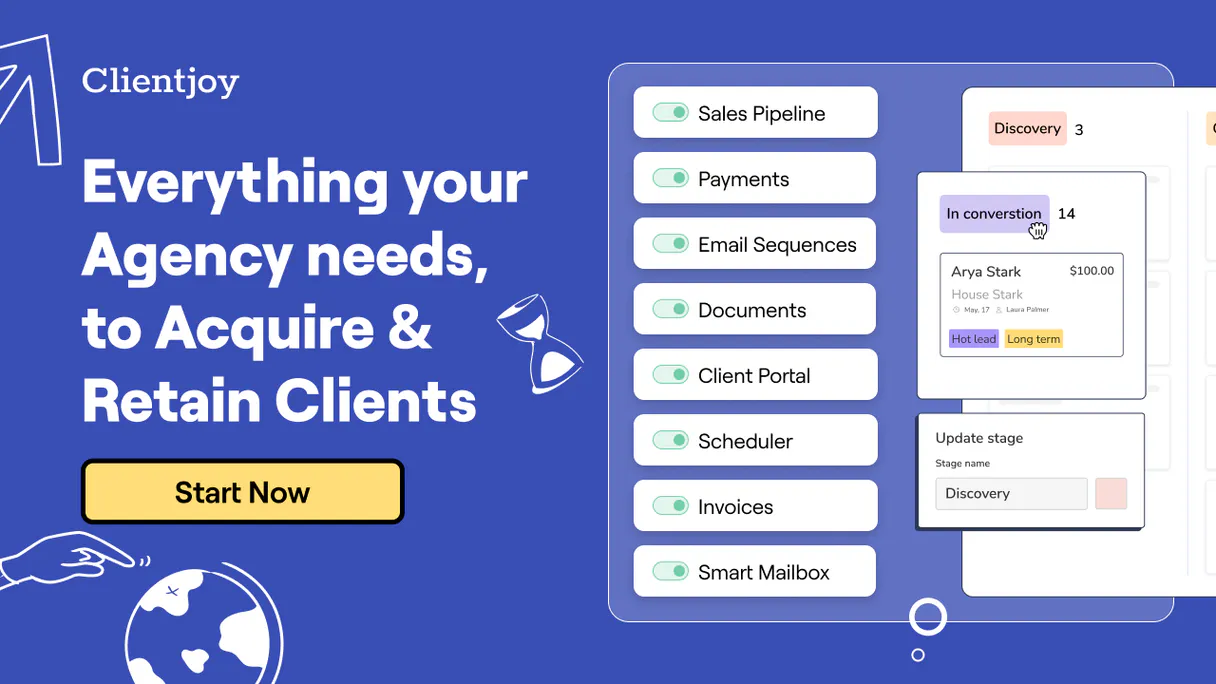
Clientjoy: Manage your entire client lifecycle from initial lead contact to final payment. This MCP connects your Clientjoy CRM and billing accounts directly to any AI agent, letting you coordinate sales pipeline status, customer directory details, proposals, and invoices using natural conversation.
It’s the single spot for managing every step of a client relationship.
What AI agents can do with Clientjoy Automation
Create new lead
Registers a completely new potential sales lead into your system.
Get customer details
Retrieves specific contact information and full history for an existing client organization.
List customers
Generates a list of all customer organizations currently managed in Clientjoy.
You can list existing leads or create new prospect profiles directly through simple commands.
Pull detailed information, contact history, and transaction data for any known client organization.
View a list of generated invoices and check their current payment status to keep financial oversight.
Query your catalog of drafted or sent proposals to track where your business development efforts stand.
List available products and services defined in the Clientjoy account, helping you confirm current pricing.
Ask an AI about this
Waiting for input…
What AI agents can do with Clientjoy: 7 Tools for Full Lifecycle Management
Use these seven tools to execute every step of the client lifecycle—from creating a lead record to monitoring payments.
Make your AI actually useful.
Add this MCP to Claude, Cursor, or Windsurf and your AI stops guessing. It gets real tools to look things up, take action, and handle the stuff you keep doing by hand.
Start using Clientjoy on VinkiusCreate New Lead
Registers a completely new potential sales lead into your system.
Get Customer Details
Retrieves specific contact information and full history for an existing client...
List Customers
Generates a list of all customer organizations currently managed in Clientjoy.
List Billing Invoices
Retrieves a list of generated invoices, including their current payment status.
List Service Items
Lists all products and services defined in your account to check for correct pricing...
List Leads
Generates a list of all potential sales leads currently tracked by Clientjoy.
List Sales Proposals
Retrieves a comprehensive list of proposals that have been sent or drafted for clients.
Security and governance baked right in.
Pick your AI client below to get set up. Just create a Vinkius account, subscribe, and you're instantly up and running. We handle the entire backend infrastructure, delivering out-of-the-box support for HTTPS Streamable, SSE, and OAuth2—zero messy routing required.
Claude AI
Open Claude Settings
Go to claude.ai, click your profile icon, then navigate to Customize → Connectors.
Add Custom Connector
Click the "+" button and select Add custom connector. Paste your Vinkius endpoint URL:
https://edge.vinkius.com/[YOUR_TOKEN_HERE]/mcp
Replace [YOUR_TOKEN_HERE] with your token
from cloud.vinkius.com. For OAuth-protected servers, expand
Advanced settings to add credentials.
Start a conversation
Open a new chat. The Clientjoy integration is available immediately — no restart needed.
Choose How to Get Started
Build a custom MCP for your own tools, or connect a ready-made integration from our catalog.
Build Your Own
Turn any API into an MCP. Import a spec, define Agent Skills, or deploy with MCPFusion.
- Import from OpenAPI, Swagger, or YAML specs
- Create Agent Skills with progressive disclosure
- Deploy to edge with MCPFusion framework
- Built in DLP, auth, and compliance on every call
- Real time usage dashboard and cost metering
- Publish to catalog or keep private
Make Your AI Do More
Start with Clientjoy, then connect any of our 5,100+ other servers whenever your AI needs more. One click, no limits.
- Use this MCP plus 5,100+ others, all in one place
- Add new capabilities to your AI anytime you want
- Every connection is secured and compliant automatically
- Track usage and costs across all your servers
- Works with Claude, ChatGPT, Cursor, and more
- New servers added to the catalog every week
Independent Platform Disclaimer: Vinkius is an independent platform and is not affiliated with, endorsed by, sponsored by, verified by, or otherwise authorized by Clientjoy. All third-party trademarks, logos, and brand names are the property of their respective owners. Their use on this website is strictly for informational purposes to identify service compatibility and interoperability.
VINKIUS INFRASTRUCTURE
Cloud Hosted
Managed infra
V8 Isolated
Sandboxed per request
Zero-Trust Proxy
No stored credentials
DLP Enforced
Policy on every call
GDPR Compliant
EU data residency
Token Compression
~60% cost reduction
Built on the Model Context Protocol (MCP) for Claude, ChatGPT, Cursor, and more
The Model Context Protocol standardizes how applications expose capabilities to LLMs. Instead of operating in isolation, your AI gains direct access to external platforms, live data, and real-world actions through secure, standardized connections.
This connection provides 7 powerful capabilities that interface natively with Claude, ChatGPT, Cursor, and other compatible AI platforms. No middleware. No custom integration required.
The Client Status Check Nightmare, Solved with Vinkius AI Gateway
Right now, figuring out where a client stands is a multi-tab process. You start in the CRM to check their contact info and recent activity. Then you have to open your dedicated billing portal just to see if the last invoice was paid. Sometimes you're even hunting through shared cloud folders to find the proposal draft. It’s clicking, copying, pasting status updates into a spreadsheet—and it takes forever.
With this MCP, all of that manual effort vanishes. You ask your agent, 'What is Acme Corp's full status?' and get an immediate, synthesized answer covering their last interaction, open proposals, and payment history. The AI does the data retrieval; you just consume the insight.
Clientjoy: Full Visibility on Leads, Invoices, and Proposals
The manual steps that go away include checking the status of every proposal manually using `list_sales_proposals`, verifying payments by running `list_billing_invoices`, and even tracking down basic customer contacts with a simple call to `get_customer_details`. You stop opening three different browser tabs.
You now have one conversation that controls your entire client relationship. It's not just data access; it's immediate, holistic knowledge.
What your AI can actually do with this
Stop jumping between tabs just to get a full picture of a client's standing. This MCP lets your AI client handle the entire business cycle: everything from finding new prospects to checking if last month's invoice was paid. You can ask your agent for a rundown on any customer, pulling together their contact history, all open proposals, and even listing outstanding invoices in one go.
It handles lead management by creating profiles and tracking status, gives you deep access to client records, and keeps your finances clean by monitoring billed items and payment statuses. By connecting Clientjoy through Vinkius, you put the whole sales process—from initial contact to paid customer—right at your fingertips, all controlled via natural conversation.
019dd0d0-06ea-726d-bcf4-07c790ab205c 
Here's how it actually works
The bottom line is you get a centralized view of your entire business process without ever leaving your chat interface.
Subscribe to this MCP on Vinkius.
Enter your specific Clientjoy API Token into the connection settings.
Ask your AI client a question about a customer, an invoice, or a lead status.
Who is this actually for?
Agency owners and freelancers who are tired of logging into separate CRM, billing, and proposal tools just to answer one client question. This is for anyone whose job involves juggling multiple data points across different systems.
Checks a client's status by asking the agent to list all customer organizations, then checks if they have any overdue invoices.
Monitors sales pipeline progress by listing leads and verifying which proposals are currently drafted or sent out.
Keeps the books clean by asking the agent to list billing invoices, checking payment status, and confirming service item pricing.
What Changes When You Connect
Check client status instantly. Instead of logging into your CRM to find contact info and then opening a separate billing portal for invoices, you ask the agent, and it pulls all that data together.
Build leads faster. You can use the create_new_lead tool to register new prospects immediately after a call, feeding them straight into the client record without manual entry.
Never miss payment deadlines again. Using list_billing_invoices, you get an immediate overview of overdue payments and who needs follow-up calls.
Track your sales effort easily. Quickly list proposals using list_sales_proposals to see which deals are in the pipeline, without having to dig through folders.
Confirm pricing on the fly. Need to know what services you offer? Use list_service_items to verify current product catalogs and pricing before quoting a client.
See it in action
A new lead needs vetting
An agency owner gets a name at a networking event. Instead of opening a spreadsheet, they ask their agent to run create_new_lead. The agent registers the prospect instantly and notes which sales team member is assigned to follow up.
Checking client profitability
A finance lead needs to know if an account is profitable. They ask their agent to run get_customer_details, then check list_billing_invoices to see recent payments and outstanding balances.
Quarterly review preparation
A sales manager needs a full picture for an executive meeting. They ask the agent to list all customers using list_customers, then group them by their active proposals found via list_sales_proposals.
Quick pricing verification
An operations staff member is talking to a client and needs to quote an add-on service. They ask the agent to run list_service_items to ensure they are quoting the latest, correct rate.
The honest tradeoffs
Jumping between portals
Logging into Clientjoy CRM for leads, then logging into QuickBooks for invoices, and opening a shared drive folder to check proposals. This takes 10 minutes of clicking.
Use your agent to run list_leads and list_billing_invoices simultaneously in one conversation thread. The AI handles the data merging.
Manually updating status
A sales team member gets a new prospect, manually creates a record in the CRM, and then has to email someone else to confirm the record was saved correctly.
Use create_new_lead directly through your agent. The MCP handles the entire data entry process right away.
Guessing service pricing
A salesperson quotes a client for a product they haven't looked at in months and realizes later that Clientjoy updated their internal catalog price.
Always ask the agent to run list_service_items first. This guarantees you are quoting based on the system’s current, verified data.
When It Fits, When It Doesn't
Use this MCP if your primary pain point is stitching together client history across multiple operational areas: sales pipeline, service catalog pricing, and payment status. If you need to know: 'What did we sell them (proposals)? Who are they (customers)? And have they paid for it (invoices)?'—this is the tool. Don't use this if your goal is purely internal document storage or complex financial forecasting; those require dedicated accounting software. If you just need to manage user accounts or employee records, look into a general HR/directory MCP instead.
Questions you might have
How can I use the Clientjoy MCP to find out if a customer is overdue? +
You run list_billing_invoices. This tool checks your billing records and immediately tells you which invoices have passed their due date, allowing for quick follow-up.
Does the Clientjoy MCP help me find new leads? +
Yes. You can use list_leads to see all current prospects or run create_new_lead immediately after meeting someone to get them into your system instantly.
Can I check my service pricing with the Clientjoy MCP? +
Absolutely. Use the list_service_items tool. This pulls a live list of all available products and services, confirming current rates before you quote anything.
What is the difference between listing customers and getting customer details with Clientjoy MCP? +
Listing customers uses list_customers, which gives you a broad directory view. Using get_customer_details retrieves deep, specific data—like all transaction records—for one particular client.
Can the Clientjoy MCP track proposals I sent last year? +
Yes. The list_sales_proposals tool allows you to query your entire catalog of drafted and previously sent proposals, helping you track past business development efforts.
We've already built the connector for Clientjoy. Just plug in your AI agents and start using Vinkius.
No hosting. No infrastructure. No complex setup.
All 7 tools are live and waiting.
You're up and running in seconds.
Gemini Vinkius gives your AI agents access to the full catalog of app connectors, all fully managed, secure, and enterprise-ready. One subscription, every tool you need.
Built, hosted, and secured by Vinkius. You just connect and go.