
Coassemble MCP. Manage LMS data conversationally.
 Gemini
 Works with every AI agent you already use
…and any MCP-compatible client









Just plug in your AI agents and start using Vinkius.
Coassemble MCP Server gives your AI agent full control over online training and Learning Management Systems (LMS). You can query course catalogs, track specific member enrollments, monitor completion grades, and manage student groups—all through natural chat conversation.
It handles the complex data retrieval that used to require jumping between dashboards.
What your AI agents can do
Enroll member in course
Adds a specified user to an existing course or group.
Get course training details
Retrieves specific, deep data about one selected training course.
Get member group associations
Lists all the groups a single member currently belongs to.
The agent retrieves a complete list of every training course available within your workspace.
The agent pulls contact information for all users or verifies which groups a specific member belongs to.
The agent lists every course enrollment and provides detailed progress updates on student participation.
The agent pulls the final grades and completion data for any specified group of enrollments.
The agent can actively enroll a specific member into one or more courses or groups.
Ask AI about this MCP
Supported MCP Clients
Gemini Waiting for input…
Coassemble MCP Server: 8 Tools for L&D Management
Manage course enrollments, retrieve training results, list member data, and oversee your entire LMS catalog using these eight tools.
019d7575enroll member in course
Adds a specified user to an existing course or group.
019d7575get course training details
Retrieves specific, deep data about one selected training course.
019d7575get member group associations
Lists all the groups a single member currently belongs to.
019d7575get training completion results
Pulls final grades and performance scores for defined enrollments.
019d7575list coassemble courses
Lists every course title available in the workspace.
019d7575list coassemble enrolments
Provides a list of all current student enrollments across all courses.
019d7575list coassemble groups
Lists all organizational groups set up in the workspace.
019d7575list coassemble members
Retrieves a list of every user account and their basic contact details.
Choose How to Get Started
Build a custom MCP for your own tools, or connect a ready-made integration from our catalog.
Build Your Own
Turn any API into an MCP. Import a spec, define Agent Skills, or deploy with MCPFusion.
- Import from OpenAPI, Swagger, or YAML specs
- Create Agent Skills with progressive disclosure
- Deploy to edge with MCPFusion framework
- Built in DLP, auth, and compliance on every call
- Real time usage dashboard and cost metering
- Publish to catalog or keep private
Make Your AI Do More
Start with Coassemble, then connect any of our 4,700+ other servers whenever your AI needs more. One click, no limits.
- Use this MCP plus 4,700+ others, all in one place
- Add new capabilities to your AI anytime you want
- Every connection is secured and compliant automatically
- Track usage and costs across all your servers
- Works with Claude, ChatGPT, Cursor, and more
- New servers added to the catalog every week
What you can do with this MCP connector
Coassemble MCP Server: Full LMS Control for Your AI Agent
Forget jumping between dashboards just to answer a simple question about training status or membership. This server gives your AI client full, direct control over your entire Learning Management System (LMS) data in Coassemble. You'll use this when you need your agent to handle complex data retrieval—whether it's checking grades for specific cohorts or adding users to new programs.
It makes the whole system conversational.
Here’s what your agent can do.
Discovering Courses and Users
Your agent starts by mapping out the available resources. You can make it list every single course title in the workspace using list_coassemble_courses. Once you have a title, you don't need to guess what’s inside; your agent calls get_course_training_details and pulls deep data specific to that selected training program. To understand who needs training, it first lists every single user account and their basic contact details via list_coassemble_members.
It also maps out all the organizational buckets—the groups—by calling list_coassemble_groups.
Checking Membership Status and Groupings
When you need to know who's where, your agent handles it. You can ask it to list every group a single member belongs to using get_member_group_associations, giving you an instant view of their organizational standing. To see the full picture of participation, it runs list_coassemble_enrolments, providing a complete inventory of current student sign-ups across all available courses.
Managing Progress and Results
Tracking performance is straightforward. If you need to know how far along everyone's coming, your agent can provide detailed progress updates on student participation by accessing the enrollment records. For final grades and completion data, it calls get_training_completion_results, pulling performance scores for any defined set of enrollments. This means you never have to manually pull a grade report again.
Making Changes and Assigning Roles
The server doesn't just read; it writes back. You can actively manage course assignments by having your agent call enroll_member_in_course. This tool lets you add a specific user to an existing course or group right from the chat interface, making the process instant.
In short, this setup handles every major function of LMS management—from listing available courses and pulling contact data for all members, to checking which groups they're in, monitoring their progress through any enrollment list, retrieving final grades, and getting them signed up when necessary. Your agent controls it all.
How Coassemble MCP Works
- 1 First, subscribe to the Coassemble server and get your API credentials (User ID/Token).
- 2 Next, connect it to your AI client (Claude, Cursor, etc.) so the agent can access the tools.
- 3 Finally, ask a question: 'What is the average grade for Q3 compliance training?' The agent runs
get_training_completion_resultsand gives you the answer.
The bottom line is, your AI client treats your LMS data like a database query—you just talk to it instead of clicking through ten tabs.
Who Is Coassemble MCP For?
This is for the L&D Manager who's tired of running reports manually every month. It's also for HR Ops staff needing immediate member status checks, and Course Instructors who want to track individual student progress without logging into the main LMS dashboard.
You use this to monitor overall course completion rates across departments, checking group memberships and listing all available courses with a single prompt.
You check if a new hire is correctly enrolled in required onboarding modules or verify their current group associations right from your chat window.
You track individual student progress for specific courses, pulling grades and completion data without navigating the full LMS interface.
What Changes When You Connect
- Check grades instantly. Instead of logging into the LMS to find a student's final score, you ask the agent to run
get_training_completion_results. You get the average grade and individual results immediately. - Verify membership status in seconds. Need to know which teams 'Jane Doe' is on? Use
get_member_group_associations. It tells you all her groups without opening a single profile page. - Full course visibility from chat. Don’t waste time browsing—call
list_coassemble_coursesand get the full catalog list right away, including details usingget_course_training_details. - Handle large-scale onboarding. Use
enroll_member_in_courseto assign dozens of users to mandatory training in one go. You don't have to manually update every single profile. - Centralized user directory. The agent runs
list_coassemble_members, giving you a clean, up-to-date roster and contact list for all your staff without needing the main Coassemble interface.
Real-World Use Cases
New Hire Onboarding Audit
HR Ops needs to confirm that 15 new employees are enrolled in 'Compliance 101' and 'Safety Training'. They prompt the agent, which uses list_coassemble_members first, then runs multiple calls to enroll_member_in_course, confirming successful assignment for every single user.
Q3 Performance Review
An L&D Manager needs to know the average completion grade for all 'Sales' team members. They ask for the results, and the agent uses get_training_completion_results to pull the data immediately, showing an average of 92% success.
Team Restructuring Verification
An admin needs to confirm which groups a user was removed from before deleting their account. They ask for group associations, and the agent runs get_member_group_associations to give the full history of team linkages.
Course Content Review
A content creator wants details on an existing course, 'Advanced Sales Training.' They prompt for it, and the agent executes get_course_training_details, providing all metadata needed to update or retire that course.
The Tradeoffs
Assuming a user is visible.
You try to check grades for 'John Smith' but forget his ID. The system fails because it doesn't know who you mean, leaving you in the main Coassemble dashboard trying to search manually.
→
First, run list_coassemble_members to confirm John Smith’s correct User ID. Then use that ID when querying for results or group associations.
Checking progress without knowing the course list.
You ask for 'the latest courses' but don't know if they are listed correctly in your workspace, so you get an incomplete view of available training.
→
Always start by running list_coassemble_courses to ensure you have the full and accurate list of all available titles before querying any specific course details.
Trying to assign a member who doesn't exist.
You call enroll_member_in_course with an ID that is misspelled or outdated. The tool fails, leaving you unsure if the error was yours or the system’s.
→
Before enrolling, check list_coassemble_members to verify the user's active status and correct identifier.
When It Fits, When It Doesn't
Use this server if your primary need is aggregating training data spread across multiple screens. Specifically, you need to: 1) Confirm member identity or group links (list_coassemble_members / get_member_group_associations). 2) Pull aggregate performance metrics (grades/results using get_training_completion_results). 3) Programmatically update status (enroll_member_in_course).
Don't use this if you only need a simple, static contact list. If all you need is a roster and don't care about training history, pulling data from a dedicated CRM might be cleaner. Also, if your company uses an entirely different LMS platform, this tool won't help—it's specific to Coassemble's API structure. This server handles the 'read-heavy' reporting tasks better than anything else.
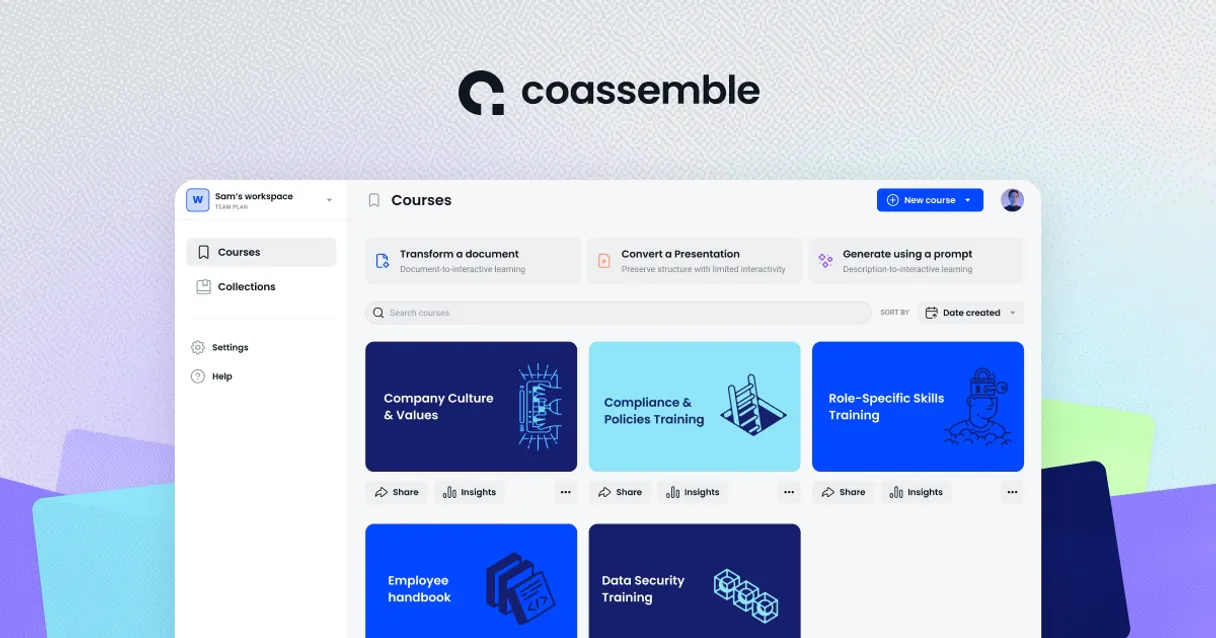
Independent Platform Disclaimer: Vinkius is an independent platform and is not affiliated with, endorsed by, sponsored by, verified by, or otherwise authorized by Coassemble. All third-party trademarks, logos, and brand names are the property of their respective owners. Their use on this website is strictly for informational purposes to identify service compatibility and interoperability.
VINKIUS INFRASTRUCTURE
Cloud Hosted
Managed infra
V8 Isolated
Sandboxed per request
Zero-Trust Proxy
No stored credentials
DLP Enforced
Policy on every call
GDPR Compliant
EU data residency
Token Compression
~60% cost reduction
Works with Claude, ChatGPT, Cursor, and more
The Model Context Protocol standardizes how applications expose capabilities to LLMs. Instead of operating in isolation, your AI gains direct access to external platforms, live data, and real-world actions through secure, standardized connections.
This server provides 8 capabilities that interface natively with Claude, ChatGPT, Cursor, and any MCP client. No middleware. No custom integration required.
Available Capabilities
Checking compliance status shouldn't require jumping between five separate dashboards.
Right now, checking if a team completed their annual mandatory training means logging into the LMS. Then you find the roster tab. You export the spreadsheet. You open Excel and use VLOOKUP to check grades against an employee ID list. If the data is messy or incomplete, you spend hours manually correcting errors.
With this MCP server, you just ask your agent: 'What's the average grade for Q4 compliance training?' The tool runs `get_training_completion_results` and spits out a single, clean number. That’s it. You get the answer without touching an Excel sheet.
Coassemble MCP Server: Manage groups, enrollments & courses.
Manually assigning new hires to training is a huge pain point. You have to find their profile, navigate to the enrollment section, and manually click 'Add Course' for every required module—a repetitive process that slows down onboarding teams.
Now, you just tell your agent: 'Enroll these 20 people in Onboarding and Safety.' It executes `enroll_member_in_course` across all accounts. The assignment happens instantly. Your time moves from clicking to confirming.
Common Questions About Coassemble MCP
How do I get a list of courses using the list_coassemble_courses tool? +
You simply ask your agent, 'List all active training courses.' The server runs list_coassemble_courses and sends back every course title in your workspace.
Can I check a member's group memberships using get_member_group_associations? +
Yes. Just provide the member ID to your agent, and it runs get_member_group_associations. It will list every single group that user is currently associated with.
What information does get_training_completion_results retrieve? +
This tool pulls the final grades and completion data for a specified set of enrollments. You'll get an audit report on performance, not just 'in progress' status.
Do I need to call list_coassemble_members before enrolling someone? +
It's smart practice to run list_coassemble_members first. This confirms the user's active ID and contact details, reducing the chance you try to enroll a non-existent or deactivated account.
How do I use `list_coassemble_enrolments` to see all current student enrollments? +
It returns a comprehensive list of every active enrollment record in your workspace. For each entry, you'll get the associated Member ID, Course ID, and the date the enrollment started. This lets you quickly check who is signed up for what.
What happens if I use `enroll_member_in_course` with an invalid Member ID or Course ID? +
The server returns a specific error message detailing the issue. You'll get an HTTP status code and a clear failure reason, like 'Member not found' or 'Course does not exist.' This lets your agent handle the error gracefully.
How do I use `list_coassemble_groups` to see all student groups? +
This tool lists every group defined in your workspace, giving you the group's name and its unique identifier. It helps you verify if a specific group exists before trying to assign members or check group associations.
What specific contact details does `list_coassemble_members` return for each user? +
The tool provides core identity information, including the member's full name, email address, and unique workspace ID. It gives you enough data to verify a user's existence and identify them within your system.
Can I see the completion results for a specific student? +
Yes! Use the get_training_completion_results tool. The agent will return completion data and grades for enrolments, allowing you to track individual or aggregate success.
How do I check which groups a member belongs to? +
Use the get_member_group_associations tool with the member ID. Your agent will fetch all groups the specific member is part of, giving you context on their organizational alignment.
Where do I find my Coassemble User ID and Token? +
Log in to Coassemble, navigate to Settings, and select API. You can generate and copy your User ID and API User Token from that section.
Use it with your favorite AI tools
Connect this server to Cursor, Claude, VS Code, and more.
More in this category

Easelly
Design infographics and visual reports using templates and a drag-and-drop editor that makes data storytelling simple.
folk
Manage relationships across sales, recruiting, and partnerships with a lightweight CRM that syncs contacts from everywhere.

BL.INK
Manage enterprise links via BL.INK — shorten URLs, track analytics, and manage branded domains directly from any AI agent.
You might also like

Meilisearch
Manage your Meilisearch instance — handle indexes, documents, and search configurations directly from your AI agent.

Dailymotion Alternative
Manage your Dailymotion account — audit videos, playlists, and followers via AI.
Pipedrive Mail
Browse email threads, read messages, and view deal-linked emails — manage your Pipedrive mail integration through conversation.