
MarketMan MCP. Manage inventory, orders, cost, and waste in conversation.
 Gemini
 Works with every AI agent you already use
…and any MCP-compatible client









Just plug in your AI agents and start using Vinkius.
MarketMan connects your AI client directly to a full restaurant intelligence platform. Use natural conversation to manage everything from real-time inventory counts and food cost analysis to drafting purchase orders and tracking spoilage waste.
It handles vendor records, recipe ingredient lists, and complete stock audits in one place.
What your AI agents can do
Get count sheets
Generates a sheet listing current inventory counts for an audit review.
Get restaurant info
Retrieves basic information about the restaurant location or establishment.
Get waste events
Logs and retrieves records detailing spoiled product and its associated cost impact for waste reduction reports.
The server generates detailed count sheets, lists all available inventory categories, and provides a comprehensive view of every item's stock level.
You can list your vendors for management or check the status of active purchase orders to track expected deliveries and invoices.
The system lists all stored recipes, allowing you to calculate ingredient quantities and understand the associated food cost for any menu item.
You can log waste events—like spoiled product or dropped ingredients—and get an immediate calculation of that loss's financial impact.
Ask AI about this MCP
Supported MCP Clients
Gemini Waiting for input…
MarketMan MCP Server: 8 Tools for Kitchen Ops
These tools let your AI client perform specific actions across inventory counts, vendor records, waste logging, and recipe analysis.
019d75cfget count sheets
Generates a sheet listing current inventory counts for an audit review.
019d75cfget restaurant info
Retrieves basic information about the restaurant location or establishment.
019d75cfget waste events
Logs and retrieves records detailing spoiled product and its associated cost impact for waste reduction reports.
019d75cflist categories
Lists all inventory categories available, showing how many items fall under each group.
019d75cflist inventory
Checks the current stock levels of all listed inventory items to determine if any are below their set par level.
019d75cflist purchase orders
Displays a list and status updates for all outstanding and completed purchase orders.
019d75cflist recipes
Retrieves detailed lists of recipes, including the specific ingredient quantities needed for menu engineering.
019d75cflist vendors
Provides a directory and management view of all registered suppliers used by the restaurant.
Choose How to Get Started
Build a custom MCP for your own tools, or connect a ready-made integration from our catalog.
Build Your Own
Turn any API into an MCP. Import a spec, define Agent Skills, or deploy with MCPFusion.
- Import from OpenAPI, Swagger, or YAML specs
- Create Agent Skills with progressive disclosure
- Deploy to edge with MCPFusion framework
- Built in DLP, auth, and compliance on every call
- Real time usage dashboard and cost metering
- Publish to catalog or keep private
Make Your AI Do More
Start with MarketMan, then connect any of our 4,700+ other servers whenever your AI needs more. One click, no limits.
- Use this MCP plus 4,700+ others, all in one place
- Add new capabilities to your AI anytime you want
- Every connection is secured and compliant automatically
- Track usage and costs across all your servers
- Works with Claude, ChatGPT, Cursor, and more
- New servers added to the catalog every week
What you can do with this MCP connector
MarketMan connects your AI client straight to a full restaurant intelligence platform. You manage everything—from counting stock to dealing with spoiled food—using natural conversation.
Inventory Audits and Stock Counts:
You check current stock levels using list_inventory to see if any item is below its set par level, which flags what you need to reorder. For a full audit review, the server generates detailed count sheets via get_count_sheets, giving you an immediate list of all inventory numbers.
You can also run list_categories to view every available inventory grouping and see exactly how many items fall under each one.
Operational Tracking:
You get basic details about your location or establishment by calling get_restaurant_info. To keep tabs on who you buy from, the server gives you a complete directory of registered suppliers through list_vendors. When it comes to ordering stuff, you use list_purchase_orders to pull up status updates for all deliveries and orders, whether they're outstanding or already completed.
Menu Costing and Recipes:
To understand the cost of any dish on the menu, you retrieve detailed lists of recipes using list_recipes. This shows the precise quantity of every ingredient needed for your menu engineering. You also track losses by logging spoiled product with get_waste_events, which gives you a record of what went bad and calculates that loss's financial impact right away.
This system handles everything, so you don't gotta juggle multiple spreadsheets or call vendors just to check stock.
How MarketMan MCP Works
- 1 Start by asking your agent a question, like 'What do we need to order?' The server then calls
list_inventoryand compares the current stock against predefined par levels. - 2 Next, if items are low, you ask it to draft an order. The agent uses that data to call
list_vendorsand format a purchase order usinglist_purchase_orders. - 3 Finally, you review the output in plain English: 'We need 15 lbs of tomatoes from Fresh Farms Inc.' The workflow completes by presenting the actionable PO draft.
The bottom line is that the server acts as a centralized interface, allowing your AI client to pull data from multiple restaurant systems and synthesize a single answer for you.
Who Is MarketMan MCP For?
Anyone running a commercial kitchen—from Head Chefs managing costs on the fly to Purchasing Managers who are sick of juggling spreadsheets. If you spend more time reconciling inventory records than actually cooking, this is for you.
Uses list_inventory and get_count_sheets to conduct audits, checking stock levels against par limits to prevent over-ordering or running out.
Routinely uses list_vendors and list_purchase_orders to check vendor records, track incoming shipments, and ensure invoices match actual deliveries.
Uses list_recipes and get_waste_events to analyze which ingredients are costing too much or how waste is impacting the profit margin on signature dishes.
What Changes When You Connect
- Stop guessing on stock levels.
list_inventoryinstantly shows you which items are below par, telling you exactly what needs to be ordered now. - Get a full picture of your operation with
get_count_sheets. Instead of manually counting bins and reconciling numbers later, the agent generates structured audit reports in seconds. - Master your costs using
list_recipescombined with food cost analysis. You can immediately see how ingredient price spikes affect the profit margin on your signature dishes. - Tame waste tracking. By calling
get_waste_events, you move beyond just knowing 'we threw stuff away'; you get a direct, actionable report on the dollar amount lost to spoilage. - Simplify vendor relations. You can check outstanding orders using
list_purchase_orderswithout logging into multiple vendor portals—everything is in one place. - Know your supply chain inside out. The combination of
list_vendorsandget_restaurant_infoensures you have all supplier details alongside location data for better coordination.
Real-World Use Cases
The end-of-day inventory check
It’s 10 PM, and the manager needs to know if they can open tomorrow without running out of key items. Instead of manually checking six different stock sheets, they ask their agent: 'What do we need?' The agent runs list_inventory and reports back a prioritized list of par-level shortages (e.g., 'Ribeye is at 8 lbs; you must order now').
Handling a sudden price hike
The supplier raises the cost of beef. The chef asks their agent: 'How does this affect the burger?' The agent uses list_recipes to pull the exact ingredient breakdown and calculates the new food cost percentage, giving an immediate financial impact assessment.
Quarterly audit prep
The ops team needs a full physical count. They ask for the starting point: 'Generate our complete inventory sheets.' The agent calls get_count_sheets, providing a standardized, itemized template that minimizes manual data entry and speeds up reconciliation.
Streamlining purchasing
The Purchasing Agent receives an invoice for 50 cases of lettuce. They ask: 'Did we order this?' The agent checks list_purchase_orders against the supplier's records (list_vendors), confirming if the items were billed correctly or if a discrepancy exists.
The Tradeoffs
Using spreadsheets for everything
Trying to track spoilage waste by logging it in an Excel sheet. You spend hours manually calculating cost impact and can't easily pull vendor data into the same file.
→
Use get_waste_events. This tool logs the spoiled item, its quantity, and calculates the financial loss automatically. Then, use that data point with your agent for a complete picture.
Calling tools in isolation
Running list_inventory to see low items, then opening another tab to check list_vendors, and finally manually cross-referencing the two lists. This is slow and error-prone.
→
Ask your agent one combined question: 'Draft a PO for all low inventory items from our primary produce vendor.' The AI handles the sequence of calls (list_inventory -> list_vendors -> draft PO).
Forgetting recipe cost impact
Assuming that because an item is cheap to buy, it's profitable. You don't account for labor or waste when building the menu.
→
Use list_recipes. This tool provides ingredient quantities and allows you to check food cost margins, forcing you to look at profitability, not just purchase price.
When It Fits, When It Doesn't
You should use MarketMan if your restaurant's operations require connecting multiple data points: inventory levels to recipes to purchasing orders. It excels when the question is 'What do we need and why?' Don't use it if you only need a simple, isolated report—for example, if you just want to see all vendor names; list_vendors does that fine. But don't rely on MarketMan for raw accounting ledger entries or payroll management; those are outside its scope. It is designed for the physical flow of goods and money related to food service.
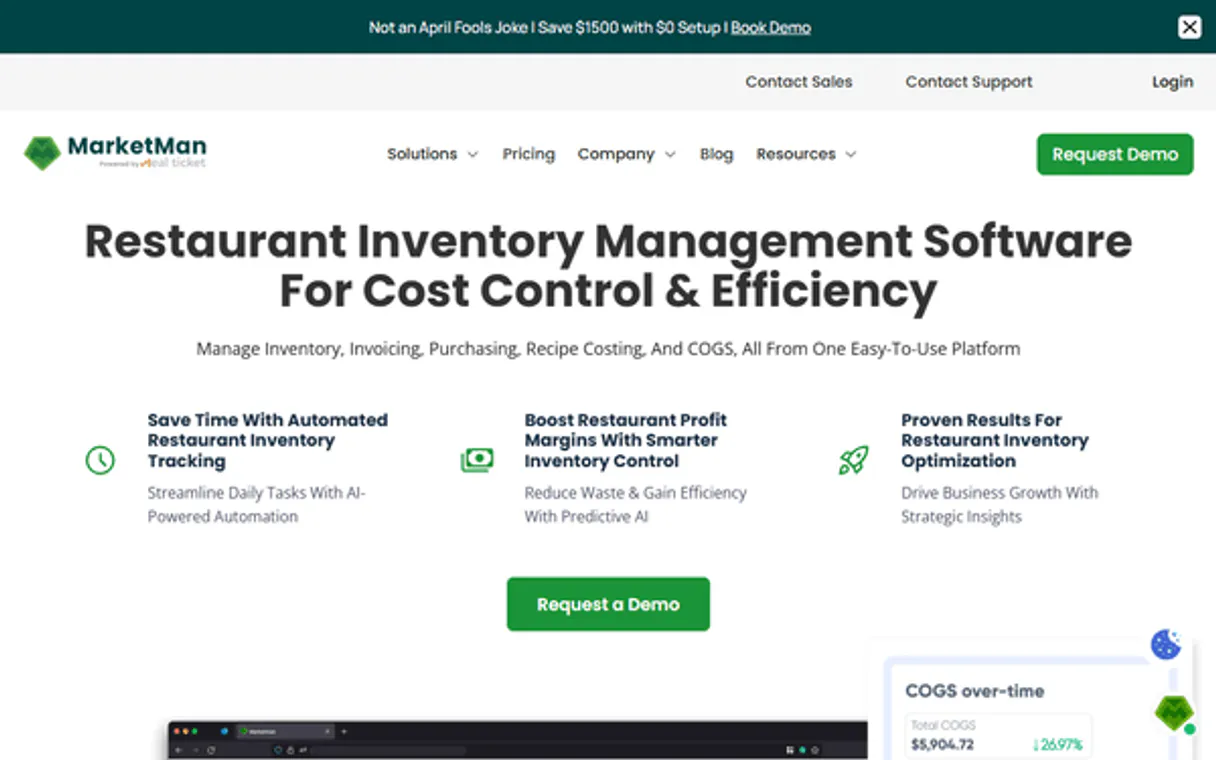
Independent Platform Disclaimer: Vinkius is an independent platform and is not affiliated with, endorsed by, sponsored by, verified by, or otherwise authorized by MarketMan. All third-party trademarks, logos, and brand names are the property of their respective owners. Their use on this website is strictly for informational purposes to identify service compatibility and interoperability.
VINKIUS INFRASTRUCTURE
Cloud Hosted
Managed infra
V8 Isolated
Sandboxed per request
Zero-Trust Proxy
No stored credentials
DLP Enforced
Policy on every call
GDPR Compliant
EU data residency
Token Compression
~60% cost reduction
Works with Claude, ChatGPT, Cursor, and more
The Model Context Protocol standardizes how applications expose capabilities to LLMs. Instead of operating in isolation, your AI gains direct access to external platforms, live data, and real-world actions through secure, standardized connections.
This server provides 8 capabilities that interface natively with Claude, ChatGPT, Cursor, and any MCP client. No middleware. No custom integration required.
Available Capabilities
Juggling spreadsheets for every stock audit is a nightmare.
Today, running an inventory count means pulling reports from three different tabs: one for current stock, one for vendor pricing, and another spreadsheet to calculate the total dollar value. You spend half your time copy-pasting numbers between sheets just to get a single 'Total Value' figure.
With MarketMan MCP, you ask your agent directly, 'What is the total inventory value?' The server calls `list_inventory` and processes it against current costs, giving you one definitive number without ever touching a spreadsheet. It’s instant.
MarketMan MCP Server: Complete Inventory & Procurement
The manual process of tracking waste is always reactive—you only know about the spoilage when you physically throw it out. You have to log that manually, and then calculate the cost impact on your P&L statement yourself.
Now, by using `get_waste_events`, you simply tell the agent what was wasted (e.g., 'three lbs of lettuce') and the system calculates the associated financial loss instantly. It moves waste tracking from a manual chore to an automated metric.
Common Questions About MarketMan MCP
How do I find out if we are low on ingredients using list_inventory? +
The list_inventory tool checks your current stock against defined par levels. It reports back a prioritized list of every item that is below the minimum threshold, telling you exactly what to order.
Can I check my supplier details and open POs using list_vendors? +
Yes. list_vendors provides all registered supplier information, allowing your agent to pull up their history and help draft or track purchase orders for them.
How do I calculate the cost of a dish? Does list_recipes help? +
Absolutely. list_recipes gives you the precise ingredient quantities needed for any menu item, which is critical for calculating accurate food costs and determining if your profit margin holds up.
What's the difference between get_waste_events and list_inventory? +
list_inventory tracks what you have right now. get_waste_events tracks what you lost. The system uses both to give a true picture of operational loss versus current stock.
Before I start ordering or checking stock, how do I make sure my AI agent has all the core facility data using get_restaurant_info? +
It pulls basic operational details about your location. This function provides essential context like address and capacity, which helps the agent accurately interpret inventory needs and suggest optimal reorder points for that specific site.
If I need to understand my entire stock structure before checking individual items, what is the purpose of list_categories? +
list_categories lists every grouping in your system along with current item counts. You use this when you want a high-level overview of inventory organization and total volume per department before investigating specific low-stock alerts.
What happens if my physical count doesn't match the recorded stock? How does get_count_sheets help me track variances? +
It generates formal sheets that specifically highlight discrepancies between expected and actual counts. This tool tracks variance over time, helping you pinpoint when and where inventory losses or overages occurred.
I need to review ordering patterns from last year. How does list_purchase_orders help me analyze historical procurement data? +
This function retrieves a comprehensive list of past purchase orders, allowing you to filter by date range or vendor. It's key for identifying seasonal trends and managing long-term supply chain predictability.
What does MarketMan do? +
MarketMan automates restaurant inventory, purchasing, and food cost management. It integrates with POS systems, accounting software, and suppliers.
Can MarketMan handle multiple suppliers for the same ingredient? +
Yes, MarketMan allows you to link multiple vendors to a single ingredient, enabling you to compare prices and choose the most cost-effective supplier when generating purchase orders.
Does the integration track food waste accurately? +
Absolutely. You can log waste events such as spoilage, spills, or over-portioning in MarketMan, and the AI can summarize these events to show you the exact financial impact.
Use it with your favorite AI tools
Connect this server to Cursor, Claude, VS Code, and more.
More in this category

Yonyou / 用友
Leading enterprise ERP and cloud services platform in China — manage purchase orders, sales, and inventory via AI.

Flexport
Manage global freight shipments, purchase orders, and logistics documents via AI agents with Flexport.

Moneybird
Handle Dutch and European accounting with automated invoicing, bank reconciliation, and tax-ready financial reports.
You might also like

Arbiscan (Arbitrum Explorer)
Explore Arbitrum blockchain data — check balances, track transactions, and inspect smart contract source code directly from your AI agent.

Hugging Face
Explore AI models, datasets and Spaces via Hugging Face — search models, inspect files, review discussions and track collections from any AI agent.
SEC EDGAR Financials — Revenue, Income, Assets, EPS & Industry Comparison
Extract XBRL financial data from SEC filings: revenue, net income, total assets, liabilities, stockholders' equity, EPS, and cash for any U.S. public company. Compare financial metrics across all companies industry-wide using XBRL frames. Like a free mini-Bloomberg terminal.