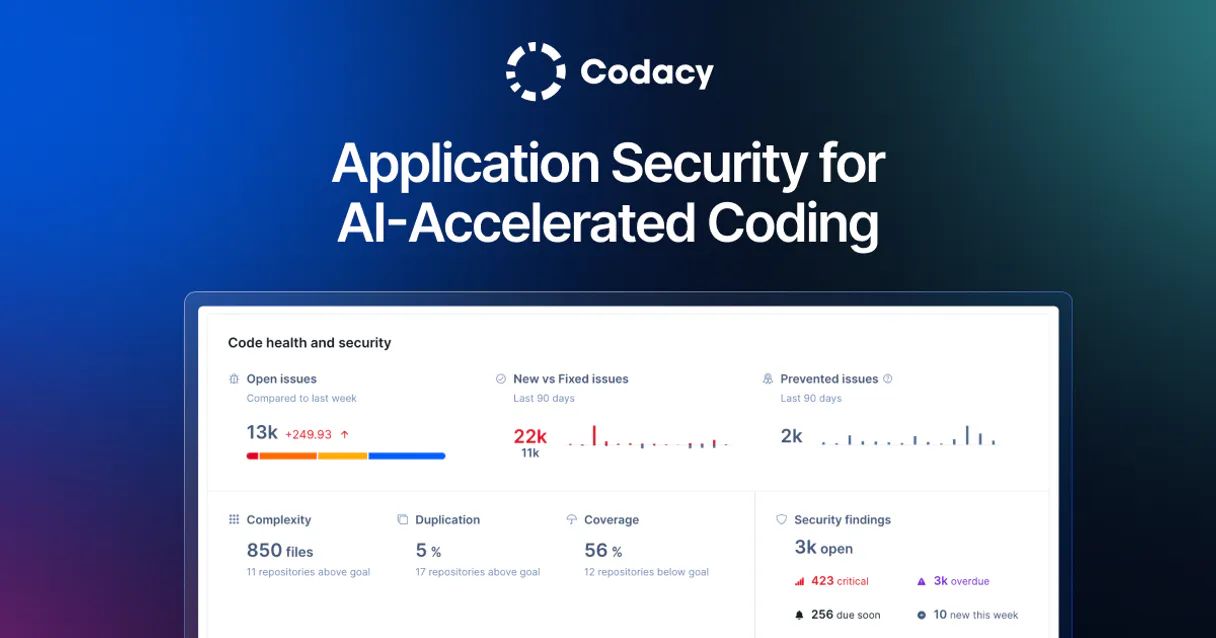
Codacy MCP. Audit code quality and track technical debt from chat.
Works with every AI agent you already use
…and any MCP-compatible client

Just plug in your AI agents and start using Vinkius.
Codacy MCP Server gives your AI agent full control over code quality and automated reviews. Check repository grades, audit webhooks, list organization members, and search specific code issues—all without opening the Codacy dashboard.
It lets you manage technical debt and security compliance directly from your chat interface.
What your AI agents can do
Get my codacy profile
Retrieves basic information about the Codacy user account.
Get repository quality analysis
Gets the current quality grade and metrics for a specific repository.
List codacy organizations
Lists all organizations linked to the Codacy account.
Retrieves the core account information for the authenticated Codacy user.
Fetches the current quality grade and key metrics for a specific code repository.
Retrieves a list of every organization associated with the Codacy account.
Finds code quality issues within a repository using advanced filters like severity, category, or language.
Retrieves the roster and profile details of users belonging to a specified organization.
Gets a list of all code repositories analyzed within a given organization.
Monitors and lists all webhooks configured for quality notifications on a repository.
Lists all programming languages that the Codacy analysis engine supports.
Ask AI about this MCP
Supported MCP Clients
Waiting for input…
Codacy MCP Server: 8 Tools for Code Quality
These tools let your AI agent query your entire Codacy workspace to check grades, list members, search issues, and monitor technical compliance.
019d7576get my codacy profile
Retrieves basic information about the Codacy user account.
019d7576get repository quality analysis
Gets the current quality grade and metrics for a specific repository.
019d7576list codacy organizations
Lists all organizations linked to the Codacy account.
019d7576list organization members
Lists people and users belonging to a specific organization.
019d7576list organization repositories
Lists all repositories analyzed within an organization.
019d7576list repository webhooks
Lists all configured webhooks for quality notifications on a repository.
019d7576list supported languages
Lists all programming languages supported by the Codacy analysis engine.
019d7576search repository issues
Searches for specific code quality issues in a target repository.
Choose How to Get Started
Build a custom MCP for your own tools, or connect a ready-made integration from our catalog.
Build Your Own
Turn any API into an MCP. Import a spec, define Agent Skills, or deploy with MCPFusion.
- Import from OpenAPI, Swagger, or YAML specs
- Create Agent Skills with progressive disclosure
- Deploy to edge with MCPFusion framework
- Built in DLP, auth, and compliance on every call
- Real time usage dashboard and cost metering
- Publish to catalog or keep private
Make Your AI Do More
Start with Codacy, then connect any of our 4,700+ other servers whenever your AI needs more. One click, no limits.
- Use this MCP plus 4,700+ others, all in one place
- Add new capabilities to your AI anytime you want
- Every connection is secured and compliant automatically
- Track usage and costs across all your servers
- Works with Claude, ChatGPT, Cursor, and more
- New servers added to the catalog every week
What you can do with this MCP connector
Your AI agent gives you full control over code quality and automated reviews right from your chat. You won't have to open the Codacy dashboard to check anything. You can manage technical debt and security compliance directly through your agent.
To check your own details, use get_my_codacy_profile to pull up your basic Codacy user information. You can see all the organizations tied to your account by running list_codacy_organizations. For any single organization, you can get a list of all the members using list_organization_members, and you can also see every repo that organization has analyzed with list_organization_repositories.
When you zero in on a specific code base, you can check its current quality grade and key metrics with get_repository_quality_analysis. You can then search for specific code quality issues inside a target repo using search_repository_issues, letting you filter by severity, category, or language. If you need to know what languages Codacy handles, list_supported_languages shows you everything.
You can monitor quality notifications by listing all configured webhooks for a repo with list_repository_webhooks.
How Codacy MCP Works
- 1 Subscribe to the Codacy MCP Server and enter your Codacy Account API Token.
- 2 Ask your AI agent to perform an action, for example: 'What is the quality grade for the core-api repo?'
- 3 The agent calls the appropriate tool, and you get a direct, plain-text answer with the grade and metrics.
The bottom line is you manage code quality and security audits using natural language commands, bypassing the web UI entirely.
Who Is Codacy MCP For?
This server is for the engineering manager who needs a quick overview of repo health without opening a dashboard. It's for the DevOps engineer who must audit webhooks or compliance status on the fly. It's for the developer who just needs to know if a specific code issue is critical.
Checks overall repository grades and tracks quality trends for multiple teams using conversational prompts.
Audits repository webhooks and checks analysis status across multiple connected systems without navigating the main dashboard.
Quickly looks up specific code issues or security alerts for a branch directly from their chat interface.
Verifies repository compliance status and monitors vulnerability findings across the entire portfolio.
What Changes When You Connect
- Get an immediate code quality grade for any repo. Instead of navigating to the dashboard, use
get_repository_quality_analysisto get the current grade and metrics in a single query. - Monitor your entire portfolio. Use
list_organization_repositoriesto see every analyzed repo in one list. Then, useget_repository_quality_analysison each one. - Pinpoint security holes instantly.
search_repository_issueslets you filter for 'Critical' security vulnerabilities by category or language, saving hours of manual review. - Audit webhooks without logging in. Use
list_repository_webhooksto see all configured quality notifications for a repo, confirming the setup is correct. - Understand who owns the code.
list_organization_memberspulls user rosters and profiles for an organization, letting you track ownership directly. - See what Codacy covers. Use
list_supported_languagesto confirm if your niche language is supported by the analysis engine.
Real-World Use Cases
Checking a Project's Health Status
A manager needs to know the quality of the 'web-frontend' repo before a meeting. Instead of opening Codacy, they ask their agent. The agent calls get_repository_quality_analysis and returns the grade and key metrics immediately, allowing the manager to adjust the meeting agenda.
Investigating a Security Alert
A developer finds a security flag in a PR and needs details. They ask the agent to run search_repository_issues on the specific repo, filtering by 'Security' and 'Critical' level. The agent returns the exact vulnerability details, which the developer can then fix.
Onboarding a New Team Member
A manager onboarding a new team needs to see who belongs to the 'backend' org. They ask the agent to run list_organization_members. The agent provides the full roster and profile info, eliminating manual directory lookups.
Auditing Dependencies Before Migration
A DevOps engineer must confirm every repo is set up for quality monitoring before a migration. They first run list_organization_repositories to get the list, then use list_repository_webhooks on each one to verify the required quality notification webhooks are active.
The Tradeoffs
Assuming one tool does everything
Trying to get the repo grade and the member list in one prompt, expecting the agent to magically combine all data. This fails because the tools handle distinct data sets.
→
Break the request into steps. First, call list_organization_repositories to get the target repo name. Then, use get_repository_quality_analysis with that specific name. If you need member data, use list_organization_members separately.
Forgetting the scope
Asking the agent to 'show me all code problems.' This vague request fails because the agent doesn't know which organization or repository to check.
→
Always specify the scope. Start by calling list_codacy_organizations to narrow down the context, then use list_organization_repositories to select the target code base.
Overlooking required filters
Running search_repository_issues and expecting a list of all problems. If you don't specify the level (e.g., 'Critical') or category, the results are too noisy to be useful.
→
Use the advanced filters available in search_repository_issues. Specify the issue level (e.g., 'Critical') and the category (e.g., 'Security') to get actionable, targeted results.
When It Fits, When It Doesn't
Use this if you need to manage, audit, or report on code quality metrics across multiple repositories. This tool suite is best for cross-cutting concerns: checking grades, monitoring compliance, and managing organizational structure. Don't use this if you just need to write a single line of code or check a basic API endpoint status—for that, a dedicated, single-purpose API connector is better. If your goal is simply to list all users, use list_organization_members and get_my_codacy_profile for basic identity data, but if you need technical debt tracking, you need the full suite.
Independent Platform Disclaimer: Vinkius is an independent platform and is not affiliated with, endorsed by, sponsored by, verified by, or otherwise authorized by Codacy. All third-party trademarks, logos, and brand names are the property of their respective owners. Their use on this website is strictly for informational purposes to identify service compatibility and interoperability.
VINKIUS INFRASTRUCTURE
Cloud Hosted
Managed infra
V8 Isolated
Sandboxed per request
Zero-Trust Proxy
No stored credentials
DLP Enforced
Policy on every call
GDPR Compliant
EU data residency
Token Compression
~60% cost reduction
Works with Claude, ChatGPT, Cursor, and more
The Model Context Protocol standardizes how applications expose capabilities to LLMs. Instead of operating in isolation, your AI gains direct access to external platforms, live data, and real-world actions through secure, standardized connections.
This server provides 8 capabilities that interface natively with Claude, ChatGPT, Cursor, and any MCP client. No middleware. No custom integration required.
Available Capabilities
Checking repo grades used to be a multi-step process.
Today, checking a repo's health means logging into Codacy, selecting the organization, navigating to the specific project, and finally clicking the 'Analysis' tab to find the grade. It's a three-click dance just to get a single A or B grade.
With the Codacy MCP Server, you just ask your agent. You tell it the repo name, and it executes the `get_repository_quality_analysis` tool. You get the grade and the metrics right back in the chat—no dashboards, no clicks.
Codacy MCP Server: Full Visibility into Code Quality
You no longer have to open the dashboard to see if a webhook fired correctly or what the latest security findings are. You run `list_repository_webhooks` to verify setup, and `search_repository_issues` to surface immediate findings.
The whole process moves from manual dashboard auditing to instant, conversational querying. You get a complete, actionable audit trail without ever leaving your chat window.
Common Questions About Codacy MCP
How do I use the `get_repository_quality_analysis` tool? +
You provide the name of the repository. The tool returns the current quality grade, the overall metrics, and the last time the analysis ran. This tells you if the code base is healthy right now.
What is the difference between `list_organization_repositories` and `list_organization_members`? +
list_organization_repositories gives you a list of code projects in an organization. list_organization_members provides the full list of people and users within that same organization.
Can `search_repository_issues` filter by severity? +
Yes. You can use the tool to filter issues by severity level (like 'Critical' or 'Medium') and by category (like 'Security'). This helps you focus only on what needs fixing first.
Do I need an API key to use the Codacy MCP Server? +
Yes, you must provide your Codacy Account API Token during setup. This authenticates your agent to your Codacy workspace.
How do I check which programming languages are supported by Codacy? +
Run the list_supported_languages tool. It returns a list of all supported languages, including common ones like Python, Java, and also configuration files like Dockerfile.
How do I list all organizations associated with my account using `list_codacy_organizations`? +
You call list_codacy_organizations to retrieve a full list of organizations linked to your Codacy account. This helps you scope your checks across multiple client groups or projects.
Can I use `search_repository_issues` to check for specific vulnerability types? +
Yes, search_repository_issues lets you filter by specific criteria. You can narrow results using fields like level, category, or language to pinpoint vulnerabilities.
What information does `list_repository_webhooks` provide? +
The list_repository_webhooks tool shows all webhooks set up for quality notifications. This lets you audit which systems are currently receiving real-time analysis data.
Can I see the quality grade for a specific repository? +
Yes! Use the get_repository_quality_analysis tool. Provide the provider (e.g., gh), organization, and repository name. The agent will return the current letter grade (A-F) and core quality metrics.
How do I search for security-related issues in my code? +
Use the search_repository_issues tool. You can filter the payload to include categories: ['Security']. Your agent will fetch all security vulnerabilities identified by Codacy in that repository.
Where do I find my Codacy API Token? +
Log in to Codacy, click on your avatar in the top right, go to User Settings, and select the API tab. You can generate and copy your account token from there.
Use it with your favorite AI tools
Connect this server to Cursor, Claude, VS Code, and more.
More in this category
SonarQube & SonarCloud
Bring your standalone or cloud SonarQube quality gates native to your AI logic. Find bugs, duplications, and rewrite vulnerable code instantly.
DeepSeek
Access powerful open-weight language models for reasoning, code generation, and complex problem solving at competitive cost.
Bitquery (Web3 Blockchain GraphQL APIs)
Query real-time and historical blockchain data across 40+ chains including Ethereum, Solana, and Bitcoin using GraphQL.
You might also like
Formbricks
Manage surveys, capture feedback, and oversee experience management via AI agents with Formbricks.
Shansong Swift Delivery
Bring Shansong's fast P2P Delivery Network into your LLM. Estimate logistics routing, dispatch riders, and track locations.
Rocket.Chat
Connect your AI assistant to Rocket.Chat to seamlessly send messages, explore channels, manage directories, and orchestrate chat operations directly.