
Concord CLM MCP. Manage contract status and workflow from chat.
 Gemini
 Works with every AI agent you already use
…and any MCP-compatible client









Just plug in your AI agents and start using Vinkius.
Concord CLM MCP Server manages your entire contract lifecycle. It lets your AI agent search, create, and send agreements through the Concord platform.
You can find agreements by name, check statuses, or trigger e-signature workflows without leaving your chat environment.
What your AI agents can do
Create agreement
Builds a new contract record inside Concord.
Get agreement
Pulls all the detailed data for one specific contract.
Get current user
Retrieves the account details of the person currently using the system.
Your agent retrieves detailed information or a list of agreements using tools like get_agreement or list_agreements.
Your agent creates a new contract instance using create_agreement or populates a new document from a template using list_templates.
Your agent triggers the e-signature process for a specified contract using the send_for_signature tool.
Your agent quickly locates agreements using search_agreements_by_name without needing an exact ID.
Your agent can list users (list_users) or retrieve details about the currently logged-in user (get_current_user) within Concord.
Ask AI about this MCP
Supported MCP Clients
Gemini Waiting for input…
Concord CLM MCP Server: 10 Tools for Contract Management
Manage the full agreement lifecycle by using these tools to create, retrieve, search, and send contracts through Concord CLM.
019d7579create agreement
Builds a new contract record inside Concord.
019d7579get agreement
Pulls all the detailed data for one specific contract.
019d7579get current user
Retrieves the account details of the person currently using the system.
019d7579list agreements
Gets a full list of all contracts in Concord.
019d7579list signed agreements
Provides a list of only those contracts that are fully signed.
019d7579list templates
Retrieves a list of all document templates available in Concord.
019d7579list users
Gets a list of every user account in your Concord organization.
019d7579list webhooks
Retrieves a list of existing webhooks configured in Concord.
019d7579search agreements by name
Finds contracts using a partial or full name search.
019d7579send for signature
Starts the e-signature process for a selected contract.
Choose How to Get Started
Build a custom MCP for your own tools, or connect a ready-made integration from our catalog.
Build Your Own
Turn any API into an MCP. Import a spec, define Agent Skills, or deploy with MCPFusion.
- Import from OpenAPI, Swagger, or YAML specs
- Create Agent Skills with progressive disclosure
- Deploy to edge with MCPFusion framework
- Built in DLP, auth, and compliance on every call
- Real time usage dashboard and cost metering
- Publish to catalog or keep private
Make Your AI Do More
Start with Concord CLM, then connect any of our 4,700+ other servers whenever your AI needs more. One click, no limits.
- Use this MCP plus 4,700+ others, all in one place
- Add new capabilities to your AI anytime you want
- Every connection is secured and compliant automatically
- Track usage and costs across all your servers
- Works with Claude, ChatGPT, Cursor, and more
- New servers added to the catalog every week
What you can do with this MCP connector
Your AI agent talks directly to Concord, letting you manage every contract from the chat. You can search, build, and get things signed without leaving your client.
Finding Contracts and Status: You can pull up detailed info on a specific contract with get_agreement, or get a full list of every contract using list_agreements. Need to find something specific? search_agreements_by_name lets you locate agreements even if you don't know the exact name. You can also get a list of only the contracts that are fully signed using list_signed_agreements.
If you just want to check out what templates you've got, list_templates shows you all the available document styles.
Drafting and Building Agreements: You can build a whole new contract record inside Concord by calling create_agreement. You can also pull a full list of all user accounts in your Concord org with list_users, or check out who you are with get_current_user. If you need to see what webhooks are already running, list_webhooks gives you that list.
You'll find that get_agreement pulls all the necessary data for any contract you point it to.
Signatures and Workflow: You start the e-signature process for any contract you pick using send_for_signature.
How Concord CLM MCP Works
- 1 Add the Concord CLM integration to your AI toolset.
- 2 Enter your API Key (found under Global Settings > API Keys in the Concord dashboard).
- 3 Tell your agent what you need—for example, 'Find all signed vendor agreements from Q1'—and it executes the necessary tool calls.
The bottom line is: you talk to your agent like a person, and it handles the complex, multi-step API calls to Concord for you.
Who Is Concord CLM MCP For?
The Legal Team member who needs instant visibility into contract status. The Procurement Manager who has to speed up vendor onboarding. Operations staff who track contract bottlenecks. If your job involves managing documents or vendor agreements, this saves you from jumping between multiple dashboards.
Uses the agent to find specific clauses in old contracts or check the current signature status of an NDA without opening the full Concord UI.
Uses the agent to create a new vendor agreement from a template and route it for review, skipping manual form filling.
Uses the agent to get an immediate count of contracts in 'Pending Review' status, giving them instant visibility into pipeline bottlenecks.
What Changes When You Connect
- Check contract status without clicking through tabs. Use
get_agreementorsearch_agreements_by_nameto pull the current stage of any contract instantly. - Speed up vendor onboarding. Use
list_templatesto find the right form, thencreate_agreementto build it andsend_for_signatureto distribute it—all in one chat session. - Get a clean overview of compliance.
list_signed_agreementsgives you a single list of only fully executed contracts, bypassing the need to filter the main dashboard. - Quickly locate documents. If you only remember part of the name,
search_agreements_by_namefinds it instantly, beating a manual search across dozens of files. - Control your data flow. Use
list_usersorget_current_userto ensure the agent is working with the correct organizational data and access permissions.
Real-World Use Cases
The Board needs a compliance report.
The Operations Director asks the agent: 'List all signed agreements from the last quarter.' The agent runs list_signed_agreements, pulls the data, and formats it into a readable summary for the Director, eliminating manual data extraction.
Vendor X needs an agreement signed fast.
The Procurement Manager says: 'Draft a new service contract for Vendor X using the master template.' The agent uses list_templates to find the right form, then create_agreement, and finally executes send_for_signature—all in sequence.
The Legal team needs to check a clause.
Instead of navigating deep into the Concord UI, the Legal Counsel asks: 'What is the status of the NDA with Beta Partners?' The agent uses get_agreement and returns the specific status (e.g., 'Pending Approval from Sarah Jenkins').
The team needs a list of who can sign.
The administrator runs list_users to get a full roster of all organizational users. This confirms who the agent can send documents to, preventing failed signature attempts due to outdated user IDs.
The Tradeoffs
Treating all tools as simple search functions
Trying to list all agreements and then manually filtering the list for only signed documents, even if you only need a summary count.
→
Just call list_signed_agreements. This tool handles the filtering and returns only the fully executed contracts, saving you time and clicks.
Ignoring templates when creating documents
When creating a new contract, manually filling every field and worrying about formatting or compliance requirements.
→
First, use list_templates to see what's available. Then, call create_agreement to build the contract using the correct, pre-approved template structure.
Calling multiple tools for the same data point
Running list_agreements to find a contract, then running search_agreements_by_name to confirm it, wasting two API calls for one piece of information.
→
If you know the name, use search_agreements_by_name. If you need everything, use list_agreements. Use the right tool for the specific scope you need.
When It Fits, When It Doesn't
Use this if you need to automate the contract lifecycle (creation, tracking, signing) using natural language. You're looking for an outcome, not just a database query. You must be able to define the steps: 1. Find the template. 2. Create the document. 3. Send it out.
Don't use this if you are just trying to check a single field or pull a simple user list; use the specific tools like get_agreement or list_users directly. If your process is complex (e.g., 'If status is X, then call tool Y, otherwise do Z'), you need the agent's orchestration layer, not just the tool list.
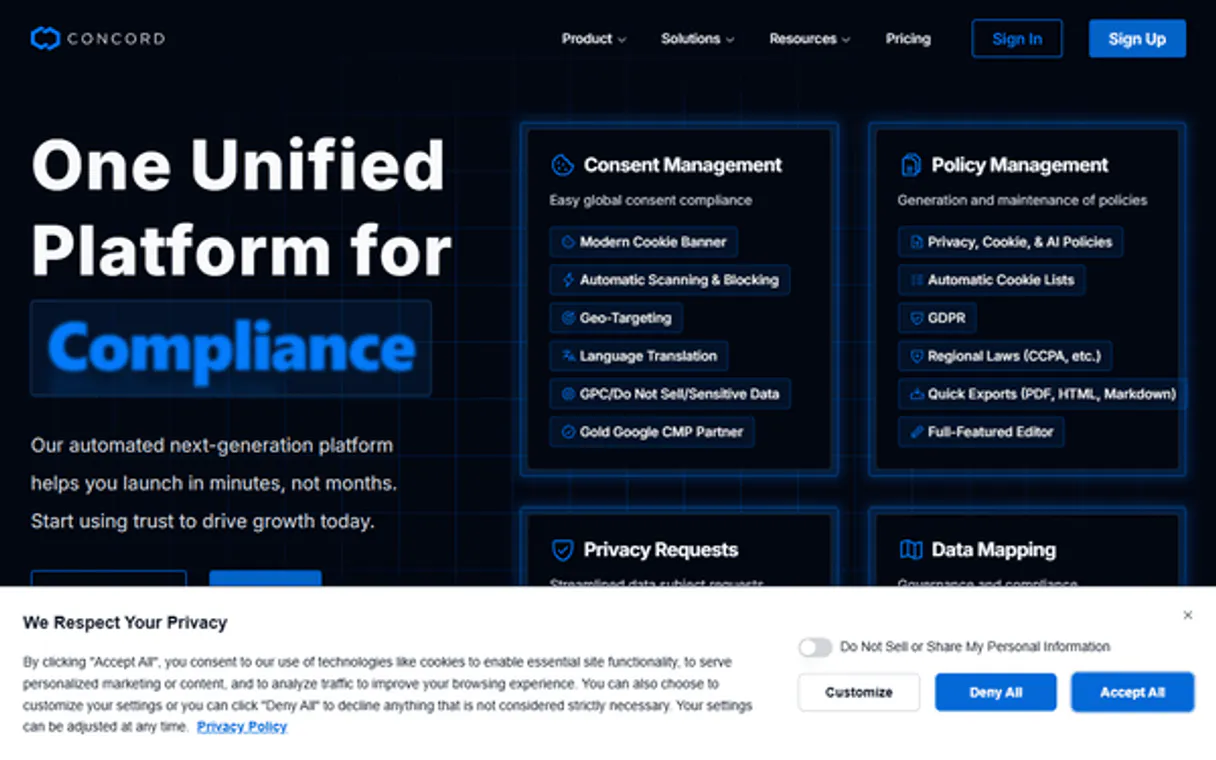
Independent Platform Disclaimer: Vinkius is an independent platform and is not affiliated with, endorsed by, sponsored by, verified by, or otherwise authorized by Concord. All third-party trademarks, logos, and brand names are the property of their respective owners. Their use on this website is strictly for informational purposes to identify service compatibility and interoperability.
VINKIUS INFRASTRUCTURE
Cloud Hosted
Managed infra
V8 Isolated
Sandboxed per request
Zero-Trust Proxy
No stored credentials
DLP Enforced
Policy on every call
GDPR Compliant
EU data residency
Token Compression
~60% cost reduction
Works with Claude, ChatGPT, Cursor, and more
The Model Context Protocol standardizes how applications expose capabilities to LLMs. Instead of operating in isolation, your AI gains direct access to external platforms, live data, and real-world actions through secure, standardized connections.
This server provides 10 capabilities that interface natively with Claude, ChatGPT, Cursor, and any MCP client. No middleware. No custom integration required.
Available Capabilities
Tracking agreement status shouldn't require navigating deep into a dashboard.
Today, checking a contract's status means logging into Concord, finding the agreement, clicking into it, and then scrolling through multiple status fields or waiting for a status change notification. If the document is shared, you often have to check a secondary tab or even email someone to find out who signed it.
With this MCP server, you just ask your agent: 'What's the status of the Acme Corp NDA?' It instantly runs the necessary tools and gives you the answer in plain text. No dashboard clicks, no tab switching. You just get the facts.
Concord CLM MCP Server: Send agreements for signature from chat.
Before, sending a contract for signature required opening the document, manually selecting the parties, hitting 'Send,' and then hoping the system logged the action correctly. This was a multi-step process prone to human error.
Now, you tell your agent: 'Send agreement 'agr-4521' for signature.' It handles the entire workflow, triggers the signature process, and confirms the action. The process is reliable and contained.
Common Questions About Concord CLM MCP
How do I use the Concord CLM MCP Server to search for agreements by name? +
Use the search_agreements_by_name tool. This function lets your agent find contracts even if you don't have the exact ID, just by providing keywords or part of the agreement's title.
Can I list only the fully signed contracts using the Concord CLM MCP Server? +
Yes, use the list_signed_agreements tool. It is specifically designed to pull only agreements that have passed through the full signature workflow and are fully executed.
What if I want to create a new agreement? +
Start by calling list_templates to see what standard document types are available. Then, use create_agreement to build the new contract based on the chosen template.
Do I need to use the Concord CLM MCP Server to send a document for signature? +
Yes, use the send_for_signature tool. This tool initiates the legal signing workflow for a specific contract ID, ensuring the action is logged correctly in Concord.
Can the Concord CLM MCP Server list all users in my organization? +
The list_users tool retrieves a complete roster of every user account in your Concord organization, which is useful for managing who can receive documents.
How does the Concord CLM MCP Server handle agreement status updates, like checking the status of agreement ID 'agr-8901'? +
The get_agreement tool retrieves the detailed status of any specific contract ID. This tells you exactly where the agreement stands—whether it's 'Drafting', 'Review', or 'Pending Signature'—and who is currently holding it up.
What is the best way to find agreements using the Concord CLM MCP Server if I only know part of the name? +
You should use the search_agreements_by_name tool. This tool allows you to search the entire agreement database using partial keywords, giving you a quick list of potential matches to review.
Does the Concord CLM MCP Server support creating agreements from predefined templates? +
Yes, you can use the create_agreement tool. This function lets you generate a new contract directly from a template ID, which populates standard fields and sets up the initial workflow for review.
How do I get my Concord API key? +
Log in to the Concord web app, go to Global Settings > API Keys, and generate a new key. Copy it and paste it into the authentication field below.
Does this work with the Sandbox environment? +
Yes. Set 'Use Sandbox?' to true in the credentials configuration to connect to the UAT environment instead of production.
Can I create documents from templates? +
Yes. When using the 'create_agreement' tool, you can specify a templateId to generate a document based on a pre-existing template.
Use it with your favorite AI tools
Connect this server to Cursor, Claude, VS Code, and more.
More in this category
ORCID
Access and manage ORCID researcher records — search the registry, fetch biographical data, and manage works or affiliations directly.
Knackly
Generate legal and business documents from smart templates with conditional logic that adapts content to every unique situation.

Yousign
Manage electronic signatures, signers, and document requests on Yousign — the leading eSignature platform for European teams.
You might also like

Aliyun VOD / 阿里云视频点播
Alibaba Cloud's professional video pipeline — manage media, retrieve play URLs, and audit transcode templates via AI.

SnapCall
Embed voice, video, and screen sharing into any digital interaction on SnapCall with AI agents.

Douyu
Automate game broadcasting metrics via the Douyu API — monitor live streamer activity, track esports massive bullet-chats, and extract audience retention natively from any AI agent.