
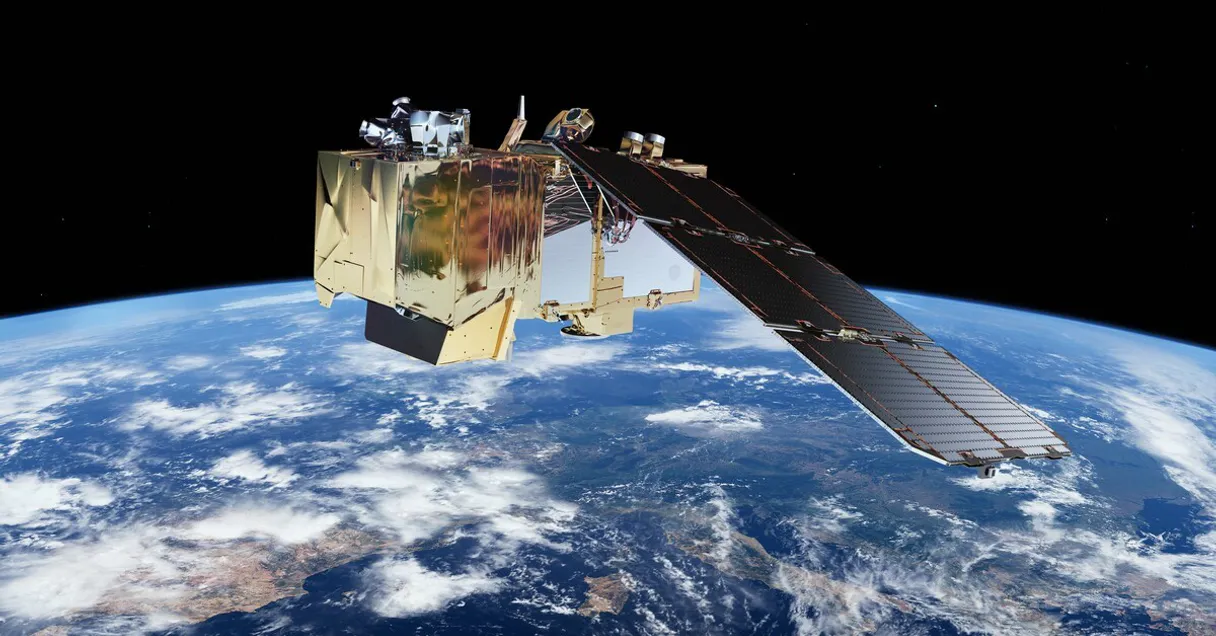
Copernicus Data Space MCP for AI. Search and download terabytes of global Earth observation data.
 Gemini
 Works with every AI agent you already use
…and any MCP-compatible client









Connect to your AI in seconds.
Copernicus Data Space connects your AI agent to Earth's largest open archive of satellite imagery. You can query terabytes of environmental and geospatial data—including radar, optical, and altimetry passes—by filtering for specific dates, locations, or atmospheric conditions.
What your AI can do
Check copernicus status
Verifies that your credentials are correct and the data space API is running properly.
Count products
Calculates how many satellite products exist for a given collection and date range without downloading anything.
Get collection
Retrieves details about specific data collections, like Sentinel-1 or SENTINEL-2.
Confirms your connection details are correct before running large searches.
Estimates how many products match your criteria, saving time and bandwidth by preventing unnecessary full searches.
Lists all the specific satellite data collections available (e.g., Sentinel-2, Landsat) and their coverage details.
Retrieves full technical metadata for a single product using its UUID, detailing file size, geometry, and sensing time.
Creates secure, temporary download URLs with Bearer tokens so your agent can pull the raw satellite files directly.
Provides quicklook previews and file node hierarchies for a product without downloading all the data.
Searches products using precise methods, such as bounding boxes (a defined map area) or specific satellite orbital numbers.
Ask an AI about this
Waiting for input…
Copernicus Data Space: 14 Tools for Geospatial Analysis
These tools let your agent interact with every facet of the Copernicus archive, from listing data types to generating secure download links.
Make your AI actually useful.
Add this MCP to Claude, Cursor, or Windsurf and your AI stops guessing. It gets real tools to look things up, take action, and handle the stuff you keep doing by hand.
Start using Copernicus Data Space on VinkiusCheck Copernicus Status
Verifies that your credentials are correct and the data space API is running properly.
Count Products
Calculates how many satellite products exist for a given collection and date range...
Get Collection
Retrieves details about specific data collections, like Sentinel-1 or SENTINEL-2.
Get Product Download Url
Creates a secure, time-limited URL that allows direct download of the raw satellite...
Get Product
Gathers detailed technical metadata for a single satellite product using its unique...
Get Quicklook
Gets a small preview and file node listing for a product so you can see its structure before downloading.
List Attributes
Shows the specific metadata fields available to filter searches, like cloud cover or processing level.
List Collections
Lists all satellite data collections (e.g., Sentinel-1, Sentinel-3) and their...
List Latest Products
Fetches a list of the most recently published satellite products available in the...
List Product Nodes
Returns a full file hierarchy listing for a product, including all measurement data...
Search By Bbox
Finds satellite products that fall within a specific geographic bounding box on the...
Search By Name
Searches for products using a partial name, useful for finding specific tile identifiers or orbits.
Search By Orbit Number
Filters results to include only data captured from the exact same satellite orbit geometry.
Search Products
Runs a full search by specifying a collection name, date range, and an optional area...
Security and governance baked right in.
Pick your AI client below to get set up. Just create a Vinkius account, subscribe, and you're instantly up and running. We handle the entire backend infrastructure, delivering out-of-the-box support for HTTPS Streamable, SSE, and OAuth2—zero messy routing required.
Claude AI
Open Claude Settings
Go to claude.ai, click your profile icon, then navigate to Customize → Connectors.
Add Custom Connector
Click the "+" button and select Add custom connector. Paste your Vinkius endpoint URL:
https://edge.vinkius.com/[YOUR_TOKEN_HERE]/mcp
Replace [YOUR_TOKEN_HERE] with your token
from cloud.vinkius.com. For OAuth-protected servers, expand
Advanced settings to add credentials.
Start a conversation
Open a new chat. The Copernicus Data Space integration is available immediately — no restart needed.
Choose How to Get Started
Build a custom MCP for your own tools, or connect a ready-made integration from our catalog.
Build Your Own
Turn any API into an MCP. Import a spec, define Agent Skills, or deploy with MCPFusion.
- Import from OpenAPI, Swagger, or YAML specs
- Create Agent Skills with progressive disclosure
- Deploy to edge with MCPFusion framework
- Built in DLP, auth, and compliance on every call
- Real time usage dashboard and cost metering
- Publish to catalog or keep private
Make Your AI Do More
Start with Copernicus Data Space, then connect any of our 5,100+ other servers whenever your AI needs more. One click, no limits.
- Use this MCP plus 5,100+ others, all in one place
- Add new capabilities to your AI anytime you want
- Every connection is secured and compliant automatically
- Track usage and costs across all your servers
- Works with Claude, ChatGPT, Cursor, and more
- New servers added to the catalog every week
Independent Platform Disclaimer: Vinkius is an independent platform and is not affiliated with, endorsed by, sponsored by, verified by, or otherwise authorized by Copernicus Data Space. All third-party trademarks, logos, and brand names are the property of their respective owners. Their use on this website is strictly for informational purposes to identify service compatibility and interoperability.
VINKIUS INFRASTRUCTURE
Cloud Hosted
Managed infra
V8 Isolated
Sandboxed per request
Zero-Trust Proxy
No stored credentials
DLP Enforced
Policy on every call
GDPR Compliant
EU data residency
Token Compression
~60% cost reduction
Works with Claude, ChatGPT, Cursor, and more
The Model Context Protocol standardizes how applications expose capabilities to LLMs. Instead of operating in isolation, your AI gains direct access to external platforms, live data, and real-world actions through secure, standardized connections.
This connection provides 14 powerful capabilities that interface natively with Claude, ChatGPT, Cursor, and other compatible AI platforms. No middleware. No custom integration required.
Sifting through global geospatial archives manually takes forever.
Today, analyzing a location's environmental history means logging into multiple government portals. You copy coordinates into one tool for radar data; you open another tab to check optical images; and then you cross-reference dates across three different interfaces just to know if the cloud cover was consistent over time.
With this MCP, your agent handles the whole process. It takes a natural language request—like 'Compare the area's state in January 2021 vs. January 2023'—and manages the necessary searches and metadata checks automatically. You get back structured data ready for analysis.
Get Product Download URL
The tedious part of traditional workflows was figuring out if a product existed, checking its file structure, and then finally initiating the download—all requiring manual steps and credential handling.
Now, you ask your agent to generate an authenticated download link. It handles the tokens, verifies the file, and provides a clean URL for immediate retrieval. That's it.
What your AI can actually do with this
This MCP gives you direct access to the EU Copernicus program archives. Instead of navigating complex government portals, your agent handles the heavy lifting: it searches across multiple satellite types (like Sentinel-1 radar and Sentinel-2 optical) using spatial coordinates, temporal filters, and detailed metadata attributes. You can count how many products are available before committing to a full search, inspect specific product files for necessary data nodes, or generate temporary download links for raw datasets.
The system allows you to find the best data source—say, cloud-free imagery from three days ago rather than yesterday's cloudy shot—and pull that data directly into your workflow via Vinkius.
The key thing is that it doesn't just give you a list of files; it gives you the means to assess the entire dataset and plan the retrieval process.
019dd0d7-6553-71c7-95c8-0338db95066a 
Here's how it actually works
The bottom line is: you use natural language to run complex, multi-filter searches across massive global datasets without ever touching a web portal.
First, you connect your client using your credentials and verify the connection status.
Next, you tell your agent what you need—for instance, 'Find cloud-free images over London last month'—and specify any needed filters (location box, date range).
Your agent runs the search query, assesses the results, and if everything looks right, uses a function to generate a direct, time-limited download link for your final output.
Who is this actually for?
This MCP serves analysts who deal with physical environments. It's for the climate researcher who needs historical data comparisons or the disaster response team needing immediate, location-specific imagery.
Queries long time series datasets to track changes in carbon levels or glacial melt over decades.
Compares recent satellite images against historical records to map urban growth boundaries or assess infrastructure change.
Finds cloud-free, multispectral imagery for specific farm grids to estimate crop health and yield potential.
What Changes When You Connect
You don't waste time on failed downloads. By using count_products first, you estimate the total volume before running a full search, saving significant processing cycles.
The ability to specify an orbit geometry via search_by_orbit_number is critical for scientific analysis; it ensures you compare images taken under identical conditions, which standard searches can't guarantee.
Need to understand exactly what data exists? Running list_attributes tells you every possible filter—from cloud cover percentage to processing level—so your search query hits the right parameters.
Getting a raw file is hard. Using get_product_download_url generates authenticated, temporary links, making it simple for your agent to grab massive, complex files automatically.
You can inspect data structure using list_product_nodes or get a quick look via get_quicklook. This lets you validate the product's file contents before committing to a full retrieval.
See it in action
Assessing Disaster Impact
An emergency team needs to know what happened in a flood zone. They use search_by_bbox combined with list_collections to narrow down available radar and optical data for the specific coordinates, quickly assessing which sensor type is best for the damage assessment.
Tracking Agricultural Change
An agronomist wants to know if a field's yield declined. They use search_products with a two-year date range and a specific collection name, then compare the resulting metadata files for consistent cloud coverage across both years.
Academic Climate Modeling
A climate scientist needs to analyze atmospheric data over decades. They use list_collections to find appropriate long-term datasets and rely on search_by_orbit_number to ensure the historical records are geometrically comparable.
Monitoring Urban Sprawl
A city planner tracks development by running multiple searches over specific regions. They use get_product on promising results to pull detailed metadata, confirming the exact footprint and sensing time for legal documentation.
The honest tradeoffs
Searching with Too Few Filters
Running a general search using only 'London' as the query. This returns thousands of irrelevant products, forcing manual sifting through bad data.
Always narrow your scope. Start by listing collections using list_collections, then use search_products with both a specific collection name and a defined bounding box to limit results immediately.
Assuming Data Consistency
Relying on the metadata for all products being complete, leading to broken processes when some data lacks required attributes.
Check available filters first. Call list_attributes before building a complex search query. This tells you exactly which parameters (like 'cloud cover') are consistently populated across the dataset.
Using Search By Name for Everything
Trying to find data for an entire city just by searching a name pattern. The results will be disorganized and lack necessary temporal context.
Use search_by_bbox instead of search_by_name. Bounding boxes enforce strict geographic limits, making the resulting dataset reliable and confined to your area of interest.
When It Fits, When It Doesn't
Use this MCP if your task involves analyzing physical geography or environmental change. You need data that has been captured by satellites—whether it's radar signals (Sentinel-1) or optical images (Sentinel-2). The key is validation: you must be able to prove the location, time, and type of sensor used for every piece of evidence.
Don't use this if your problem is purely administrative; for example, if you just need to read a database of customer names, stick with a standard database connector. Also, don't rely on it if you only need text-based reports or internal company documents—the data here is physical evidence from Earth itself.
Questions you might have
How do I find out what satellite data types are available using list_collections? +
Calling list_collections gives you a comprehensive inventory of every dataset, such as Sentinel-1 (radar) and Landsat. It shows their technical name and general coverage area.
What is the best search method: search_by_bbox or search_products? +
If you only have coordinates, use search_by_bbox. If you know the collection type (like SENTINEL-2) and a date range, search_products offers the most detailed control.
Can I check if my credentials are working before searching with check_copernicus_status? +
Yes. Running check_copernicus_status verifies your client ID and secret keys immediately, confirming connectivity without wasting time on a large data query.
Does get_quicklook download the whole file for me? +
No. get_quicklook only fetches thumbnail previews and the internal file node structure. It lets you verify product contents before triggering the full download using get_product_download_url.
How can I check the data volume using count_products before running a full search? +
The count_products tool provides an immediate estimate of how many products match your criteria. This saves time and resources by letting you gauge scale without executing a massive, slow search query.
What is the difference between get_product and list_product_nodes? +
get_product returns core metadata like file size and checksum. However, list_product_nodes gives you the full directory hierarchy, showing every contained file—measurement data, XML files, quicklooks, etc.—essential for selective downloading.
How does get_product_download_url handle secure access to raw satellite data? +
get_product_download_url generates a time-limited Bearer token and the direct download URL. This ensures that your access is authenticated and temporary, keeping the raw product retrieval secure.
If I want to refine my search criteria, how do I use list_attributes? +
list_attributes shows you all available metadata filters for a given collection. Before running search_products, run this tool first; it tells you exactly what parameters (like cloud cover or processing level) you can include.
How do I get Copernicus OAuth2 credentials? +
Register for free at dataspace.copernicus.eu, navigate to your User Settings dashboard, and create a new OAuth client. You'll receive a Client ID and Client Secret — enter them in the format client_id:client_secret. The entire process takes under 2 minutes.
What satellite data is available through this server? +
You can access data from all Copernicus Sentinel missions: Sentinel-1 (SAR radar imagery), Sentinel-2 (high-resolution optical imagery at 10m), Sentinel-3 (ocean and land monitoring), Sentinel-5P (atmospheric composition), Sentinel-6 (sea level altimetry), plus complementary data from Landsat, SMOS, and MERIS missions.
Can I download satellite products through this server? +
Yes. Use the get_product_download_url tool with a product UUID to generate a time-limited authenticated download URL. The URL and Bearer token are valid for approximately one hour. Products are typically in ESA SAFE format and can range from hundreds of megabytes to several gigabytes.
We've already built the connector for Copernicus Data Space. Just plug in your AI agents and start using Vinkius.
No hosting. No infrastructure. No complex setup.
All 14 tools are live and waiting.
You're up and running in seconds.
Gemini Vinkius gives your AI agents access to the full catalog of app connectors, all fully managed, secure, and enterprise-ready. One subscription, every tool you need.
Built, hosted, and secured by Vinkius. You just connect and go.