
Dalil AI MCP. Automate B2B Sales Outreach and Signal Intelligence
 Gemini
 Works with every AI agent you already use
…and any MCP-compatible client









Just plug in your AI agents and start using Vinkius.
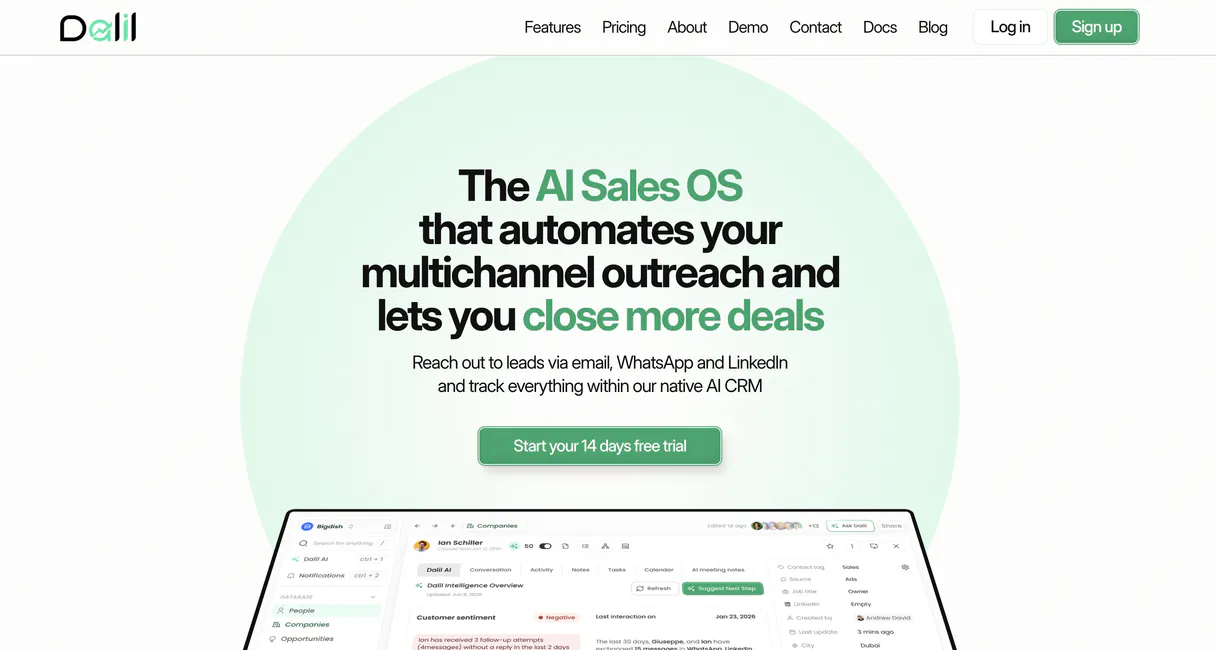
Dalil AI connects your agent to deep B2B sales intelligence for Arabic-language markets. It lets you build automated outreach sequences, track buying signals in real time, and manage high-fidelity professional engagement across LinkedIn without manual work.
What your AI agents can do
Create contact
Registers a new individual prospect into your system with provided details.
Get contact signals
Retrieves real-time data points that indicate if a contact is actively engaged or changing roles.
List campaigns
Shows the status and metrics for all your historical outreach campaigns.
Build prospect lists by retrieving detailed professional backgrounds and contact metadata for specific industries or companies.
Checks a contact's profile history to surface high-intent activities, like job title changes or new funding announcements.
Sends personalized messages and connection requests directly through LinkedIn using natural language commands.
Accesses a complete history of all outreach campaigns to view performance metrics at a glance.
Ask AI about this MCP
Supported MCP Clients
OAuth 2.0 Compatible Gemini Waiting for input…
Dalil AI: 6 Tools for B2B Intelligence
These tools let you list companies, check buying signals, create contacts, run outreach campaigns, and send personalized LinkedIn messages through your agent.
Make your AI actually useful.
Add this MCP to Claude, Cursor, or Windsurf and your AI stops guessing. It gets real tools to look things up, take action, and handle the stuff you keep doing by hand.
Start using Dalil AI on Vinkius019dd0dbcreate contact
Registers a new individual prospect into your system with provided details.
019dd0dbget contact signals
Retrieves real-time data points that indicate if a contact is actively engaged or changing roles.
019dd0dblist campaigns
Shows the status and metrics for all your historical outreach campaigns.
019dd0dblist companies
Retrieves a directory of every organization currently being tracked in your account.
019dd0dblist contacts
Generates a full list of all individual contacts stored within the Dalil AI platform.
019dd0dbsend linkedin message
Dispatches a personalized message or connection request to a specific contact via LinkedIn.
Choose How to Get Started
Build a custom MCP for your own tools, or connect a ready-made integration from our catalog.
Build Your Own
Turn any API into an MCP. Import a spec, define Agent Skills, or deploy with MCPFusion.
- Import from OpenAPI, Swagger, or YAML specs
- Create Agent Skills with progressive disclosure
- Deploy to edge with MCPFusion framework
- Built in DLP, auth, and compliance on every call
- Real time usage dashboard and cost metering
- Publish to catalog or keep private
Make Your AI Do More
Start with Dalil AI, then connect any of our 4,800+ other servers whenever your AI needs more. One click, no limits.
- Use this MCP plus 4,800+ others, all in one place
- Add new capabilities to your AI anytime you want
- Every connection is secured and compliant automatically
- Track usage and costs across all your servers
- Works with Claude, ChatGPT, Cursor, and more
- New servers added to the catalog every week
Independent Platform Disclaimer: Vinkius is an independent platform and is not affiliated with, endorsed by, sponsored by, verified by, or otherwise authorized by Dalil AI. All third-party trademarks, logos, and brand names are the property of their respective owners. Their use on this website is strictly for informational purposes to identify service compatibility and interoperability.
VINKIUS INFRASTRUCTURE
Cloud Hosted
Managed infra
V8 Isolated
Sandboxed per request
Zero-Trust Proxy
No stored credentials
DLP Enforced
Policy on every call
GDPR Compliant
EU data residency
Token Compression
~60% cost reduction
Works with Claude, ChatGPT, Cursor, and more
The Model Context Protocol standardizes how applications expose capabilities to LLMs. Instead of operating in isolation, your AI gains direct access to external platforms, live data, and real-world actions through secure, standardized connections.
This server provides 6 capabilities that interface natively with Claude, ChatGPT, Cursor, and any MCP client. No middleware. No custom integration required.
Managing Outbound Sales Feels Like Detective Work
Right now, running an effective campaign means endless clicks. You jump between LinkedIn, your CRM, and spreadsheets just to check if a lead changed jobs or if they even opened the last message you sent. It's high-friction work that burns out SDR teams before they hit quota.
With this MCP, you tell your agent what you need—say, 'Find me 20 VP-level contacts at SaaS companies in Europe.' The AI handles the data discovery and signal monitoring for you. You get a filtered, ready-to-act list without touching a single dashboard tab.
The `send_linkedin_message` Tool Delivers Personalized Action
You used to write 10 different variations of the same message, manually copying and pasting them into LinkedIn for each unique person. Then you'd have to track which ones actually got sent.
Now, the agent takes your compiled list and sends personalized messages at scale. You don't just send a message; you execute an action that keeps your sales pipeline moving automatically.
What you can do with this MCP connector
This connector lets your AI client act as a dedicated sales associate focused on outbound growth. You stop spending hours manually searching profiles or coordinating follow-ups. Instead, your agent discovers deep intelligence on target companies, letting you build highly accurate prospect lists and understand real-time buying signals for key accounts.
It handles the entire outreach process: from listing initial targets to sending personalized messages and monitoring campaign performance. The system keeps track of every action taken; because it runs through Vinkius, your agent’s activity is governed by a zero-trust proxy, meaning your sensitive credentials pass safely in transit but never sit on disk.
This makes building complex automation reliable. By connecting this MCP with other tools—say, a CRM MCP and an email messaging MCP—you can build automated pipelines that coordinate data collection, signal identification, and multi-platform outreach all through one agent.
019dd0db-f151-717d-8bac-222634a78f77 
How Dalil AI MCP Works
- 1 Connect your AI client using the secret API key from Dalil AI. This establishes access to your entire prospect database.
- 2 Ask your agent to run intelligence checks, for example by listing all companies or checking buying signals for a specific person.
- 3 The agent compiles the necessary data and executes actions, like creating a new contact record or dispatching a LinkedIn message.
The bottom line is you get automated, intelligent outreach based on actual B2B market signals.
Who Is Dalil AI MCP For?
Sales Development Representatives (SDRs) who are tired of manual LinkedIn prospecting. Account Executives (AEs) who need to know if a key account is about to make a decision. Growth Marketers who need to prove ROI on their outreach efforts.
Uses the system to generate highly targeted lists and automate initial LinkedIn contact tasks.
Checks buying signals across key accounts, so they know exactly when and how to follow up on a high-intent opportunity.
What Changes When You Connect
- Stop guessing about lead intent. The
get_contact_signalstool surfaces real-time buying signals, letting you prioritize contacts who are most likely to talk now. - Maintain high professional engagement without manual effort. You can use the
send_linkedin_messagefunction to dispatch personalized outreach at scale. - Keep track of everything through defined campaigns. The
list_campaignstool provides a full overview, so you always know your sales performance metrics. - Build your target pool efficiently by using
list_companiesandcreate_contact. This allows you to programmatically build out ideal prospect lists. - Get a complete view of who's in the pipeline. Running
list_contactsensures your agent has access to every individual record for coordinated outreach.
Real-World Use Cases
The Cold List needs warming up
An SDR gets a list of 50 companies from the marketing team. Instead of cold emailing, they ask their agent to use list_companies and then check signals for key roles using get_contact_signals. This identifies the top 10 high-intent leads for immediate outreach.
Need to restart a stalled conversation
An Account Executive knows they haven't spoken to an important contact in months. They use list_contacts to pull up the profile, see that the person changed jobs, and then craft a hyper-relevant message using send_linkedin_message.
Starting a new market vertical
A Growth Marketer needs 100 contacts in the Fintech space. They use list_companies to scope out the industry and then run create_contact repeatedly, feeding fresh leads into their outreach workflow.
Reviewing last quarter's effort
A manager needs a clear picture of which campaigns paid off. They simply ask the agent to call list_campaigns, getting immediate metrics on open rates, responses, and overall ROI for their team.
The Tradeoffs
Manual Signal Hunting
Searching LinkedIn profile by profile just to see if the person changed jobs or company. This is slow and misses context.
→
Use get_contact_signals on your agent. It checks for title changes, funding rounds, and other high-intent events automatically.
Generic Batch Messaging
Sending the same generic 'Hi' message to 50 people, which guarantees low response rates.
→
First use get_contact_signals to find a specific trigger (like a promotion). Then, craft and dispatch a highly tailored message using send_linkedin_message referencing that signal.
Lost in the Spreadsheet
Keeping track of who was contacted where and when across multiple tabs and documents. It's impossible to audit.
→
Let your agent manage everything. Use list_campaigns to get a single, auditable view of all outreach efforts and their results.
When It Fits, When It Doesn't
Use this MCP if your primary bottleneck is generating accurate, actionable B2B leads or scaling personalized outreach across multiple platforms. It's built for the 'Signal-to-Action' process: first you discover intelligence (via list_companies and get_contact_signals), then you execute action (send_linkedin_message). Don't use this if all your contacts are already perfectly segmented in a single, static database. In that case, an internal data validation MCP might be better suited for simply structuring the existing records. However, if those records need external enrichment and outreach, Dalil AI is the right tool.
Common Questions About Dalil AI MCP
Can I use `list_contacts` to check if someone is active? +
No, list_contacts only shows who exists in the system. You must run get_contact_signals to retrieve real-time data points that indicate recent activity or professional changes.
How do I automate outreach with `send_linkedin_message`? +
You first need to identify the target using tools like list_companies. Then, you provide the agent with a list of contacts and specific messaging content for the function.
Does Dalil AI help me track my campaigns? +
Yes. You use list_campaigns to access your complete history of outreach efforts, giving you visibility into performance metrics like response rates across all campaigns.
I need to add a new lead; what tool do I run? (create_contact) +
You use create_contact with the necessary name and professional details. This registers the individual prospect into your system, making them available for later signal checks or outreach.
How do I use `get_contact_signals` to find high-intent leads? +
It pulls real-time data like title changes, company funding rounds, or new roles. This allows you to time your follow-up perfectly, ensuring the contact is receptive right now.
What kind of deep intelligence do I get when I run `list_companies`? +
You retrieve detailed firmographic and industry intelligence for every tracked organization. This lets you group prospects by size or sector before planning outreach efforts.
If I use `send_linkedin_message`, how do I track failed deliveries or retries? +
The system logs delivery status and provides an audit trail for every message sent. You can check the campaign directory to see exactly which messages need a retry.
When running `list_contacts`, what filtering options are available for prospects? +
You can filter your entire contact pool by criteria like job title, industry, or when they were last active. This narrows down the list before you build any outreach sequences.
Use it with your favorite AI tools
Connect this server to Cursor, Claude, VS Code, and more.