
Datadog Alternative MCP. Query metrics and find error logs without opening the dashboard.
 Gemini
 Works with every AI agent you already use
…and any MCP-compatible client









Just plug in your AI agents and start using Vinkius.
Datadog Alternative MCP Server connects your AI client directly to your Datadog account. It lets you query metrics, search logs, audit monitors, and track incidents using natural conversation.
You get full observability over your infrastructure, apps, and logs without context-switching. It acts like a dedicated SRE, letting you manage complex systems from your IDE or chat window.
What your AI agents can do
Create monitor
Sets up a new Datadog monitor using a specified query, type, and notification message.
Get dashboard
Retrieves details for a single, specific Datadog dashboard using its ID.
Get monitor
Gets details for one specific Datadog monitor using its unique ID.
Create, list, update, mute, or unmute specific alerts (monitors) based on metric, log, or service checks.
Run raw metric queries using Datadog syntax to analyze trends for CPU, memory, or custom business metrics.
Search structured or unstructured log entries by filtering criteria like service, host, status, or indexed attributes.
List all monitored dashboards, hosts, users, and teams to map out infrastructure ownership and coverage.
List Service Level Objectives (SLOs) and synthetic tests to verify if your service meets its published uptime targets.
View active and resolved incident records, including severity, assignments, and postmortem status.
Ask AI about this MCP
Supported MCP Clients
Gemini Waiting for input…
Datadog Alternative MCP Server: 16 Tools for Observability
These tools let your AI agent interact with Datadog. You can run queries, audit infrastructure, and manage alerts without ever opening the web dashboard.
019d842ccreate monitor
Sets up a new Datadog monitor using a specified query, type, and notification message.
019d842cget dashboard
Retrieves details for a single, specific Datadog dashboard using its ID.
019d842cget monitor
Gets details for one specific Datadog monitor using its unique ID.
019d842clist dashboards
Lists all available dashboards so you can find the right one to inspect.
019d842clist hosts
Lists all monitored hosts, showing their CPU, memory, disk, and custom tags.
019d842clist incidents
Lists records of ongoing or resolved incidents, including severity and responder assignments.
019d842clist monitors
Lists all existing monitors, helping you audit your overall alerting coverage.
019d842clist slos
Lists Service Level Objectives, allowing you to audit compliance targets for your services.
019d842clist synthetics tests
Lists all synthetic tests, which helps verify that critical endpoints are being monitored.
019d842clist teams
Lists the organizational teams within Datadog, showing user membership and ownership.
019d842clist users
Lists all users in your Datadog account, which helps audit access and permissions.
019d842cmute monitor
Temporarily silences an alert monitor for a set period, useful during maintenance windows.
019d842cquery metrics
Runs a query string to get raw time-series data for metrics like CPU usage or API latency.
019d842csearch logs
Searches logs across all services, filtering by source, status, or host for specific errors.
019d842cunmute monitor
Restores an alert monitor to active status, potentially limiting the scope to specific sub-alerts.
019d842cupdate monitor
Modifies an existing alert monitor's name, query, or notification message.
Choose How to Get Started
Build a custom MCP for your own tools, or connect a ready-made integration from our catalog.
Build Your Own
Turn any API into an MCP. Import a spec, define Agent Skills, or deploy with MCPFusion.
- Import from OpenAPI, Swagger, or YAML specs
- Create Agent Skills with progressive disclosure
- Deploy to edge with MCPFusion framework
- Built in DLP, auth, and compliance on every call
- Real time usage dashboard and cost metering
- Publish to catalog or keep private
Make Your AI Do More
Start with Datadog Alternative, then connect any of our 4,700+ other servers whenever your AI needs more. One click, no limits.
- Use this MCP plus 4,700+ others, all in one place
- Add new capabilities to your AI anytime you want
- Every connection is secured and compliant automatically
- Track usage and costs across all your servers
- Works with Claude, ChatGPT, Cursor, and more
- New servers added to the catalog every week
What you can do with this MCP connector
Your AI client connects straight to your Datadog account. It lets you query metrics, search logs, audit monitors, and track incidents using plain conversation. You get full visibility into your infrastructure, apps, and logs without jumping between tabs. It acts like a dedicated Site Reliability Engineer (SRE), managing your complex systems right from your IDE or chat window.
Monitor Alerting
list_monitorslets you see every existing monitor, so you can audit your whole alerting setup. You can also usecreate_monitorto set up a new alert with a specific query, type, and notification message. Need to change something?update_monitorlets you modify a monitor's name, query, or message. If an alert's too noisy,mute_monitorsilences it for a set time, andunmute_monitorrestores it when you're done.
Query Time-Series Data
list_hostsshows all monitored hosts, giving you CPU, memory, disk, and custom tag details. You can run raw metric queries usingquery_metricsto analyze trends for stuff like CPU usage or API latency. For a deeper dive,get_dashboardpulls up specific dashboard details using its ID, andlist_dashboardsshows you every dashboard available to inspect.
Search Log Events
search_logssearches logs across all services, letting you filter by source, status, or host to find specific errors. You can also useget_monitorto get details on a specific monitor using its unique ID.
Audit System Health
list_incidentsshows records of ongoing or resolved incidents, giving you the severity and who's assigned to respond.list_userslists every user in your Datadog account, helping you check access and permissions.list_teamsshows the organizational teams, including user membership and ownership.list_sloslists Service Level Objectives, letting you audit compliance targets for your services.list_synthetics_testslists all synthetic tests, which verifies that critical endpoints are being monitored.
Manage Service Quality
- You can list all available monitors with
list_monitorsand audit your entire system's health. You can also check service compliance by listing Service Level Objectives usinglist_slosor checking critical endpoints withlist_synthetics_tests. You'll also findlist_hostshelps map out your infrastructure ownership.
How Datadog Alternative MCP Works
- 1 Subscribe to the server and provide your Datadog API and Application Keys.
- 2 Your AI client connects the keys to the MCP Server.
- 3 You ask your AI client a question (e.g., 'What's the error rate on the API?'). The agent executes the necessary tool and returns the data.
The bottom line is, your AI client becomes a dedicated observability layer that talks to Datadog, letting you get data without clicking.
Who Is Datadog Alternative MCP For?
The SRE who gets paged at 2 AM and needs to triage three different systems immediately. The Engineering Manager who has to prove SLO compliance to leadership. Or the Developer who needs to check a specific log entry without leaving their IDE. This is for people who spend too much time clicking through dashboards.
Triage active alerts, search error logs, and check incident status immediately without opening the Datadog dashboard.
Audit monitor coverage, review SLO compliance, and track team ownership across multiple services.
Query raw metrics, inspect specific log events, and verify synthetics directly from their IDE or terminal.
What Changes When You Connect
- Manage alerts from your terminal. Use
list_monitorsto see all alerts, and thenmute_monitororupdate_monitorto adjust them during maintenance. No need to navigate to the monitors page. - Pinpoint the source of failure immediately. Use
search_logsto filter log events by service and status. You pull out the error context (host info, trace ID) directly into your chat. - Track service health over time. Use
query_metricsto analyze CPU or custom business metrics across a time range. This gives you trend data that a simple status check misses. - Audit your whole stack instantly. Run
list_hoststo see every monitored host's metrics summary and tags, giving you a quick inventory check. - Verify service agreements. Use
list_slosto see the defined availability targets. This is how you prove whether the service is actually meeting its stated uptime goals. - Respond to issues faster.
list_incidentsgives you the full picture of ongoing issues—severity, who is assigned, and the postmortem status—all in one text dump.
Real-World Use Cases
Debugging a sudden API spike
The API starts showing 5xx errors. Instead of clicking to the logs, you ask your agent to run search_logs for status:error on the api-service. The agent returns 14 matching entries, identifying the common pattern: 'ConnectionTimeout' from prod-web-03. You then use query_metrics to pull the latency metric for that host to confirm the spike timing, solving the mystery in minutes.
Handling scheduled maintenance
You know the database cluster needs a quick restart. You ask your agent to list_monitors to see all related alerts. You then use mute_monitor on the relevant alerts, setting an end time. After the restart, you use unmute_monitor to turn everything back on. This whole workflow happens without opening the dashboard.
Onboarding a new team member
A new team needs to own the payment service. You ask your agent to list_teams to see current ownership structures. You check list_users for the new hire's access. Then, you use list_monitors to verify which service alerts need to be added to their team's ownership list.
Verifying SLO compliance
The product owner asks for proof that the checkout service is hitting 99.9% uptime. You ask your agent to run list_slos. The agent returns the current SLOs. If the target is met, you can then use list_synthetics_tests to show that the automated checks are covering the necessary user journeys.
The Tradeoffs
Searching for data manually
Opening the Datadog dashboard, navigating to the Logs section, applying filters (service, status, date range), and manually looking for the error pattern.
→
Ask your agent to run search_logs with the specific query (e.g., service:api status:error). The agent returns the structured log entries and context directly, bypassing the UI entirely.
Alert management via UI
Logging into the web UI to manually mute an alert, remembering to check the expiration date, and then having to manually log back in to unmute it later.
→
Tell your agent to list_monitors to find the ID, then use mute_monitor and unmute_monitor with the required parameters. The whole lifecycle is managed via chat commands.
Checking host health in bulk
Going to the Infrastructure section and clicking through dozens of individual hosts, checking CPU and memory usage one by one to spot anomalies.
→
Use list_hosts. The agent gives you a summary list of all monitored hosts, including their CPU/memory metrics and tags, letting you spot anomalies instantly.
When It Fits, When It Doesn't
Use this if you need to run diagnostics or audit data without opening the Datadog web UI. This is for developers, SREs, and ops engineers who live in the terminal or IDE. Don't use this if you need to build a custom visualization or dashboard layout—that's where the Datadog UI is still required. Use this to gather data points: run query_metrics for trends, search_logs for specific errors, or list_incidents for status. If your goal is only to see a list of existing dashboards, use list_dashboards first to find the ID, then use get_dashboard to pull the details.
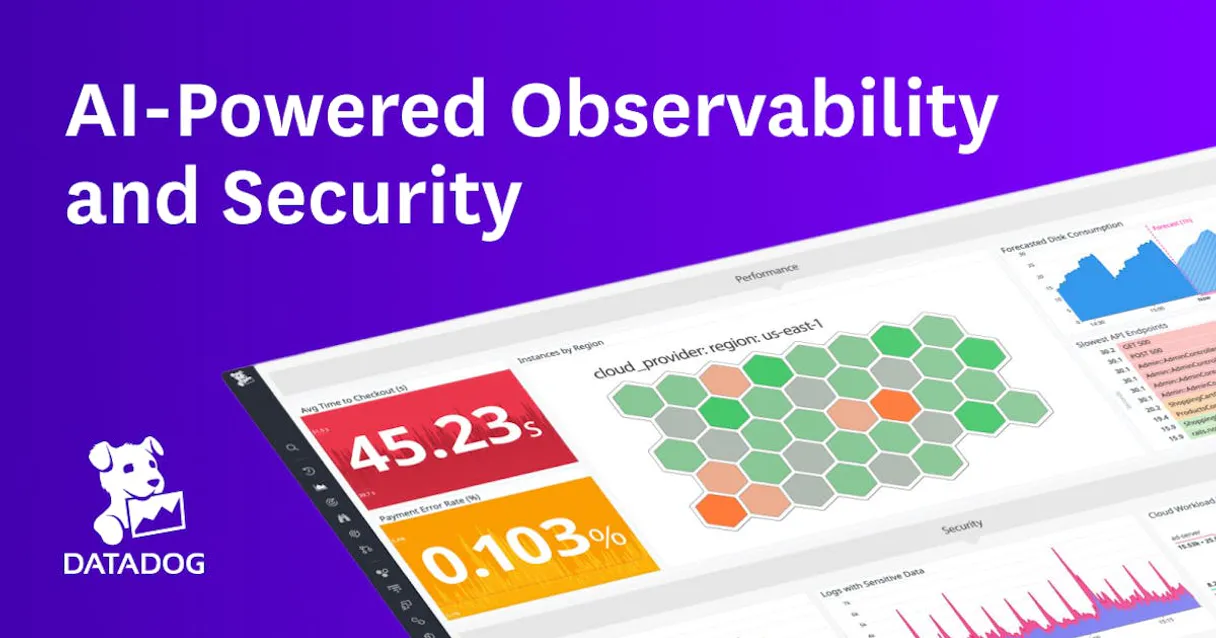
Independent Platform Disclaimer: Vinkius is an independent platform and is not affiliated with, endorsed by, sponsored by, verified by, or otherwise authorized by Datadog. All third-party trademarks, logos, and brand names are the property of their respective owners. Their use on this website is strictly for informational purposes to identify service compatibility and interoperability.
VINKIUS INFRASTRUCTURE
Cloud Hosted
Managed infra
V8 Isolated
Sandboxed per request
Zero-Trust Proxy
No stored credentials
DLP Enforced
Policy on every call
GDPR Compliant
EU data residency
Token Compression
~60% cost reduction
Works with Claude, ChatGPT, Cursor, and more
The Model Context Protocol standardizes how applications expose capabilities to LLMs. Instead of operating in isolation, your AI gains direct access to external platforms, live data, and real-world actions through secure, standardized connections.
This server provides 16 capabilities that interface natively with Claude, ChatGPT, Cursor, and any MCP client. No middleware. No custom integration required.
Available Capabilities
Triage always means context-switching.
When an alert fires, the old way is a painful dance: click the alert link, land on the dashboard, find the widget, then jump to the logs section, apply filters, and finally copy the relevant error stacktrace into your ticket. You lose time just moving between tabs.
With this MCP Server, you just talk to your agent. You tell it, "Find me the error logs for the payment service in the last hour." The agent runs the `search_logs` tool and returns the filtered, structured data instantly. The whole process stays right where you are.
Datadog Alternative MCP Server: Instant Monitor Control
Managing alerts requires jumping into the web UI, finding the monitor list, selecting the right one, and then updating its status (mute/unmute). This process is slow and error-prone, especially when under pressure.
Now, you just tell your agent, "Mute the high CPU monitor for the next two hours." The agent calls `mute_monitor` and confirms the change. You're back to work immediately. That's the difference.
Common Questions About Datadog Alternative MCP
How do I check all my active alerts using list_monitors? +
Run list_monitors. This tool provides a list of every monitor, showing its type (metric, log, etc.), name, and current status, allowing you to audit your alerting coverage quickly.
What is the difference between query_metrics and search_logs? +
Use query_metrics when you need historical, numerical data (e.g., 'What was the average CPU over 24 hours?'). Use search_logs when you need specific text entries, like finding 'ConnectionTimeout' in the logs.
Can I create a new alert using create_monitor? +
Yes. You provide the monitor type, the specific query string, and the desired notification message. The tool handles the creation of the new alert in your account.
What if I need to view a specific dashboard's configuration? +
First, use list_dashboards to find the dashboard ID. Then, pass that ID to the get_dashboard tool to retrieve the full widget configuration and details.
How do I check if a service is hitting its SLA targets with list_slos? +
Run list_slos. This tool lists all defined Service Level Objectives, showing the target availability percentage and the current status against that goal.
How do I list all the hosts monitored by Datadog using list_hosts? +
You call list_hosts to get a list of all monitored machines. The response includes CPU, memory, and disk metrics for each host, plus any custom tags you've applied.
What is the purpose of list_users and list_teams? +
list_users helps you audit who has access to the account, identifying roles and permissions. list_teams groups users, allowing you to check ownership for monitors, dashboards, and SLOs.
How can I check if a monitor needs updating using get_monitor? +
Use get_monitor with the specific ID to pull all current details on an alert. You can then verify the query string, notification message, and thresholds before deciding if an update is necessary.
What's the difference between Datadog API Key and Application Key? +
The API Key authenticates your requests to the Datadog platform and is required for all endpoints. The Application Key is an additional layer of authorization that controls what actions your integration can perform. Both are generated in Organization Settings > API and Application Keys. Most Datadog API endpoints require both keys.
Can I mute a monitor during a maintenance window? +
Yes! Use the mute_monitor action with the monitor ID. You can optionally set an end timestamp (ISO 8601) for the mute to automatically expire, or specify a scope to mute only certain sub-alerts (e.g. 'env:staging'). Use unmute_monitor to re-enable notifications.
What query syntax does the metrics endpoint use? +
Datadog uses a specific query format: [function]:[metric]{[tags]}. For example: avg:system.cpu.user{host:web01} returns the average CPU user time for host web01. Common functions include avg, sum, max, min, count. Time windows are specified in the query as avg(last_5m):... or passed as from/to Unix timestamps to the tool.
Use it with your favorite AI tools
Connect this server to Cursor, Claude, VS Code, and more.
More in this category

Directus
Manage any SQL database via Directus — handle collection items, audit schemas and fields, manage users, and track media storage directly from any AI agent.

Storybook
Connect your AI to Storybook. Explore your design system, inspect UI components, and retrieve implementation guidance programmatically.

Gitpod
Automate cloud development environments — create, start, and manage Gitpod workspaces and organizations directly from any AI agent.
You might also like
UnifyApps
Automate integration workflows via UnifyApps — monitor execution logs, check active flows, audit connections, and list configured AI agents autonomously.

Craft.io
Build product roadmaps that connect strategy to execution with visual planning tools your whole organization can follow.
Drata
Automate compliance and security via Drata — monitor controls, track personnel onboarding, audit policies, and verify cloud asset security directly from any AI agent.