
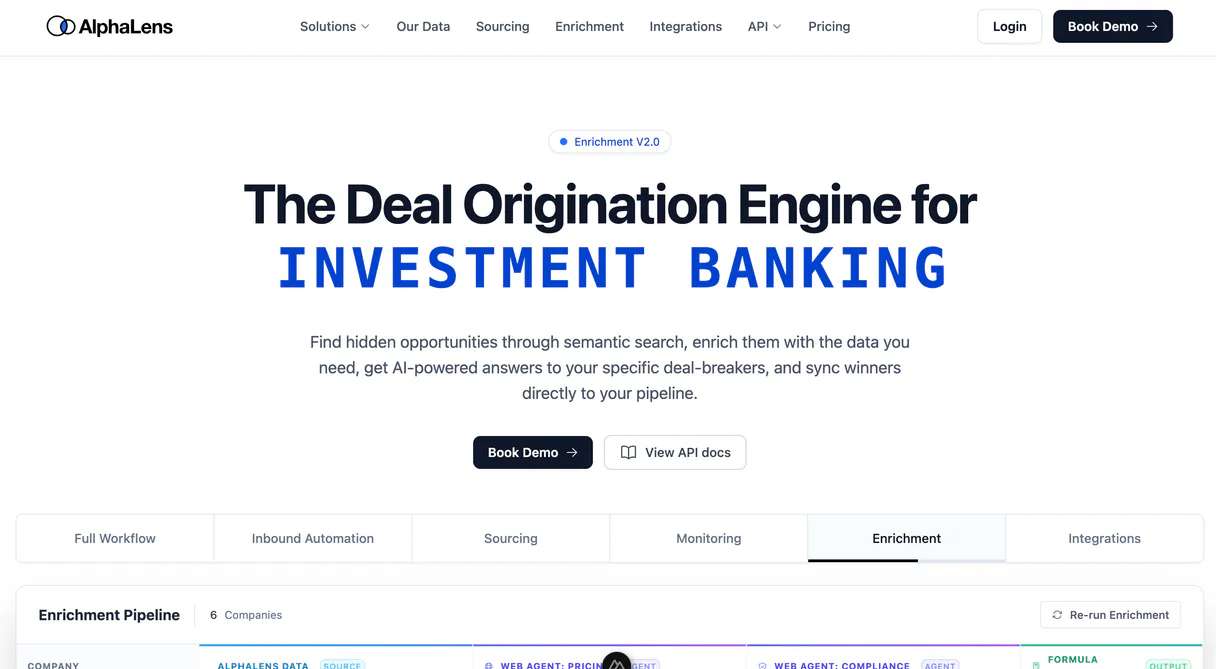
DeckMatch MCP for AI. Analyze, Connect, Fund: Your VC Pipeline in Conversation
 Gemini
 Works with every AI agent you already use
…and any MCP-compatible client









How this MCP server connects to your AI agent
DeckMatch MCP analyzes startup pitch decks and matches them directly with ideal investors. It lets you automate complex venture capital workflows, from submitting a deck URL to generating professional investment memos and tracking deal flow status.
Use this MCP to turn raw slide data into actionable funding connections.
What AI agents can do with DeckMatch Automation
Tag submission
Applies specific labels to a pitch deck submission for better organization.
Delete submission
Removes an entire pitch deck record from your portfolio directory.
Generate investment memo
Creates a full, professional investment memo based on the analysis of a submitted deck.
You submit pitch deck URLs (PDF, PPTX) to trigger automated data extraction and detailed analysis.
The MCP automatically writes professional investment memos based on the analyzed content of a submitted deck.
You search across startup data to find other companies that match specific strategic criteria or market signals.
The MCP retrieves a complete directory of all analyzed decks, letting you monitor the current triage status for your entire portfolio.
You can add specific labels to submissions or list available tags to organize your investment activity.
Ask an AI about this
Waiting for input…
What AI agents can do with DeckMatch with 12 Tools
These tools give you full control over every aspect of your venture capital workflow, from initial deck analysis to final portfolio cleanup.
Make your AI actually useful.
Add this MCP to Claude, Cursor, or Windsurf and your AI stops guessing. It gets real tools to look things up, take action, and handle the stuff you keep doing by hand.
Start using DeckMatch on VinkiusTag Submission
Applies specific labels to a pitch deck submission for better organization.
Delete Submission
Removes an entire pitch deck record from your portfolio directory.
Generate Investment Memo
Creates a full, professional investment memo based on the analysis of a submitted...
Get Api Status
Checks the current connection status and health of the MCP service.
Get Deck Analysis
Retrieves AI-driven triage results, summarizing a deck's core problem, solution, and...
Get Submission Audit
Provides a detailed audit trail of all actions taken on a specific submission record.
Get Submission Details
Fetches comprehensive information about a single submitted pitch deck, including metadata and history.
List Enrichment Sources
Lists all available data sources used by the MCP for enhancing submission details.
List Submissions
Displays a comprehensive list of every pitch deck that has been analyzed and stored...
List Submission Tags
Retrieves the full catalog of available tags you can use to organize submissions.
Search Startups Semantically
Finds other startups in your portfolio that share similar strategic characteristics...
Submit Pitch Deck
Takes a pitch deck URL and sends it to the system to begin automated AI analysis.
Security and governance baked right in.
Pick your AI client below to get set up. Just create a Vinkius account, subscribe, and you're instantly up and running. We handle the entire backend infrastructure, delivering out-of-the-box support for HTTPS Streamable, SSE, and OAuth2—zero messy routing required.
Claude AI
Open Claude Settings
Go to claude.ai, click your profile icon, then navigate to Customize → Connectors.
Add Custom Connector
Click the "+" button and select Add custom connector. Paste your Vinkius endpoint URL:
https://edge.vinkius.com/[YOUR_TOKEN_HERE]/mcp
Replace [YOUR_TOKEN_HERE] with your token
from cloud.vinkius.com. For OAuth-protected servers, expand
Advanced settings to add credentials.
Start a conversation
Open a new chat. The DeckMatch integration is available immediately — no restart needed.
Choose How to Get Started
Build a custom MCP for your own tools, or connect a ready-made integration from our catalog.
Build Your Own
Turn any API into an MCP. Import a spec, define Agent Skills, or deploy with MCPFusion.
- Import from OpenAPI, Swagger, or YAML specs
- Create Agent Skills with progressive disclosure
- Deploy to edge with MCPFusion framework
- Built in DLP, auth, and compliance on every call
- Real time usage dashboard and cost metering
- Publish to catalog or keep private
Make Your AI Do More
Start with DeckMatch, then connect any of our 5,100+ other servers whenever your AI needs more. One click, no limits.
- Use this MCP plus 5,100+ others, all in one place
- Add new capabilities to your AI anytime you want
- Every connection is secured and compliant automatically
- Track usage and costs across all your servers
- Works with Claude, ChatGPT, Cursor, and more
- New servers added to the catalog every week
Independent Platform Disclaimer: Vinkius is an independent platform and is not affiliated with, endorsed by, sponsored by, verified by, or otherwise authorized by DeckMatch. All third-party trademarks, logos, and brand names are the property of their respective owners. Their use on this website is strictly for informational purposes to identify service compatibility and interoperability.
VINKIUS INFRASTRUCTURE
Cloud Hosted
Managed infra
V8 Isolated
Sandboxed per request
Zero-Trust Proxy
No stored credentials
DLP Enforced
Policy on every call
GDPR Compliant
EU data residency
Token Compression
~60% cost reduction
Built on the Model Context Protocol (MCP) for Claude, ChatGPT, Cursor, and more
The Model Context Protocol standardizes how applications expose capabilities to LLMs. Instead of operating in isolation, your AI gains direct access to external platforms, live data, and real-world actions through secure, standardized connections.
This connection provides 12 powerful capabilities that interface natively with Claude, ChatGPT, Cursor, and other compatible AI platforms. No middleware. No custom integration required.
The deal flow management process used to feel like an endless cycle of copy-paste work., Solved with Vinkius AI Gateway
Today's workflow looks like a nightmare of tabs: you download the PDF deck, open a separate document for your internal notes, switch to a spreadsheet to track status updates, and then manually write up the investment memo in a third program. You spend more time organizing data than analyzing it.
With this MCP connected to Vinkius, that process shrinks down to a conversation. Submit the deck URL, ask your agent for the analysis, and watch it pull out all the key metrics instantly. The result is not just raw text; it's an actionable summary ready for review.
DeckMatch MCP: Turn Raw Decks into Structured Investment Memos
Previously, generating a memo meant aggregating insights from the deck, finding external market data points, and manually crafting professional language around it—a process that took hours of deep focus.
Now, you simply ask your agent to `generate_investment_memo`. It handles the aggregation, structuring, and writing. The difference is huge: what used to be a multi-hour task now takes seconds.
What your AI can actually do with this
Stop manually reading through hundreds of pitch decks just to figure out who should see them. This MCP connects your AI agent directly to DeckMatch's full analysis suite, letting you manage your entire venture capital workflow using natural conversation. You submit a deck URL and instantly get high-fidelity data extraction and detailed triage results—all without touching an API key or spreadsheet.
Your agent acts like a dedicated associate, helping you search for similar companies based on strategic criteria or generating professional investment memos in seconds. All this functionality is available through the Vinkius Marketplace catalog, meaning you connect your preferred AI client once and get access to powerful deal flow coordination tools.
Whether you're vetting an incoming application or monitoring a large portfolio, this MCP lets you keep track of every analyzed deck and check its current triage status. You take full control of your investment pipeline using simple commands.
019dd0dd-c8c4-72dc-bbe6-b9ac7470584f 
Here's how it actually works
The bottom line is that you talk to your agent like talking to an associate; it handles all the complex data processing for you.
Subscribe to this MCP on Vinkius and retrieve your API key from your DeckMatch/AlphaLens dashboard settings.
Connect your AI agent using the retrieved credentials. You can then initiate commands through natural conversation, such as submitting a deck URL for analysis or asking for triage results.
The system processes the request—it performs the data extraction, generates the reports, and surfaces the actionable findings directly back to your chat interface.
Who is this actually for?
Anyone managing a high volume of deal flow needs this. It’s for the VC who hates digging through PDFs, and the Associate who dreads spending hours manually writing up investment memos. If your job involves assessing whether a startup is worth funding, this MCP saves you weeks.
You use natural language to instantly retrieve triage summaries and check key startup metrics across your portfolio.
You automate the generation of investment memos or track deal statuses without ever leaving your primary workspace.
You monitor incoming applications, search for relevant startups using simple AI queries, and keep a clean record of every submission.
What Changes When You Connect
Stop sifting through PDFs. Use the get_deck_analysis tool to instantly get an AI-driven summary of a pitch deck's problem, solution, and business model.
Eliminate memo writing time. Run generate_investment_memo when you need a professional document drafted based on the analysis; it’s ready in minutes.
Never lose track of a deal. Use list_submissions to see your entire directory of analyzed decks, and monitor their current triage status instantly.
Find connections you didn't know existed. Run search_startups_semantically to pinpoint other companies that match the criteria of your current investment target.
Maintain clean data records. The MCP lets you use tag_submission or list_submission_tags to categorize and organize every single piece of data point.
See it in action
Vetting a new application from an accelerator.
An Accelerator Manager submits a deck URL using the submit_pitch_deck tool. After a few minutes, they ask their agent to run get_deck_analysis. The agent returns a structured summary of the company's core value proposition and market fit, allowing the manager to decide instantly if it deserves a deep dive.
Building a quick internal report on deal flow.
An Investment Associate needs an overview for a partner meeting. Instead of manually compiling data, they instruct their agent to list_submissions, which pulls the full directory and status updates, enabling them to quickly generate reports or run generate_investment_memo for key deals.
Finding a strategic peer in your portfolio.
A VC is interested in climate tech payments. They ask their agent to find companies similar to Stripe focusing on that niche. The MCP uses the search_startups_semantically tool, returning relevant matches and detailed triage summaries for immediate review.
Organizing a large batch of submissions.
An Associate finishes reviewing 20 decks. To keep them all neat and searchable, they use list_submission_tags to check the available labels and then apply tags using tag_submission so that future searches are hyper-focused.
The honest tradeoffs
Trying to find data across different tabs.
The user downloads 50 PDF decks, pastes the URLs into a Google Sheet, and manually tries to cross-reference which deck is related to 'climate tech' or if it has an investor memo generated.
Just let your agent handle it. Use list_submissions first to get all records in one view. Then use search_startups_semantically directly through the chat interface—no copy-pasting required.
Assuming data is already clean and structured.
A user thinks they can just ask for 'the business model' without context, leading to vague or incomplete responses because the AI doesn't know which deck you mean.
Always start by running get_submission_details or get_deck_analysis. This ensures your agent has the most current and complete data points before drafting reports or making comparisons.
Forgetting to clean up old, irrelevant decks.
The portfolio directory gets bloated with early drafts or rejected ideas that take up space but provide no value.
Use the delete_submission tool. You can run a cleanup query via your agent, specifying which records need removal, keeping your deal flow pipeline clean.
When It Fits, When It Doesn't
You should use this MCP if your job involves high-volume analysis of startup pitches and coordinating complex deal movements across multiple stakeholders. If you spend more time organizing data or writing up investment summaries than actually vetting deals, this is for you. The power lies in the combination of tools: submit_pitch_deck feeds data into get_deck_analysis, which then enables generate_investment_memo. Don't use this if your primary need is simple document storage; that requires a basic file repository tool. If all you need is to track who talked to whom, a dedicated CRM might be better. But when the core task is analyzing and connecting complex information from decks, this MCP is unmatched.
Questions you might have
How do I start using DeckMatch MCP for pitch deck analysis? +
You must first subscribe to the MCP and get your API key. Then, simply tell your agent to 'Analyze this URL' to submit a deck and begin the automated process.
Does DeckMatch MCP only analyze decks that I upload directly? +
No. You can use submit_pitch_deck by providing URLs for PDFs, PPTX files, or DocSend links; you don't have to download them first.
What is the difference between getting deck analysis and listing submissions? +
Running get_deck_analysis pulls out a detailed summary (problem/solution) for one deck. Running list_submissions gives you an index of every single analyzed deck in your portfolio.
Can I use DeckMatch MCP to find companies that are similar? +
Yes, the search_startups_semantically tool lets you search your entire portfolio for startups matching specific criteria or market signals, which is perfect for competitive analysis.
Is it possible to delete a deck from my portfolio using DeckMatch MCP? +
Yes. If a submission was rejected or is no longer relevant, you can use the delete_submission tool to remove it completely from your analyzed records.
How do I ensure all my deals are properly categorized with DeckMatch MCP? +
You should check the available tags using list_submission_tags, and then apply labels to specific decks using the tag_submission tool for precise organization.
We've already built the connector for DeckMatch. Just plug in your AI agents and start using Vinkius.
No hosting. No infrastructure. No complex setup.
All 12 tools are live and waiting.
You're up and running in seconds.
Gemini Vinkius gives your AI agents access to the full catalog of app connectors, all fully managed, secure, and enterprise-ready. One subscription, every tool you need.
Built, hosted, and secured by Vinkius. You just connect and go.