
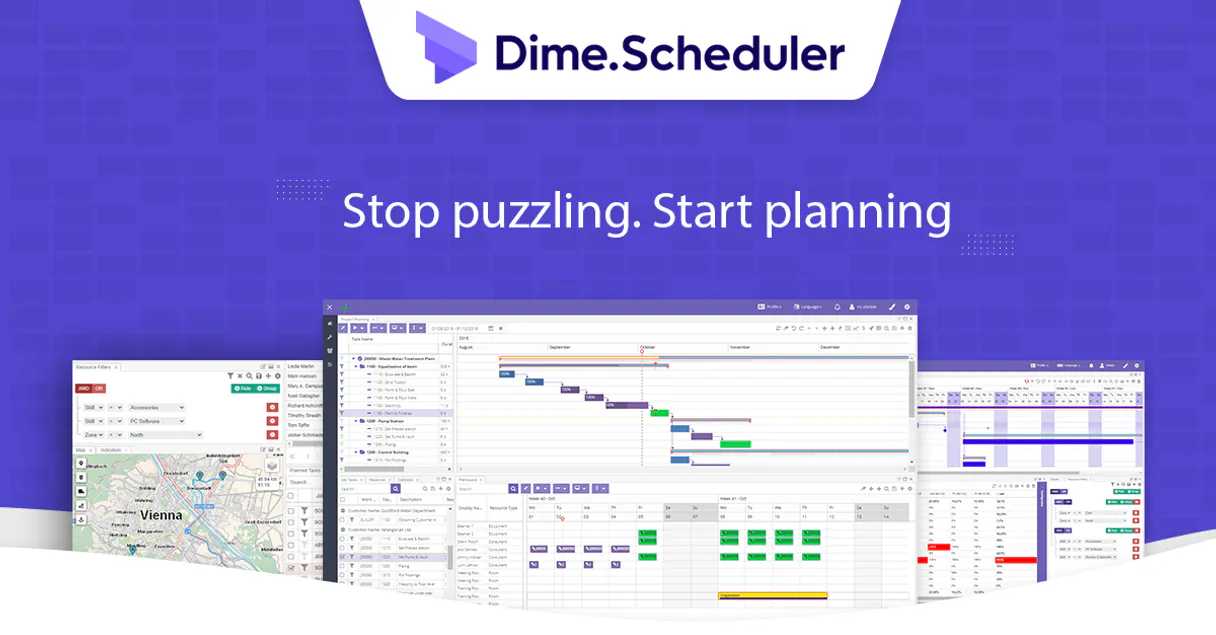
Dime.Scheduler MCP for AI. Coordinate jobs and resources via chat.
 Gemini
 Works with every AI agent you already use
…and any MCP-compatible client









How this MCP server connects to your AI agent
Dime.Scheduler connects your entire resource planning system to any AI agent. It lets you manage complex field service logistics—from job status updates to equipment availability—using natural conversation.
You can list all jobs, track individual tasks, and verify team capacity against real-time appointments directly through a simple chat prompt.
What AI agents can do with Dime.Scheduler Automation
Get job
Retrieves detailed metadata for a specific planning job, giving you its full status and requirements.
List appointments
Pulls a list of all scheduled appointments currently visible on the graphical planning board.
List categories
Lists every defined planning category, helping you understand how the scheduling board is structured.
Get specific information about a single project, including its parent entities and core requirements.
List all time slots currently marked on the planning board for easy overview.
Pull a complete directory of all planable assets, including staff, tools, and machinery.
Retrieve a list of active parent entities and planning job records.
Access and track every unit of work (tasks) that needs to be assigned across your team’s capacity.
View the structure of planning types and time markers used on the board, keeping data organized.
Ask an AI about this
Waiting for input…
What AI agents can do with Dime.Scheduler: 7 Tools for Operations
Use these seven tools to programmatically access every aspect of your scheduling board, from listing all active jobs to checking individual equipment status.
Make your AI actually useful.
Add this MCP to Claude, Cursor, or Windsurf and your AI stops guessing. It gets real tools to look things up, take action, and handle the stuff you keep doing by hand.
Start using Dime.Scheduler on VinkiusGet Job
Retrieves detailed metadata for a specific planning job, giving you its full status and requirements.
List Appointments
Pulls a list of all scheduled appointments currently visible on the graphical...
List Categories
Lists every defined planning category, helping you understand how the scheduling...
List Jobs
Provides a complete list of all active parent entities and projects tracked in...
List Resources
Gathers a directory of every piece of equipment, tool, or person that can be...
List Tasks
Generates a list of all individual units of work (tasks) needing scheduling across your resources.
List Time Markers
Lists the available time markers used on the board, helping you keep track of time-sensitive data.
Security and governance baked right in.
Pick your AI client below to get set up. Just create a Vinkius account, subscribe, and you're instantly up and running. We handle the entire backend infrastructure, delivering out-of-the-box support for HTTPS Streamable, SSE, and OAuth2—zero messy routing required.
Claude AI
Open Claude Settings
Go to claude.ai, click your profile icon, then navigate to Customize → Connectors.
Add Custom Connector
Click the "+" button and select Add custom connector. Paste your Vinkius endpoint URL:
https://edge.vinkius.com/[YOUR_TOKEN_HERE]/mcp
Replace [YOUR_TOKEN_HERE] with your token
from cloud.vinkius.com. For OAuth-protected servers, expand
Advanced settings to add credentials.
Start a conversation
Open a new chat. The Dime.Scheduler integration is available immediately — no restart needed.
Choose How to Get Started
Build a custom MCP for your own tools, or connect a ready-made integration from our catalog.
Build Your Own
Turn any API into an MCP. Import a spec, define Agent Skills, or deploy with MCPFusion.
- Import from OpenAPI, Swagger, or YAML specs
- Create Agent Skills with progressive disclosure
- Deploy to edge with MCPFusion framework
- Built in DLP, auth, and compliance on every call
- Real time usage dashboard and cost metering
- Publish to catalog or keep private
Make Your AI Do More
Start with Dime.Scheduler, then connect any of our 5,100+ other servers whenever your AI needs more. One click, no limits.
- Use this MCP plus 5,100+ others, all in one place
- Add new capabilities to your AI anytime you want
- Every connection is secured and compliant automatically
- Track usage and costs across all your servers
- Works with Claude, ChatGPT, Cursor, and more
- New servers added to the catalog every week
Independent Platform Disclaimer: Vinkius is an independent platform and is not affiliated with, endorsed by, sponsored by, verified by, or otherwise authorized by Dime.Scheduler. All third-party trademarks, logos, and brand names are the property of their respective owners. Their use on this website is strictly for informational purposes to identify service compatibility and interoperability.
VINKIUS INFRASTRUCTURE
Cloud Hosted
Managed infra
V8 Isolated
Sandboxed per request
Zero-Trust Proxy
No stored credentials
DLP Enforced
Policy on every call
GDPR Compliant
EU data residency
Token Compression
~60% cost reduction
Built on the Model Context Protocol (MCP) for Claude, ChatGPT, Cursor, and more
The Model Context Protocol standardizes how applications expose capabilities to LLMs. Instead of operating in isolation, your AI gains direct access to external platforms, live data, and real-world actions through secure, standardized connections.
This connection provides 7 powerful capabilities that interface natively with Claude, ChatGPT, Cursor, and other compatible AI platforms. No middleware. No custom integration required.
Tracking field service logistics means jumping between five different tabs., Solved with Vinkius AI Gateway
Right now, if a Project Manager needs to know which resources are available and how many tasks are pending for a job that started last week, they have to click into the main project board. Then they switch to the resource directory tab, check task logs, and finally pull up the appointment calendar. It's copy-pasting IDs between four different screens.
With this MCP connected via Vinkius, you simply ask your agent: 'Show me all pending tasks for Project Alpha and confirm if Technician Smith is available.' The AI handles the cross-reference, pulling job status from one source, resource availability from another, and compiling it into a single answer. It’s instant data synthesis.
You Get Full Resource Coordination with Dime.Scheduler
The manual steps that vanish are the repetitive searches for IDs across systems, and the constant need to cross-reference dates between job logs and appointment calendars. You don't waste time filtering; you just ask.
Your agent becomes your virtual resource coordinator. It maintains the state of the whole system—jobs, tasks, resources, appointments—so you never have to worry about which tab holds the correct information again.
What your AI can actually do with this
This MCP gives your AI client full control over resource orchestration for field services. Instead of logging into the scheduling board, you talk to it. Your agent acts like a dedicated coordinator, allowing you to query job details, check task statuses across multiple resources, or pull directories of planable equipment and people.
You can monitor all appointments on the planning board without ever leaving your communication tool. If you're already using Vinkius for other services, this MCP completes the operational picture by connecting scheduling data directly into your existing AI workflow. It eliminates manual toggling between complex ERP boards or sifting through task lists; the system just answers what you ask.
019dd0e0-946a-7137-a928-e807c7c9f938 
Here's how it actually works
The bottom line is: you use conversation to manage complex scheduling logic that usually requires multiple clicks across several specialized applications.
Subscribe to this MCP and retrieve your X-API-KEY from your Dime.Scheduler instance settings.
Connect your AI client using that key within Vinkius or any compatible environment.
Ask your agent a question like, 'Show me all appointments for next week,' and the system fetches the data directly.
Who is this actually for?
Project Managers, Operations Leads, and Resource Coordinators. If your job involves matching people or equipment to a timeline under pressure, this is for you. Stop switching between dashboards just to answer a quick question.
Checks team availability and appointment loads by asking the agent directly, instead of logging into three different scheduling tabs.
Tracks scheduled equipment status or verifies board organization by querying specific planning categories via natural language prompts.
Gets instant job statuses and checks task progress for multiple resources without having to filter data in a complex UI.
What Changes When You Connect
Check task progress instantly: Instead of drilling down into a job, ask your agent to check the status of tasks across multiple resources using list_tasks.
Know team capacity fast: Use list_resources to get an immediate directory of available staff and equipment. You’ll know if you're overbooked before sending out another dispatch.
Overview without logging in: Quickly see what’s happening tomorrow by running list_appointments. This keeps your communication tools from becoming a scheduling bottleneck.
Full project visibility: Use list_jobs to get the overall list of parent entities, and then use get_job for deep dives on any single project's requirements.
Stay organized always: If you forget what kind of planning categories exist, run list_categories. It’s a quick way to keep your scheduling board perfectly structured.
See it in action
Dispatching crews for multiple jobs
The PM needs to know if the three crews assigned to Project Alpha can handle both the maintenance run and the diagnostic sessions. The agent runs get_job first, then checks list_resources, confirming that no single technician is double-booked across all required job IDs.
Auditing resource availability
The Ops Lead needs to confirm if the new diagnostic machine (a tool) is available next week. They use list_resources and specify 'diagnostic machine' to verify its status against all planned appointments.
Checking task completion status
The user asks, 'Which tasks are stuck in planning?' The agent runs list_tasks, filtering for incomplete items, giving the Operations Lead a prioritized list of units needing immediate attention.
The honest tradeoffs
Guessing which tool to use
The user thinks they need to call list_jobs and then separately check all the resources by manually running list_resources. They don't realize the agent can combine this into one prompt.
Start with a high-level query. Ask your agent, 'List active jobs and tell me which resources are needed for them.' The system combines list_jobs data with resource checks automatically.
Over-querying the board
A user tries to check appointments for every single day in a month by calling list_appointments repeatedly. This is inefficient and causes API rate limits.
Specify your time frame upfront. Ask, 'What are all appointments scheduled between next Tuesday and Friday?' This directs the agent to filter only relevant data.
When It Fits, When It Doesn't
Use this MCP if your scheduling process is resource-constrained and needs conversational control over ERP data. The core value is moving from a visual UI interaction (clicking, filtering) to a language command ('tell me why'). Don't use it if you only need basic CRUD operations on isolated records; those tools might suffice. If you only want to see available staff without job context, list_resources works. But if you need to know why that staff member is needed (the job details), you must call get_job. Never try to query tasks without first establishing the project scope using list_jobs; it won't work.
Questions you might have
How do I find out what jobs are happening in Dime.Scheduler using list_jobs? +
You run list_jobs first. This gives you the unique IDs for all active parent entities on your board, allowing you to know which projects need attention.
Do I need to call get_job if I use list_jobs? +
Yes. list_jobs provides a high-level overview. To see the detailed metadata—like specific project requirements or job status codes—you must follow up with get_job(ID).
How does list_resources help me schedule things? +
list_resources gives you a clean, current directory of all people and tools. You use this to verify if the required capacity exists before committing to a job slot.
What is the difference between list_tasks and list_appointments? +
list_tasks tracks individual units of work that need to be done, while list_appointments shows specific time slots scheduled on the visual board. Tasks are the 'what'; appointments are the 'when'.
When using `list_jobs`, how do I handle authentication or connection errors? +
You must pass your API key as a required parameter. The MCP needs the X-API-KEY, which you retrieve directly from your Dime.Scheduler settings to ensure secure and authorized access.
What is the purpose of `list_categories` if my planning board looks disorganized? +
It pulls all predefined organizational groupings used across your service area. This lets your agent correctly sort job data, helping keep the planning board clean and structured for accurate reporting.
If I need to verify the time boundaries for an event, how do I use `list_time_markers`? +
It provides all defined time slots used by your service operations. This lets you check if a specific appointment or job retrieved through other tools aligns with standard operational timing.
How can I filter the results when running `list_resources` to only see equipment? +
You pass required filters, such as resource type or category code. This narrows down the available pool so your agent only reports on the exact machinery or personnel you need for scheduling.
How do I find my Dime.Scheduler API Key? +
Log in to your Dime.Scheduler instance and navigate to Settings > API to generate or copy your unique X-API-KEY.
What is the difference between a job and a task? +
A job is the parent project or order, while a task is the specific unit of work that is scheduled on the planning board.
Can I see real-time team availability? +
Yes! The list_resources and list_appointments tools allow your agent to identify open slots and currently scheduled work.
We've already built the connector for Dime.Scheduler. Just plug in your AI agents and start using Vinkius.
No hosting. No infrastructure. No complex setup.
All 7 tools are live and waiting.
You're up and running in seconds.
Gemini Vinkius gives your AI agents access to the full catalog of app connectors, all fully managed, secure, and enterprise-ready. One subscription, every tool you need.
Built, hosted, and secured by Vinkius. You just connect and go.