
Discogs MCP. Search music history and market data instantly.
 Gemini
 Works with every AI agent you already use
…and any MCP-compatible client









Just plug in your AI agents and start using Vinkius.
Discogs MCP Server connects your AI client to the world's largest music database. Search for artists, track down specific releases, and analyze market value across all formats.
You can get full discographies, research label histories, and check current marketplace listings—all without leaving your chat window.
What your AI agents can do
Database search
Search the database for artists, releases, labels, and more using free text, refining results by type or genre.
Get artist
Retrieves an artist's biography, full profile, and list of members (for groups).
Get artist releases
Gets a complete list of an artist's recorded output, including albums, singles, and EPs.
You can search the database using any combination of artist names, release titles, labels, or genres.
You retrieve current market data, including median sale prices and active listings, for any specific release.
You get a full overview of an artist's recorded output, including albums, singles, and compilations.
You explore a label's catalog, seeing its parent companies, sublabels, and all releases it has published.
You view every known pressing and variant of a master release, noting differences in country, format, and year.
You access public user collections and wantlists to see what other collectors are buying or tracking.
Ask AI about this MCP
Supported MCP Clients
Gemini Waiting for input…
019d842edatabase search
Search the database for artists, releases, labels, and more using free text, refining results by type or genre.
019d842eget artist
Retrieves an artist's biography, full profile, and list of members (for groups).
019d842eget artist releases
Gets a complete list of an artist's recorded output, including albums, singles, and EPs.
019d842eget label
Retrieves detailed information about a record label's structure, parent labels, and contact info.
019d842eget label releases
Gets all releases published by a specific label, useful for catalog research.
019d842eget marketplace listings
Fetches active sales listings for a specific release, showing prices and condition.
019d842eget master release
Gets the core metadata for a release, grouping together all its individual pressings and variants.
019d842eget master release versions
Gets details for every known pressing or format variant of a core release.
019d842eget release
Gets the most detailed view of a specific physical or digital release, including all metadata.
019d842eget release stats
Calculates community data on a release's rarity, demand, and typical sale price range.
019d842eget user collection
Retrieves a user's public list of owned releases, showing basic metadata and formats.
019d842eget user profile
Gets a public summary of a Discogs user's activity, like location and total contributions.
019d842eget user wantlist
Retrieves a user's public list of desired releases, showing what they are currently seeking.
Choose How to Get Started
Build a custom MCP for your own tools, or connect a ready-made integration from our catalog.
Build Your Own
Turn any API into an MCP. Import a spec, define Agent Skills, or deploy with MCPFusion.
- Import from OpenAPI, Swagger, or YAML specs
- Create Agent Skills with progressive disclosure
- Deploy to edge with MCPFusion framework
- Built in DLP, auth, and compliance on every call
- Real time usage dashboard and cost metering
- Publish to catalog or keep private
Make Your AI Do More
Start with Discogs, then connect any of our 4,700+ other servers whenever your AI needs more. One click, no limits.
- Use this MCP plus 4,700+ others, all in one place
- Add new capabilities to your AI anytime you want
- Every connection is secured and compliant automatically
- Track usage and costs across all your servers
- Works with Claude, ChatGPT, Cursor, and more
- New servers added to the catalog every week
What you can do with this MCP connector
You're hooked up to the biggest music database out there. This server lets your AI client search the whole catalog, so you can track down artists, releases, and labels. You can use database_search to look for anything—artists, releases, labels, or genres—just by typing it out, and you can refine that search by type or genre.
Want to know everything about an artist? Use get_artist to grab their bio, full profile, and a list of group members. Then, get_artist_releases gives you a complete rundown of their recorded output—albums, singles, and EPs.
Need the nitty-gritty on a specific record? get_release fetches the most detailed view, including all the metadata, tracklists, and credits. To see every single pressing or format variation of a core release, use get_master_release first, then get_master_release_versions for the full breakdown. get_release_versions also gives you all the necessary info on the core release.
To check the market, you can run get_marketplace_listings to see active sales for a specific release, showing you the prices and condition. You'll also get community data on a release's rarity, demand, and typical sale price range using get_release_stats. You can also check out all the releases put out by a label using get_label for structure, parent companies, and contact info, or use get_label_releases to see everything that label ever published.
When you're looking at user activity, you can peep at what other collectors own with get_user_collection, or see what they're hunting for with get_user_wantlist. You can also check out a user's public summary using get_user_profile.
How Discogs MCP Works
- 1 First, you subscribe to the Discogs server and provide your Discogs User Token.
- 2 Next, you tell your AI client what you're looking for (e.g., 'Show me all vinyl versions of Pink Floyd's Dark Side of the Moon').
- 3 Your AI client runs the necessary tool calls against the database, returning structured data and insights to your conversation.
The bottom line is, your agent handles the complex query logic, letting you talk to the database instead of navigating multiple websites.
Who Is Discogs MCP For?
This is for music collectors, music historians, and record store owners. If your job requires knowing the precise metadata, market value, or full history of a piece of recorded media, you need this. It cuts out hours of manual web scraping and database clicking.
You use it to compare specific pressings, check for rare variants, and find the fair market price of records before buying.
You check local demand and source rare inventory by researching label history and current marketplace listings.
You pull comprehensive metadata for academic research, building detailed release histories and tracking label changes over time.
You explore full discographies and research labels to find inspiration or discover rare source material for a new project.
What Changes When You Connect
- See a record's full life cycle. Instead of just seeing one listing, use
get_master_releaseto view the canonical version andget_master_release_versionsto compare every known pressing globally. - Determine if a record is worth the hype. Use
get_release_statsto get the median sale price, the lowest current listing, and the highest recent sale, giving you clear market data. - Track a label's full history. Use
get_labelandget_label_releasesto map out a label's corporate structure, seeing which sublabels it owns and what records it's put out. - Deep dive into an artist's output. Use
get_artist_releasesto get every album, single, and compilation associated with an artist, organized by year. - Know exactly what collectors want. Use
get_user_wantlistto see which releases are on people's radar, or useget_user_collectionto see what they actually own. - Find the best deal right now. Use
get_marketplace_listingsto browse active sales, filtering by condition or price, so you can find the best deal immediately.
Real-World Use Cases
Researching a rare variant.
A collector wants to know if a specific Japanese pressing of an album exists. They ask their agent to 'Show me all variants for [Album Title] in Japan.' The agent runs get_master_release and then get_master_release_versions, returning a list of specific country/format/year options, letting them buy the correct one.
Checking a record store's inventory.
A record store owner needs to price a batch of records. They ask their agent to 'What's the market value of [Release Title]?' The agent runs get_release_stats and get_marketplace_listings, giving them median pricing and current active sales to set accurate prices.
Tracing an artist's origins.
A music student is researching a genre. They ask their agent to 'What records did [Label Name] release in the 80s?' The agent runs get_label to understand the label's history, then uses get_label_releases to pull all relevant catalog data, building a clear timeline.
Verifying a user's collecting focus.
A record label needs to gauge demand for a new genre. They ask their agent to 'Show me what kind of records users are tracking.' The agent runs get_user_wantlist, providing a snapshot of high-demand genres and artists to inform marketing decisions.
The Tradeoffs
Assuming all data is in one place
Searching for a release using only the database_search tool, and then assuming the basic metadata is enough. You miss the critical details like format, pressing country, or specific sale price ranges.
→
Always start with database_search to find the ID, then use get_release for complete metadata, and finally run get_release_stats to get the current market data. Don't stop at the basic search result.
Only checking the general catalog
Asking only for the artist's general discography using get_artist_releases, which only lists major albums. This hides crucial singles, EPs, or compilation appearances.
→
To get the full picture, use get_artist_releases. This tool provides a comprehensive overview, including singles and minor releases, ensuring you don't miss important catalog depth.
Confusing Master Releases with specific pressings
Trying to understand a record by just looking at the main get_master_release data. This shows the 'idea' of the album, but not the physical differences between pressings (e.g., UK vs. US vinyl).
→
Use get_master_release_versions. This tool forces you to look at every individual pressing, letting you compare the specific country, format, and catalog number for true comparison.
When It Fits, When It Doesn't
Use this if you need to build a detailed, multi-layered view of recorded media. Specifically, if your task requires linking an artist's output to a specific physical format, or if you need to know the current market demand and rarity of a release. You'll use it if you need to compare a 'master' idea (e.g., 'Rumours') against its actual physical variants (e.g., '1977 US Vinyl').
Don't use this if you just need a simple search for an artist's name or a quick check of who owns what. For basic searches, database_search works. If you only care about the owner's name, get_user_profile is enough. This server handles the complexity; use it when the data relationships are the point.

Independent Platform Disclaimer: Vinkius is an independent platform and is not affiliated with, endorsed by, sponsored by, verified by, or otherwise authorized by Discogs. All third-party trademarks, logos, and brand names are the property of their respective owners. Their use on this website is strictly for informational purposes to identify service compatibility and interoperability.
VINKIUS INFRASTRUCTURE
Cloud Hosted
Managed infra
V8 Isolated
Sandboxed per request
Zero-Trust Proxy
No stored credentials
DLP Enforced
Policy on every call
GDPR Compliant
EU data residency
Token Compression
~60% cost reduction
Works with Claude, ChatGPT, Cursor, and more
The Model Context Protocol standardizes how applications expose capabilities to LLMs. Instead of operating in isolation, your AI gains direct access to external platforms, live data, and real-world actions through secure, standardized connections.
This server provides 13 capabilities that interface natively with Claude, ChatGPT, Cursor, and any MCP client. No middleware. No custom integration required.
Available Capabilities
Sifting through endless record pages for metadata is a nightmare.
Today, checking a record's history means hopping between the artist's page, the label's page, and a dozen separate listings. You copy the title, then switch tabs to find the label name, then copy that to another search bar just to confirm the genre. It's a manual, click-heavy process that guarantees you'll miss critical details.
With the Discogs MCP Server, your agent handles that entire workflow. You simply ask: 'What were all the vinyl pressings for [Album Title]?' And you get a structured, comprehensive answer listing all formats, countries, and variants, instantly.
Discogs MCP Server: Get full metadata and market data.
The server eliminates the need to manually cross-reference release data. You don't have to visit the artist page, then the label page, then the marketplace. You ask your AI client to 'Find the median price and all versions for [Release Title]' and it pulls the data from `get_release_stats` and `get_master_release_versions` in one go.
It's a single query that links the artist, the label, the master concept, and the current market price. This changes the research process from navigation to pure inquiry.
Common Questions About Discogs MCP
How do I find all the different pressings of a record using get_master_release_versions? +
The get_master_release_versions tool lists every recorded pressing of a core release. It shows details like the country, year, format, and label for each version, letting you compare different editions.
Can I use database_search to find a user's wantlist? +
No, use get_user_wantlist. The database_search tool is only for searching the general music catalog. get_user_wantlist pulls specific, private user data.
What is the difference between get_release and get_master_release? +
get_master_release shows the canonical, core concept of the work (the 'idea' of the album). get_release shows the specific, physical instance of that work, with maximum metadata for cataloging.
How do I check the current market price using get_release_stats? +
The get_release_stats tool calculates community data on a release's rarity and market demand. It returns the lowest current listing, the median sale price, and the highest recorded sale.
How do I use get_artist_releases to find an artist's complete discography? +
The get_artist_releases tool compiles all recorded output for an artist. It returns albums, singles, and compilations, sorted by year, so you get a complete overview of their work.
When should I use get_label to research a record label's corporate structure? +
Use get_label to get the label name, profile, parent label, and sublabels. This is perfect for mapping out the label's history and corporate connections.
What information does get_marketplace_listings provide when checking a specific release? +
The get_marketplace_listings tool returns seller details, price, currency, and condition (for both media and sleeve). You can use this to compare deals and assess market value.
How do I check what collectors are interested in using get_user_wantlist? +
The get_user_wantlist tool returns a list of releases the user wants. This is useful for tracking demand and seeing what items collectors are actively seeking.
How do I search for a specific artist or album? +
Use the database_search tool with the query parameter for free-text search. You can refine results with filters like type (artist, release, master, label), genre, style, year, country, or format. For example, to find a specific album, set type to 'release' and use the album name in query.
Can I check the market value of a vinyl record? +
Yes. First search for the release to get its ID, then use get_release_stats to see community pricing data including lowest, median, and highest sale prices. You can also use get_marketplace_listings to see current active listings with prices and conditions.
How do I explore an artist's complete discography? +
Search for the artist first to get their ID, then use get_artist for their profile and get_artist_releases for their complete discography. Results include albums, singles, compilations, and credits on other releases, sorted by year. Use pagination to navigate large discographies.
Use it with your favorite AI tools
Connect this server to Cursor, Claude, VS Code, and more.
More in this category
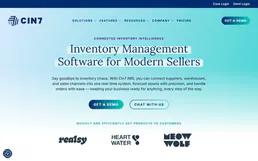
Cin7 Core
Equip your AI agent to manage inventory, sales orders, and purchase orders via the Cin7 Core (formerly DEAR Systems) API.

Endorsal Testimonials
Equip your AI agent to manage testimonials, track display widgets, and approve reviews via the Endorsal API.

Teachable (Extended)
Manage your Teachable school — list courses, manage users, track transactions, and monitor webhooks directly from your AI agent.
You might also like

Aporia
Monitor AI models and validate LLM interactions with guardrails directly from your AI agent to ensure safety and observability.

Weatherbit Alternative
Access real-time weather data, 16-day forecasts, air quality metrics, and severe weather alerts globally.

Bandwidth
Automate telecom workflows via Bandwidth — send SMS/MMS, manage media, campaigns, and toll-free verification directly from any AI agent.