
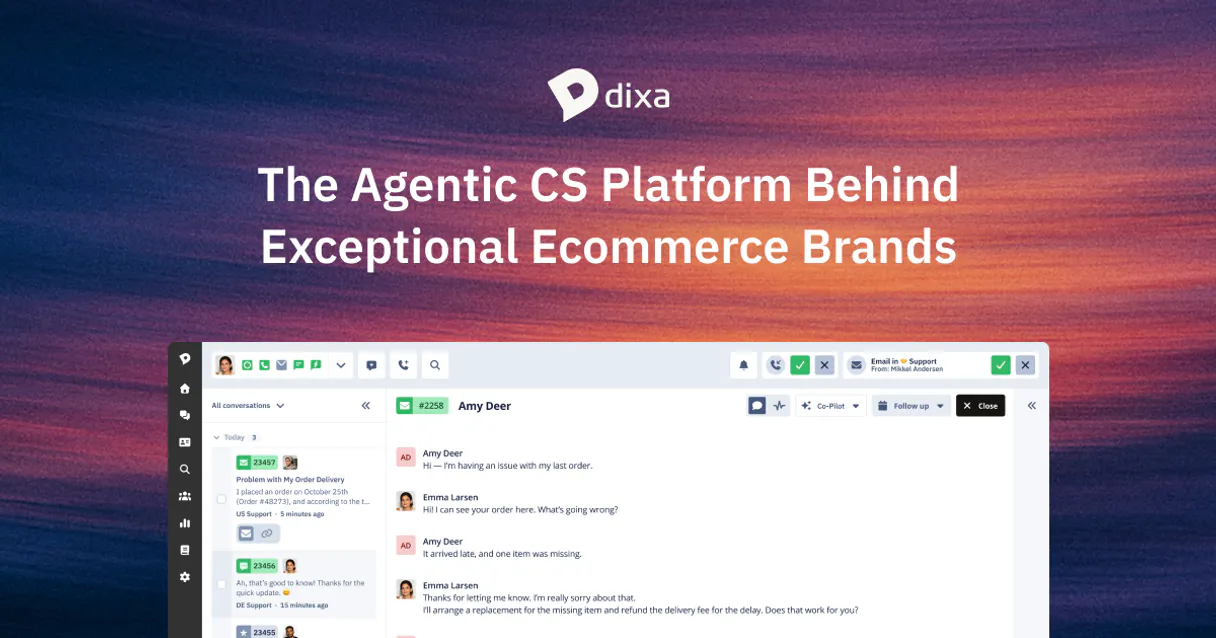
Dixa MCP for AI. Orchestrate every customer interaction across all channels.
 Gemini
 Works with every AI agent you already use
…and any MCP-compatible client









How this MCP server connects to your AI agent
Dixa MCP connects your AI client directly to Dixa for full control over customer service workflows. You can list and manage support tickets, assign conversations to specific agents, track detailed customer history, and programmatically close requests across phone, email, chat, and messaging channels.
What AI agents can do with Dixa Automation
Create customer profile
Adds a completely new customer entry into the system's records.
Get connection status
Checks the operational health and connectivity status of the Dixa API.
Get agent info
Retrieves current details about available support agents.
List active support cases and pull detailed metadata on specific conversations to understand their context.
Assign tickets to yourself or team members, and check agent availability in real time to speed up response times.
Manage end-user profiles by accessing and maintaining a complete history of contact information and past interactions.
Create new support requests or mark existing conversations as resolved to keep your support pipeline organized.
Check API connectivity and monitor active webhook configurations directly through the agent for service reliability.
Ask an AI about this
Waiting for input…
What AI agents can do with Dixa: 12 Tools for Support Automation
These tools let your AI client perform every core function of Dixa—from listing open chats to updating customer records—all through simple commands.
Make your AI actually useful.
Add this MCP to Claude, Cursor, or Windsurf and your AI stops guessing. It gets real tools to look things up, take action, and handle the stuff you keep doing by hand.
Start using Dixa on VinkiusCreate Customer Profile
Adds a completely new customer entry into the system's records.
Get Connection Status
Checks the operational health and connectivity status of the Dixa API.
Get Agent Info
Retrieves current details about available support agents.
Get Conversation Details
Pulls comprehensive information on a specific support ticket, including all...
List Support Agents
Lists all agents currently assigned and available within the support team.
List Conversations
Lists all currently open or active customer support tickets needing attention.
List Support Teams
Retrieves a list of defined agent teams used for routing conversations.
List End Users
Retrieves a list of all registered customers in the Dixa system.
List Active Webhooks
Retrieves the current configuration and list of active event webhooks for monitoring.
Assign To Self
Claims a specific conversation, making it visible only to you.
Resolve Conversation
Changes the status of an open ticket to resolved or closed, updating your support...
Create Conversation
Automatically starts and logs a brand new support chat record.
Security and governance baked right in.
Pick your AI client below to get set up. Just create a Vinkius account, subscribe, and you're instantly up and running. We handle the entire backend infrastructure, delivering out-of-the-box support for HTTPS Streamable, SSE, and OAuth2—zero messy routing required.
Claude AI
Open Claude Settings
Go to claude.ai, click your profile icon, then navigate to Customize → Connectors.
Add Custom Connector
Click the "+" button and select Add custom connector. Paste your Vinkius endpoint URL:
https://edge.vinkius.com/[YOUR_TOKEN_HERE]/mcp
Replace [YOUR_TOKEN_HERE] with your token
from cloud.vinkius.com. For OAuth-protected servers, expand
Advanced settings to add credentials.
Start a conversation
Open a new chat. The Dixa integration is available immediately — no restart needed.
Choose How to Get Started
Build a custom MCP for your own tools, or connect a ready-made integration from our catalog.
Build Your Own
Turn any API into an MCP. Import a spec, define Agent Skills, or deploy with MCPFusion.
- Import from OpenAPI, Swagger, or YAML specs
- Create Agent Skills with progressive disclosure
- Deploy to edge with MCPFusion framework
- Built in DLP, auth, and compliance on every call
- Real time usage dashboard and cost metering
- Publish to catalog or keep private
Make Your AI Do More
Start with Dixa, then connect any of our 5,100+ other servers whenever your AI needs more. One click, no limits.
- Use this MCP plus 5,100+ others, all in one place
- Add new capabilities to your AI anytime you want
- Every connection is secured and compliant automatically
- Track usage and costs across all your servers
- Works with Claude, ChatGPT, Cursor, and more
- New servers added to the catalog every week
Independent Platform Disclaimer: Vinkius is an independent platform and is not affiliated with, endorsed by, sponsored by, verified by, or otherwise authorized by Dixa. All third-party trademarks, logos, and brand names are the property of their respective owners. Their use on this website is strictly for informational purposes to identify service compatibility and interoperability.
VINKIUS INFRASTRUCTURE
Cloud Hosted
Managed infra
V8 Isolated
Sandboxed per request
Zero-Trust Proxy
No stored credentials
DLP Enforced
Policy on every call
GDPR Compliant
EU data residency
Token Compression
~60% cost reduction
Built on the Model Context Protocol (MCP) for Claude, ChatGPT, Cursor, and more
The Model Context Protocol standardizes how applications expose capabilities to LLMs. Instead of operating in isolation, your AI gains direct access to external platforms, live data, and real-world actions through secure, standardized connections.
This connection provides 12 powerful capabilities that interface natively with Claude, ChatGPT, Cursor, and other compatible AI platforms. No middleware. No custom integration required.
Dealing with customer support means juggling a dozen different dashboards., Solved with Vinkius AI Gateway
Today, handling one escalated ticket is a clicking marathon. You start in the chat window, then open the separate CRM to check their billing history. Next, you switch tabs to see if another agent already logged an email response. This process involves copy-pasting IDs and jumping between five different screens just to get context.
With this MCP, that manual effort vanishes. You tell your agent what you need—like 'Check the full profile for john@example.com'—and it pulls together the history from every channel into one view. It’s about getting answers instantly without ever leaving your primary communication interface.
The Dixa MCP delivers control over the entire support lifecycle.
You no longer have to manually change statuses or worry about who owns a thread. You can use `list_conversations` to see what needs attention, and then if you're done with it, `resolve_conversation` marks it as closed—all through natural language commands.
This isn’t just faster; it changes how your team operates. Your agents spend less time on process management and more time actually solving problems.
What your AI can actually do with this
This MCP lets you treat your entire customer service stack like one single conversation with your AI agent. Forget jumping between ticket portals and CRM dashboards just to get context. You can ask your agent to find a specific user's full interaction history or list all open tickets across every channel—phone, chat, email, etc.—and then act on it.
Need to pass ownership? You can assign the conversation to another team member instantly. It’s about coordinating an entire support team and service life cycle using only natural language. Through Vinkius, your agent becomes a dedicated CX coordinator, letting you handle complex tasks like creating new customer records or marking old tickets as resolved without ever touching the UI.
019dd0e1-ab00-70ea-9e82-8df655adafc7 
Here's how it actually works
The bottom line is you connect the raw power of Dixa's backend tools to your agent’s conversational intelligence.
Subscribe to this MCP on Vinkius.
Get your API Token from the Dixa dashboard (Settings > Integrations > API Tokens).
Start managing customer interactions by prompting your AI client with a request, like 'List all open tickets for VIP customers'.
Who is this actually for?
Support leads and operations managers who are tired of manually checking multiple dashboards just to know which ticket needs attention. If your job involves coordinating people or data across channels, this is for you.
You use the MCP to reassign high-priority conversations using natural language commands and monitor agent availability without leaving your communication tool.
You check customer profiles and interaction history on demand, keeping a perfect record of every contact without copying data between systems.
You verify system health by checking API connectivity and managing webhook configurations through simple AI queries to ensure service reliability.
What Changes When You Connect
Stop wasting time digging for information. Use list_conversations to get an immediate, filtered list of open tickets and their status without leaving your agent window.
Never lose ownership of a critical ticket again. The assign_to_self tool lets you claim a conversation instantly, ensuring accountability when things are busy.
Maintain perfect customer records by using list_end_users to pull a list of contacts and then get_conversation_details for their full history in one go.
Keep your support flow clean. When an issue is fixed, use resolve_conversation instead of manually changing the status in the dashboard.
Optimize team response times by checking agent availability with list_support_agents before assigning a ticket or escalating a query.
See it in action
The Urgent Escalation
A customer calls in about an account issue. Instead of opening the portal, you ask your agent to 'Get conversation details for jane@example.com'. The agent instantly retrieves her profile and past 3 conversations, letting you address the core problem immediately.
The Shift Handoff
You're leaving for the day. You ask your agent to 'List all active conversations needing follow-up'. It returns a list of tickets and suggests which ones should be assigned to the next shift manager using assign_to_self.
The System Audit
Your ops team needs assurance that webhooks are firing correctly. You prompt your agent with 'What are our active webhooks?' and it lists them, allowing you to verify system health using list_active_webhooks.
New Lead Onboarding
A new customer signs up via chat. You ask your agent to 'Create a profile for john@corp.com'. The MCP handles the creation of the record, setting up John Doe's initial history and contact details immediately.
The honest tradeoffs
Manual status changes
After resolving a ticket manually, you forget to change its status in the dashboard. The system thinks it's still open.
Always use the resolve_conversation tool via your agent. This ensures the status is updated programmatically and correctly logs the resolution date.
Searching by memory
You can’t remember if a customer was handled by email or phone last week, so you spend minutes clicking through conversation histories.
Use list_conversations to get an overview of all open tickets. Then use the ticket ID with get_conversation_details to pull the full interaction history instantly.
Ignoring agent capacity
You assign a high-priority chat to Agent A, only to find out Agent A is already tied up on another call.
Before assigning anything, check real-time availability using list_support_agents to ensure the right person is free and ready.
When It Fits, When It Doesn't
Use this MCP if your core job involves coordinating customer interactions across multiple channels—phone, chat, email, etc. If you need to see a ticket's status, update its owner, or pull historical data quickly from different sources, this is essential. However, don't use it just because you want simple reporting; for bulk reporting and analytics that require aggregating metrics over months, you should connect your data warehouse directly. Also, if you only ever deal with one channel (e.g., only internal chat), the complexity of omnichannel orchestration isn't necessary, but this MCP handles that complexity for you.
Questions you might have
How do I use the `list_conversations` tool with Dixa MCP? +
Simply ask your agent to list conversations. You can refine this by asking for specific filters, like 'Show me all open tickets related to billing' or 'List all high-priority chats'.
What is the difference between `create_conversation` and `list_conversations`? +
list_conversations reads existing data, showing you what’s already open. create_conversation performs an action by starting a brand new support ticket record.
Can I use `get_agent_info` to see if someone is busy? +
Yes. You can ask your agent to 'Get the current details for agents.' This allows you to check real-time availability and know who is best suited for the next ticket.
How do I ensure customer data is accurate using `create_customer_profile`? +
The tool adds a new record, but it's smart. You should first ask your agent to use list_end_users to see if the profile already exists before creating a new one.
How does `get_connection_status` check if my Dixa API connection is working? +
It sends a direct ping to the Dixa platform, returning a clear status code. This verifies your credentials and general service uptime, letting you know instantly if the MCP can communicate with Dixa's backend.
What specific event configs can I check using `list_active_webhooks`? +
This tool lists every webhook configured for your account. It is vital for debugging and monitoring, allowing you to confirm exactly which system events are actively triggering data flows into your agent.
What does the `assign_to_self` tool do in the workflow? +
It immediately changes ownership of a conversation ticket. Running this tool marks the case as yours, ensuring that only your dedicated agent can pick up and work on it next.
Does `resolve_conversation` just close the chat, or does it update status? +
It updates the conversation's official lifecycle status in Dixa. Running this tool marks the ticket as resolved on your dashboard, properly moving it out of the active queue for reporting.
How do I find my Dixa API Token? +
Log in to Dixa, navigate to Settings > Integrations > API Tokens, and generate a new token for your integration.
Can I assign tickets to myself via AI? +
Yes! Use the assign_to_self tool with a specific conversation ID to take ownership of a support ticket.
How do I check which agents are online? +
The list_support_agents tool retrieves all agent profiles and their current status directly from the Dixa platform.
We've already built the connector for Dixa. Just plug in your AI agents and start using Vinkius.
No hosting. No infrastructure. No complex setup.
All 12 tools are live and waiting.
You're up and running in seconds.
Gemini Vinkius gives your AI agents access to the full catalog of app connectors, all fully managed, secure, and enterprise-ready. One subscription, every tool you need.
Built, hosted, and secured by Vinkius. You just connect and go.