
How to Use DocSumo MCP Server with Mastra AI using Vinkius
Give Mastra AI instant access to 10 tools to Get Docsumo Account Metadata, Get Document Extraction Data, List Docsumo Document Types, and more using Vinkius.
 GDPR Free for Subscribers
Mastra AI is a TypeScript-native agent framework built for modern web stacks. Connect DocSumo through Vinkius and Mastra agents discover all tools automatically. type-safe, streaming-ready, and deployable anywhere Node.js runs.
Ask AI about this MCP Server for Mastra AI
The DocSumo MCP Server for Mastra AI is a standout in the Artificial Intelligence category, giving your AI agent 10 tools to work with, ready to go from day one.
Vinkius delivers Streamable HTTP and SSE to any MCP client
 Gemini
import { Agent } from "@mastra/core/agent";
import { createMCPClient } from "@mastra/mcp";
import { openai } from "@ai-sdk/openai";
async function main() {
// Your Vinkius token. get it at cloud.vinkius.com
const mcpClient = await createMCPClient({
servers: {
"docsumo": {
url: "https://edge.vinkius.com/[YOUR_TOKEN_HERE]/mcp",
},
},
});
const tools = await mcpClient.getTools();
const agent = new Agent({
name: "DocSumo Agent",
instructions:
"You help users interact with DocSumo " +
"using 10 tools.",
model: openai("gpt-4o"),
tools,
});
const result = await agent.generate(
"What can I do with DocSumo?"
);
console.log(result.text);
}
main();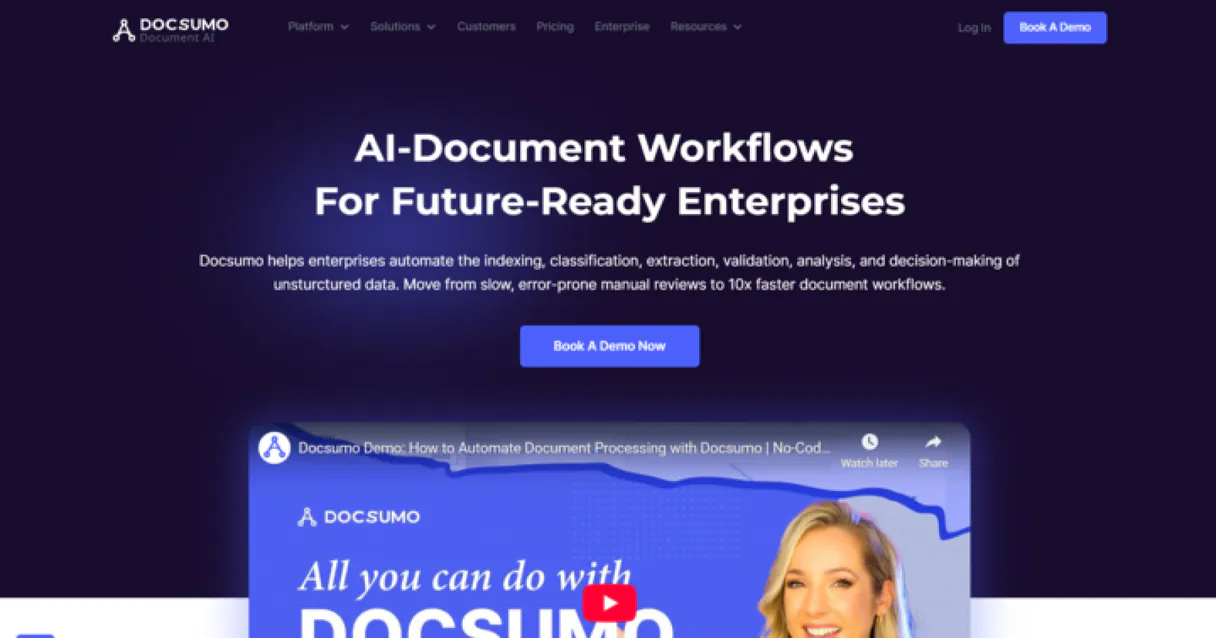
* Every connection is hosted and maintained by Vinkius. We handle the security, updates, and infrastructure so you don't have to write code or manage servers. See our infrastructure
About DocSumo MCP Server
Integrate DocSumo, the advanced Intelligent Document Processing (IDP) platform, directly into your AI workflow. Automate the extraction of complex data from invoices, bank statements, and ID cards, monitor your processing pipelines, and retrieve structured results using natural language.
Mastra separates what most frameworks conflate: the intelligence layer from the infrastructure layer. Connect DocSumo through Vinkius and 10 tools slot into Mastra's workflow engine with conditional branching, automatic retries, and parallel execution paths. The agent decides what to do. The workflow engine ensures it actually happens. One command deploys the entire pipeline to Vercel, Railway, Fly.io, or your own infrastructure. No Docker. No Kubernetes. No excuses.
What you can do
- Pipeline Oversight. List and retrieve detailed settings and processing statuses for all your document types and IDP workflows.
- Data Intelligence. Access the structured data extracted by DocSumo's AI engine, including table layouts and verified fields.
- Confidence Monitoring. Identify documents that require manual review due to low extraction confidence scores.
- Extraction Auditing. Retrieve a chronological feed of recent extraction results across all your processed document categories.
The DocSumo MCP Server exposes 10 tools through Vinkius. Connect it to Mastra AI in under two minutes. Fully managed, no infrastructure to provision, no vendor lock-in.
10 tools included
Explore every tool DocSumo exposes to Mastra AI through Vinkius.
Connect DocSumo to Mastra AI via MCP
Follow these steps to connect DocSumo to Mastra AI. The setup takes under two minutes and requires no coding or server hosting.
Get your Vinkius Access Token
Install dependencies
npm install @mastra/core @mastra/mcp @ai-sdk/openaiReplace the token
[YOUR_TOKEN_HERE] with your Vinkius tokenRun the agent
agent.ts and run with npx tsx agent.tsExplore tools
Why Use Mastra AI with the DocSumo MCP Server
Mastra AI provides unique advantages when paired with DocSumo through the Model Context Protocol.
DocSumo tools from Vinkius slot into Mastra's workflow engine with conditional branching, automatic retries, and parallel execution. Not just agent logic. Real orchestration
TypeScript-native: full type inference for every DocSumo tool response through Vinkius. IDE autocomplete and compile-time error checking across the entire pipeline
One command deploys your DocSumo workflows from Vinkius to Vercel, Railway, Fly.io, or your own infrastructure. No Docker. No Kubernetes. No ops overhead
Clean separation: Mastra handles workflow orchestration, Vinkius handles DocSumo connection infrastructure, your code handles business logic. Each layer does one thing well
DocSumo + Mastra AI Use Cases
Practical scenarios where Mastra AI combined with the DocSumo MCP Server delivers measurable value.
Automated workflows: build multi-step agents that query DocSumo, process results, and trigger downstream actions in a typed pipeline
SaaS integrations: embed DocSumo as a first-class tool in your product's AI features with Mastra's clean agent API
Background jobs: schedule Mastra agents to query DocSumo on a cron and store results in your database automatically
Multi-agent systems: create specialist agents that collaborate using DocSumo tools alongside other MCP servers
Example Prompts for DocSumo in Mastra AI
Ready-to-use prompts you can give your Mastra AI agent to start working with DocSumo immediately.
"List all processed bank statements."
"Show me the extraction results for document 'DOC-5544'."
"Are there any documents that failed to process today?"
Troubleshooting DocSumo MCP Server with Mastra AI
Common issues when connecting DocSumo to Mastra AI through Vinkius, and how to resolve them.
createMCPClient not exported
npm install @mastra/mcpDocSumo + Mastra AI FAQ
Common questions about integrating DocSumo MCP Server with Mastra AI.
How does Mastra AI connect to MCP servers?
MCPClient with the server URL and pass it to your agent. Mastra discovers all tools and makes them available with full TypeScript types.Can Mastra agents use tools from multiple servers?
Does Mastra support workflow orchestration?
Over 4,000 integrations ready for AI agents
Explore a vast library of pre-built integrations, optimized and ready to deploy.
Connect securely in under 30 seconds
Generate tokens to authenticate and link external services in a single step.
Complete visibility into every agent action
Audit live requests, latency, success rates, and active security compliance policies.
Optimize spending and track token ROI
Analyze real-time token consumption and cost metrics detailed by connection.




Explore our live AI Agents Analytics dashboard to see it all working
This dashboard is included when you connect DocSumo using Vinkius. You will never be left in the dark about what your AI agents are doing with your tools.
Connect DocSumo with your favorite client
Also available for these clients and frameworks:
Connect DocSumo to Mastra AI
One click to install, 10 tools ready instantly. Fully managed, no API key setup required.