
DROPBOY MCP. Track every order and vehicle status in conversation.
 Gemini
 Works with every AI agent you already use
…and any MCP-compatible client









Just plug in your AI agents and start using Vinkius.
DROPBOY manages your entire logistics operation through one API. Use it to list all delivery orders, search by address, track fleet vehicle status, and retrieve detailed driver profiles.
Your AI agent handles order oversight, vehicle monitoring, and driver assignments—no dashboard clicks required.
What your AI agents can do
Get driver profile
Retrieves a specific driver's full profile and their historical route data.
Get dropboy account metadata
Pulls metadata and usage limits for your DROPBOY account.
Get order details
Gets detailed information and the real-time status for one specific order.
Use list_logistics_orders or list_active_deliveries to retrieve the status and details of all current and recent delivery orders.
Run search_logistics_orders to find a specific order using a known order number or a delivery address.
Call list_fleet_vehicles to get a roster of every vehicle, including its type and current operational status.
Run get_driver_profile to pull a specific driver's contact info and their complete route history.
Execute get_order_details to pull every piece of data—status, items, destination—for one specific order.
Use quick_fleet_status_audit to get a high-level summary of how many vehicles are available versus in use.
Ask AI about this MCP
Supported MCP Clients
Gemini Waiting for input…
019d7589get driver profile
Retrieves a specific driver's full profile and their historical route data.
019d7589get dropboy account metadata
Pulls metadata and usage limits for your DROPBOY account.
019d7589get order details
Gets detailed information and the real-time status for one specific order.
019d7589list active deliveries
Identifies orders that are currently 'In Progress' or 'Out for Delivery'.
019d7589list fleet drivers
Lists every driver registered in your DROPBOY organization.
019d7589list fleet vehicles
Lists all vehicles registered in your DROPBOY fleet.
019d7589list latest logistics orders
Identifies the most recently created delivery orders.
019d7589list logistics orders
Lists all logistics and delivery orders across the entire account.
019d7589quick fleet status audit
Retrieves a high-level summary of fleet activity and vehicle availability.
019d7589search logistics orders
Searches for logistics orders using either an order number or a delivery address.
Choose How to Get Started
Build a custom MCP for your own tools, or connect a ready-made integration from our catalog.
Build Your Own
Turn any API into an MCP. Import a spec, define Agent Skills, or deploy with MCPFusion.
- Import from OpenAPI, Swagger, or YAML specs
- Create Agent Skills with progressive disclosure
- Deploy to edge with MCPFusion framework
- Built in DLP, auth, and compliance on every call
- Real time usage dashboard and cost metering
- Publish to catalog or keep private
Make Your AI Do More
Start with DROPBOY, then connect any of our 4,700+ other servers whenever your AI needs more. One click, no limits.
- Use this MCP plus 4,700+ others, all in one place
- Add new capabilities to your AI anytime you want
- Every connection is secured and compliant automatically
- Track usage and costs across all your servers
- Works with Claude, ChatGPT, Cursor, and more
- New servers added to the catalog every week
What you can do with this MCP connector
You gotta run your whole logistics operation through DROPBOY, and this server hooks that whole thing right up to your AI client. Your agent handles order tracking, fleet monitoring, and driver assignments just by talking to it. You don't gotta jump between dashboards or cross-reference spreadsheets; you just tell your agent what you need.
list_logistics_orders lets you pull a list of every delivery order across the whole account. You can also use list_active_deliveries to see only the orders that are currently 'In Progress' or 'Out for Delivery'. When you need to track down a specific job, search_logistics_orders lets you search by an order number or a delivery address.
Need to know the full rundown on one job? get_order_details gives you every piece of data—the status, the items, the destination—for a single order. You can also get a snapshot of the newest jobs that came in using list_latest_logistics_orders.
For the trucks and cars, list_fleet_vehicles gives you a roster of every vehicle, including its type and its current operational status. You can get a high-level overview of how many vehicles are available versus in use by calling quick_fleet_status_audit.
When it comes to the drivers, list_fleet_drivers lists every driver registered with DROPBOY. You can run get_driver_profile to pull a specific driver's contact info and their complete route history. You can also check your account setup and usage limits by calling get_dropboy_account_metadata.
This setup means your AI agent can manage everything. It'll pull all the raw data you need—the order status, the vehicle roster, the driver history—and talk to you about it. You're all set.
How DROPBOY MCP Works
- 1 Connect the DROPBOY integration to your AI agent and provide the required API Key.
- 2 Ask your agent a question (e.g., 'What's the status of all active deliveries?') which triggers the appropriate tool call.
- 3 The agent runs the tool, receives the structured data, and presents the result back to you in plain language.
The bottom line is that your AI client handles the complex API calls and data formatting, so you just talk to it.
Who Is DROPBOY MCP For?
This is for the logistics manager who is tired of switching between multiple dashboards to track orders, or the dispatch engineer who needs real-time fleet status without manually calling drivers. It puts all the necessary operational data into one conversation.
Checks the real-time status of orders and available vehicle capacity for the day without leaving their chat interface.
Monitors driver assignments and vehicle operational status across the whole fleet by asking the agent to audit the status.
Pulls specific delivery metadata or high-level summaries of past logistics activity to build reports.
What Changes When You Connect
- See the status of all active deliveries immediately. Instead of navigating to an 'Active' tab, just ask the agent to run
list_active_deliveriesand get a list of everything currently moving. - Know your full fleet capacity at a glance. Use
quick_fleet_status_auditto pull a summary of vehicle availability and activity, without having to manually check multiple vehicle dashboards. - Track down any order fast. If you only have an address or part of an order number,
search_logistics_ordersfinds the details instantly, skipping the need to know the full order ID. - Get full visibility on driver history. Use
get_driver_profileto pull a driver’s contact info and their full route history in one request, eliminating the need to open multiple profile pages. - Audit your entire operation easily. Running
list_logistics_ordersshows you all delivery records, whilelist_latest_logistics_ordersfocuses only on the most recent activity for a quick look. - Get deep details on one order. When you need every fact about a single shipment,
get_order_detailsprovides the complete picture, including real-time status and cargo list.
Real-World Use Cases
Need to know where a package is right now.
A customer calls asking about an order. Instead of checking the web portal, you ask your agent to run search_logistics_orders with the tracking number. The agent responds with the real-time status, the assigned driver, and the estimated time of arrival.
Need to assess overall fleet capacity.
The ops team needs to know if they have enough vehicles for tomorrow's shift. They ask the agent to run quick_fleet_status_audit and list_fleet_vehicles. The agent summarizes the operational status and capacity, allowing them to plan resource reallocation instantly.
Need to check a driver's past route.
A manager needs to review a driver's performance for a specific week. They ask the agent to run get_driver_profile for that driver. The agent pulls the complete route history, allowing the manager to review the data without logging into the driver portal.
Need to see all pending deliveries.
The dispatch team needs a list of all orders that are currently out for delivery. They ask the agent to run list_active_deliveries, and the agent immediately returns a clean list of all in-progress shipments.
The Tradeoffs
Searching manually for everything.
Going to the main dashboard, clicking 'Orders,' then filtering by 'Status: In Progress,' then manually cross-referencing the list with the 'Vehicle Status' tab to see who's assigned.
→
Just ask the agent: 'Show me all active deliveries and who's assigned.' This runs list_active_deliveries and pulls necessary assignment data in one step.
Forgetting the right tool.
Using list_logistics_orders when you only need to check the status of one specific shipment. You get a massive list, and then you have to scroll to find the one item you needed.
→
Use get_order_details or search_logistics_orders. These tools pull the full data for one specific order, so you don't have to sift through pages of irrelevant data.
Not knowing the system limits.
Trying to run a complex audit query that requires combining driver history with all vehicle records, hoping the system handles the data flow. This often fails due to permission or data volume limits.
→
First, check the account limits using get_dropboy_account_metadata. Then, break the request down into steps, running list_fleet_drivers and list_fleet_vehicles separately to manage the complexity.
When It Fits, When It Doesn't
Use this MCP Server if your job involves constant data cross-referencing across orders, drivers, and vehicles. You need a single source of truth for 'Where is everything right now?' You should use it if you need to run an audit (e.g., 'How many vehicles are available?') or track a specific item (e.g., 'What's the status of ORD-9988?').
Don't use it if your only goal is to view a single, static report (e.g., a PDF export of last month's metrics). For that, a dedicated BI tool is better. If you only need to know the total number of drivers, running list_fleet_drivers is enough, but you won't get the full profile history you'd get from get_driver_profile.
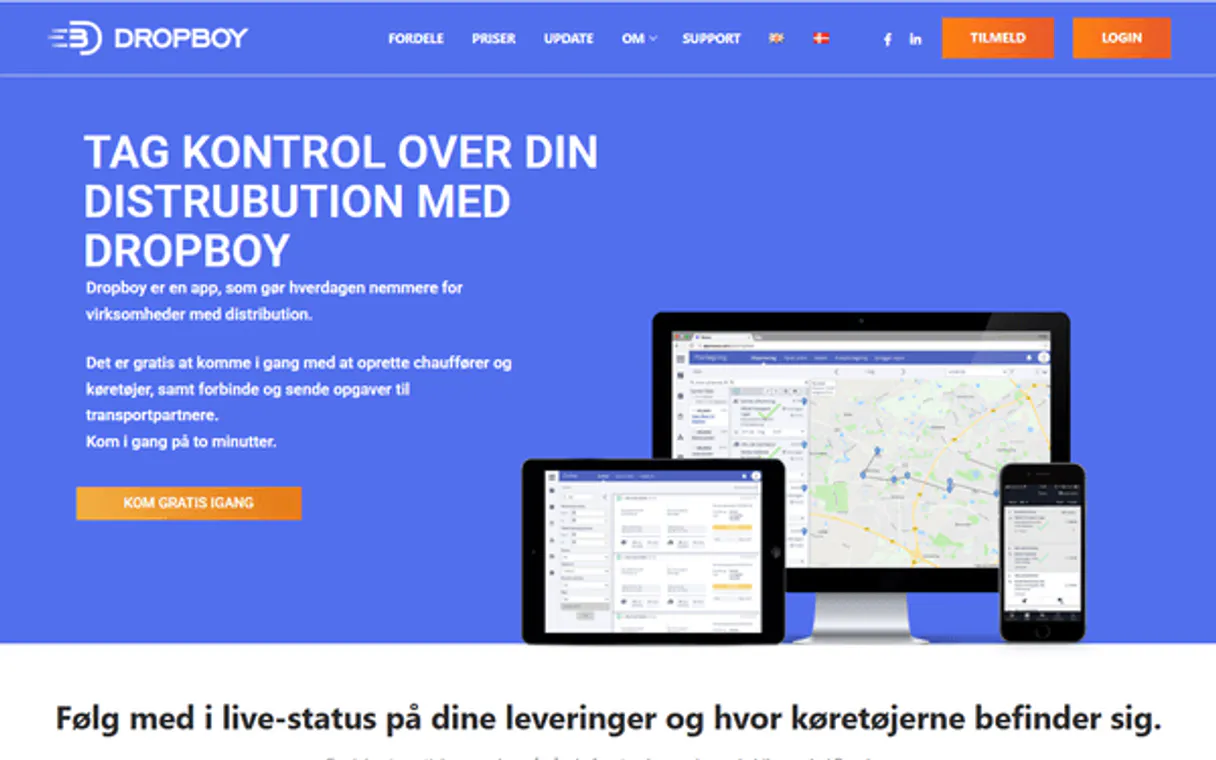
Independent Platform Disclaimer: Vinkius is an independent platform and is not affiliated with, endorsed by, sponsored by, verified by, or otherwise authorized by DROPBOY. All third-party trademarks, logos, and brand names are the property of their respective owners. Their use on this website is strictly for informational purposes to identify service compatibility and interoperability.
VINKIUS INFRASTRUCTURE
Cloud Hosted
Managed infra
V8 Isolated
Sandboxed per request
Zero-Trust Proxy
No stored credentials
DLP Enforced
Policy on every call
GDPR Compliant
EU data residency
Token Compression
~60% cost reduction
Works with Claude, ChatGPT, Cursor, and more
The Model Context Protocol standardizes how applications expose capabilities to LLMs. Instead of operating in isolation, your AI gains direct access to external platforms, live data, and real-world actions through secure, standardized connections.
This server provides 10 capabilities that interface natively with Claude, ChatGPT, Cursor, and any MCP client. No middleware. No custom integration required.
Available Capabilities
Tracking logistics used to mean 15 clicks and three separate tabs.
Today, checking on a delivery requires logging into the main dashboard, clicking 'Orders,' filtering by date, then opening the order ID to see the status. If you need the driver's name, you have to open a second tab and manually search the driver roster to match the ID. It's a mess of tabs and copy-pasting.
With the DROPBOY MCP Server, you simply ask your agent: 'What's the status of the orders dispatched yesterday, and who is driving them?' The agent runs the necessary tools, synthesizes the data, and gives you a single, clean answer. You get the full picture, instantly.
DROPBOY MCP Server: Get the full picture with `get_order_details`
You used to have to open the order portal, find the order ID, and then navigate through at least three different sections—the shipment details, the vehicle assignment, and the cargo manifest—just to see if the package was ready. That was wasted time.
Now, just ask the agent to pull the details for that order ID. It runs `get_order_details` and gives you everything in one conversational response. It’s done.
Common Questions About DROPBOY MCP
How do I use the `list_logistics_orders` tool? +
The list_logistics_orders tool returns a list of all orders in your account. You use this when you need a broad overview of your entire order book, not just the active ones.
What is the difference between `list_logistics_orders` and `list_active_deliveries`? +
Use list_logistics_orders for every single record you own. Use list_active_deliveries only when you want orders that are currently moving or out for delivery.
Can `search_logistics_orders` find an order by address? +
Yes. search_logistics_orders lets you search for orders using a delivery address or a specific order number, making it ideal for customer service inquiries.
What data does `get_driver_profile` provide? +
The get_driver_profile tool provides a driver’s full contact profile, plus a complete record of their historical route activity.
How do I use `get_order_details` if I only have a vehicle ID? +
You must use the order ID or an order number. The tool requires a specific order identifier to pull detailed status and records. If you only have a vehicle ID, you'll need to first use list_fleet_vehicles to find the associated order.
What is the difference between `list_logistics_orders` and `list_latest_logistics_orders`? +
list_logistics_orders retrieves every order in your account. list_latest_logistics_orders only pulls the most recently created delivery orders. Use the latter when you just need a quick overview of recent activity.
Can `quick_fleet_status_audit` provide driver names? +
No, quick_fleet_status_audit provides a high-level summary of fleet activity and vehicle availability. It's designed for quick metrics, not detailed driver assignment lists. You need list_fleet_drivers for names and assignments.
Which tool should I use to check my account limits? Does `get_dropboy_account_metadata` work for that? +
Yes, get_dropboy_account_metadata retrieves metadata and limits for your entire DROPBOY account. This tool confirms your current usage quotas and API restrictions.
How do I get a DROPBOY API Key? +
Log in to your DROPBOY platform account, navigate to Settings > Integrations or the API section, and you can generate or retrieve your unique API Key from there. Ensure you have the necessary administrative permissions.
Can the agent track vehicles in real-time? +
Yes, you can use the list_fleet_vehicles or get_order_details tools to retrieve the current operational status and location data for your fleet assets.
Does the integration support driver route history? +
Yes, the get_driver_profile tool allows you to retrieve granular profile details and the history of assigned routes for specific drivers in your fleet.
Use it with your favorite AI tools
Connect this server to Cursor, Claude, VS Code, and more.
More in this category

Siteminder
Manage hotel inventory, search properties, and handle reservations via Siteminder's Channels Plus and Direct Booking APIs.

Imagine.io
Create 3D product visualizations and room renders from photos using AI that turns concepts into photorealistic images.

GorillaDesk
Manage field service operations — schedule jobs, invoice customers, and update notes via AI.
You might also like

DeveloperHub
Equip your AI agent to manage documentation projects, track pages, and monitor changelogs via the DeveloperHub API.

Rocketlane
Deliver customer onboarding projects on time with collaborative workspaces, task tracking, and time-to-value analytics.

Business Timezone & Holiday Scheduler
Eradicate LLM scheduling errors. Calculate exact business days skipping global public holidays and convert precise timezones flawlessly.