
EventMobi Experience MCP. Manage event data and audit performance from conversation.
 Gemini
 Works with every AI agent you already use
…and any MCP-compatible client









Just plug in your AI agents and start using Vinkius.
EventMobi Experience MCP Server lets your AI agent manage event apps, track attendee engagement, and monitor sessions using the EventMobi API.
You can list all events, check attendee lists, pull speaker bios, and get real-time engagement analytics for any event. It lets you audit event health and see who's showing up without opening a single dashboard.
What your AI agents can do
Get event detailed data
Gets specific settings and detailed information for a single event.
Get event engagement analytics
Pulls high-level engagement data and analytics for a specific event.
Get eventmobi account metadata
Retrieves metadata and usage limits for your EventMobi account.
Get a quick, high-level summary of attendee volume, session activity, and overall event status using quick_event_volume_audit.
Fetch specific settings, dates, and information for a single event using get_event_detailed_data.
Pull detailed, high-level engagement analytics for a specific event using get_event_engagement_analytics.
Get a complete list of all event applications managed in your EventMobi account using list_all_events.
List all attendees (list_event_attendees), speakers (list_event_speakers), and exhibitors (list_event_exhibitor_profiles) for a given event.
See all scheduled sessions and items for an event using list_event_sessions.
Ask AI about this MCP
Supported MCP Clients
Gemini Waiting for input…
EventMobi Experience MCP Server: 10 Tools for Event Data
These tools let your agent pull every piece of event data—from attendee lists and speaker bios to real-time engagement metrics—in a single conversation.
019d7592get event detailed data
Gets specific settings and detailed information for a single event.
019d7592get event engagement analytics
Pulls high-level engagement data and analytics for a specific event.
019d7592get eventmobi account metadata
Retrieves metadata and usage limits for your EventMobi account.
019d7592list all events
Lists all event applications managed in your account.
019d7592list event attendees
Lists every registered person attending a specific event.
019d7592list event exhibitor profiles
Lists all company and exhibitor profiles for a specific event.
019d7592list event sessions
Lists all scheduled sessions and items for a specific event.
019d7592list event speakers
Lists all speakers registered for a specific event.
019d7592list latest event projects
Identifies the most recently created or updated event projects.
019d7592quick event volume audit
Provides a quick summary of total attendees, sessions, and speakers for an event.
Choose How to Get Started
Build a custom MCP for your own tools, or connect a ready-made integration from our catalog.
Build Your Own
Turn any API into an MCP. Import a spec, define Agent Skills, or deploy with MCPFusion.
- Import from OpenAPI, Swagger, or YAML specs
- Create Agent Skills with progressive disclosure
- Deploy to edge with MCPFusion framework
- Built in DLP, auth, and compliance on every call
- Real time usage dashboard and cost metering
- Publish to catalog or keep private
Make Your AI Do More
Start with EventMobi Experience, then connect any of our 4,700+ other servers whenever your AI needs more. One click, no limits.
- Use this MCP plus 4,700+ others, all in one place
- Add new capabilities to your AI anytime you want
- Every connection is secured and compliant automatically
- Track usage and costs across all your servers
- Works with Claude, ChatGPT, Cursor, and more
- New servers added to the catalog every week
What you can do with this MCP connector
You're running an event, and you need to know what's happening, fast. This EventMobi MCP Server lets your AI agent handle your event apps, track who's showing up, and monitor all the sessions—no dashboard required. You'll use your agent to manage everything using the EventMobi API. You can list every event, check who's registered, pull speaker bios, and get real-time engagement stats for any event.
It lets you audit the whole event health and see who's actually showing up, all from your AI client.
Getting Started
list_all_events lets you pull a complete list of every event application you manage in your EventMobi account. For a deep dive on a specific event, get_event_detailed_data fetches all its specific settings, dates, and details. You can also check what's going on with your account itself using get_eventmobi_account_metadata, which retrieves your account's metadata and usage limits.
Tracking the Crowd
Need to know who's at the show? You can use list_event_attendees to list every registered person for a specific event. You can also check out the company profiles with list_event_exhibitor_profiles, and pull all the registered speakers using list_event_speakers. When you need a quick read on the event's size, quick_event_volume_audit gives you a summary of total attendees, sessions, and speakers for an event.
Reviewing Content and Sessions
Want to see what's happening on the schedule? list_event_sessions shows you all the scheduled sessions and items for an event. You can also look at the people involved by calling list_event_speakers to get a list of all speakers registered for that event. You can also get high-level performance metrics for a specific event by calling get_event_engagement_analytics.
Putting It Together
Your agent can pull a full list of events using list_all_events, then use get_event_detailed_data to grab the specific settings for one. It can then call list_event_attendees to see who's coming, and list_event_exhibitor_profiles to see who's selling stuff. It'll use quick_event_volume_audit to give a fast status check, and get_event_engagement_analytics to tell you how people are actually interacting with the content.
You'll use these tools to keep tabs on the event's health and the people running it.
How EventMobi Experience MCP Works
- 1 Connect the EventMobi integration to your AI client.
- 2 Authorize the connection using your API Key.
- 3 Prompt your agent to perform an action (e.g., 'Show me the total attendees for the Sales Kickoff event').
The bottom line is, you talk to your agent like you talk to a colleague, and it handles the API calls.
Who Is EventMobi Experience MCP For?
Event Managers, Marketing Directors, and Operations Staff. If you spend time manually stitching together reports from different dashboards—attendance counts, session popularity, exhibitor views—you need this. It lets you check event performance and data points on the fly.
Checks attendee registration counts or session popularity for a specific event on the go.
Researches exhibitor visibility or overall app engagement during live events using chat.
Monitors app updates or retrieves organizational event metadata instantly.
What Changes When You Connect
- See total attendee counts instantly. Use
quick_event_volume_auditto get a high-level summary of people, sessions, and speakers without navigating multiple dashboards. - Track who's showing up.
list_event_attendeesgets you a roster of all registered participants, allowing you to quickly search roles or names. - Review the schedule.
list_event_sessionslists every scheduled item for an event, letting you see the full day's content at a glance. - Understand the ecosystem.
list_event_exhibitor_profilesgives you a roster of all companies and exhibitors participating, useful for marketing planning. - Deep dive into performance. Call
get_event_engagement_analyticsto pull key metrics like total app views or session favorites, tracking true interest. - Get the big picture. Use
list_all_eventsto see every event application managed in your account, helping you keep track of multiple projects.
Real-World Use Cases
Auditing a Brand New Event
The ops engineer needs to know if the event is set up right. They ask their agent: 'What's the basic health status of the 'Annual Gala'?' The agent runs quick_event_volume_audit, returning immediate counts for attendees, sessions, and speakers, confirming readiness.
Checking Speaker Availability
A manager needs to confirm who is speaking at a conference. They ask their agent to run list_event_speakers for the 'Tech Summit'. The agent lists all speakers, and the manager can then follow up to get individual speaker bios.
Tracking Booth Performance
Marketing needs to know if the big sponsors are visible. They ask their agent to use list_event_exhibitor_profiles for the 'Trade Show'. The agent lists all profiles, allowing the manager to quickly assess exhibitor presence.
Comparing Event Performance
A director needs to compare two past events. They ask their agent to run list_all_events first to get the IDs, then run get_event_engagement_analytics for each ID to compare overall app views and session favorites.
The Tradeoffs
Treating data as static files
Downloading the raw attendee CSV, then manually opening the Google Sheet to count how many people are in a specific department.
→
Use list_event_attendees to get the roster, and then ask your agent to filter and count based on specific criteria. This gives you real-time data without manual cleanup.
Over-relying on the UI dashboard
Spending 20 minutes clicking through the EventMobi web interface just to find the total number of active sessions.
→
Just ask your agent to run list_event_sessions. It retrieves the full list and count in one command, saving the clicks.
Ignoring event scope
Running list_event_attendees without specifying the event ID, resulting in a massive, irrelevant data dump or an API error.
→
Always specify the event context. Use get_event_detailed_data or list_all_events first to confirm the correct event ID, then run the specific tool with that ID.
When It Fits, When It Doesn't
Use this if you need to combine multiple data points—attendees, sessions, and exhibitor data—into a single, actionable answer. For instance, 'Show me the top 5 sessions attended by people who registered as Directors.' This MCP server is for cross-domain analysis. Don't use it if you just need to know the API key or account usage limits; use get_eventmobi_account_metadata for that. If you only need to see a list of every event, list_all_events is sufficient. But if you need the data from those events, you need the full suite.
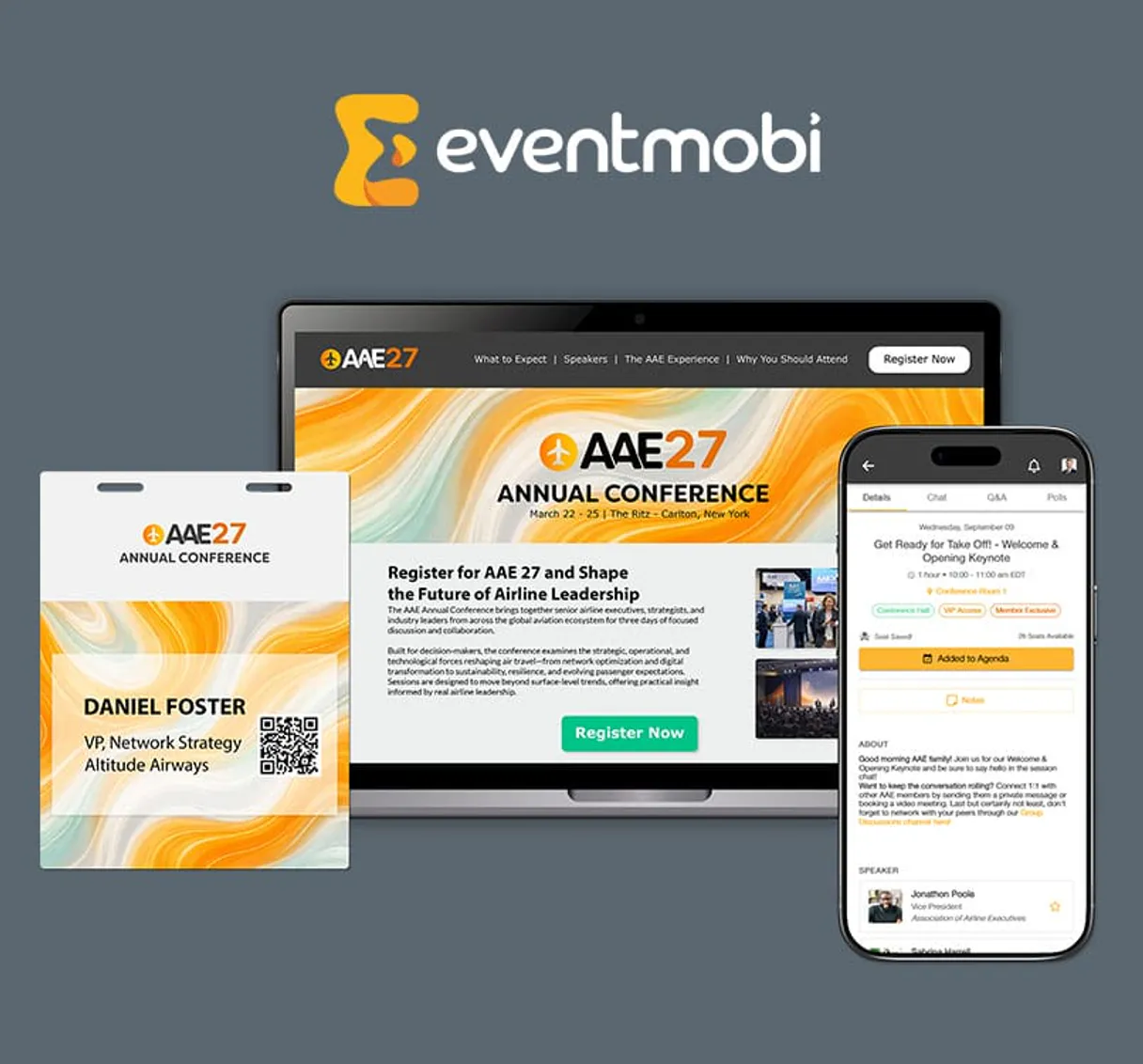
Independent Platform Disclaimer: Vinkius is an independent platform and is not affiliated with, endorsed by, sponsored by, verified by, or otherwise authorized by EventMobi Experience. All third-party trademarks, logos, and brand names are the property of their respective owners. Their use on this website is strictly for informational purposes to identify service compatibility and interoperability.
VINKIUS INFRASTRUCTURE
Cloud Hosted
Managed infra
V8 Isolated
Sandboxed per request
Zero-Trust Proxy
No stored credentials
DLP Enforced
Policy on every call
GDPR Compliant
EU data residency
Token Compression
~60% cost reduction
Works with Claude, ChatGPT, Cursor, and more
The Model Context Protocol standardizes how applications expose capabilities to LLMs. Instead of operating in isolation, your AI gains direct access to external platforms, live data, and real-world actions through secure, standardized connections.
This server provides 10 capabilities that interface natively with Claude, ChatGPT, Cursor, and any MCP client. No middleware. No custom integration required.
Available Capabilities
Manual reporting on event attendance and engagement is a nightmare.
Today, you pull data from three places: the attendee list, the session schedule, and the engagement dashboard. You download CSVs, open Excel, and spend hours cross-referencing attendee emails with session IDs and manually calculating engagement percentages.
With this MCP Server, you talk to your agent. You ask, 'What was the total engagement for the Leadership Retreat?' The agent runs the necessary tools and gives you a single, calculated answer—no spreadsheets needed.
EventMobi Experience MCP Server: Get all the data you need.
You used to run 10 separate API calls just to map a simple attendee profile. You had to call `list_event_attendees`, then `list_event_speakers`, and then maybe `get_event_detailed_data` just to get the event name to label the report.
Now, you ask your agent to 'Give me a summary of the Tech Summit.' It handles the sequence of calls and delivers the complete, structured data set. It just works.
Common Questions About EventMobi Experience MCP
How do I use the `quick_event_volume_audit` tool? +
You run this tool by referencing the target event ID. It immediately returns a summary of total attendees, sessions, and speakers for that event, saving you multiple calls.
What is the difference between `list_event_attendees` and `quick_event_volume_audit`? +
quick_event_volume_audit gives you three numbers: a total count of people, sessions, and speakers. list_event_attendees gives you the full, detailed list of every single person.
Can I list all events using `list_all_events`? +
Yes. list_all_events provides a comprehensive list of every event application you manage within your EventMobi account, letting you select which one you want data for.
Do I need to use `get_event_detailed_data` for every event? +
No. Use get_event_detailed_data only when you need specific event parameters or settings. If you just need the roster, list_event_attendees is enough.
How does `get_event_engagement_analytics` work? +
You pass it an event ID, and it returns a report of app usage, session favorites, and messaging activity. This helps you measure how active people were.
What information does `list_event_exhibitor_profiles` provide? +
This tool lists all exhibitor and company profiles for a specific event. You get the company's name, contact info, and profile details, which is useful for marketing research.
How do I manage the event data using `list_event_sessions`? +
The tool retrieves all sessions and schedule items for a specific event. This lets you see the schedule, start/end times, and session titles to build a complete event timeline.
What is the purpose of `list_event_speakers`? +
It retrieves every speaker registered for a given event. This lets you gather names, bios, and professional roles for all the people speaking at the event.
How do I get an EventMobi API Key? +
Log in to your EventMobi account, navigate to Settings > API Integration, and you can generate or retrieve your unique API Key from there. API access is typically enabled for most enterprise plans.
Does the integration show real-time analytics? +
Yes, you can use the get_event_engagement_analytics tool to retrieve high-level engagement data such as app views and session interactions as reported by the EventMobi platform.
Can the agent send push notifications? +
This integration currently focuses on listing and auditing event data and analytics. Sending live push notifications or updating app content should be managed via the EventMobi Experience Manager dashboard.
Use it with your favorite AI tools
Connect this server to Cursor, Claude, VS Code, and more.
More in this category
Digify
Share documents securely with dynamic watermarks, access controls, and analytics that show exactly who viewed each page.

The Botforge
Deploy custom AI chatbots for enterprise customer support with multilingual capability and deep integration into your tech stack.

Mighty Networks
Build thriving online communities with courses, events, and member networking features all under your own brand.
You might also like

Moloni (Cloud Invoicing & Fiscal Management)
Manage certified invoicing via Moloni — track customers by VAT/NIF, audit invoices, and monitor stock levels.

Chargify
Automate recurring billing via Chargify (Maxio) — manage subscriptions, customers, plans, and revenue holds directly via AI agents.

Umeng / 友盟+
Leading mobile analytics and push notification platform in China — manage campaigns and audit performance via AI.