Extracta MCP. Structured JSON from any document URL.
Works with every AI agent you already use
…and any MCP-compatible client

Just plug in your AI agents and start using Vinkius.
Extracta MCP Server handles data extraction and document classification. Connect your AI client to process PDFs, JPGs, and PNGs. It builds structured JSON from unstructured documents, lets you set up custom schemas (like invoices or receipts), and tracks the entire process history for auditing.
What your AI agents can do
Create classification
Sets up a new document classification rule, defining what document types the system should look for (e.g., invoice, receipt, contract).
Create extraction
Defines a new data extraction process by setting required fields and the expected JSON format.
Delete extraction
Removes an existing data extraction process and prevents future uploads to that ID.
You create new extraction processes by specifying the exact JSON fields and data types you need from a document.
The agent submits a URL (PDF, JPG, PNG) to start an asynchronous job and retrieves the structured JSON data later.
The system automatically predicts and assigns a document category (like 'invoice' or 'receipt') based on defined rules.
You modify the field mapping or settings of an existing extraction process without having to delete and recreate it.
You pull bulk, paginated data of past extractions and classifications, including confidence scores and final data payloads.
Ask AI about this MCP
Supported MCP Clients
Waiting for input…
019d7595create classification
Sets up a new document classification rule, defining what document types the system should look for (e.g., invoice, receipt, contract).
019d7595create extraction
Defines a new data extraction process by setting required fields and the expected JSON format.
019d7595delete extraction
Removes an existing data extraction process and prevents future uploads to that ID.
019d7595get batch results
Retrieves a paginated list of historical data from an entire extraction process run.
019d7595get classification results
Retrieves the system's predicted document category and associated confidence score for a given document.
019d7595get results
Checks the status of a single document's processing job and returns the final structured JSON data if complete.
019d7595update extraction
Modifies the mapping rules or settings of an already defined data extraction process.
019d7595upload file url
Starts a document processing job by submitting a public URL for a file (PDF, JPG, PNG).
019d7595view classification
Shows the details and status of an existing document classification setup.
019d7595view extraction
Displays the current configuration and settings of a defined data extraction process.
Choose How to Get Started
Build a custom MCP for your own tools, or connect a ready-made integration from our catalog.
Build Your Own
Turn any API into an MCP. Import a spec, define Agent Skills, or deploy with MCPFusion.
- Import from OpenAPI, Swagger, or YAML specs
- Create Agent Skills with progressive disclosure
- Deploy to edge with MCPFusion framework
- Built in DLP, auth, and compliance on every call
- Real time usage dashboard and cost metering
- Publish to catalog or keep private
Make Your AI Do More
Start with Extracta, then connect any of our 4,700+ other servers whenever your AI needs more. One click, no limits.
- Use this MCP plus 4,700+ others, all in one place
- Add new capabilities to your AI anytime you want
- Every connection is secured and compliant automatically
- Track usage and costs across all your servers
- Works with Claude, ChatGPT, Cursor, and more
- New servers added to the catalog every week
What you can do with this MCP connector
You're talking to a server that handles data extraction and document classification. Hook up your AI client, and you'll start processing PDFs, JPGs, and PNGs. It builds structured JSON from messy documents, lets you build custom schemas for things like receipts or invoices, and you can track the whole process for audits.
create_classification lets you set up a new document classification rule, telling the system what types of documents it should look for—say, invoices, receipts, or contracts.
create_extraction defines a new data extraction process; you set the required fields and the expected JSON format. You can then update_extraction to change the mapping rules or settings on an already defined process.
view_classification shows the details and status of an existing document classification setup, and view_extraction displays the current configuration and settings for a defined data extraction process.
To run the process, you use upload_file_url to kick off a job by submitting a public URL for a file (PDF, JPG, PNG). You then use get_results to check the status of that single document's job and grab the final structured JSON data once it's ready.
When you need to know what the system thinks a document is, you call get_classification_results, which returns the predicted document category and its confidence score. For history, you use get_batch_results to pull a paginated list of historical data from an entire extraction process run, and get_results also helps you check the status of a single document's processing job.
You can delete an entire extraction setup with delete_extraction, which removes the process and stops future uploads tied to that ID.
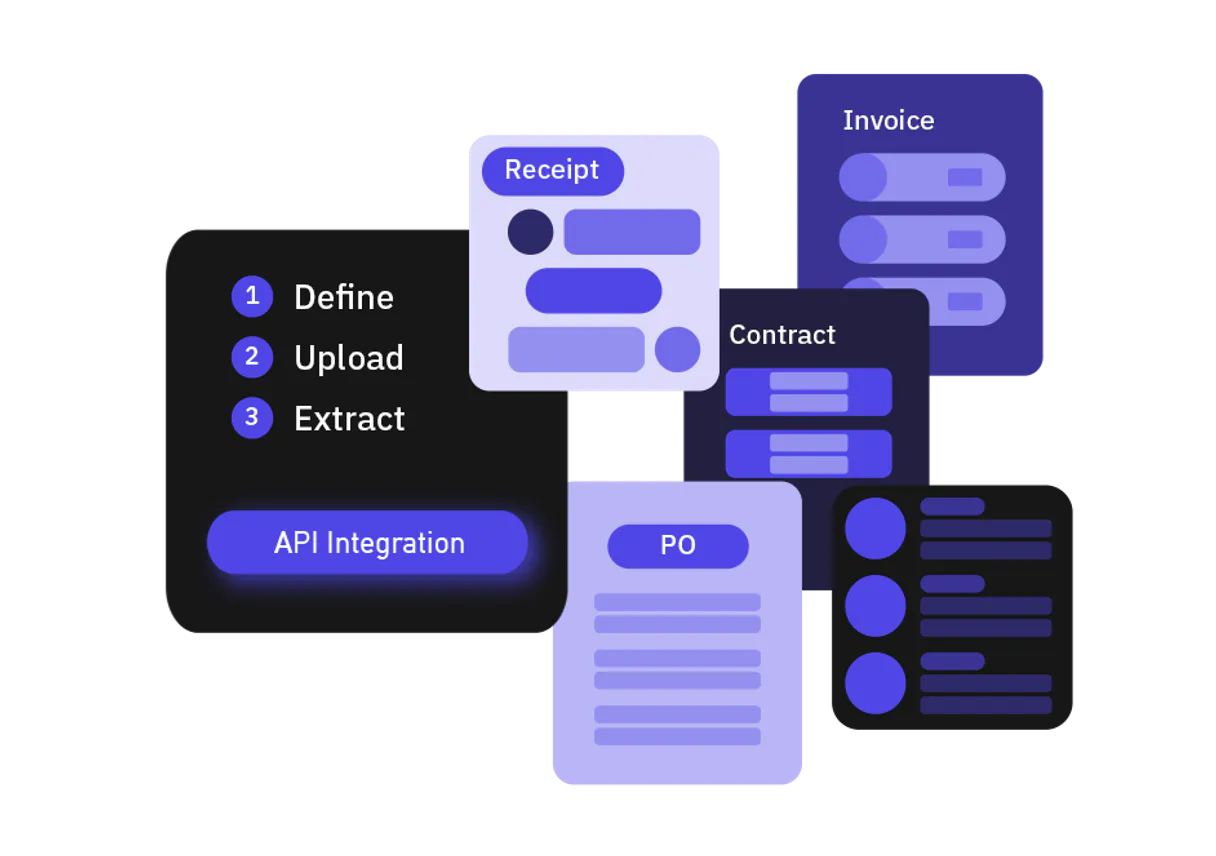
How Extracta MCP Works
- 1 First, run
create_extractionto define the specific data fields you want (e.g., date, total, vendor). This returns anextractionId. - 2 Next, use
upload_file_urlwith the document's public URL. This starts the processing job, giving you adocumentId. - 3 Finally, your agent polls the result using
get_results(orget_batch_resultsfor history) until the structured JSON data is ready and returned.
The bottom line is that you define the data structure once, upload the document, and then poll the result until your agent gets the structured JSON.
Who Is Extracta MCP For?
This server is for operations engineers and data analysts who are sick of copy-pasting data from PDFs. If your job involves processing high volumes of receipts, invoices, or legal documents, this is for you. It turns messy, unstructured files into clean JSON that your systems can actually use.
Uses upload_file_url and get_results to process incoming batches of invoices, ensuring the right data fields (like total and date) are extracted for accounting.
Uses create_extraction and update_extraction to build and refine the JSON schemas required to ingest diverse data sources into a warehouse.
Uses get_batch_results and get_classification_results to audit thousands of processed documents, verifying accuracy and tracking which document type was processed.
What Changes When You Connect
- Get structured JSON data without manual cleanup. When you run
upload_file_urland follow up withget_results, you don't get raw text—you get ready-to-use JSON, saving hours of data reconciliation. - Audit everything with
get_batch_results. Instead of guessing if a document was processed correctly, you get a full history, including confidence scores and the final data payload, making compliance checks straightforward. - Build and change schemas on the fly. Using
create_extractionand thenupdate_extractionmeans you can refine your data requirements—like adding a new field—without having to rebuild the entire workflow. - Keep data organized by type. The
create_classificationtool lets you automatically tag incoming files as 'Invoice' or 'Receipt' before you even try to extract data, ensuring the right process runs on the right file. - See the document status instantly. If you submit a URL with
upload_file_url, you don't wait forever. You useget_resultsto poll the status, knowing exactly when the structured data is ready. - Centralized control. You can manage all your rules and configurations—from document types to field mappings—by viewing setups with
view_classificationorview_extraction.
Real-World Use Cases
Automating Accounts Payable (AP)
The AP team gets a batch of 100 vendor invoices. Instead of opening 100 PDFs and manually typing in the total amount and date, the agent runs create_extraction for the necessary fields. Then, it loops, using upload_file_url on each PDF, and finally calls get_results to pull the structured JSON, feeding the data directly into the ledger.
Compliance Auditing of Records
A compliance officer needs to prove that all medical forms received last quarter were correctly processed. They use get_batch_results to pull the entire history, verifying the document type with get_classification_results and confirming the extracted fields were present for every single file.
Ingesting Mixed Document Sets
A data analyst receives a folder containing contracts, receipts, and tax forms. The agent first uses create_classification to sort the files into buckets. Then, it runs create_extraction separately for 'contracts' and 'receipts,' ensuring the correct schema is applied only to the appropriate document type.
Iterative Schema Improvement
The data team notices that the 'vendor name' field is sometimes missing. Instead of rebuilding the whole process, they simply use update_extraction to refine the mapping rules, improving the reliability of the create_extraction setup without downtime.
The Tradeoffs
Treating data extraction as a single call
The agent just sends the PDF URL and expects the JSON output immediately. This fails because document processing is asynchronous, and the agent doesn't know when the data is ready.
→
You must use upload_file_url to start the job. Then, repeatedly call get_results until the status changes from 'Processing' to 'Complete'. This is the correct sequence.
Manually managing schemas
Trying to define field requirements by writing long text prompts (e.g., 'I need the date and the total, please'). The AI client might misunderstand the format or miss fields.
→
Always use create_extraction to define the schema. This forces the required JSON structure, ensuring predictable, machine-readable output.
Forgetting classification context
Running the 'Invoice' extraction schema on a document that is actually a contract. The process might fail or extract garbage data because the schema was wrong for the document type.
→
First, run create_classification to confirm the document type. Check the result using get_classification_results before running any extraction tools.
When It Fits, When It Doesn't
Use this server if your primary pain point is converting large volumes of varied, unstructured documents (PDFs, scans, images) into predictable, structured JSON. You need an auditable process that can track history and allow for schema changes.
Don't use this if you are only extracting data from a single, clean source (like a database dump) or if the data source format changes daily and unpredictably. For those cases, a simple database connector or a different file type parser is better. If your workflow is simple and doesn't require classification or history auditing, you might over-engineer the solution. Use create_extraction to scope your needs first.
Independent Platform Disclaimer: Vinkius is an independent platform and is not affiliated with, endorsed by, sponsored by, verified by, or otherwise authorized by Extracta. All third-party trademarks, logos, and brand names are the property of their respective owners. Their use on this website is strictly for informational purposes to identify service compatibility and interoperability.
VINKIUS INFRASTRUCTURE
Cloud Hosted
Managed infra
V8 Isolated
Sandboxed per request
Zero-Trust Proxy
No stored credentials
DLP Enforced
Policy on every call
GDPR Compliant
EU data residency
Token Compression
~60% cost reduction
Works with Claude, ChatGPT, Cursor, and more
The Model Context Protocol standardizes how applications expose capabilities to LLMs. Instead of operating in isolation, your AI gains direct access to external platforms, live data, and real-world actions through secure, standardized connections.
This server provides 10 capabilities that interface natively with Claude, ChatGPT, Cursor, and any MCP client. No middleware. No custom integration required.
Available Capabilities
Manually processing documents is a massive time sink.
Today, processing a batch of 50 invoices means opening 50 different PDFs. You click into the date field, copy the date. You switch to the total field, copy the amount. You repeat this for the vendor name, then paste it into a spreadsheet row. You're clicking, copying, and pasting data point by painful data point.
With the Extracta MCP Server, you just send the URLs. The agent handles the entire process. It uses `upload_file_url` to start the job, and then `get_results` returns the structured JSON, meaning the data lands directly in a usable format for your system. No copy/pasting required.
Extracta MCP Server: Structured data from any document URL.
The old way required separate tools for OCR, separate tools for JSON parsing, and manual steps to stitch the results together. You had to run Process A, then Process B, and then a human had to verify the data integrity. It was a fragile, multi-system mess.
Now, you define the intent once using `create_extraction`, and the system handles the complex sequencing. You get the final, clean JSON payload, which you can then use immediately. It's a single point of truth for document data.
Common Questions About Extracta MCP
How do I check if the data extraction process is finished using get_results? +
You must call get_results periodically. If the response status is 'Processing', the job isn't done. If it's 'Complete', the response body contains the final structured JSON data.
Can I process a document that is not a PDF or JPG using upload_file_url? +
The listing data specifies PDF, JPG, and PNG. You must ensure the document type matches the formats supported by upload_file_url to start the job.
What is the difference between create_extraction and update_extraction? +
create_extraction builds a brand new data extraction process from scratch. update_extraction modifies an existing process's rules or mapping without creating a new endpoint.
How do I audit a large number of processed files using get_batch_results? +
Use get_batch_results to pull a paginated list of historical data. This lets you track the status and payloads for many documents processed by a single extractionId.
How do I view the structure of an existing extraction process using view_extraction? +
The view_extraction tool shows the full configuration of your process. It lets you review the JSON schema, mapping rules, and webhook settings you set up previously.
What information does create_classification use when I call create_classification? +
It requires a JSON schema defining the categories you want. You pass this schema to establish the rules for how your AI client will sort incoming documents.
Can I use get_classification_results to check the confidence score of a document? +
Yes, get_classification_results returns the predicted category along with a confidence score. This tells you how sure the AI is about its classification.
After running an extraction, what tool should I use to check the document's status? (get_results) +
Use get_results to check the document's current processing status. If it hasn't finished, the tool will return the status rather than the final structured data.
Can my agent create a new data extraction setup with custom fields? +
Yes. Use the 'create_extraction' tool. Provide a JSON schema defining the fields you expect (e.g., 'total_amount', 'vendor_name'). The agent will return a new extractionId for document processing.
How do I process a PDF document using a specific extraction ID via chat? +
Use the 'upload_file_url' tool. Provide the extractionId and the public URL of your PDF. The agent will trigger the workflow and return a documentId, which you can use with 'get_results' to fetch the data.
Can I see the predicted document type and confidence score through the agent? +
Absolutely. Use the 'get_classification_results' tool with the document and classification IDs. The agent will retrieve the AI-predicted label (e.g., 'Invoice') and the confidence score for the processed file.
Use it with your favorite AI tools
Connect this server to Cursor, Claude, VS Code, and more.
More in this category
Deep Talk
Equip your AI agent to analyze conversation datasets, extract topics, and monitor sentiment via the Deep Talk API.
Fuzzy String Distance Engine
Calculate exact Levenshtein, Jaro-Winkler, and Dice distances for fuzzy text matching natively local.
LocalAI
Run LLMs, generate images, and process audio locally. OpenAI-compatible API for your own hardware.
You might also like
Openscreen
Dynamic QR code management — generate and track smart QR codes for your assets via Openscreen.
Highnote
Automate card issuance and financial management via Highnote — manage account holders, cards, and transactions directly from any AI agent.
ThoughtSpot
Search and analyze business data by interacting directly with your ThoughtSpot metadata and Liveboards via your AI agent.