
Ezus MCP. Manage projects, clients, and billing from chat.
 Gemini
 Works with every AI agent you already use
…and any MCP-compatible client









Just plug in your AI agents and start using Vinkius.
Ezus connects your AI agent directly to your travel management workflow. Use natural conversation to manage projects, query client records, inspect product catalogs, and pull invoice details without leaving your chat tool.
It gives you full control over agency data—from CRM lookups (`list_clients`) to financial reports (`list_invoices`).
What your AI agents can do
Get client
Retrieves the full record for one specific client using their ID.
Get invoice
Fetches all details for a single invoice number.
Get me
Gets and displays the basic profile information of the current API user.
The get_client tool pulls all data for one specific client ID.
You can run list_clients or list_suppliers to retrieve comprehensive lists of records.
The server lets you list existing projects (list_projects) and create or update them using upsert_project.
Use get_invoice or list_invoices to check specific billing details or review all invoices in bulk.
The list_products tool retrieves every product and package available for booking.
Ask AI about this MCP
Supported MCP Clients
Gemini Waiting for input…
Ezus MCP Server: 12 Tools for Agency Operations
These tools let your AI client talk directly to Ezus data, allowing you to query clients, list projects, and track invoices using plain language commands.
019d7595get client
Retrieves the full record for one specific client using their ID.
019d7595get invoice
Fetches all details for a single invoice number.
019d7595get me
Gets and displays the basic profile information of the current API user.
019d7595get product
Retrieves all data points for a specific travel product or package by ID.
019d7595get project
Pulls the details of one particular travel project using its unique ID.
019d7595get supplier
Gets all information associated with a specific supplier vendor by ID.
019d7595list clients
Returns an array of every client record stored in Ezus.
019d7595list invoices
Lists all invoices, allowing you to see billing status across the agency.
019d7595list products
Returns a comprehensive list of every product available in the catalog.
019d7595list projects
Lists all ongoing and completed travel projects within your agency.
019d7595list suppliers
Provides a full roster of all connected suppliers in the system.
019d7595upsert project
Creates a brand new project record or updates an existing one if it already exists.
Choose How to Get Started
Build a custom MCP for your own tools, or connect a ready-made integration from our catalog.
Build Your Own
Turn any API into an MCP. Import a spec, define Agent Skills, or deploy with MCPFusion.
- Import from OpenAPI, Swagger, or YAML specs
- Create Agent Skills with progressive disclosure
- Deploy to edge with MCPFusion framework
- Built in DLP, auth, and compliance on every call
- Real time usage dashboard and cost metering
- Publish to catalog or keep private
Make Your AI Do More
Start with Ezus, then connect any of our 4,700+ other servers whenever your AI needs more. One click, no limits.
- Use this MCP plus 4,700+ others, all in one place
- Add new capabilities to your AI anytime you want
- Every connection is secured and compliant automatically
- Track usage and costs across all your servers
- Works with Claude, ChatGPT, Cursor, and more
- New servers added to the catalog every week
What you can do with this MCP connector
Listen up. Ezus MCP Server - Manage Travel Projects & Clients connects your AI agent straight into your agency's core workflow, letting you manage everything—from finding a client’s records to checking out an invoice—just by chatting with it. You don't gotta switch tabs or leave the chat window just to get data; your agent handles all that heavy lifting for you.
Client and Supplier Management
The list_clients tool gives you a comprehensive rundown of every client record kept in Ezus, letting you see who you’re dealing with across the whole roster. If you need to dig into one specific person's file, use get_client with their ID; that pulls up their entire data history—everything you need on hand for service planning.
When it comes to vendors, the process is the same. The list_suppliers tool delivers a full roster of every supplier connected to your system. To pull detailed intel on any one vendor, just use get_supplier and provide the specific ID. You get all their associated information in one go.
Project Tracking
The server lets you manage project data end-to-end. The list_projects tool pulls a list of every travel project—both ones that are ongoing and those already wrapped up. If you're working on a new gig or need to adjust an old one, the system handles it: use upsert_project to either create a brand-new project record or update details on an existing one without any fuss.
Product Catalog Access
When clients ask for travel packages, you need quick answers. The list_products tool returns every single product and package available in your catalog right now. If the AI agent needs specific data—like the full breakdown of a particular tour or hotel bundle—it uses get_product, which takes an ID to retrieve all relevant details for that one item.
Financial Records
Tracking money is critical, so we gave you tools for it. The list_invoices tool lets you see every invoice record the agency has, giving you a clean overview of billing status across the board. When you need to check the fine print on just one bill, use get_invoice; just feed it the invoice number and you get all the specific details for that single transaction.
System Context
It’s also good to know who's running the show. You can always run get_me to pull up the basic profile information of your current API user account, confirming exactly which credentials your agent is operating under.
How Ezus MCP Works
- 1 First, subscribe to this server and input your Ezus API Key, Email, and Password.
- 2 Next, tell your AI agent what you need—for example: 'Show me the projects for client XYZ.'
- 3 The agent runs the necessary tools (like
get_clientthenlist_projects) and sends you a clear summary of the data.
The bottom line is, your AI agent treats Ezus like an extension of its own memory, letting it read and write structured data through plain English conversation.
Who Is Ezus MCP For?
Travel agency owners and operations managers. You're the person who gets buried in dashboards every day—the one tired of switching between the CRM, the billing portal, and the project tracker just to answer a client question. This server puts all that data into your chat window.
You use this when a client asks for status updates. You run get_client then check the associated projects via get_project to give them an immediate answer without navigating away from your communication tool.
You monitor agency financials or project health. You use list_invoices and list_projects to get a quick overview of the business status for reporting.
When booking, you need details fast. You run list_products to check inventory or get_supplier to validate vendor availability before confirming a package.
What Changes When You Connect
- Checks client status instantly. Instead of navigating to the CRM dashboard, you just ask for details using
get_clientor runlist_clients. You get the info in your message thread, no clicks required. - Tracks cash flow easily. Use
list_invoicesandget_invoiceto review all billing status codes without logging into a separate accounting tool. It keeps financial data right where you are working. - Maintains project history. You can list every active job with
list_projects. If you need to update the scope, useupsert_projectdirectly via your agent—it's immediate and auditable. - Builds better itineraries fast. When a client asks for options, run
list_products. Your agent pulls the catalog data and presents it instantly, letting you suggest packages right away. - Keeps supplier info clean. Instead of checking spreadsheets, use
get_supplierorlist_suppliersto validate vendor details against your master list before booking anything.
Real-World Use Cases
Client Status Check
A client emails asking about their 'Iceland Adventure' trip. Instead of logging into Ezus, you ask your agent: 'What is the status of the Iceland project?' The agent runs get_project and returns the current status, dates, and associated client ID directly in the chat.
Inventory Check
A sales rep needs to know if a specific 'Guided City Tour' is available for booking. They run list_products. The agent filters the results based on availability, letting them confirm inventory and package details right away.
Billing Reconciliation
End of month, you need to check if a client was billed correctly. You run list_invoices and specify the ID. The agent runs get_invoice, showing payment terms, amount due, and the last billing date in one place.
Supplier Validation
You're preparing a massive itinerary that requires three different local vendors. You run list_suppliers to confirm all three vendor IDs exist before you start building the final quote, preventing costly errors later on.
The Tradeoffs
Blindly listing everything
Running list_clients and then copying 50 names into a spreadsheet. This is slow, manual work that doesn't give you the why behind the data.
→
If you only need to check one client's billing status, run get_client first, and then use the resulting ID to check invoices with get_invoice. Focus your requests to get actionable answers, not just lists.
Manually updating records
Finding a project detail in Ezus and having to log back into a separate system (like Google Sheets) to update the status. This creates data silos.
→
Use upsert_project. Your agent runs this tool, taking the new status and details from your chat prompt and writing it directly to the source of truth in Ezus.
Assuming product existence
Thinking a package is available because you saw it weeks ago. You don't know if it was discontinued or changed.
→
Always run list_products first to see the current, active catalog items. If you need details on one item, then use get_product with the confirmed ID.
When It Fits, When It Doesn't
Use this Ezus MCP Server if your workflow requires constant cross-referencing between a client's identity (CRM), their booking status (Projects), and the money involved (Invoices). It excels when you need to perform multi-step checks: 'For Client X, show me all active projects, and then list any invoices related to those projects.'
Don't use it if your task is simple data entry in a single system. If you just need to write a client email, don't call the server. Use this when the data itself needs to be retrieved or modified from Ezus based on a conversation. Never assume that running list_clients gives you billing status; always pair it with get_invoice or check project details via get_project. It’s designed for data orchestration, not just viewing.
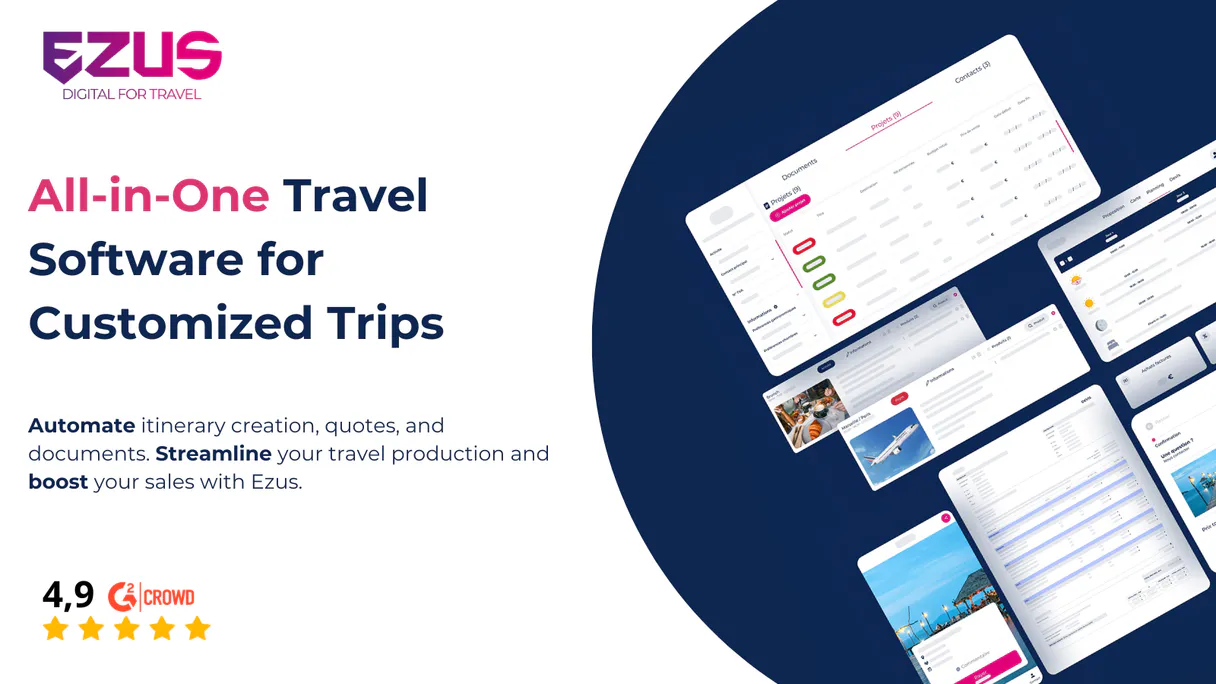
Independent Platform Disclaimer: Vinkius is an independent platform and is not affiliated with, endorsed by, sponsored by, verified by, or otherwise authorized by Ezus. All third-party trademarks, logos, and brand names are the property of their respective owners. Their use on this website is strictly for informational purposes to identify service compatibility and interoperability.
VINKIUS INFRASTRUCTURE
Cloud Hosted
Managed infra
V8 Isolated
Sandboxed per request
Zero-Trust Proxy
No stored credentials
DLP Enforced
Policy on every call
GDPR Compliant
EU data residency
Token Compression
~60% cost reduction
Works with Claude, ChatGPT, Cursor, and more
The Model Context Protocol standardizes how applications expose capabilities to LLMs. Instead of operating in isolation, your AI gains direct access to external platforms, live data, and real-world actions through secure, standardized connections.
This server provides 12 capabilities that interface natively with Claude, ChatGPT, Cursor, and any MCP client. No middleware. No custom integration required.
Available Capabilities
Checking client history shouldn't require five different tabs.
Right now, if a client calls with questions about their last trip, you have to open the CRM tab (to find them), then switch to the Projects section (to see what they booked), and finally jump to Invoices (to verify payment). You spend half the time just clicking between tabs.
With this server, your AI agent handles the switches. You ask: 'What's the billing status for John Doe's last trip?' It runs `get_client`, links it to the relevant project via `get_project`, and pulls the invoice details with `get_invoice`. The answer comes back in a single message.
Using Ezus MCP Server: Getting Project Data via `get_project`
Before, if you needed to know the scope of an existing trip, you'd search the project ID in a spreadsheet. If the sheet was wrong or outdated, your information was bad.
Now, asking for details with `get_project` pulls the live, canonical data directly from Ezus into your conversation. It’s accurate, instant, and eliminates guesswork.
Common Questions About Ezus MCP
How do I list all clients using the get_client tool? +
You don't use get_client to list everything; that tool requires a specific ID. To see every client, you must run the dedicated list_clients tool. This gives you an array of IDs and basic info.
Can I update project details using upsert_project? +
Yes. The upsert_project tool lets your agent either create a brand new project or overwrite the data for an existing one, making it perfect for status updates in conversation.
What is the difference between list_products and get_product? +
list_products gives you an overview—a roster of every product available. You use get_product when you already know the specific ID and need all the granular details for that single item.
Does list_invoices show paid invoices? +
It lists all invoices, but the data returned includes payment status fields. You can ask your agent to specifically filter or look for 'paid' records after running list_invoices.
If I run `list_clients`, what details tell me if my API key is working correctly? +
The response includes a status code and the total count of clients. If you receive an HTTP 401 or 403, your credentials are incorrect. Double-check your Ezus API Key in the server settings.
If I use `get_invoice` with an ID that doesn't exist, what error do I get? +
You will receive a standard 404 Not Found message. The system won't fail; it simply tells your agent the specific invoice ID isn't linked to any record in your account.
When running `list_suppliers`, are there rate limits on how many records I can pull at once? +
Yes, there are. The endpoint has a limit of 50 requests per minute. If you hit that cap, your agent will pause and need to retry the call after a short wait.
Does `list_projects` support advanced filters, like searching or sorting by project status? +
Yes. You can pass parameters to narrow down results. This lets you quickly filter projects—for instance, only showing those marked 'Completed' or within a certain date range.
How do I obtain my Ezus API Key? +
You can find your API Key in the Ezus settings under the 'Integrations' or 'API' section. Note that a Premium plan may be required for private API access.
Can I update existing projects using this integration? +
Yes! Use the upsert_project tool. If you provide an existing Project ID, it will update the project; otherwise, it will create a new one.
Is it possible to list invoices to track payments? +
Absolutely. The list_invoices and get_invoice tools allow you to retrieve financial records and check their current status.
Use it with your favorite AI tools
Connect this server to Cursor, Claude, VS Code, and more.
More in this category
Skalin
Manage accounts, contacts, and customer health on Skalin with AI agents.
ClientSuccess
Reduce churn and grow accounts with health scoring, engagement tracking, and success playbooks built for customer success teams.

Close
Manage sales and pipelines via Close CRM — track leads, monitor opportunities, and manage tasks directly from any AI agent.
You might also like

Postproxy
Manage your Google Business Profile posts, reviews, and local SEO presence across multiple locations from one dashboard.

Freshcaller
Manage your cloud phone system, track calls, and oversee agents via AI agents with Freshcaller.
Volcengine Speech Synthesis
The massive 'TikTok Voice' TTS API — generate natural speech with ByteDance's iconic voice models.