
FirstPromoter MCP. Manage affiliates, referrals, and rewards via AI conversation.
 Gemini
 Works with every AI agent you already use
…and any MCP-compatible client









Just plug in your AI agents and start using Vinkius.
FirstPromoter. Automate your entire affiliate and referral program using AI agents. This server lets you list promoters, track conversions, manage rewards, and pull detailed performance reports—all from natural conversation.
Stop jumping between dashboards; manage your growth engine directly through your AI client.
What your AI agents can do
Create promoter
Generates a new promoter account in the system.
Create reward
Manually adds a new commission or reward to an existing promoter.
Get campaign report
Pulls a detailed performance report for a specific affiliate campaign.
The agent generates a new promoter account using the create_promoter tool.
You can manually add commissions or rewards to a specific promoter's account using create_reward.
The agent retrieves a detailed performance report for any given affiliate campaign via get_campaign_report.
You can get a list of all leads or pull specific details about a single lead using list_leads and get_lead.
The agent pulls lists of all conversions (list_conversions) or fetches comprehensive performance reports for individual promoters (get_promoter_report).
You can pull payout statistics (get_payout_stats) or list existing rewards to check payment status.
Ask AI about this MCP
Supported MCP Clients
Gemini Waiting for input…
019d759acreate promoter
Generates a new promoter account in the system.
019d759acreate reward
Manually adds a new commission or reward to an existing promoter.
019d759aget campaign report
Pulls a detailed performance report for a specific affiliate campaign.
019d759aget lead
Retrieves detailed information for a single specified lead.
019d759aget payout stats
Provides a high-level summary of total paid and pending payout amounts.
019d759aget promoter
Fetches all detailed profile information for a single promoter.
019d759aget promoter report
Generates a performance report showing metrics for a specific promoter.
019d759alist campaigns
Returns a list of all active affiliate campaigns you manage.
019d759alist conversions
Lists all recorded conversions (sign-ups, purchases, etc.) in the system.
019d759alist leads
Returns a list of all raw leads that have entered the program.
019d759alist promoters
Gets a list of every active promoter in the system.
019d759alist rewards
Lists all recorded rewards and commissions.
Choose How to Get Started
Build a custom MCP for your own tools, or connect a ready-made integration from our catalog.
Build Your Own
Turn any API into an MCP. Import a spec, define Agent Skills, or deploy with MCPFusion.
- Import from OpenAPI, Swagger, or YAML specs
- Create Agent Skills with progressive disclosure
- Deploy to edge with MCPFusion framework
- Built in DLP, auth, and compliance on every call
- Real time usage dashboard and cost metering
- Publish to catalog or keep private
Make Your AI Do More
Start with FirstPromoter, then connect any of our 4,700+ other servers whenever your AI needs more. One click, no limits.
- Use this MCP plus 4,700+ others, all in one place
- Add new capabilities to your AI anytime you want
- Every connection is secured and compliant automatically
- Track usage and costs across all your servers
- Works with Claude, ChatGPT, Cursor, and more
- New servers added to the catalog every week
What you can do with this MCP connector
This server lets your AI client run your whole affiliate and referral program through natural conversation. You'll stop jumping between dashboards and manage your growth engine right where you are. You can create promoter profiles using create_promoter to get new affiliates into the system. You'll issue manual rewards by using create_reward to add commissions or rewards to a specific promoter's account.
You can review campaign performance by getting a detailed report for any affiliate campaign with get_campaign_report. You'll list and detail leads by pulling a list of all raw leads with list_leads or grabbing specific info on one lead using get_lead. You can track conversions and promoters by pulling a list of all recorded conversions with list_conversions or getting a full performance report for an individual promoter using get_promoter_report.
You'll manage payouts and commissions by getting high-level payout stats with get_payout_stats or checking existing rewards with list_rewards. You can list all active campaigns with list_campaigns and get a list of every active promoter with list_promoters. You can also pull a detailed performance report for any specific promoter using get_promoter_report and get a detailed performance report for an entire campaign using get_campaign_report.
How FirstPromoter MCP Works
- 1 Subscribe to the FirstPromoter server on Vinkius Marketplace.
- 2 Enter your FirstPromoter API Key and Account ID (find these in your settings).
- 3 Ask your AI client to perform an action, like 'Show me the payout stats for this month,' and the agent runs the necessary tools.
The bottom line is that your AI client talks to FirstPromoter, and the server runs the commands needed to get you the data or execute the action.
Who Is FirstPromoter MCP For?
This is for the SaaS founder who is tired of clicking through five different dashboards just to understand referral revenue. It’s for the affiliate manager who needs to manually adjust a commission right now. It’s for the marketing ops specialist who has to gather lead and conversion data for an internal report by the end of the day.
Quickly checking promoter stats, running list_promoters to see who's active, or using create_reward to manually adjust a commission.
Getting a high-level overview of referral revenue or top-performing campaigns by asking the agent to generate a get_campaign_report.
Automating the gathering of conversion data by calling list_conversions and list_leads to feed internal marketing reports.
What Changes When You Connect
- Manage promoters directly. Need to add a new affiliate? Use
create_promoterto generate the profile instantly, rather than navigating to a separate onboarding page. - Know where the money is. Use
get_payout_statsto get an immediate, high-level view of total paid vs. pending payouts without running a financial report. - Track every lead. By calling
list_leadsorlist_conversions, your AI agent pulls the raw data you need to keep your marketing and finance teams aligned. - Deep dive into performance. Don't just look at summaries. Use
get_promoter_reportto get detailed performance metrics for any single affiliate. - Optimize campaigns fast. Running
get_campaign_reportgives you aggregate data across all affiliates, helping you quickly decide where to shift marketing focus. - Automate commission adjustments. Instead of emailing support to manually adjust payouts, use
create_rewardto issue a commission right from your chat window.
Real-World Use Cases
The Quarterly Audit
The marketing ops specialist needs to prove referral value for the board. They ask their agent to 'List all conversions and then get the campaign report for Q3.' The agent runs list_conversions and get_campaign_report, giving the specialist a comprehensive, ready-to-present data set.
Handling a Top Performer
An affiliate manager notices a top promoter who hasn't been paid. They prompt their agent: 'Get promoter details for ID X and also create a reward of $100.' The agent runs get_promoter and then create_reward, solving the payment gap in two steps.
Investigating a Lead Gap
A founder sees a drop in signups. They ask the agent to 'List all leads and show me the top 10 promoters by performance.' The agent runs list_leads and get_promoter_report, helping them pinpoint exactly which leads are being missed or which promoters are underperforming.
Checking Cash Flow
The finance team needs a quick payout check. They ask the agent: 'What are the total paid and pending payouts right now?' The agent immediately runs get_payout_stats, providing an instant, accurate cash flow overview without logging into the finance dashboard.
The Tradeoffs
Trying to build custom reports
The user tries to export raw data from the FirstPromoter dashboard, then uploads it to a spreadsheet, and then tries to calculate the total payout manually.
→
Don't manually export data. Ask your agent to run list_conversions and get_payout_stats. The agent handles the data retrieval and aggregation, giving you a clean output immediately.
Asking for non-existent data
The user asks the agent, 'What was the total revenue from the Asia region last month?' but doesn't specify a date range or region filter.
→
Be specific. Use get_campaign_report and specify the campaign ID and date range in your prompt. The tool is designed to pull report data, so precise parameters are key.
Creating rewards via email
A manager emails the finance team with a spreadsheet listing commissions and rewards that need to be manually processed.
→
Don't send emails. Use create_reward directly through your agent. The agent handles the API call and ensures the commission is logged and pending in the system.
When It Fits, When It Doesn't
Use this server if your primary pain point is managing the complexity of multiple affiliate channels: tracking leads, managing payments, and monitoring promoter performance. This is the central hub for your growth data. Don't use it if you only need to manage a single, simple database table (e.g., just listing users). If your need is purely transactional—like only needing to list promoters—then you might only need the list_promoters tool. But because this server contains tools for create_reward, get_campaign_report, and list_leads, it gives you a full lifecycle view. If you're building a custom CRM, use a general data connection tool. If you're running an affiliate program, this is the only one you need.
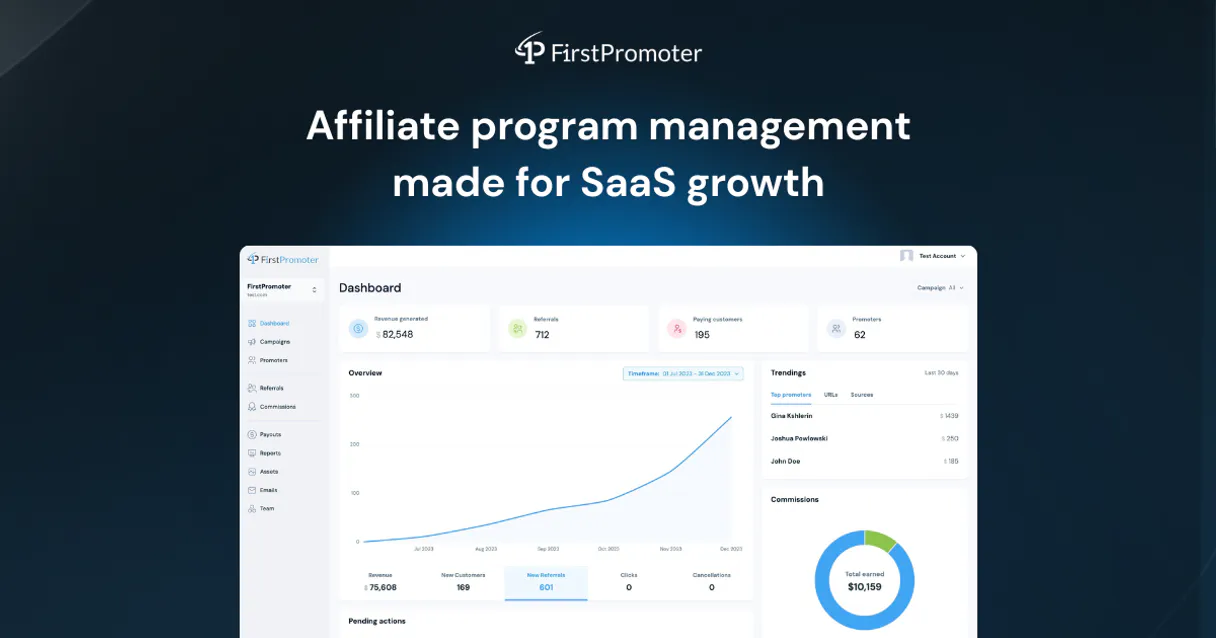
Independent Platform Disclaimer: Vinkius is an independent platform and is not affiliated with, endorsed by, sponsored by, verified by, or otherwise authorized by FirstPromoter. All third-party trademarks, logos, and brand names are the property of their respective owners. Their use on this website is strictly for informational purposes to identify service compatibility and interoperability.
VINKIUS INFRASTRUCTURE
Cloud Hosted
Managed infra
V8 Isolated
Sandboxed per request
Zero-Trust Proxy
No stored credentials
DLP Enforced
Policy on every call
GDPR Compliant
EU data residency
Token Compression
~60% cost reduction
Works with Claude, ChatGPT, Cursor, and more
The Model Context Protocol standardizes how applications expose capabilities to LLMs. Instead of operating in isolation, your AI gains direct access to external platforms, live data, and real-world actions through secure, standardized connections.
This server provides 12 capabilities that interface natively with Claude, ChatGPT, Cursor, and any MCP client. No middleware. No custom integration required.
Available Capabilities
Tracking affiliate performance shouldn't require jumping between five dashboards.
Right now, checking on your affiliate program is a nightmare. You log into the main dashboard to see overall revenue. Then, you have to click into the 'Promoters' tab to see who did well, and then you switch to 'Campaigns' to check the report. If you want to know the payout status, you have to open a third tab just for that. It's a cycle of tabs and context switching.
With FirstPromoter MCP, you ask your agent, 'Show me the top promoters and their payout status.' The agent runs `get_promoter_report` and `get_payout_stats` simultaneously. You get one clean, conversational answer that ties together performance, leads, and money. It just works.
FirstPromoter MCP Server: Manage affiliates, referrals & rewards
Instead of manually listing promoters, then copying their IDs, then running a separate command to issue a reward, you simply tell your agent: 'Create a reward of $50 for promoter ID X.' The agent uses `create_reward` to handle the entire transaction.
Your AI client handles the complexity of the API calls and data structure. You don't write code or worry about endpoints; you just talk to it. It's instant, accurate, and built for the speed of modern marketing.
Common Questions About FirstPromoter MCP
How do I check my payouts using FirstPromoter MCP Server? +
You ask your agent to check the payout statistics. The agent runs get_payout_stats, giving you the total paid and total pending amounts in one go.
Can FirstPromoter MCP Server help me track leads? +
Yes. You can ask the agent to run list_leads to see a comprehensive list of all incoming leads, or use get_lead for details on a specific lead.
What if I need to add a new affiliate? +
Use the create_promoter tool. Just tell your agent to create a new promoter, and it handles the profile setup for you.
Which tool do I use to see overall performance? +
For a full picture, use get_campaign_report. For a single affiliate's performance, use get_promoter_report.
Is FirstPromoter MCP Server only for SaaS companies? +
No. While it's built for SaaS, the tools handle general affiliate and referral programs, allowing you to track conversions and manage rewards for any business model.
How do I use the `list_conversions` tool in FirstPromoter MCP Server? +
The list_conversions tool lists every conversion record. You can use it to find out which promoters are generating the most value and when those conversions happened.
What if I need to know a specific promoter's details using the `get_promoter` tool? +
The get_promoter tool retrieves all details for a specific promoter ID. This lets you check their current status, performance metrics, and associated campaigns.
Can I use the `get_campaign_report` tool to compare different marketing campaigns? +
Yes, the get_campaign_report tool fetches performance data for a single campaign. You'll need to run it multiple times and compare the resulting metrics manually.
How can I search for a specific promoter using the agent? +
You can use the 'list_promoters' tool and provide a search term in the 'q' parameter. This can be the promoter's name, email, or referral ID. The agent will return matching profiles.
Can I manually award a commission to an affiliate? +
Yes! The 'create_reward' tool allows you to manually create a reward for a specific promoter by providing their ID and the amount in cents.
Is it possible to see which campaigns are performing best? +
Absolutely. Use the 'get_campaign_report' tool to retrieve aggregate performance metrics across all your active campaigns, including referral counts and revenue generated.
Use it with your favorite AI tools
Connect this server to Cursor, Claude, VS Code, and more.
More in this category
SmartLead
Equip your AI agent with direct access to SmartLead — manage cold email campaigns, rotate sending accounts, and scale outreach without opening the SmartLead dashboard.

FanPower (PickUp)
Drive fan engagement via FanPower (PickUp) — manage interactive questions, track fan picks, and monitor rewards directly through your AI agent.

Manage your LinkedIn presence — audit organizations, posts, and profile via AI.
You might also like

Vestiaire Collective
Search, analyze, and manage luxury resale items on Vestiaire Collective — the global community for pre-loved fashion.

MJML (Email Markup)
Transpile MJML markup into responsive, high-quality HTML emails directly from your AI agent.

MDIC (Comércio Exterior)
Access Brazilian foreign trade data from MDIC — list datasets, search for trade packages, and query the datastore for export/import statistics.