
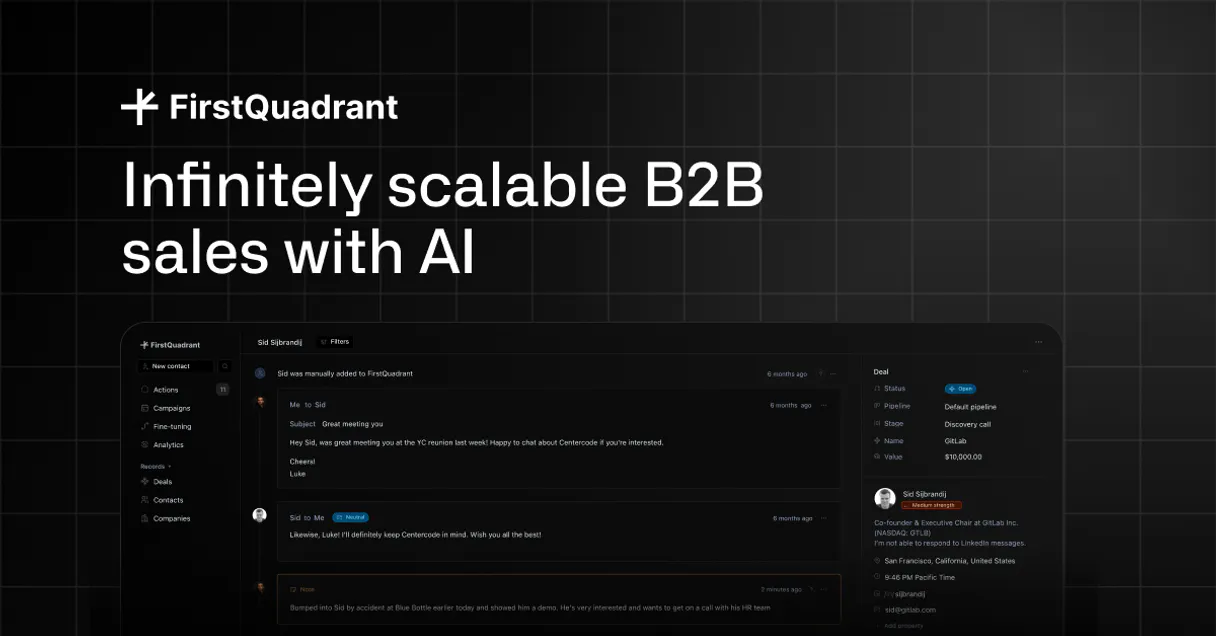
FirstQuadrant MCP. Manage B2B leads, enrich data, and run campaigns from chat.
 Gemini
 Works with every AI agent you already use
…and any MCP-compatible client









Just plug in your AI agents and start using Vinkius.
FirstQuadrant MCP Server gives your AI agent full control over your B2B sales pipeline. Use it to list leads, automatically enrich contacts with deep context, manage full campaign sequences, and monitor every sales activity.
It lets you build out your prospecting workflow from natural conversation, without leaving your AI client.
What your AI agents can do
Add to campaign
Adds a specific contact to a defined sales campaign sequence.
Create contact
Creates a new lead or contact record in FirstQuadrant.
Enrich contact ai
Runs an AI workflow to gather deep context and update a contact's profile with external data.
List all contacts and use filters (like email or date) to narrow down your lead database.
Run an AI workflow on a contact to pull in deep company context and update their profile automatically.
Add a specific contact to an existing sales sequence or email campaign.
List the complete history of sales activities, including calls, emails, and AI tasks.
Programmatically create a new lead or contact record within FirstQuadrant.
List and manage the custom data schema (properties) used across your contact records.
Ask AI about this MCP
Supported MCP Clients
OAuth 2.0 Compatible Gemini Waiting for input…
FirstQuadrant MCP Server: 8 Tools for Sales & Contact Management
Use these tools to list, enrich, and manage every aspect of your B2B sales pipeline and contact records through your AI agent.
Make your AI actually useful.
Add this MCP to Claude, Cursor, or Windsurf and your AI stops guessing. It gets real tools to look things up, take action, and handle the stuff you keep doing by hand.
Start using FirstQuadrant on Vinkius019dd0f1add to campaign
Adds a specific contact to a defined sales campaign sequence.
019dd0f1create contact
Creates a new lead or contact record in FirstQuadrant.
019dd0f1enrich contact ai
Runs an AI workflow to gather deep context and update a contact's profile with external data.
019dd0f1get contact details
Retrieves the full profile details for a specific contact.
019dd0f1list activities
Retrieves a chronological list of all sales activities associated with the account.
019dd0f1list campaigns
Lists all available sales campaigns or sequences configured in FirstQuadrant.
019dd0f1list contacts
Lists all FirstQuadrant contacts, supporting advanced filtering by email or creation date.
019dd0f1list properties schema
Retrieves a list of all custom data fields (properties) defined on your contacts.
Choose How to Get Started
Build a custom MCP for your own tools, or connect a ready-made integration from our catalog.
Build Your Own
Turn any API into an MCP. Import a spec, define Agent Skills, or deploy with MCPFusion.
- Import from OpenAPI, Swagger, or YAML specs
- Create Agent Skills with progressive disclosure
- Deploy to edge with MCPFusion framework
- Built in DLP, auth, and compliance on every call
- Real time usage dashboard and cost metering
- Publish to catalog or keep private
Make Your AI Do More
Start with FirstQuadrant, then connect any of our 4,800+ other servers whenever your AI needs more. One click, no limits.
- Use this MCP plus 4,800+ others, all in one place
- Add new capabilities to your AI anytime you want
- Every connection is secured and compliant automatically
- Track usage and costs across all your servers
- Works with Claude, ChatGPT, Cursor, and more
- New servers added to the catalog every week
Independent Platform Disclaimer: Vinkius is an independent platform and is not affiliated with, endorsed by, sponsored by, verified by, or otherwise authorized by FirstQuadrant. All third-party trademarks, logos, and brand names are the property of their respective owners. Their use on this website is strictly for informational purposes to identify service compatibility and interoperability.
VINKIUS INFRASTRUCTURE
Cloud Hosted
Managed infra
V8 Isolated
Sandboxed per request
Zero-Trust Proxy
No stored credentials
DLP Enforced
Policy on every call
GDPR Compliant
EU data residency
Token Compression
~60% cost reduction
Works with Claude, ChatGPT, Cursor, and more
The Model Context Protocol standardizes how applications expose capabilities to LLMs. Instead of operating in isolation, your AI gains direct access to external platforms, live data, and real-world actions through secure, standardized connections.
This server provides 8 capabilities that interface natively with Claude, ChatGPT, Cursor, and any MCP client. No middleware. No custom integration required.
Your sales data lives across five different tabs and three different systems.
Today, getting a single view of a prospect is a pain. You have to open the CRM, check the activity tab for calls, jump to the campaigns tab to see the sequence, then maybe open a separate tab to find the latest company data. You're clicking back and forth, copying names, and waiting for manual syncs. It's slow.
With the FirstQuadrant MCP Server, your AI agent handles it all. You simply ask, 'What's the status of John Doe?' The agent runs `get_contact_details` and `list_activities` in the background. You get the answer—the full context—without ever leaving your chat window. It's immediate.
FirstQuadrant MCP Server: Control your campaign flow.
Before, enrolling a contact into a sequence was a multi-step process: find the contact, navigate to the campaign, select the contact, and hit 'enroll.' That's three clicks and a whole lot of chance to mess it up.
Now, you just tell your agent, 'Add John Doe to the Discovery Sequence.' The agent executes the `add_to_campaign` tool. The contact is enrolled, and the sequence starts. The manual steps are gone.
What you can do with this MCP connector
Your AI agent gives you full control over your B2B sales pipeline. You can use it to list leads, automatically enrich contacts with deep context, manage full campaign sequences, and monitor every sales activity. You build your prospecting workflow right from natural conversation, without ever leaving your AI client.
Build and manage contact databases
You can list all contacts using list_contacts, narrowing down your lead database by email or creation date. You can also inspect the custom data fields defined on your contacts using list_properties_schema. To create a brand new lead or contact, just run create_contact.
Update contact profiles with external data
When you need deep company context, run enrich_contact_ai on a contact. This tool runs an AI workflow that pulls in external data and updates the contact's profile automatically. You can always get the full picture of a person's details using get_contact_details.
Enroll contacts in sales campaigns
You can see all the sales sequences you've set up by calling list_campaigns. Once you pick a contact, you can add them to an existing sales sequence or email campaign using add_to_campaign.
View and manage all sales interactions
To see the complete history of sales activities, call list_activities. This gives you a chronological list of everything—calls, emails, or AI tasks—associated with the account. You can also use list_contacts to get a list of contacts and filter that list by email or creation date.
019dd0f1-bd52-7394-b6b6-42a5b8d71448 
How FirstQuadrant MCP Works
- 1 Subscribe to the FirstQuadrant MCP Server and get your API Key and Organization ID from the FirstQuadrant developer settings.
- 2 Ask your AI agent to perform a task (e.g., 'Enrich the contact at example@acme.com').
- 3 The agent calls the appropriate tool, and the server executes the workflow, returning the updated data or confirmation to your AI client.
The bottom line is you control your B2B sales pipeline using natural language prompts, letting your AI agent execute structured data operations against FirstQuadrant.
Who Is FirstQuadrant MCP For?
Sales Development Reps who need to quickly qualify leads, Account Managers who need full history on a contact without leaving their chat interface, and Growth Teams needing to scale personalized outreach. This is for anyone whose job involves turning raw contact data into actionable sales intelligence.
Uses the server to instantly identify top leads and trigger enrichment workflows using natural language prompts.
Retrieves full interaction histories and verifies contact details for existing accounts without needing to switch apps.
Automates lead discovery and manages personalized outreach by enrolling contacts into campaigns.
What Changes When You Connect
- Full-Cycle Prospecting: Don't manually jump between tools. Your AI agent handles the entire flow—from using
list_contactsto identify targets, then runningenrich_contact_aifor context, and finally usingadd_to_campaignto start outreach. - Single Source of Truth: Access every interaction history and contact detail via
get_contact_detailsandlist_activities. You see the full picture of a relationship without leaving your AI client. - Scalable Outreach: Use
list_campaignsto see your available sequences. Then, useadd_to_campaignto enroll contacts in personalized campaigns instantly, scaling your outbound efforts. - Data Integrity Check: Need to know what data fields you're working with? Run
list_properties_schemato see every custom field available, ensuring your AI client structures the data correctly. - Efficient Lead Discovery: Instead of building complex SQL queries, use
list_contactsto filter your entire database by email or creation date and hand the resulting list to your agent for next steps. - Hands-Free Data Collection: Trigger deep context gathering using
enrich_contact_ai. The AI runs the research, updates the profile, and you just get the final, enriched record.
Real-World Use Cases
Identifying and qualifying a new prospect
A Growth Manager needs to find all leads in their database created last month who work at a specific company. They ask their agent to run list_contacts with filters. The agent returns the list, which the manager then passes to enrich_contact_ai to gather up-to-date company data before planning outreach.
Starting a follow-up sequence
An Account Manager finishes a call and needs to get the contact's full history before drafting an email. They ask the agent to run list_activities and get_contact_details. Once they confirm the details, they use add_to_campaign to enroll the contact in a follow-up drip sequence.
Building a new lead pipeline from scratch
A Sales Rep finds a list of potential emails. They ask the agent to use create_contact for each one, building new records. After creating the records, they immediately trigger enrich_contact_ai to give those new contacts the necessary company context.
Auditing campaign readiness
A Marketing Ops person needs to know what campaigns exist and if a specific contact is eligible. They use list_campaigns to see the options, then use list_properties_schema to check if the contact has the necessary data fields for that campaign.
The Tradeoffs
Manual Data Copying
The user downloads a list of contacts, copies emails into a spreadsheet, then manually logs into the CRM to check activities and manually initiates the campaign enrollment.
→
Your agent handles this end-to-end. Start by using list_contacts to pull the list. Pass the IDs to the agent, which then executes add_to_campaign and enrich_contact_ai without you touching the UI.
Ignoring Context
The user just calls get_contact_details but doesn't check the activity log, resulting in a poorly personalized message because they missed a recent call.
→
Always run list_activities first. This gives you the full, recent history. Then use get_contact_details to confirm the latest status before writing a message.
Over-relying on single tools
The user runs create_contact for a new lead but forgets to trigger enrichment, meaning the contact record is empty and useless for immediate follow-up.
→
When creating a contact, immediately follow up by running enrich_contact_ai. This ensures the record is built out with context right away.
When It Fits, When It Doesn't
Use this server if your workflow requires managing the full lifecycle of a B2B lead: identifying them, gathering deep context, tracking every interaction, and automating the handoff to a campaign. You need to know who the contact is, what they've done, and what the next step is. Don't use this if you only need to read a single field or if your data lives in a silo outside of FirstQuadrant. If you are building a custom system that needs to track things like real-time website behavior or complex financial transactions, you need a different type of data stream integration. If your goal is simply to manage contacts, this suite is what you need.
Common Questions About FirstQuadrant MCP
How do I use the enrich_contact_ai tool? +
You tell your agent to 'Enrich the contact at [email].' The tool triggers an AI workflow, gathering company size and funding details, and updates the contact profile automatically. This means you get the latest data without manual research.
Can I list all my contacts using the list_contacts tool? +
Yes. The list_contacts tool lets you pull your full list of contacts. You can also filter that list by criteria like email address or creation date.
What is the difference between get_contact_details and list_contacts? +
Use list_contacts when you need a broad list of many contacts. Use get_contact_details when you already know the specific contact ID and need all the details for just that single person.
How do I enroll someone into a campaign using add_to_campaign? +
Simply tell your agent to 'Add [contact name/ID] to the [campaign name] sequence.' The add_to_campaign tool handles the enrollment immediately.
How do I list custom properties using the list_properties_schema tool? +
The list_properties_schema tool displays all custom fields you've set up in FirstQuadrant. This lets your agent know exactly what data points to look for when enriching or managing a contact record.
What if I need to find contacts by a specific date range using list_contacts? +
Yes, the list_contacts tool supports advanced filtering. You can specify a start and end date to pull only the contacts created or modified within your target time frame.
Can I programmatically track all my sales interactions using list_activities? +
Absolutely. The list_activities tool provides a comprehensive log of sales efforts, including emails, calls, and any AI-driven tasks. Your agent reads this log in real-time.
Is there a way to create a new lead and immediately add it to a campaign using create_contact and add_to_campaign? +
You can handle this in sequence. First, use create_contact to make the new lead. Then, use add_to_campaign with the newly created contact ID to enroll them instantly.
How do I find my Organization ID in FirstQuadrant? +
Log in to your FirstQuadrant dashboard and navigate to Settings > Developer Settings. Your unique Organization ID will be listed there.
Can the agent update custom properties? +
Yes! Use the create_contact or enrich_contact_ai tools to manage standard and custom data points defined in your property schema.
How does AI enrichment work through the agent? +
The enrich_contact_ai tool triggers FirstQuadrant's autonomous research engine to scan public sources and update the contact record with high-fidelity insights.
Use it with your favorite AI tools
Connect this server to Cursor, Claude, VS Code, and more.