
Fortnite Intelligence MCP. Audit map data, check AES keys, and list active playlists.
 Gemini
 Works with every AI agent you already use
…and any MCP-compatible client









Just plug in your AI agents and start using Vinkius.
Fortnite Map, Playlists & Engine Intelligence provides direct access to the core technical data of the Fortnite ecosystem. Your AI agent can instantly pull the current island map with POI coordinates, list every active LTM or game mode, and retrieve essential technical metadata.
It also fetches official AES keys required for decrypting pak files and tracks the latest build versions, acting as a full-stack engine analyst for developers and pro players.
What your AI agents can do
Get aes encryption keys
Gets the encryption keys needed for game file datamining.
Get banner colors
Lists all available color options for profile banners.
Get battle royale news
Retrieves the latest news related to Battle Royale mode.
The agent retrieves the current, high-resolution map and lists coordinates for all named Points of Interest.
The agent pulls a list of all available playlists and specific details for active or limited-time game modes.
The agent fetches the official AES keys required to analyze and decrypt pak files from the latest build.
The agent tracks the latest build IDs, game versions, and technical update timestamps in real time.
The agent lists available profile banner icons and color options for character customization.
Ask AI about this MCP
Supported MCP Clients
Gemini Waiting for input…
Fortnite Map, Playlists & Engine Intelligence: 8 Tools
Use these 8 tools to gather map data, playlist details, profile banners, and encryption keys directly from the Fortnite engine.
019d843cget aes encryption keys
Gets the encryption keys needed for game file datamining.
019d843cget banner colors
Lists all available color options for profile banners.
019d843cget battle royale news
Retrieves the latest news related to Battle Royale mode.
019d843cget current map
Gets the current Fortnite map, including all named Points of Interest.
019d843cget playlist details
Retrieves specific details for a given playlist or game mode.
019d843cget profile banners
Lists all available profile banner icons for Fortnite.
019d843cget save the world news
Gets the latest news regarding Save the World mode.
019d843clist all playlists
Lists all active and available Fortnite playlists and game modes.
Choose How to Get Started
Build a custom MCP for your own tools, or connect a ready-made integration from our catalog.
Build Your Own
Turn any API into an MCP. Import a spec, define Agent Skills, or deploy with MCPFusion.
- Import from OpenAPI, Swagger, or YAML specs
- Create Agent Skills with progressive disclosure
- Deploy to edge with MCPFusion framework
- Built in DLP, auth, and compliance on every call
- Real time usage dashboard and cost metering
- Publish to catalog or keep private
Make Your AI Do More
Start with Fortnite Map, Playlists & Engine Intelligence, then connect any of our 4,700+ other servers whenever your AI needs more. One click, no limits.
- Use this MCP plus 4,700+ others, all in one place
- Add new capabilities to your AI anytime you want
- Every connection is secured and compliant automatically
- Track usage and costs across all your servers
- Works with Claude, ChatGPT, Cursor, and more
- New servers added to the catalog every week
What you can do with this MCP connector
Your AI agent gets deep access to the technical guts of the Fortnite ecosystem. You're looking at raw data, not just gameplay. This server lets your agent handle a full technical audit, whether you're a developer, a pro player, or just wanna know the score.
get_current_map pulls the current island map and lists the coordinates for every named Point of Interest. list_all_playlists shows you every active and available Fortnite playlist and game mode. You can then use get_playlist_details to pull specific info on any limited-time or active game mode. The server also keeps tabs on the latest build versions and technical update timestamps.
For the dev side, get_aes_encryption_keys grabs the official AES keys you need to decrypt game file metadata. get_profile_banners lists all the profile banner icons, and get_banner_colors lists all the color options for character customization. It also pulls the latest news for Battle Royale using get_battle_royale_news and the latest news for Save the World using get_save_the_world_news.
How Fortnite Intelligence MCP Works
- 1 Subscribe to the server and input your required Fortnite-API Key.
- 2 Prompt your AI client to perform the audit (e.g., 'What are the current AES keys?').
- 3 The server executes the tool and returns structured data, which your agent then presents in natural language.
The bottom line is that your agent talks to the API, and the API gives it structured, current Fortnite data.
Who Is Fortnite Intelligence MCP For?
This is for the developer or technical analyst who can't afford to wait for a manual data dump. You're the one who needs to know if a map change affects a POI's coordinates or if a new LTM is breaking your build. You need the data, right now.
Auditing map changes and POI distribution after every patch. They use the current map and version monitoring tools.
Retrieving the latest AES keys and pak file metadata to test or build against the current game version.
Identifying active playlists and player limits to plan optimal training sessions and strategies.
What Changes When You Connect
- See the exact map layout and POI coordinates using
get_current_map. You don't guess where things are; you get the data. - Know exactly what modes are running.
list_all_playlistsshows every active LTM and its player limits, so you can plan around current gameplay. - Stop guessing about file encryption.
get_aes_encryption_keysdelivers the necessary keys to decrypt pak files for development work. - Track technical changes instantly. This server monitors build IDs and versioning, letting you know immediately when the game updates.
- Understand profile customization. Use
get_profile_bannersandget_banner_colorsto check all available cosmetic assets. - Get targeted news. Use
get_battle_royale_newsorget_save_the_world_newsto focus only on the mode you care about.
Real-World Use Cases
Mapping a new map patch
A technical analyst needs to confirm if a recent map patch shifted the coordinates of a key POI. They ask their agent to run get_current_map. The agent returns the high-res map and specific coordinates, allowing the analyst to quickly audit the structural changes without manual file review.
Building a modded training tool
A developer wants to check the current player limits for all potential training modes. They run list_all_playlists, then follow up with get_playlist_details for specific IDs. This gives them the necessary metadata to build a functional, up-to-date mod.
Debugging encrypted assets
A modder needs to analyze a recently updated pak file but doesn't know the encryption key. They run get_aes_encryption_keys and get the required keys. They can then proceed with decryption and research.
Coaching for a specific LTM
A pro coach needs to know if a niche game mode is currently active and what its player cap is. They run list_all_playlists and then use get_playlist_details to filter down to the specific mode and its limits.
The Tradeoffs
Manual API chaining
Copying the map URL, then opening a separate playlist dashboard, then running a separate API call for keys. This is slow and prone to forgetting steps.
→
Let your agent run the tools sequentially. Ask your agent to 'Audit the map and list active LTMs.' It combines the data from get_current_map and list_all_playlists in one conversation flow.
Assuming data is static
Writing a script that assumes the AES keys or map coordinates won't change after the last patch. This breaks immediately when the game updates.
→
Always run get_aes_encryption_keys and get_current_map first. This ensures you are working with the absolute latest technical metadata.
Only checking one area
Looking only at get_current_map and missing out on crucial player limits or LTM status. You miss the context.
→
Always pair map checks with playlist checks. Run get_current_map and list_all_playlists together to get the full picture of the game state.
When It Fits, When It Doesn't
Use this if you need a full, technical audit of the Fortnite ecosystem. You need to know not just what the map looks like, but what the underlying code is doing—like getting get_aes_encryption_keys or tracking build versions. Don't use this if you just need to know the cosmetic banners. Use get_profile_banners for simple asset listing. If you only need to list game modes, list_all_playlists works, but this server gives you the map data and the technical metadata too, which is usually what you actually need.

Independent Platform Disclaimer: Vinkius is an independent platform and is not affiliated with, endorsed by, sponsored by, verified by, or otherwise authorized by Fortnite-API. All third-party trademarks, logos, and brand names are the property of their respective owners. Their use on this website is strictly for informational purposes to identify service compatibility and interoperability.
VINKIUS INFRASTRUCTURE
Cloud Hosted
Managed infra
V8 Isolated
Sandboxed per request
Zero-Trust Proxy
No stored credentials
DLP Enforced
Policy on every call
GDPR Compliant
EU data residency
Token Compression
~60% cost reduction
Works with Claude, ChatGPT, Cursor, and more
The Model Context Protocol standardizes how applications expose capabilities to LLMs. Instead of operating in isolation, your AI gains direct access to external platforms, live data, and real-world actions through secure, standardized connections.
This server provides 8 capabilities that interface natively with Claude, ChatGPT, Cursor, and any MCP client. No middleware. No custom integration required.
Available Capabilities
Manual Auditing of Map and Playlists is a Time Sink.
Right now, checking the map state means jumping between multiple dashboards. You grab a screen capture of the POIs, then open another tab to check if a specific LTM is running, and finally, you have to manually cross-reference build versioning to see if the data is even current. It's clicking, copying, and waiting.
With this MCP server, you just talk to your agent. It runs `get_current_map` for the coordinates, runs `list_all_playlists` for the modes, and synthesizes the result. You get the full, live state in one conversation, no manual cross-referencing required.
Get Technical Metadata with Fortnite Map, Playlists & Engine Intelligence
Manually getting the AES keys or tracking build versions requires specialized tools and deep knowledge of the API structure. You'd have to run a sequence of specific, non-standard calls, hoping the endpoint hasn't changed.
Now, you ask for the technical data. Your agent handles the calls to `get_aes_encryption_keys` and `get_current_map`. You get the required keys and the map data—all in one clean, conversational response.
Common Questions About Fortnite Intelligence MCP
How do I check the current island map using get_current_map? +
The agent pulls the current map imagery and lists all named Points of Interest. You can ask the agent to 'Show me the map and its POIs' to get the data.
What does list_all_playlists do? +
It lists every active and available Fortnite playlist or game mode. Use it to see what modes are currently playable and limited-time.
Can get_aes_encryption_keys help with general game file analysis? +
Yes. This tool provides the official AES keys needed for pak file decryption. You must run this to analyze game files for development research.
Do I need to use get_playlist_details after list_all_playlists? +
Yes. list_all_playlists gives you the names, but get_playlist_details gives you the specific technical details, like player limits or descriptions.
What is the purpose of get_save_the_world_news? +
It fetches news specifically for the Save the World mode. Use this if you only care about that mode's current status and updates.
How do I use get_aes_encryption_keys for specific pak file decryption? +
This tool fetches the necessary AES keys directly. It returns the core encryption key and any dynamic keys needed to decrypt recent pak files for analysis.
What is the purpose of get_current_map when POIs are missing? +
The tool returns the current map geometry and POI data. If POIs are missing, the data structure still provides the map coordinates and blank imagery for you to fill in.
Can I use list_all_playlists to check player limits for a specific game mode? +
No, you must first use list_all_playlists to see the available modes. Then, run get_playlist_details with the mode's ID to confirm player limits.
Can my AI automatically find the coordinates for a specific named location on the island? +
Yes! Use the get_current_map tool. Your agent will retrieve the official 2D grid coordinates for any named POI on the current map, allowing for precise tactical positioning analysis.
How do I check if a specific Limited Time Mode (LTM) is currently active? +
The list_all_playlists tool retrieves only the playlists currently marked as events or LTMs, providing their technical IDs and player limits so you can monitor mode rotations in real-time.
Is the AES key data updated immediately after a new game patch is released? +
Yes. The get_aes_encryption_keys action retrieves the latest keys discovered in the current build, typically within minutes of a new version being deployed to the Epic servers.
Use it with your favorite AI tools
Connect this server to Cursor, Claude, VS Code, and more.
More in this category
SmartChatAI
Manage AI bots, knowledge bases, and messaging on SmartChatAI with AI agents.

Rick and Morty
Explore characters, locations, and episodes from the Rick and Morty universe via AI.
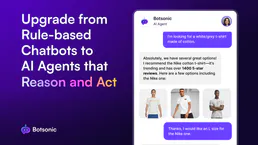
Botsonic
Train custom AI chatbots on your own data to deliver instant, accurate support that learns from your knowledge base.
You might also like

Roblox Experience Discovery
The definitive server for Roblox experiences — search games, track live players, and discover trends via AI.

SmartLead
Equip your AI agent with direct access to SmartLead — manage cold email campaigns, rotate sending accounts, and scale outreach without opening the SmartLead dashboard.

Whop
Manage digital products, payments, and memberships on Whop with AI agents.