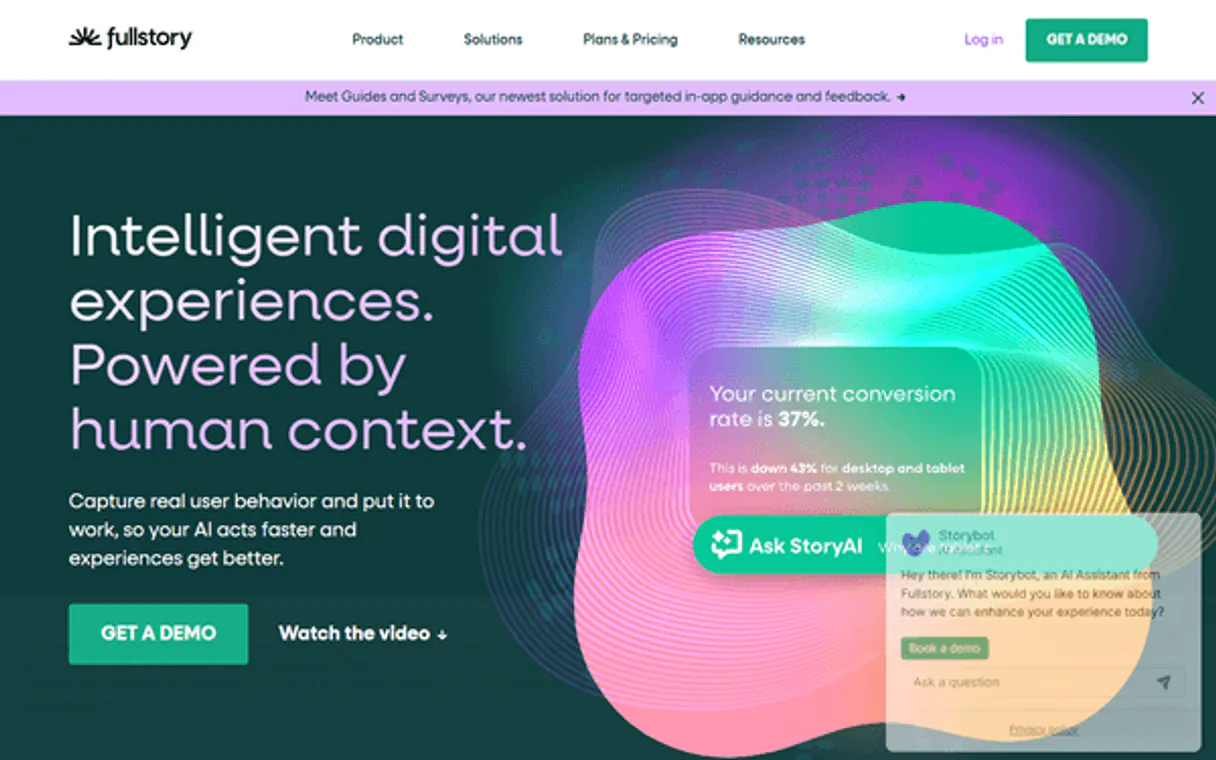
FullStory MCP. Analyze user behavior and session data via your AI agent.
Works with every AI agent you already use
…and any MCP-compatible client

Just plug in your AI agents and start using Vinkius.
FullStory MCP Server connects your AI client to your digital experience intelligence (DXI) and product analytics. It lets you manage user profiles, track server-side events, and retrieve deep session metadata directly through natural conversation.
Stop clicking through dashboards. Get full user behavior history and session playbacks instantly by querying user IDs or segment names.
What your AI agents can do
Create event
Logs a custom event directly from your backend code into FullStory.
Create update user
Updates or adds custom data to a user's identity profile in FullStory.
Delete user
Permanently erases a user's entire profile and all associated session data in FullStory.
Retrieves a user's full tracking profile, including cross-device behavior and custom variables, using the get_user tool.
Finds specific session recordings by querying criteria and returning playback links, using the list_sessions tool.
Retrieves deep data about a single session, like total active time and page transitions, using the get_session tool.
Gets a complete, chronological list of every click, navigation change, and DOM change for a given session ID via get_session_events.
Logs custom, server-side events into FullStory, bypassing the front-end JavaScript client using create_event.
Upserts user records (create_update_user) or permanently deletes user data (delete_user) to maintain compliance.
Ask AI about this MCP
Supported MCP Clients
Waiting for input…
FullStory MCP Server: 11 Tools for Product Analytics
These tools let your AI agent interact with FullStory data, allowing you to manage user identities, retrieve session events, and run compliance checks entirely through conversation.
019d75a1create event
Logs a custom event directly from your backend code into FullStory.
019d75a1create update user
Updates or adds custom data to a user's identity profile in FullStory.
019d75a1delete user
Permanently erases a user's entire profile and all associated session data in FullStory.
019d75a1get account info
Verifies your connection to FullStory and retrieves basic platform configuration details.
019d75a1get session
Retrieves core metadata about a specific recorded session, including total active time and page transitions.
019d75a1get session events
Fetches a chronological list of all clicks, navigation changes, and DOM changes for a session ID.
019d75a1get user
Gets a full tracking profile for a user, showing their history and custom variables.
019d75a1list exports
Checks the status and download links for bulk data exports you need for warehouse ingestion.
019d75a1list segments
Lists the predefined audience groups and their population counts within FullStory.
019d75a1list sessions
Searches and lists multiple session recordings based on specific criteria and returns playback links.
019d75a1list users
Queries the directory for user identities, session counts, and aggregate behavioral summaries.
Choose How to Get Started
Build a custom MCP for your own tools, or connect a ready-made integration from our catalog.
Build Your Own
Turn any API into an MCP. Import a spec, define Agent Skills, or deploy with MCPFusion.
- Import from OpenAPI, Swagger, or YAML specs
- Create Agent Skills with progressive disclosure
- Deploy to edge with MCPFusion framework
- Built in DLP, auth, and compliance on every call
- Real time usage dashboard and cost metering
- Publish to catalog or keep private
Make Your AI Do More
Start with FullStory, then connect any of our 4,700+ other servers whenever your AI needs more. One click, no limits.
- Use this MCP plus 4,700+ others, all in one place
- Add new capabilities to your AI anytime you want
- Every connection is secured and compliant automatically
- Track usage and costs across all your servers
- Works with Claude, ChatGPT, Cursor, and more
- New servers added to the catalog every week
What you can do with this MCP connector
FullStory MCP Server connects your AI client directly to your digital experience intelligence (DXI) and product analytics. It lets you manage user profiles, track server-side events, and pull deep session metadata just by talking to it. Forget clicking through dashboards. You'll get a full history of user behavior and session playbacks instantly, just by giving it a user ID or segment name.
Get User Profiles and History
Use get_user to pull a user's entire tracking profile, including cross-device behavior and any custom variables they've got. You can also run list_users to query the directory for user identities, checking out session counts and aggregate behavior summaries across groups. Want to know what's going on with a specific group? list_segments lets you see predefined audience groups and how many people belong to each one.
List and Search Session Records
You can use list_sessions to search and list multiple session recordings based on specific criteria; it'll hand you playback links. If you've got a session ID, get_session pulls core metadata about that specific recording, including total active time and page transitions. For the nuts and bolts of interaction, get_session_events fetches a complete, chronological list of every click, navigation change, and DOM change that happened during that session.
Finally, list_exports checks the status and gives you download links for any bulk data exports you need for your warehouse.
Inject Backend Events
Don't rely on the front-end JavaScript client. You can use create_event to log a custom, server-side event directly from your backend code into FullStory. You also have create_update_user to update or add custom data to a user's identity profile, and delete_user permanently erases a user's entire profile and all associated session data when you need to maintain compliance.
How FullStory MCP Works
- 1 Subscribe to the FullStory MCP Server on the Vinkius Marketplace and enter your FullStory API Key.
- 2 Your AI client sends a request (e.g., 'What did user X do last week?').
- 3 The MCP server executes the required tool (like
get_user) and sends the structured, actionable data back to your AI client.
The bottom line is your AI client gets direct, programmatic access to deep product analytics data, without you having to open the FullStory dashboard.
Who Is FullStory MCP For?
Product Managers, Support Engineers, and Privacy Officers need this. Product Managers hate spending hours manually digging through dashboards to track a user's journey. Support Engineers need real-time, instant access to a customer's recent events while on a call. Privacy Officers need automated tools to handle data deletion requests.
Uses the server to list segments (list_segments) or retrieve full user profiles (get_user) to understand which user groups are abandoning the checkout process.
Runs list_sessions to find a customer's recent activity and uses get_session_events to pinpoint the exact error or click that caused the issue.
Automates compliance tasks by calling delete_user to permanently remove sensitive telemetry data for specific user IDs.
What Changes When You Connect
- Pinpoint exactly what went wrong. Instead of guessing, use
get_session_eventsto get a full, chronological list of every click, error, or DOM change for a specific session ID. - Know the user without context switching. Use
get_userto pull a complete profile—including cross-device activity and custom variables—and feed it directly to your agent. - Keep your data clean and compliant. Use
delete_userto automatically and programmatically erase sensitive user records, satisfying GDPR or CCPA requests with a simple command. - Monitor large data loads easily. Use
list_exportsto check the status and get the download URI for massive raw data bundles destined for a data warehouse. - Search across thousands of sessions. Use
list_sessionsto filter and find specific recordings by criteria, getting playback links without navigating the full dashboard. - Maintain backend data integrity. Use
create_eventto log critical system events (like 'Subscription Renewed') directly from your backend code into the user's record.
Real-World Use Cases
Debugging a Checkout Failure
A support engineer gets a ticket about a failed checkout. They ask their agent to list_sessions for the user's last 24 hours, narrow it down to a checkout flow, and then use get_session_events to see the exact click that triggered the error. The agent identifies the specific DOM change that broke the payment widget.
Auditing Data Compliance
A privacy officer needs to delete data for 50 users. They use list_users to get a list of 50 UIDs, and then loop through them, calling delete_user for each one. This automates the entire compliance audit process, which would otherwise take hours of manual API calls.
Identifying High-Value Segments
A product manager wants to find users who view the pricing page but never sign up. They ask the agent to list_segments to confirm the 'Pricing Viewers' segment exists, then use get_user on a test user to check their custom properties (like 'total_spent') against the segment definition.
Tracking Backend System Changes
A developer needs to ensure that a new feature launch (like 'Premium Tier Activated') is recorded in the user's history. Instead of relying on front-end code, they use create_event to programmatically log the event from the backend, ensuring the data is accurate regardless of the UI state.
The Tradeoffs
Manual Dashboard Deep Dives
The analyst spends an hour clicking through the FullStory UI, filtering by date range, then manually downloading CSVs for multiple user IDs, trying to piece together a single user journey.
→
Instead, ask your agent to get_user for the specific ID and get_session_events for the date range. You get the clean, structured data immediately, without touching a dashboard.
Guessing User Behavior
The support team assumes the user hit the wrong button because the flow looks broken on the screen, but they can't prove it.
→
Use get_session_events to get the precise, time-stamped record of every click and navigation mutation. This proves exactly what happened, down to the element ID.
Ignoring Data Governance
The company manually processes deletion requests by emailing data stewards, leading to delays and compliance risk.
→
Use list_users to identify the affected IDs, then call delete_user for each one. This creates an auditable, instant record of the deletion process.
When It Fits, When It Doesn't
Use this if your primary need is detailed, deep-dive behavioral analytics on user journeys. You need to know why a user failed, not just that they failed. You must be able to reference specific user IDs, session IDs, or segment names to get actionable data.
Don't use this if you just need a high-level dashboard summary or general traffic numbers. For simple counts, a basic analytics tool is enough. If you only need to check the overall status of an integration, get_account_info is your tool. But if you need to prove the sequence of events or manage compliance data, this MCP server is required.
Independent Platform Disclaimer: Vinkius is an independent platform and is not affiliated with, endorsed by, sponsored by, verified by, or otherwise authorized by FullStory. All third-party trademarks, logos, and brand names are the property of their respective owners. Their use on this website is strictly for informational purposes to identify service compatibility and interoperability.
VINKIUS INFRASTRUCTURE
Cloud Hosted
Managed infra
V8 Isolated
Sandboxed per request
Zero-Trust Proxy
No stored credentials
DLP Enforced
Policy on every call
GDPR Compliant
EU data residency
Token Compression
~60% cost reduction
Works with Claude, ChatGPT, Cursor, and more
The Model Context Protocol standardizes how applications expose capabilities to LLMs. Instead of operating in isolation, your AI gains direct access to external platforms, live data, and real-world actions through secure, standardized connections.
This server provides 11 capabilities that interface natively with Claude, ChatGPT, Cursor, and any MCP client. No middleware. No custom integration required.
Available Capabilities
Pinpointing why a user left your site shouldn't require 20 clicks.
Today, figuring out why a customer dropped off is a nightmare. You jump into the dashboard, filter by date, select the user, and then you're forced to click through different tabs—events, metadata, session summary—just to piece together the story. You spend 30 minutes copy-pasting snippets into a Jira ticket, hoping you didn't miss a key interaction.
With the FullStory MCP Server, you ask your AI agent directly. It runs `get_user` and `get_session_events` in seconds. You get the entire, structured timeline of clicks, navigations, and errors, delivered right in the chat. No clicking, no copy-pasting, just the definitive record.
FullStory MCP Server: Manage user data and session intelligence.
Before, managing user data was a manual, multi-step process. To satisfy a GDPR request, an analyst would have to manually locate records, run API calls, and confirm deletion across multiple systems, creating huge gaps in the audit trail.
Now, you simply tell your agent to `delete_user` for a list of IDs. It executes the command instantly and confirms the erasure. The data governance steps become automated, auditable, and happen in seconds.
Common Questions About FullStory MCP
How do I use the FullStory MCP Server to get a user's full profile? +
Use the get_user tool. This tool retrieves the user's full tracking profile, showing cross-device activity and custom variables, which is much more comprehensive than looking at a single session record.
What is the best way to find a specific session recording? +
Use the list_sessions tool. You can filter and search multiple session recordings based on specific criteria, and the output includes the necessary playback links.
Can I log server-side events with the FullStory MCP Server? +
Yes, use the create_event tool. This allows you to log critical system events programmatically from your backend code, ensuring the data is captured even if the user isn't interacting with the front end.
Does FullStory MCP Server help with data deletion? +
Yes. The delete_user tool permanently erases a user's entire profile and all associated session data, which is necessary for compliance tasks like CCPA.
What if I need to see the step-by-step clicks in a session? +
Use the get_session_events tool. It fetches a chronological list of every single click, navigation mutation, and DOM change for a specific session ID, giving you the granular detail you need.
How do I use the `list_users` tool with the FullStory MCP Server to check user segment membership? +
The list_users tool queries the FullStory subscriber and visitor directory. You can filter the results by custom parameters or segment IDs to see which users belong to specific predefined groups.
What is the purpose of the `create_update_user` tool in the FullStory MCP Server? +
This tool syncs custom tenant data into FullStory. It lets you upsert a user identity, ensuring that external system data—like total spent or subscription status—is attached to the user's record in FullStory.
How does the FullStory MCP Server handle large data exports? +
The list_exports tool manages bulk data offloads. It tracks the processing state and provides download URIs for raw data bundles, allowing you to ingest massive datasets into a separate warehouse.
How do I get an API Key for FullStory? +
Log in to FullStory, navigate to Settings > API Keys, and click on 'Create Key' to generate a new token with Admin or Architect permissions.
What is the difference between ID and UID? +
The 'id' is a system-generated unique identifier from FullStory, while the 'uid' is your application's own internal user ID passed via FS.identify.
Can I watch session playbacks through the agent? +
The agent can retrieve the 'fsUrl' for any session, which is a direct link to watch the playback in your browser. You cannot watch the video inside the chat interface directly.
Are custom user properties supported? +
Yes! When you use 'upsert_user' or 'get_user_details', all custom properties stored in the 'properties' object are accessible and manageable via the agent.
Use it with your favorite AI tools
Connect this server to Cursor, Claude, VS Code, and more.
More in this category
Hotjar
Understand your users with heatmaps, session recordings, and feedback surveys that reveal exactly why visitors leave your site.
Repuso
Collect and manage customer reviews effortlessly with Repuso AI agents.
bluebarry.ai
Optimize your website accessibility compliance with automated WCAG audits, issue detection, and remediation tracking.
You might also like
Osu!
Access Osu! player profiles, beatmap data, scores, and community discussions directly through your AI agent.
KanbanTool
Visualize your workflow with Kanban boards that show bottlenecks, track cycle times, and help your team deliver consistently.
VineRadar
Search wine and vineyards — audit varietals and vintages via AI.