
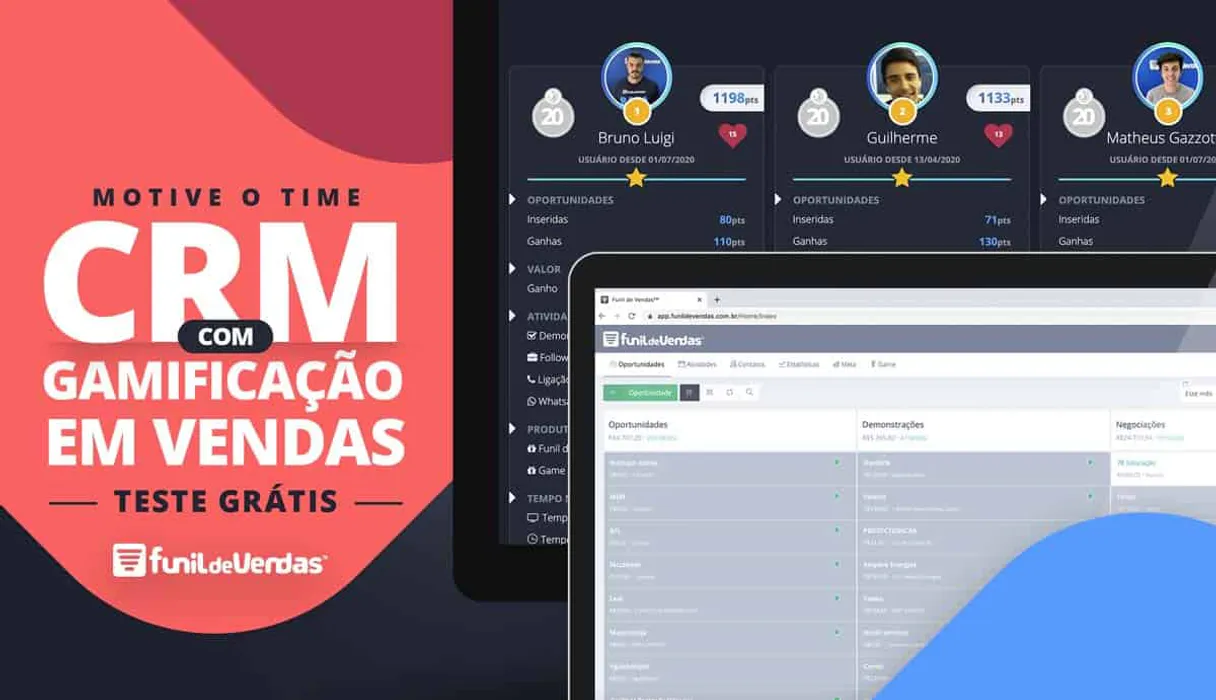
Funil de Vendas MCP for AI. Manage your entire sales pipeline flow.
 Gemini
 Works with every AI agent you already use
…and any MCP-compatible client









How this MCP server connects to your AI agent
The Funil de Vendas MCP gives your AI agent direct access to your entire sales pipeline and lead management system.
You can track opportunities, log activities, register new leads instantly, and manage every stage of a deal directly from your favorite coding environment.
What AI agents can do with Funil de Vendas Automation
Check crm api health
Confirms that your connection to the CRM is working correctly.
Create crm activity
Adds a new follow-up task or activity record for an existing deal.
Create new deal lead
Registers a brand new lead or opportunity directly into the system, useful for form submissions.
List and search every potential deal across multiple funnels using filters like date or funnel code.
Automatically register new contacts and opportunities into the CRM using dedicated data entry points.
Create, list, or update scheduled activities and sales interactions for any given opportunity.
Access reference data like product catalogs, defined custom fields, lead sources, and user lists.
Verify that the CRM API connection is active and working correctly for immediate use.
Ask an AI about this
Waiting for input…
What AI agents can do with Funil de Vendas: 12 Tools for Sales Management
These tools give you direct control over core CRM functions, allowing your agent to list opportunities, log activities, and manage leads without needing manual input.
Make your AI actually useful.
Add this MCP to Claude, Cursor, or Windsurf and your AI stops guessing. It gets real tools to look things up, take action, and handle the stuff you keep doing by hand.
Start using Funil de Vendas on VinkiusCheck Crm Api Health
Confirms that your connection to the CRM is working correctly.
Create Crm Activity
Adds a new follow-up task or activity record for an existing deal.
Create New Deal Lead
Registers a brand new lead or opportunity directly into the system, useful for form...
List Crm Activities
Retrieves a list of all recorded CRM activities and tasks.
List Crm Custom Fields
Shows you what unique, custom data fields your CRM uses.
List Sales Funnels
Lists all the specific sales methodologies or stages configured in your account.
List Loss Motives
Provides a list of reasons why deals might fail to close.
List Crm Opportunities
Retrieves all current deal records, filterable by date range or sales stage.
List Lead Origins
Lists where the leads came from (e.g., Google, Facebook, Referral).
List Crm Products
Retrieves a catalog of registered products and services.
List Sales Vendors
Shows the list of users who have access to your CRM system.
Update Crm Activity
Modifies details on an existing, previously logged activity or task.
Security and governance baked right in.
Pick your AI client below to get set up. Just create a Vinkius account, subscribe, and you're instantly up and running. We handle the entire backend infrastructure, delivering out-of-the-box support for HTTPS Streamable, SSE, and OAuth2—zero messy routing required.
Claude AI
Open Claude Settings
Go to claude.ai, click your profile icon, then navigate to Customize → Connectors.
Add Custom Connector
Click the "+" button and select Add custom connector. Paste your Vinkius endpoint URL:
https://edge.vinkius.com/[YOUR_TOKEN_HERE]/mcp
Replace [YOUR_TOKEN_HERE] with your token
from cloud.vinkius.com. For OAuth-protected servers, expand
Advanced settings to add credentials.
Start a conversation
Open a new chat. The Funil de Vendas integration is available immediately — no restart needed.
Choose How to Get Started
Build a custom MCP for your own tools, or connect a ready-made integration from our catalog.
Build Your Own
Turn any API into an MCP. Import a spec, define Agent Skills, or deploy with MCPFusion.
- Import from OpenAPI, Swagger, or YAML specs
- Create Agent Skills with progressive disclosure
- Deploy to edge with MCPFusion framework
- Built in DLP, auth, and compliance on every call
- Real time usage dashboard and cost metering
- Publish to catalog or keep private
Make Your AI Do More
Start with Funil de Vendas, then connect any of our 5,100+ other servers whenever your AI needs more. One click, no limits.
- Use this MCP plus 5,100+ others, all in one place
- Add new capabilities to your AI anytime you want
- Every connection is secured and compliant automatically
- Track usage and costs across all your servers
- Works with Claude, ChatGPT, Cursor, and more
- New servers added to the catalog every week
Independent Platform Disclaimer: Vinkius is an independent platform and is not affiliated with, endorsed by, sponsored by, verified by, or otherwise authorized by Funil de Vendas. All third-party trademarks, logos, and brand names are the property of their respective owners. Their use on this website is strictly for informational purposes to identify service compatibility and interoperability.
VINKIUS INFRASTRUCTURE
Cloud Hosted
Managed infra
V8 Isolated
Sandboxed per request
Zero-Trust Proxy
No stored credentials
DLP Enforced
Policy on every call
GDPR Compliant
EU data residency
Token Compression
~60% cost reduction
Built on the Model Context Protocol (MCP) for Claude, ChatGPT, Cursor, and more
The Model Context Protocol standardizes how applications expose capabilities to LLMs. Instead of operating in isolation, your AI gains direct access to external platforms, live data, and real-world actions through secure, standardized connections.
This connection provides 12 powerful capabilities that interface natively with Claude, ChatGPT, Cursor, and other compatible AI platforms. No middleware. No custom integration required.
The Friction of Cross-Platform Sales Tracking, Solved with Vinkius AI Gateway
Right now, logging a simple interaction with a client means jumping into the CRM tab, finding the right deal, scrolling through the timeline to find the correct activity section, and then typing out what happened. Then you might have to open another tool just to check which sales funnels are even available for that lead.
With this MCP connected, you don't do any of those clicks. You simply tell your agent: 'Log a follow-up call with Sarah about the Enterprise Plan.' The connection handles finding the deal, logging the activity, and ensuring the data goes to the right place—all in one conversational turn.
Logging Activities: Funil de Vendas MCP
The biggest time sink is manually updating tasks. You spend minutes finding the correct opportunity ID just to use `update_crm_activity` or create a new one with `create_crm_activity`. This interrupts your flow and slows down follow-up.
Now, you tell your agent what needs doing. It handles the IDs, the formatting, and the writing of the data automatically. Your focus stays on selling, not system administration.
What your AI can actually do with this
This connector lets you automate the messy parts of managing customer relationships. Instead of jumping between tabs in your CRM, you tell your AI agent what needs doing—whether it's logging a quick follow-up call or finding all deals stuck in a specific stage. It’s about giving your agent eyes and hands inside your sales funnel so it can manage the whole cycle for you.
Need to track down a deal? You can list current opportunities, filtering by date or even which sales methodology they belong to. Or maybe a new contact just walked through the door; instead of manually creating them, you use automated data entry to register them as leads right away. Furthermore, it lets your agent maintain history by listing and updating follow-up tasks and recording every interaction with a client.
Since this MCP is hosted on Vinkius, connecting it means you get access to over 4,000 other industry tools in one spot, making your sales tech stack talk to itself.
019dd0f6-4d09-7151-b0f5-fa740e28ebe5 
Here's how it actually works
The bottom line is you never have to manually switch context or copy/paste data between your AI tools and your sales platform again.
Subscribe to this MCP on Vinkius and provide your Funil de Vendas account email and password.
Your AI client connects using the credentials, granting it read/write access to your sales data.
You prompt your agent with a natural language request (e.g., 'Add an activity for John Doe') and the MCP executes the action within your CRM.
Who is this actually for?
This MCP is built for anyone whose job involves tracking revenue, managing leads, or coordinating follow-up tasks. If you spend time in multiple systems just to get a full view of where a deal stands, this is for you.
Quickly logging calls and checking the status of leads by asking your AI agent natural language questions.
Monitoring team performance against pipeline health metrics without leaving their primary workspace.
Automating the creation of leads from web forms or campaigns directly into the correct sales funnel stage.
What Changes When You Connect
Stop manually logging activities. You can use the create_crm_activity tool to instantly add follow-up tasks or calls for a deal, keeping your CRM history current without leaving your chat window.
Never lose track of where leads come from. The MCP gives you instant access to all list_lead_origins, letting you attribute revenue properly and understand which channels perform best.
Quickly populate new records using the create_new_deal_lead tool. Instead of opening a form, your agent registers the contact data instantly upon request.
Get a full picture of the business structure by accessing reference tools like list_crm_products and list_sales_funnels. You know exactly which services are available and in what pipeline stage they sit.
Monitor team performance easily. Use list_crm_opportunities to pull all current deals, filtering down to specific funnels or date ranges so managers can assess pipeline health fast.
See it in action
Tracking a Cold Lead
A marketing coordinator gets a list of new signups. They ask their agent to process the data, and it uses create_new_deal_lead instantly, ensuring every single contact is logged into the correct sales funnels for follow-up.
Handling Post-Meeting Follow-Up
A sales rep finishes a client call. Instead of opening the CRM and typing notes, they simply ask their agent to 'Log a follow-up activity' using create_crm_activity for that specific deal.
Investigating Deal Stalls
A manager needs to know why three major deals stalled last month. They prompt the agent, which uses list_loss_motives and then queries all opportunities using list_crm_opportunities, giving them a clear reason for each loss.
Auditing Data Integrity
An operations lead needs to check if the API connection is stable. They run the diagnostic query (check_crm_api_health) and get an immediate confirmation that all data writes are possible.
The honest tradeoffs
Treating it like a database search
The user tries to list every single field by listing multiple tools in one prompt, resulting in an overwhelming wall of IDs and parameters.
Don't try to dump everything. Use specific functions sequentially. To check what custom fields exist, run list_crm_custom_fields first, then use that knowledge when you need to log data.
Manual Data Entry
A user copies and pastes lead names, emails, and statuses into a spreadsheet before manually entering them later.
Use create_new_deal_lead directly. Give your agent the raw data in conversation, and it handles the structured entry for you.
Ignoring Existing Tasks
A team member thinks a task is complete but doesn't log it, leading to outdated pipeline visibility.
Always use list_crm_activities first. This shows the current state of tasks and activities, ensuring nothing falls through the cracks before you attempt an update with update_crm_activity.
When It Fits, When It Doesn't
Use this MCP if your daily job involves moving a deal from 'Prospect' to 'Closed-Won' and requires constant interaction with detailed history logs. It’s ideal for sales teams who need to log activities, track leads, and monitor opportunities without context switching.
Don't use it if you only need generic reporting (e.g., just seeing a total count of deals). For simple read-only access, another tool might suffice. However, if your workflow requires writing data—creating an activity or registering a new lead—this is the right choice because it gives your agent the necessary write permissions and structured tools like create_crm_activity and list_crm_opportunities. It's built for action.
Questions you might have
How do I check if Funil de Vendas MCP can access my deals? +
Yes, you verify connectivity using the check_crm_api_health tool. Running this confirms that your connection is live and ready to read or write data right away.
Can I add a new lead with Funil de Vendas MCP? +
Absolutely. You use the create_new_deal_lead tool, which lets you register brand new contacts and opportunities instantly from your prompt.
Does Funil de Vendas MCP track where leads come from? +
Yes, it maintains this history. You can use list_lead_origins to see if a lead came through Google, Facebook, or another source type.
What is the difference between listing and updating activities with Funil de Vendas MCP? +
Use list_crm_activities when you want to read all past tasks. Use update_crm_activity when a task already exists but needs new details or status changes.
Is Funil de Vendas MCP only for sales reps? +
No. Sales managers use it to monitor team performance, and marketing teams can use it to automate lead creation using the create_new_deal_lead tool.
We've already built the connector for Funil de Vendas. Just plug in your AI agents and start using Vinkius.
No hosting. No infrastructure. No complex setup.
All 12 tools are live and waiting.
You're up and running in seconds.
Gemini Vinkius gives your AI agents access to the full catalog of app connectors, all fully managed, secure, and enterprise-ready. One subscription, every tool you need.
Built, hosted, and secured by Vinkius. You just connect and go.