
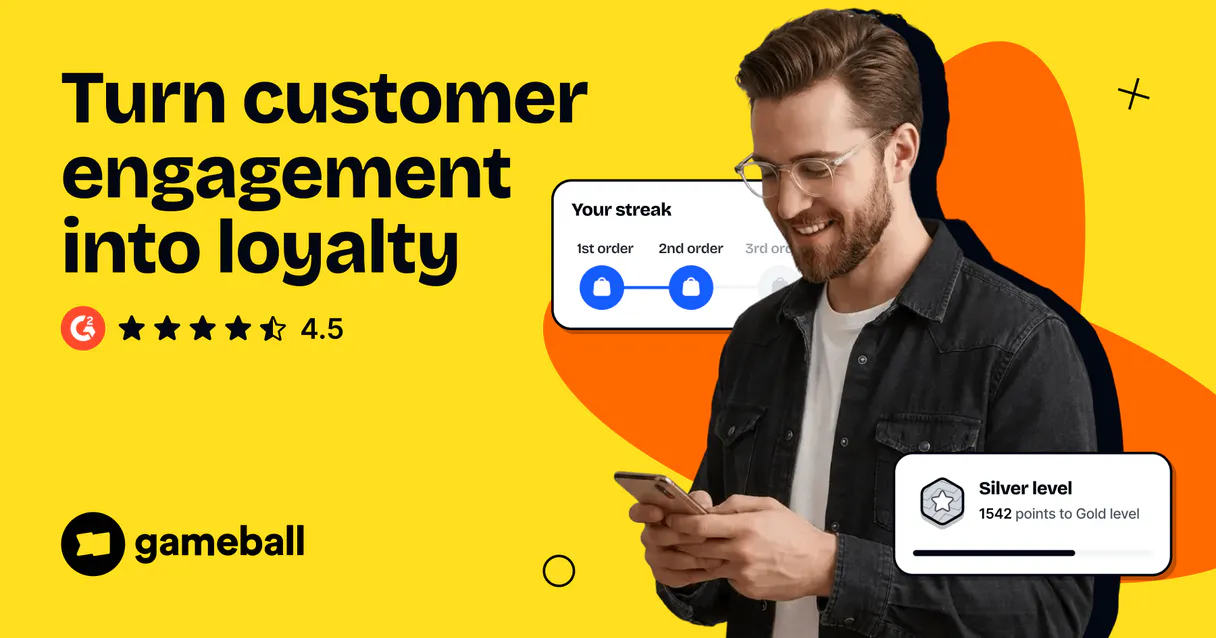
Gameball MCP for AI. Manage Customer Loyalty Points & Rewards
 Gemini
 Works with every AI agent you already use
…and any MCP-compatible client









Connect to your AI in seconds.
Gameball connects your loyalty and gamification account to any AI agent, letting you manage player points, track events, and run rewards programs instantly through conversation.
Use it to simplify how you reward customer actions, monitor progress in challenges, and keep customers engaged so they keep coming back.
What your AI can do
Get player balance
Checks the point balance for any given player ID.
Get player details
Retrieves detailed metadata and current status for a specific player account.
List challenges
Fetches the list of all active engagement challenges in the loyalty program.
Retrieve the current point total and associated currency value for any specific user.
Fetch comprehensive information about a single player, including their loyalty level and history.
View all current active badges, challenges, and rewards available in the system.
List all promo codes or discount coupons that are currently active for use.
See a list of defined membership tiers and the criteria required to reach them.
List all users who have accounts within your gamification system.
Get a catalog of all the tangible and intangible rewards that can be issued to customers.
Trigger an event record, such as giving feedback or making a purchase, which updates player progress and points.
Ask an AI about this
Waiting for input…
Gameball: 8 Tools for Gamified Loyalty
These tools let you manage every aspect of your loyalty program—from listing all players to tracking specific purchase events.
Make your AI actually useful.
Add this MCP to Claude, Cursor, or Windsurf and your AI stops guessing. It gets real tools to look things up, take action, and handle the stuff you keep doing by hand.
Start using Gameball on VinkiusGet Player Balance
Checks the point balance for any given player ID.
Get Player Details
Retrieves detailed metadata and current status for a specific player account.
List Challenges
Fetches the list of all active engagement challenges in the loyalty program.
List Discount Coupons
Shows a rundown of discount coupons and promo codes that are currently live.
List Loyalty Levels
Retrieves the defined loyalty tiers available in your customer program.
List Players
Lists all registered players within the Gameball system for overview purposes.
List Rewards
Provides a list of all available rewards that customers can earn or redeem.
Track Player Event
Records a specific player action, automatically updating their points and progress.
Security and governance baked right in.
Pick your AI client below to get set up. Just create a Vinkius account, subscribe, and you're instantly up and running. We handle the entire backend infrastructure, delivering out-of-the-box support for HTTPS Streamable, SSE, and OAuth2—zero messy routing required.
Claude AI
Open Claude Settings
Go to claude.ai, click your profile icon, then navigate to Customize → Connectors.
Add Custom Connector
Click the "+" button and select Add custom connector. Paste your Vinkius endpoint URL:
https://edge.vinkius.com/[YOUR_TOKEN_HERE]/mcp
Replace [YOUR_TOKEN_HERE] with your token
from cloud.vinkius.com. For OAuth-protected servers, expand
Advanced settings to add credentials.
Start a conversation
Open a new chat. The Gameball integration is available immediately — no restart needed.
Choose How to Get Started
Build a custom MCP for your own tools, or connect a ready-made integration from our catalog.
Build Your Own
Turn any API into an MCP. Import a spec, define Agent Skills, or deploy with MCPFusion.
- Import from OpenAPI, Swagger, or YAML specs
- Create Agent Skills with progressive disclosure
- Deploy to edge with MCPFusion framework
- Built in DLP, auth, and compliance on every call
- Real time usage dashboard and cost metering
- Publish to catalog or keep private
Make Your AI Do More
Start with Gameball, then connect any of our 5,100+ other servers whenever your AI needs more. One click, no limits.
- Use this MCP plus 5,100+ others, all in one place
- Add new capabilities to your AI anytime you want
- Every connection is secured and compliant automatically
- Track usage and costs across all your servers
- Works with Claude, ChatGPT, Cursor, and more
- New servers added to the catalog every week
Independent Platform Disclaimer: Vinkius is an independent platform and is not affiliated with, endorsed by, sponsored by, verified by, or otherwise authorized by Gameball. All third-party trademarks, logos, and brand names are the property of their respective owners. Their use on this website is strictly for informational purposes to identify service compatibility and interoperability.
VINKIUS INFRASTRUCTURE
Cloud Hosted
Managed infra
V8 Isolated
Sandboxed per request
Zero-Trust Proxy
No stored credentials
DLP Enforced
Policy on every call
GDPR Compliant
EU data residency
Token Compression
~60% cost reduction
Works with Claude, ChatGPT, Cursor, and more
The Model Context Protocol standardizes how applications expose capabilities to LLMs. Instead of operating in isolation, your AI gains direct access to external platforms, live data, and real-world actions through secure, standardized connections.
This connection provides 8 powerful capabilities that interface natively with Claude, ChatGPT, Cursor, and other compatible AI platforms. No middleware. No custom integration required.
The headache of tracking customer rewards manually
Today, determining a customer's status requires jumping between five different internal tools. You check the CRM for contact info; you open the loyalty dashboard to see their points; then you switch to the challenges portal to verify if they’ve earned badges. Every click means time wasted and data lost.
With this MCP, all that information flows through your AI agent in a single conversation thread. Asking 'What is their status?' returns everything: current points, tier level, active coupons, and challenge progress—all synthesized for you instantly.
Getting player data with the Gameball MCP
You eliminate the need to open separate tabs just to confirm point eligibility. Instead of copying a Player ID and pasting it into three different systems, you simply ask your agent to check the `get_player_balance` and `get_player_details`. The data arrives consolidated.
The result is a single source of truth for customer engagement. You don't just get points; you get context—you know why they have those points and what they can do with them next.
What your AI can actually do with this
Need a way to turn repeat shoppers into raving fans? This MCP connects directly to your loyalty platform's core data. You can track exactly what players are doing—from logging in daily to completing massive purchases—and automatically assign points or levels based on those actions. It lets you list all active challenges and check point balances for any person instantly, just by asking your AI agent a question.
Whether you're checking if a user qualifies for a discount coupon or tracking progress toward a high-level badge, it pulls the real-time data right into your chat window. You manage your entire gamified ecosystem without ever leaving your workspace; this is where Vinkius brings all that complex business logic to your AI client.
It's about making customer retention feel as simple as asking a question.
019dd0f7-f798-737e-a957-c0cde1075de5 
Here's how it actually works
The bottom line is that you get real-time loyalty data without ever writing an API call or navigating multiple dashboards.
Subscribe to this MCP and enter your Gameball API Key in the Vinkius Marketplace.
Your AI agent connects to the platform using the key. It then knows which specific actions you need, like checking player details or listing challenges.
You ask your agent a natural language question (e.g., 'What points does user 456 have?') and it executes the required tool call instantly.
Who is this actually for?
E-commerce managers and marketing leads who are sick of juggling separate CRMs, point systems, and dashboard views. This MCP gives you a single pane of glass for customer loyalty data.
Needs to quickly verify if the 'Refer a Friend' challenge is running and how many points are available when launching a new campaign.
Has players asking, 'What level am I?' or 'How many points do I need for Gold?', so they can get instant status checks without transferring the call to an admin.
Needs to check if a new reward category (like a premium badge) is available before building out its marketing copy.
What Changes When You Connect
Stop guessing customer status. Use the get_player_balance tool to instantly confirm how many points a user has, right in your chat.
Keep users engaged by making their actions count. The track_player_event tool lets you log any activity—like giving feedback—and immediately trigger point rewards.
Know exactly what’s available. Run list_challenges or list_rewards to show your team the full scope of current programs without digging through a dashboard.
Streamline customer support. Use get_player_details so agents can tell customers their precise loyalty tier and how close they are to leveling up.
Prevent missed sales opportunities. Check for active discounts using list_discount_coupons before confirming an order, ensuring the best deal is always offered.
See it in action
A user asks about their status
Instead of forcing a customer to call support or log into a separate portal, your agent runs get_player_details and replies with a full breakdown: 'You're currently Silver Tier (1250 points), and you only need 250 more for Gold.' The user stays happy and knows exactly what they are working toward.
Launching an in-store promotion
The store manager asks the agent to run list_discount_coupons and cross-reference it with available points from get_player_balance. The AI confirms, 'Yes, they have 500 points, which qualifies them for the $10 coupon.' No manual lookup required.
Tracking a marketing campaign
A product team member wants to know if their recent blog post activity should reward points. They run track_player_event and immediately see that 50 points were awarded, which updated the user's status for the 'Content Contributor' challenge.
Audit player eligibility
You need to verify if a specific batch of users qualifies for a new reward. You use list_players to pull IDs, and then loop through them using get_player_balance to confirm they all meet the point threshold.
The honest tradeoffs
Using multiple tabs/screens
Checking player status on Dashboard A, opening the Coupons page B, and then looking up the challenge list C. This takes five minutes of clicking and copying data.
Just ask your agent to check everything at once: 'What is user 123's current balance, their tier level, and any active challenges they qualify for.' The MCP runs all checks automatically.
Manually logging events
A sales rep remembers a customer gave great feedback but has to go into the backend system just to record it. This step is always missed.
Use track_player_event immediately. The agent records the action and automatically awards points, closing the loop instantly.
Assuming data freshness
Relying on a cached list of coupons that might have expired an hour ago, leading to customer frustration.
Always call list_discount_coupons directly through the MCP. It guarantees you get the current, active state from your live system.
When It Fits, When It Doesn't
Use this MCP if your business relies on frequent, real-time checks of customer loyalty status—especially point balances or challenge progress. You need to make sure that when a customer does X (like making a purchase), their reward Y is instantly and accurately calculated. Don't use it if you only need basic contact info; just an internal CRM will cut it out. If your core need is simply reporting on revenue trends over months, look at dedicated BI tools. But if the data point is 'Does this user have enough points to redeem a reward right now?', this MCP is built for that.
Questions you might have
How does the Gameball MCP handle point updates? +
You use the track_player_event tool. This function records a specific action (like 'purchase completed') and tells your system to automatically calculate and assign points, keeping everything up to date.
Can I find out which players exist using the Gameball MCP? +
Yes, you run list_players. This gives you a comprehensive list of all customer IDs within your loyalty system so you know who needs rewards or attention.
What is the difference between checking player details and getting the balance using Gameball MCP? +
The get_player_details tool gives a full profile (level, history). The get_player_balance tool is simpler; it only returns the current point total for quick verification.
How do I find out what coupons are valid right now? +
You use list_discount_coupons. This function queries your system and provides a clean, current list of all working promo codes that customers can redeem today.
How do I use `list_challenges` to view all active campaigns? +
It shows every challenge currently running in your loyalty program. You get a clean list of the active promotions, letting you verify which engagement opportunities are available right now.
How do I check my configured loyalty tiers using `list_loyalty_levels`? +
This tool provides a complete catalog of all defined loyalty levels in your system. You can use this data to verify the full structure and progression path for every customer.
What is the proper way to track player actions using `track_player_event`? +
You pass a specific action type, like 'Purchase Made' or 'Review Written', along with a player ID. This records the event in Gameball and automatically triggers any linked rewards or point updates.
How can I view the full catalog of available prizes with `list_rewards`? +
The tool retrieves every reward item configured in your account. You get details on what those rewards are, their associated point costs, and if they require specific criteria to redeem.
Can I check a player's points balance via AI? +
Yes! Use the get_player_balance tool and provide the Player Unique ID. Your agent will retrieve the current points and currency for that specific user.
How do I award points for a specific action using the agent? +
Use the track_player_event action. Provide the Player ID and the Event Name (e.g., 'purchase_completed'). Gameball will process the event and trigger rewards based on your rules.
Is it possible to list all available rewards via AI? +
Absolutely. Use the list_rewards query. The agent will retrieve the full catalog of rewards, redemption options, and active point rules from your account.
We've already built the connector for Gameball. Just plug in your AI agents and start using Vinkius.
No hosting. No infrastructure. No complex setup.
All 8 tools are live and waiting.
You're up and running in seconds.
Gemini Vinkius gives your AI agents access to the full catalog of app connectors, all fully managed, secure, and enterprise-ready. One subscription, every tool you need.
Built, hosted, and secured by Vinkius. You just connect and go.