
GBIF MCP. Query Global Species Taxonomy & Distribution
 Gemini
 Works with every AI agent you already use
…and any MCP-compatible client









Just plug in your AI agents and start using Vinkius.
GBIF MCP Server. Access the Global Biodiversity Information Facility, the largest open database for species data. Find taxonomy, track species distributions, and locate specific occurrence records across 2.4 billion biodiversity records.
It lets you search by scientific name, common name, or specific country location.
What your AI agents can do
Get gbif occurrences
Finds worldwide records showing where a species has been observed. You can optionally narrow the search to a country using its 2-letter code.
Get gbif species
Retrieves complete data for a species using its unique GBIF key.
Search gbif species
Searches across 2.4 billion records using a species' common or scientific name to return its full taxonomy and total record count.
Search for any species by common or scientific name to retrieve its full taxonomic classification (Kingdom, Phylum, Class, etc.) and total record count.
Retrieve comprehensive data for a single species, including multiple common names and its formal taxonomic status.
Locate observed records for a species worldwide, filtering results by specific country codes (ISO 2-letter).
Ask AI about this MCP
Supported MCP Clients
Gemini Waiting for input…
GBIF MCP Server: 3 Tools for Global Species Data
Use these three tools to search, classify, and map global species data from the Global Biodiversity Information Facility.
019d75a2get gbif occurrences
Finds worldwide records showing where a species has been observed. You can optionally narrow the search to a country using its 2-letter code.
019d75a2get gbif species
Retrieves complete data for a species using its unique GBIF key.
019d75a2search gbif species
Searches across 2.4 billion records using a species' common or scientific name to return its full taxonomy and total record count.
Choose How to Get Started
Build a custom MCP for your own tools, or connect a ready-made integration from our catalog.
Build Your Own
Turn any API into an MCP. Import a spec, define Agent Skills, or deploy with MCPFusion.
- Import from OpenAPI, Swagger, or YAML specs
- Create Agent Skills with progressive disclosure
- Deploy to edge with MCPFusion framework
- Built in DLP, auth, and compliance on every call
- Real time usage dashboard and cost metering
- Publish to catalog or keep private
Make Your AI Do More
Start with GBIF, then connect any of our 4,700+ other servers whenever your AI needs more. One click, no limits.
- Use this MCP plus 4,700+ others, all in one place
- Add new capabilities to your AI anytime you want
- Every connection is secured and compliant automatically
- Track usage and costs across all your servers
- Works with Claude, ChatGPT, Cursor, and more
- New servers added to the catalog every week
What you can do with this MCP connector
You're hooking up your AI agent to the Global Biodiversity Information Facility (GBIF), the massive, open database for species data. You can find taxonomy, track species distributions, and locate specific records across 2.4 billion biodiversity records. Using this server, your agent accesses the world's largest open database of species information.
search_gbif_species lets you search across 2.4 billion records using a species' common or scientific name; it returns the full taxonomy and the total count of records found. get_gbif_species retrieves comprehensive data for a single species using its unique GBIF key, including multiple common names and its formal taxonomic status. get_gbif_occurrences finds worldwide records showing where a species has been observed, and you can narrow that search to a country using its 2-letter code.
How GBIF MCP Works
- 1 Subscribe to the GBIF server. Your AI client handles the connection and authentication.
- 2 Give your agent a clear prompt: specify the species and what you need (e.g., 'Find occurrences of X in Y').
- 3 The agent executes the necessary tool call, returning structured data containing coordinates, taxonomy, or details.
The bottom line is, you send a natural language query, and the server returns structured, global biological data.
Who Is GBIF MCP For?
Conservation Biologists, Field Ecologists, and Environmental Consultants use this. They need to verify species IDs, map endangered species ranges, or assess local biodiversity for compliance reports. It replaces weeks of manual database cross-referencing.
Maps species distributions to identify critical habitats for endangered species management.
Verifies species identifications and explores deep taxonomy for field research.
Assesses local biodiversity in specific regions for impact studies and regulatory compliance.
What Changes When You Connect
- Pinpoint exact species locations. Instead of guessing, use
get_gbif_occurrencesto get GPS coordinates, country, and date for every recorded sighting. - Know a species' full history.
search_gbif_speciesgives you the complete Linnaean taxonomy (Kingdom to Species) and an aggregate count of records across the globe. - Validate species names instantly. Use
get_gbif_speciesto confirm details, including multiple common names and taxonomic status, without leaving your agent's interface. - Focus on the data, not the database. The server handles connecting to the massive GBIF database, so you skip the setup, API keys, and query writing.
- Process massive datasets. You can query 2.4 billion records in one go, allowing you to analyze large-scale biodiversity patterns for research.
- Streamline research reports. Quickly gather required taxonomic hierarchies and distribution data to build out impact studies for clients.
Real-World Use Cases
Mapping Endangered Species Ranges
A conservation biologist needs to map the distribution of the jaguar (Panthera onca) across Brazil. They prompt their agent: 'Find all occurrences of Panthera onca in Brazil.' The agent runs get_gbif_occurrences, returning multiple records with GPS coordinates, allowing the biologist to map critical habitat overlaps.
Classifying an Unknown Plant Specimen
An ecologist finds an orchid and needs to know its full classification. They run search_gbif_species using the common name 'orchid'. The agent returns the Orchidaceae family's taxonomy and shows the variety of species, helping the ecologist verify the specimen's lineage.
Assessing Regional Impact for Compliance
An environmental consultant must prove local biodiversity compliance in the US. They run search_gbif_species for a local species and then use get_gbif_occurrences filtered by 'US' to gather the necessary record count and location data for a regulatory report.
Quickly Identifying a Marine Creature
A marine biologist needs to check the taxonomy of the blue whale. They prompt their agent to 'Tell me about the blue whale's classification.' The agent uses get_gbif_species and instantly delivers the full taxonomic hierarchy and multiple common names.
The Tradeoffs
Using Occurrence for everything
Trying to find taxonomy by just running get_gbif_occurrences without a specific species name. This fails because occurrence tools require a species ID, and you first need to know the species name.
→
First, run search_gbif_species using the common or scientific name to get the full taxonomy. Then, if you need location data, run get_gbif_occurrences with the species key and the country filter.
Ignoring the country filter
Running get_gbif_occurrences without specifying an ISO country code (like US or BR). This floods your agent with potentially millions of global records, slowing down the query and overwhelming the context window.
→
Always include the country filter when using get_gbif_occurrences. This limits the search to relevant geographic areas, making the data actionable for a specific region.
Forgetting the search scope
Treating get_gbif_species and search_gbif_species as interchangeable. They aren't. get_gbif_species needs a specific GBIF key, which you don't usually have.
→
Start with search_gbif_species. Use it for initial exploration by name. Only use get_gbif_species when you already have the specific GBIF key.
When It Fits, When It Doesn't
Use this if you need to map, verify, or count global biological data. Don't use it if you just need general knowledge (like a Wikipedia summary); you need a database query. If your query starts with a name (e.g., 'lion', 'blue whale'), use search_gbif_species first to get taxonomy and record counts. If you have the species key and want coordinates, use get_gbif_occurrences. If you already have the species key and want deep details, use get_gbif_species. Never skip the initial search step if you're unsure of the species key.
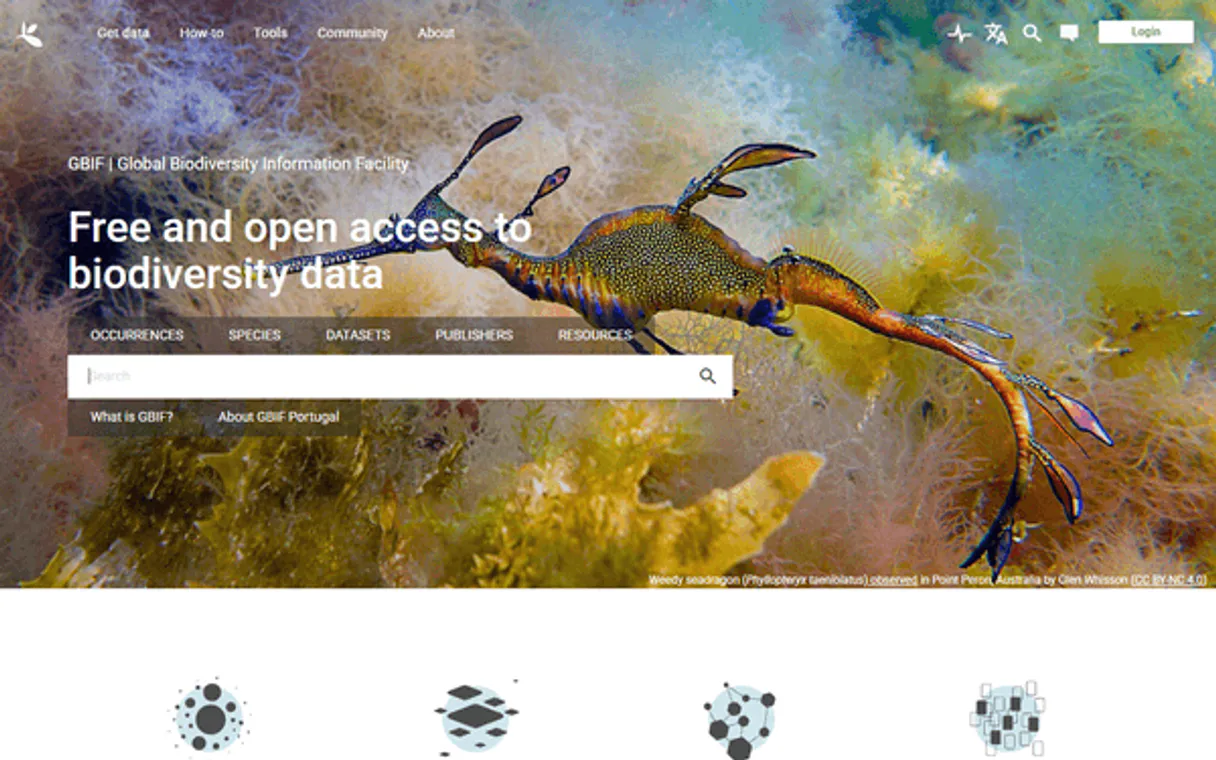
Independent Platform Disclaimer: Vinkius is an independent platform and is not affiliated with, endorsed by, sponsored by, verified by, or otherwise authorized by GBIF. All third-party trademarks, logos, and brand names are the property of their respective owners. Their use on this website is strictly for informational purposes to identify service compatibility and interoperability.
VINKIUS INFRASTRUCTURE
Cloud Hosted
Managed infra
V8 Isolated
Sandboxed per request
Zero-Trust Proxy
No stored credentials
DLP Enforced
Policy on every call
GDPR Compliant
EU data residency
Token Compression
~60% cost reduction
Works with Claude, ChatGPT, Cursor, and more
The Model Context Protocol standardizes how applications expose capabilities to LLMs. Instead of operating in isolation, your AI gains direct access to external platforms, live data, and real-world actions through secure, standardized connections.
This server provides 3 capabilities that interface natively with Claude, ChatGPT, Cursor, and any MCP client. No middleware. No custom integration required.
Available Capabilities
Pinpointing a species' location shouldn't require jumping between five different databases.
Today, finding a single species' occurrence record means logging into the GBIF site, searching by name, finding the ID, then navigating to the 'Occurrence' tab, applying country filters, and finally exporting the data. It's a painful, click-heavy process that takes minutes just to gather the right data points.
With the GBIF MCP Server, you just ask your agent: 'Where was the jaguar seen in Brazil?' The agent runs the necessary tool call and gives you a structured data payload with GPS coordinates and the date, ready for immediate use.
Use the get_gbif_species tool to confirm taxonomy details.
Previously, verifying a species' full taxonomic lineage (Kingdom, Phylum, Class, etc.) meant cross-referencing multiple academic databases, often requiring manual data entry and dealing with incomplete records. You'd spend time confirming if the common name matched the scientific name.
Now, use the `get_gbif_species` tool. You get the full, formal Linnaean taxonomy and the official taxonomic status—all in one structured call. It's immediate, definitive, and lets you keep your focus on the research, not the data plumbing.
Common Questions About GBIF MCP
How do I find the full taxonomy of a species using get_gbif_species? +
You must provide the specific GBIF key for the species. The result will show the full Linnaean hierarchy (Kingdom → Phylum → Class, etc.) and the accepted taxonomic status.
What is the difference between search_gbif_species and get_gbif_species? +
Use search_gbif_species when you know the species name (like 'blue whale') but not the key. Use get_gbif_species only when you already have the specific GBIF key.
Can I find where a species was seen in a specific country using get_gbif_occurrences? +
Yes. You run get_gbif_occurrences and pass the desired ISO 2-letter country code (e.g., 'US' or 'BR') as a filter. This limits the global search to that country's records.
Does the GBIF MCP Server handle all types of species data? +
Yes. It aggregates data from over 2,000 institutions and covers 400K+ species, allowing searches across various domains like flora, fauna, and marine life.
How does the search_gbif_species tool handle different search types, like searching by common name or scientific name? +
The search_gbif_species tool handles multiple search types. You can search using scientific names (e.g., Panthera leo) or common names (e.g., 'blue whale'). The tool returns full taxonomy, taxonomic status, and occurrence counts for whatever term you provide.
If I need to find occurrence records for a species, should I use get_gbif_occurrences or search_gbif_species? +
Use get_gbif_occurrences for location data. This tool specifically finds where a species was observed worldwide, giving you GPS coordinates and observation dates. search_gbif_species is better for getting the species' overall taxonomy and count.
Can I filter my occurrence records by a specific country using get_gbif_occurrences? +
Yes, get_gbif_occurrences accepts an optional country filter. You just pass the two-letter ISO code (like 'US' or 'BR') to narrow down the results to a specific region.
What happens if I provide an invalid scientific name to get_gbif_species? +
If you provide an invalid name, the tool returns an error indicating the issue. You'll need to correct the scientific name or use a broader search term. The tool doesn't guess data; it requires accurate inputs.
What types of organisms are covered in GBIF? +
GBIF covers all life on Earth across all kingdoms: Animalia (animals), Plantae (plants), Fungi (mushrooms, yeasts), Bacteria, Archaea, Chromista (algae, diatoms), and Protozoa. From microscopic bacteria to blue whales, from orchids to ancient ferns — if a species has been scientifically described, GBIF likely has records for it.
Is GBIF data free and do I need to register? +
Yes, GBIF data is completely free and open under CC0, CC-BY, or CC-BY-NC licenses. No registration or API key is required for programmatic access. GBIF is funded by governments of 40+ member countries and endorsed by the United Nations Environment Programme.
Can I filter species observations by country or region? +
Yes! The occurrence search supports country filtering using ISO-2 country codes (US for United States, BR for Brazil, AU for Australia, GB for United Kingdom, JP for Japan, etc.). This allows you to find exactly where a species has been observed in a specific country with GPS coordinates and dates.
Use it with your favorite AI tools
Connect this server to Cursor, Claude, VS Code, and more.
More in this category

Nearmap (High-Res Aerial Imagery & AI)
Manage geospatial data via Nearmap — retrieve high-res aerial imagery, extract AI features, and audit survey coverage.

FRED Series — U.S. Economic Time Series
Search and retrieve data from 816,000+ official U.S. economic time series: GDP, inflation, unemployment, interest rates, money supply — with built-in transformations, frequency aggregation, and vintage analysis.
RCSB PDB
Explore 220K+ 3D molecular structures — search proteins, DNA, and RNA by name, experimental method, resolution, and bound ligands from the Protein Data Bank.
You might also like

T-Test Statistics Engine
Run exact Student's, Welch's, and Paired t-tests local. Get CPU-guaranteed p-values instead of LLM-hallucinated guesses.

Telnyx Alternative
Manage your Telnyx communications — audit phone numbers, messages, and calls via AI.

NinjaCat
Manage marketing reporting and advertisers via NinjaCat — track reports, data sources, and campaigns directly from your AI agent.