
Goaffpro MCP. Manage affiliate commissions and payouts via chat.
 Gemini
 Works with every AI agent you already use
…and any MCP-compatible client









Just plug in your AI agents and start using Vinkius.
Goaffpro MCP Server manages your entire affiliate program from your chat client. It lets you list all affiliates, track specific referral orders, manage earned commissions, and process payouts without logging into the dashboard.
You can also register new affiliates and issue custom bonus rewards using simple commands.
What your AI agents can do
Find affiliate by email
Searches for an affiliate's record using their email address.
Get affiliate details
Retrieves specific metadata and performance statistics for an affiliate.
Get program details
Gets basic identifying information about the affiliate program itself.
Search for a specific affiliate by email or retrieve their full metadata, including performance stats.
List all earned commission events and view the complete history of payouts made to affiliates.
Retrieve a list of all orders generated by affiliates to understand real-time sales performance.
Register new affiliates into the program or update their status using simple commands.
Issue custom bonus rewards or signup bonuses to specific affiliates directly from the chat.
Check the overall status of the affiliate program and view program-wide details.
Ask AI about this MCP
Supported MCP Clients
Gemini Waiting for input…
019d75a7find affiliate by email
Searches for an affiliate's record using their email address.
019d75a7get affiliate details
Retrieves specific metadata and performance statistics for an affiliate.
019d75a7get program details
Gets basic identifying information about the affiliate program itself.
019d75a7grant affiliate reward
Issues a custom bonus or signup reward to a specified affiliate.
019d75a7list affiliate payouts
Retrieves the complete history of payments made to affiliates.
019d75a7list affiliate webhooks
Lists the webhook configuration settings for a given affiliate.
019d75a7list earned commissions
Retrieves a list of all recorded commission events.
019d75a7list program affiliates
Lists every affiliate currently enrolled in the program.
019d75a7list referral orders
Retrieves all orders that were generated via affiliate referrals.
019d75a7list top performers
Identifies and lists the highest-earning or most active affiliates.
019d75a7register new affiliate
Adds a brand new affiliate to the program using required identifying information.
019d75a7verify api connection
Checks if the API connection to Goaffpro is active and working.
Choose How to Get Started
Build a custom MCP for your own tools, or connect a ready-made integration from our catalog.
Build Your Own
Turn any API into an MCP. Import a spec, define Agent Skills, or deploy with MCPFusion.
- Import from OpenAPI, Swagger, or YAML specs
- Create Agent Skills with progressive disclosure
- Deploy to edge with MCPFusion framework
- Built in DLP, auth, and compliance on every call
- Real time usage dashboard and cost metering
- Publish to catalog or keep private
Make Your AI Do More
Start with Goaffpro, then connect any of our 4,700+ other servers whenever your AI needs more. One click, no limits.
- Use this MCP plus 4,700+ others, all in one place
- Add new capabilities to your AI anytime you want
- Every connection is secured and compliant automatically
- Track usage and costs across all your servers
- Works with Claude, ChatGPT, Cursor, and more
- New servers added to the catalog every week
What you can do with this MCP connector
Yo, listen up. The Goaffpro MCP Server lets you run your entire affiliate program right from your chat client. You don't gotta log into the dashboard to manage anything. You just talk to your agent, and it handles the heavy lifting. You'll be able to list all affiliates, track specific referral orders, manage commissions, and process payouts with simple commands.
You can even register new affiliates and issue custom bonus rewards, all without leaving your chat window.
Finding and Profiling Affiliates
If you need to track a specific partner, you can find_affiliate_by_email using just their email. You can also get_affiliate_details to grab all the metadata and performance stats for any affiliate. Want to see who's driving the most action? You can list_top_performers to get a list of the highest-earning or most active partners.
Need a full roster? You can use list_program_affiliates to list every single affiliate enrolled in the program. You can also get_program_details to get basic info about the program itself.
Tracking Sales and Orders
To understand real-time sales performance, you can list_referral_orders to retrieve every order made via an affiliate referral. You can also list_earned_commissions to get a list of all recorded commission events.
Managing Commission and Payout Records
Need to know what's been paid out? You can list_affiliate_payouts to view the complete history of payments made to affiliates. You can check out the webhook setup for a partner using list_affiliate_webhooks to see their configuration settings.
Onboarding and Updating Affiliates
Want to bring someone new into the fold? You can register_new_affiliate to add a brand new partner using the required identifying info.
Controlling Rewards and Bonuses
You can issue custom bonus rewards or signup bonuses to specific affiliates directly with grant_affiliate_reward.
System Monitoring
Finally, you can verify_api_connection to check if the API connection to Goaffpro is active and working.
How Goaffpro MCP Works
- 1 Subscribe to the Goaffpro server on Vinkius and enter your Goaffpro API Access Token (found in Settings > Advanced).
- 2 Tell your AI client what you need. For example: 'List all active affiliates' or 'Show me payout history for Jane Smith'.
- 3 The server runs the required tool, pulling the data and presenting a natural language summary back to your chat window.
The bottom line is that your AI agent handles the API calls and data formatting, so you just talk to it.
Who Is Goaffpro MCP For?
The affiliate manager who needs a quick view of performance stats without navigating five different dashboards. The e-commerce store owner who needs to audit payout histories or check referral sales in real-time. Finance and operations teams who need to automate commission log retrieval for quarterly reporting.
Uses this to quickly check an affiliate's performance, approve a commission, or find specific partner details without leaving their chat interface.
Uses this to get a real-time overview of referral sales, identify top-performing partners, and audit the overall health of the referral program.
Uses this to automate the retrieval of payout histories and commission logs, simplifying auditing and end-of-period reporting.
What Changes When You Connect
- See real-time referral data. Use
list_referral_ordersto immediately see which partners are driving sales, without leaving your agent's chat. - Audit payouts instantly. Run
list_affiliate_payoutsto get a clean record of all payments made, checking payment status and totals. - Automate onboarding. Use
register_new_affiliateto add a new partner andget_affiliate_detailsto confirm their stats, all in one conversation. - Control rewards on the fly. Grant a bonus or signup reward using
grant_affiliate_rewardwhen an affiliate hits a milestone. - Understand earning history. Call
list_earned_commissionsto see a detailed, filtered log of all commission events for auditing purposes. - Identify key partners. Use
list_top_performersto quickly pull a list of your highest-earning affiliates for your next call.
Real-World Use Cases
Partner needs a performance review.
An affiliate manager needs to check Jane Smith's total earnings for the month. They prompt their agent: 'What are Jane Smith's earnings?' The agent uses get_affiliate_details and list_top_performers to retrieve the data, summarizing her stats immediately.
Finance team needs to reconcile payments.
The finance analyst needs to verify that all payouts for the last quarter were recorded. They prompt: 'List all payouts and filter by status.' The agent runs list_affiliate_payouts and provides a categorized summary, saving hours of spreadsheet work.
New partner signs up.
A new partner, 'Growth Blog,' joins the program. The manager uses register_new_affiliate to add them, then uses list_program_affiliates to confirm they are visible in the active roster.
Sales spike requires immediate tracking.
A major marketing push happens. The store owner needs to know which partners contributed the most sales right now. They ask the agent to 'List today's referral orders,' triggering list_referral_orders for an immediate sales impact assessment.
The Tradeoffs
Manually checking every tab
The manager opens the dashboard, clicks 'Affiliates,' then clicks 'Payouts,' then clicks 'Orders.' They have to copy and paste data between three different views just to compare numbers.
→
Instead, ask your agent to 'Compare the top 5 earners' using list_top_performers and list_referral_orders. It handles the cross-referencing and presents the final summary in chat.
Forgetting required parameters
Trying to 'list commissions' without telling the agent the time frame or status results in a vague, incomplete data dump that requires manual filtering anyway.
→
Be specific. Ask the agent to 'List all pending commissions for Q2.' This guides the agent to use list_earned_commissions with the correct filters.
Over-relying on the UI filters
Using the dashboard's internal filters to sort data, then exporting the spreadsheet, and finally having to adjust formulas because the export misses a date column.
→
Let your agent run the report using list_affiliate_payouts. The data comes through structured and clean, ready for immediate use in your workflow.
When It Fits, When It Doesn't
Use this if you need to move beyond simple reporting and want to execute complex, multi-step business logic—like 'Find the top 10 affiliates and grant them a $50 bonus.' Use it when you need to act on the data, not just read it. Don't use it if all you need is a simple, single-value lookup, like checking if a single affiliate exists by email. For simple checks, running find_affiliate_by_email is faster. If your core need is financial reconciliation, use list_affiliate_payouts first, then use list_earned_commissions to check the source events.
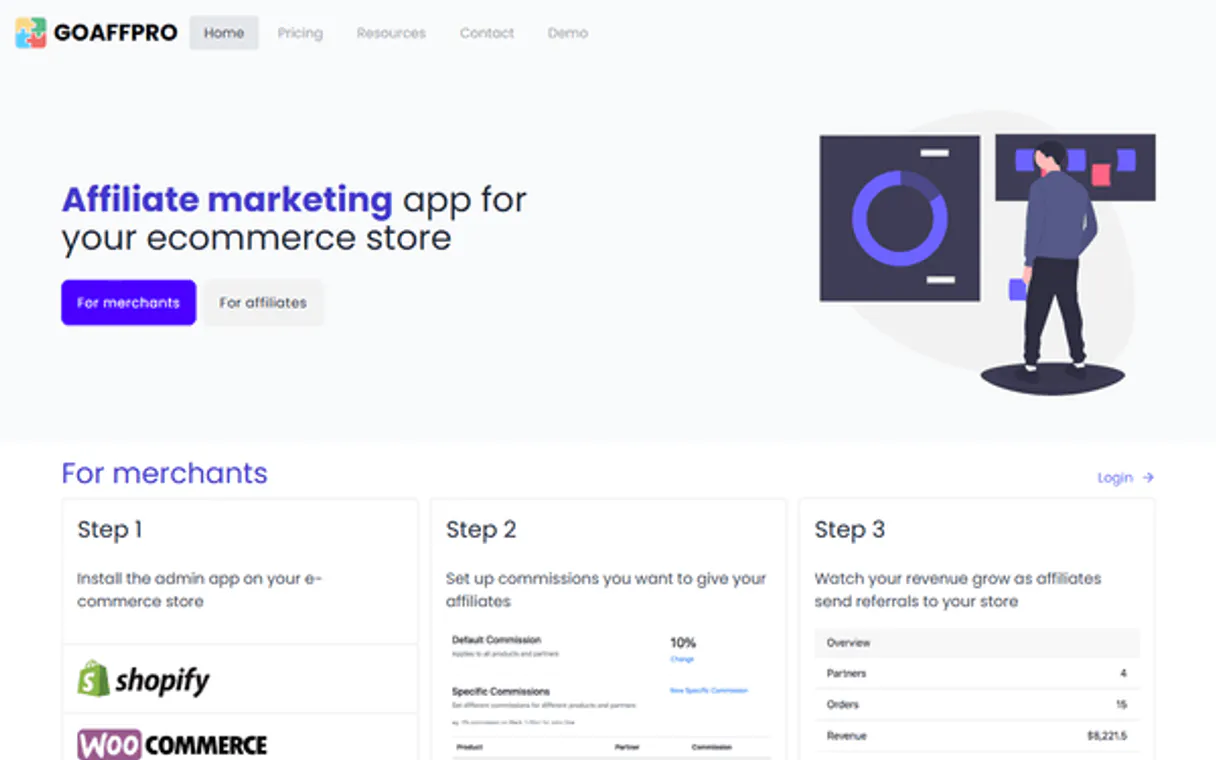
Independent Platform Disclaimer: Vinkius is an independent platform and is not affiliated with, endorsed by, sponsored by, verified by, or otherwise authorized by Goaffpro. All third-party trademarks, logos, and brand names are the property of their respective owners. Their use on this website is strictly for informational purposes to identify service compatibility and interoperability.
VINKIUS INFRASTRUCTURE
Cloud Hosted
Managed infra
V8 Isolated
Sandboxed per request
Zero-Trust Proxy
No stored credentials
DLP Enforced
Policy on every call
GDPR Compliant
EU data residency
Token Compression
~60% cost reduction
Works with Claude, ChatGPT, Cursor, and more
The Model Context Protocol standardizes how applications expose capabilities to LLMs. Instead of operating in isolation, your AI gains direct access to external platforms, live data, and real-world actions through secure, standardized connections.
This server provides 12 capabilities that interface natively with Claude, ChatGPT, Cursor, and any MCP client. No middleware. No custom integration required.
Available Capabilities
Tracking affiliate performance shouldn't require five different dashboard logins.
Right now, tracking your affiliate program means bouncing between the main dashboard, the commissions tab, the payout reports, and the affiliate roster. You spend minutes just navigating, copying numbers, and cross-referencing dates. It's tedious and you almost miss the data point that matters most.
With the Goaffpro MCP Server, you just talk to your agent. You ask, 'Show me the top earners and their last payout.' The agent pulls data from `list_top_performers` and `list_affiliate_payouts` and hands you one clean, summarized answer in chat. No clicks, no tabs.
Goaffpro MCP Server: Manage affiliate payouts via chat.
Before, granting a reward or investigating a payout discrepancy meant navigating to the 'Rewards' section, finding the affiliate, and manually submitting a request. It was a multi-step process prone to human error and delay.
Now, you tell your agent, 'Grant a $10 bonus to jane@example.com.' The agent uses `grant_affiliate_reward` and completes the action instantly. The system handles the record update, saving you the manual workflow and the associated risk.
Common Questions About Goaffpro MCP
How do I get an API Access Token for Goaffpro? +
Log in to your Goaffpro Admin Panel, navigate to Settings > Advanced, and you can create or copy your API Access Token in the Access Tokens section.
Can I approve pending commissions via the agent? +
The current version supports listing and retrieving commission details. Status update tools may be added in future updates to maintain safe financial workflows.
How do I find an Affiliate ID? +
Use the 'list_program_affiliates' tool. The agent will return all affiliates in your program along with their unique IDs and names.
Is it possible to grant bonuses through the chat? +
Yes! Use the 'grant_affiliate_reward' tool and provide the Affiliate ID, amount, and reason to instantly issue a bonus to your partner.
How can I use the `list_top_performers` tool in Goaffpro to identify my best partners? +
The list_top_performers tool shows your top affiliates. It gathers data on high-earning partners, letting you see who's driving the most sales.
What if I need to register a new partner? Which Goaffpro tool should I use? +
Use the register_new_affiliate tool. This function adds a new affiliate to your program, giving them an account ID and setting up their profile.
Do I need to worry about connecting multiple payout streams with Goaffpro? +
The MCP handles data from your core Goaffpro account. You connect your single API token, and your AI agent accesses all relevant commission and payout records.
How does Goaffpro handle large volumes of referral orders? +
The platform manages high-volume data by listing referral orders via the list_referral_orders tool. Your agent processes these records efficiently, even for thousands of entries.
Use it with your favorite AI tools
Connect this server to Cursor, Claude, VS Code, and more.
More in this category
Klevu (E-commerce AI Search)
Power your e-commerce discovery via Klevu AI — execute keyword searches, manage category merchandising, and retrieve product recommendations.

Enspire Commerce
Equip your AI agent to manage omni-channel orders, track inventory, and monitor shipments via the Enspire API.

Fortnite Cosmetics & Item Shop
The definitive server for Fortnite cosmetics — track daily shop rotations, leaked skins, and rarity via AI.
You might also like

Corporate Buzzword
Generate random corporate buzzwords and professional phrases to elevate your business speak or add humor to your workflow.

Kintone
Build custom business apps without code using drag-and-drop forms, workflow automation, and team collaboration spaces.

Route4Me
Connect your Route4Me account to AI agents to manage addresses, routes, optimizations, and vehicles.