
HERE (Location & Maps) MCP. Calculate routes, track traffic, and find POIs by conversation.
 Gemini
 Works with every AI agent you already use
…and any MCP-compatible client









Just plug in your AI agents and start using Vinkius.
HERE (Location & Maps) MCP Server gives your AI client full control of cloud-native spatial analytics. It lets you convert addresses to coordinates, calculate optimal routes for any vehicle, track real-time traffic congestion, and fetch live weather observations for any spot on the globe.
You can also run complex reachability analysis or look up detailed Point of Interest metadata without opening a separate GIS program.
It's all through natural conversation.
What your AI agents can do
Autosuggest query
Provides suggested locations and coordinates as you type an address.
Calculate routing matrix
Generates a JSON payload containing travel time estimates between multiple nodes.
Calculate v8 isoline
Draws a polygon showing the area a user can reach within a specified time or distance limit.
You give it an address, and the server returns the exact latitude and longitude coordinates.
The server determines the optimal route and estimated travel time for multiple vehicles or pedestrians.
It draws a polygon showing all reachable areas from a starting point within a defined time or distance limit.
You define an area, and the server reports real-time traffic speeds and where the congestion is.
The server pulls live weather readings and forecasts for any given global coordinate.
You provide a unique Place ID, and the server returns detailed metadata about that specific location.
The server takes a point and extracts structured property data, like a street name or city boundary.
Ask AI about this MCP
Supported MCP Clients
Gemini Waiting for input…
HERE (Location & Maps) MCP Server: 10 Tools for Geospatial Data
Use these 10 tools to calculate routes, find places, track traffic, and analyze complex location data through your AI agent.
019d75afautosuggest query
Provides suggested locations and coordinates as you type an address.
019d75afcalculate routing matrix
Generates a JSON payload containing travel time estimates between multiple nodes.
019d75afcalculate v8 isoline
Draws a polygon showing the area a user can reach within a specified time or distance limit.
019d75afcalculate v8 route
Determines the best path between two or more points while considering traffic conditions.
019d75afdiscover places
Finds points of interest (POI) by category and location.
019d75afforward geocode
Converts a human-readable address into precise map coordinates.
019d75afget traffic flow
Retrieves current traffic congestion levels for a specific geographic area.
019d75afget weather observation
Fetches the current weather conditions and forecast for a given location.
019d75aflookup place id
Looks up rich details about a specific place using its unique ID.
019d75afreverse geocode
Takes coordinates and returns the human-readable address information.
Choose How to Get Started
Build a custom MCP for your own tools, or connect a ready-made integration from our catalog.
Build Your Own
Turn any API into an MCP. Import a spec, define Agent Skills, or deploy with MCPFusion.
- Import from OpenAPI, Swagger, or YAML specs
- Create Agent Skills with progressive disclosure
- Deploy to edge with MCPFusion framework
- Built in DLP, auth, and compliance on every call
- Real time usage dashboard and cost metering
- Publish to catalog or keep private
Make Your AI Do More
Start with HERE (Location & Maps), then connect any of our 4,700+ other servers whenever your AI needs more. One click, no limits.
- Use this MCP plus 4,700+ others, all in one place
- Add new capabilities to your AI anytime you want
- Every connection is secured and compliant automatically
- Track usage and costs across all your servers
- Works with Claude, ChatGPT, Cursor, and more
- New servers added to the catalog every week
What you can do with this MCP connector
The HERE Location & Maps MCP Server gives your AI client total control over spatial analytics. You can convert addresses to coordinates, calculate optimal routes, track real-time traffic, and grab live weather data for any spot on the planet. You don't need to open up some separate GIS program to do this stuff; your AI agent handles it all through conversation.
If you're working with locations, you'll use the forward_geocode tool to turn a regular address into precise latitude and longitude coordinates. You can run reverse_geocode to take coordinates and get the human-readable address back.
When you need to find specific spots, the autosuggest_query tool suggests locations and coordinates as you type an address, and the discover_places tool lets you find Points of Interest (POI) by category and location. For deep dives, lookup_place_id grabs rich details about a specific place using its unique ID.
Need to calculate travel time? You can use calculate_v8_route to figure out the best path between two or more points, taking current traffic into account. If you're managing a fleet, calculate_routing_matrix generates a JSON payload with travel time estimates between multiple nodes. You can also use calculate_v8_isoline to draw a polygon showing every area you can reach from a starting point within a set time or distance.
For real-world conditions, get_traffic_flow retrieves current traffic congestion levels for a specific area, and get_weather_observation pulls live weather readings and forecasts for any given global coordinate. Finally, get_weather_observation fetches the current weather conditions and forecast for a given location.
How HERE (Location & Maps) MCP Works
- 1 First, you connect your AI client and provide your HERE API Key to the MCP Server.
- 2 Next, you ask your agent to perform a location task—for example, 'What's the fastest route to the warehouse?'
- 3 The agent calls the necessary tool (like
calculate_v8_route), which executes the logic and returns the calculated path and associated data to your chat interface.
The bottom line is, you treat location intelligence like any other API call—you ask the question, and the agent handles the complex mapping and data retrieval.
Who Is HERE (Location & Maps) MCP For?
The logistics planner who needs to route a fleet of 50 trucks across three states before lunch. The urban developer who needs to know which neighborhoods are accessible within a 15-minute walk. The data scientist who needs to test reachability models without paying for dedicated GIS software. You use this when location data is the central constraint on your operation.
Calculates optimal multi-stop routes and generates travel-time matrices for supply chain planning.
Performs complex geocoding and reachability analysis through natural conversation, bypassing dedicated GIS software.
Monitors real-time traffic and weather data to adjust daily delivery schedules and predict delays.
What Changes When You Connect
- Calculate optimal routes and travel-time matrices. Instead of manually writing complex routing code, you ask your agent for the path, and the tool executes the
calculate_routing_matrixcall, giving you a full set of connections between multiple stops. - Visualize reachability polygons. Use
calculate_v8_isolineto map out exactly how far a worker can travel in 15 minutes from a starting point. This is better than just estimating coverage—you get the actual boundary. - React to real-time traffic. Running
get_traffic_flowlets you check current congestion patterns within a bounding box. This means your route calculation immediately accounts for rush-hour delays. - Understand local context. Use
discover_placesto find specific types of businesses (like 'dry cleaners' or 'gas stations') near a coordinate. It’s better than a simple Google search because it uses structured POI data. - Handle addresses instantly. If you only have a street name,
forward_geocodeturns it into precise lat/long coordinates, which you can then feed into any other location tool. - Get the full picture. When you use
get_weather_observation, you don't just get 'cloudy'; you get structured data like humidity and wind speed, which is critical for environmental planning.
Real-World Use Cases
Planning a Multi-Stop Delivery Route
A logistics manager needs to send a driver to five different drop-off points. Instead of mapping them one by one, they prompt their agent: 'What's the best route hitting these five points?' The agent chains calculate_routing_matrix and calculate_v8_route to give a single, optimized, and time-stamped sequence.
Checking Site Accessibility After a Storm
An urban planner needs to know which parts of a city are still drivable. They ask: 'Show me everything reachable from the main road in 20 minutes.' The agent runs calculate_v8_isoline to draw the exact, safe boundary, showing the operational area.
Forecasting Airport Pickup Times
A corporate travel coordinator needs an estimate for an executive's arrival. They provide the airport coordinates and ask the agent to check the current conditions. The agent runs get_traffic_flow and get_weather_observation to give a realistic ETA, not just a theoretical one.
Finding Specific Local Amenities
A field technician needs to find a specific type of service near a client site. They ask: 'Find the nearest certified electrician within a 2-mile radius.' The agent uses discover_places to query specific POI categories around the given location.
The Tradeoffs
Assuming simple lookups are enough
Manually running forward_geocode and then trying to guess the travel time. This ignores current road closures or traffic jams, leading to inaccurate planning.
→
Always run forward_geocode first to get the coordinates, then use those coordinates in get_traffic_flow before calculating the final path with calculate_v8_route. This gives you a true, real-time estimate.
Ignoring the area constraints
Just asking for 'the nearest coffee shop.' This gives a single point, but you might need to know the entire area of available options, which is limiting.
→
Use discover_places and specify a bounding box or a radius. This tells the agent to look for all matching POIs in a defined area, giving you a full list to choose from.
Treating locations as static
Planning a route based on ideal driving conditions. This ignores the fact that a river crossing or a major intersection might be shut down right now.
→
Before routing, always check the current conditions. Use get_traffic_flow to verify the paths. If the flow is bad, adjust your route calculation using calculate_v8_route with the real-time constraint.
When It Fits, When It Doesn't
Use this MCP Server if your problem requires understanding the relationship between location, time, and physical constraints. You need to know how to get somewhere, not just where it is. For example, if you need to determine if a client site is accessible within a 30-minute drive, you must use calculate_v8_isoline or calculate_v8_route. Don't use this if you just need to convert an address to coordinates—that's just forward_geocode. If your goal is merely to list all restaurants in a neighborhood, discover_places works. But if you need to know the travel time between those restaurants, you need the full suite of routing tools.
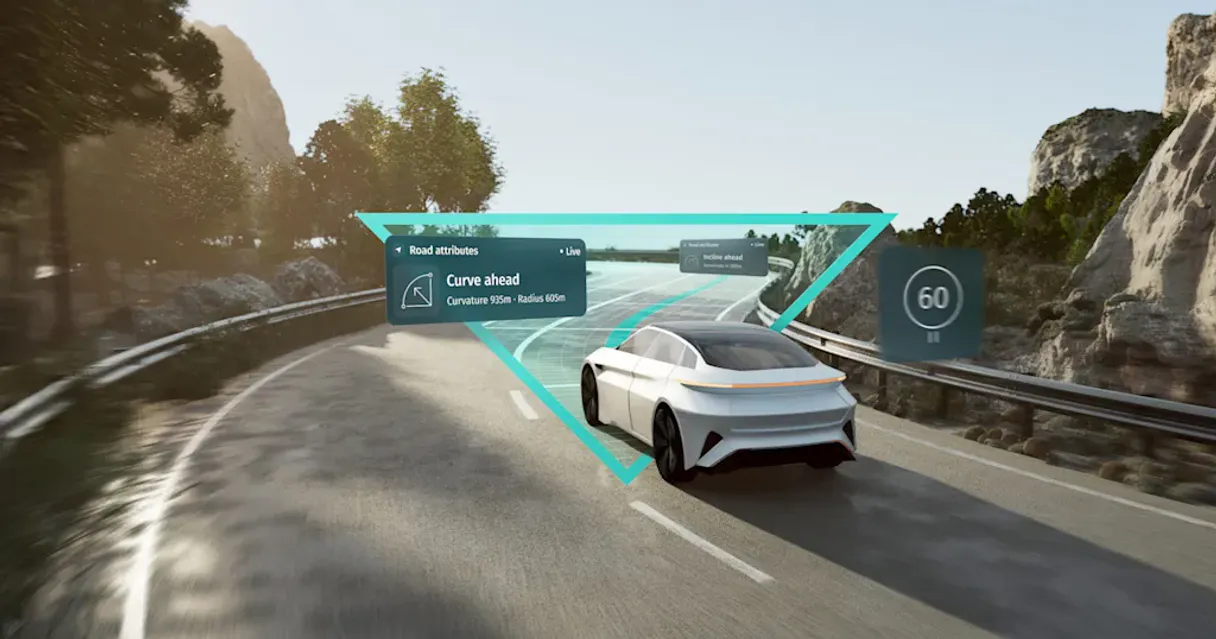
Independent Platform Disclaimer: Vinkius is an independent platform and is not affiliated with, endorsed by, sponsored by, verified by, or otherwise authorized by HERE Technologies. All third-party trademarks, logos, and brand names are the property of their respective owners. Their use on this website is strictly for informational purposes to identify service compatibility and interoperability.
VINKIUS INFRASTRUCTURE
Cloud Hosted
Managed infra
V8 Isolated
Sandboxed per request
Zero-Trust Proxy
No stored credentials
DLP Enforced
Policy on every call
GDPR Compliant
EU data residency
Token Compression
~60% cost reduction
Works with Claude, ChatGPT, Cursor, and more
The Model Context Protocol standardizes how applications expose capabilities to LLMs. Instead of operating in isolation, your AI gains direct access to external platforms, live data, and real-world actions through secure, standardized connections.
This server provides 10 capabilities that interface natively with Claude, ChatGPT, Cursor, and any MCP client. No middleware. No custom integration required.
Available Capabilities
Mapping out a delivery zone shouldn't require five different tabs.
Today, mapping a service area is a mess of clicks. You start by finding the center point, then opening a separate tool to estimate the radius, and finally clicking through another interface to check traffic for that boundary. You end up with three different data points that you have to manually reconcile to get a single, usable picture.
With this MCP Server, you ask your agent: 'Show me all locations within 15 minutes of the depot.' The agent runs `calculate_v8_isoline` and returns the complete, geo-validated polygon boundary immediately. You get the answer, structured and ready to use.
HERE (Location & Maps) MCP Server: Get structured data from any address.
Before, if you only had a partial address or just a neighborhood name, you were stuck. You had to manually search, hoping the results were accurate enough to use as coordinates.
Now, you just ask your agent to use `forward_geocode`. It takes the address, verifies it, and returns precise coordinates that any other tool—like `get_traffic_flow`—can immediately consume. It's a clean handoff, every time.
Common Questions About HERE (Location & Maps) MCP
How do I check traffic with the get_traffic_flow tool? +
You define a geographic area, typically using a bounding box. The tool then retrieves current congestion patterns and reports the specific speeds within that box. This tells you exactly where the slowdowns are.
What is the difference between forward_geocode and reverse_geocode? +
forward_geocode takes an address string and returns coordinates. reverse_geocode does the opposite: it takes coordinates and figures out the street address and property details.
Can I calculate a route that accounts for weather? (calculate_v8_route) +
The tool calculates the optimal route based on current and predicted conditions. By chaining it with get_weather_observation, your agent can build a highly accurate plan that accounts for environmental impacts.
How do I find POIs in a specific area? (discover_places) +
You run discover_places and specify the category (e.g., 'coffee shop') and the location. It returns a list of matching places with rich metadata for deep analysis.
How do I use the calculate_routing_matrix tool for multiple destinations? +
The calculate_routing_matrix tool generates a JSON payload containing multi-node maps. You pass it a set of origins and destinations, and it returns the travel time and distance between every single pair of points.
What does the autosuggest_query tool handle for location input? +
It identifies precise active arrays spanning native Location suggestions. You use it to help users select accurate addresses or points of interest when they don't know the exact coordinates.
Can I determine reachability using the calculate_v8_isoline tool? +
Yes, the calculate_v8_isoline tool generates reachability polygons. Give it a starting point, and it shows you how far you can travel within a set time or distance limit.
What information does the lookup_place_id tool provide? +
This tool provides rich metadata and schema for specific places. You input a unique HERE Place ID and get detailed information about that point of interest.
Can I geocode a list of addresses through my agent? +
Yes. Use the forward_geocode tool to convert any text-based address into precise coordinates. Your agent can process multiple addresses in a single conversation, making it ideal for cleaning up location datasets.
How do I calculate travel time between multiple points? +
The calculate_routing_matrix tool allows you to generate distance and duration spans between arrays of origins and destinations, perfect for fleet optimization and logistics planning.
Can I get real-time traffic updates for a specific area? +
Absolutely. Use the get_traffic_flow tool with a bounding box (bbox) query to detect current congestion patterns and flow speeds, helping you optimize routes based on live road conditions.
Use it with your favorite AI tools
Connect this server to Cursor, Claude, VS Code, and more.
More in this category

Sellfy
Open your online store in minutes and sell physical products, digital downloads, subscriptions, and print-on-demand merchandise.

Oracle Vector DB
Run vector similarity searches on Oracle 23ai — execute VECTOR_DISTANCE queries, inspect schemas, list vector indexes, and query tables from any AI agent.
Feishu Bitable
Collaborative multi-dimensional table platform by Lark — manage bases, tables, and records via AI.
You might also like

Bitwarden
Manage Bitwarden organization resources—collections, events, groups, members, and policies—directly from your AI agent.

Epsilon3 Aerospace Operations
Equip your AI agent to manage operational procedures, track execution runs, and monitor telemetry via the Epsilon3 API.

Habitify
Automate habit tracking via Habitify — manage habits, logs, and personal growth directly from any AI agent.