
Browserless MCP. Run full web interactions, not just API calls.
 Gemini
 Works with every AI agent you already use
…and any MCP-compatible client









Just plug in your AI agents and start using Vinkius.
Browserless (Playwright Cloud) provides a headless browser connection for your AI agent. It lets your agent scrape complex websites, handle dynamic JavaScript, and perform visual tasks like taking screenshots or generating PDFs.
You can bypass common bot detection by using stealth or proxy tools, executing full browser lifecycles safely in the cloud.
What your AI agents can do
Get html content
Retrieves the full, rendered HTML content of a given URL.
Get pdf
Converts a webpage into a printable PDF document.
Get screenshot
Captures a full-page PNG screenshot of the target URL.
The agent retrieves the complete, rendered HTML structure of a target webpage.
The agent autonomously generates high-fidelity visual assets, either as a PDF or a full-page PNG screenshot.
The agent extracts only the data you specify using precise CSS selectors.
The agent executes custom JS scripts to manipulate the page state (e.g., clicking modals) before data extraction.
The agent uses stealth plugins or proxies to mask requests and avoid anti-scraping measures.
The agent runs arbitrary JavaScript functions via the Chrome DevTools Protocol for maximum control.
Ask AI about this MCP
Supported MCP Clients
Gemini Waiting for input…
Browserless (Playwright Cloud) MCP Server: 10 Web Scraping Tools
These tools let your AI agent treat the web like a remote desktop, giving you everything from raw HTML to rendered PDFs and screenshots.
019d75f7get html content
Retrieves the full, rendered HTML content of a given URL.
019d75f7get pdf
Converts a webpage into a printable PDF document.
019d75f7get screenshot
Captures a full-page PNG screenshot of the target URL.
019d75f7run custom function
Runs custom JavaScript code inside the remote browser environment.
019d75f7scrape elements
Extracts data from specific elements on a page using CSS selectors.
019d75f7scrape with js
Injects and runs custom JavaScript before scraping the mutated HTML state.
019d75f7scrape with proxy
Scrapes a URL using a specified proxy server to change the apparent IP address.
019d75f7scrape with stealth
Scrapes content while emulating human browser behavior to bypass bot detection systems.
019d75f7scrape with wait
Scrapes content only after waiting for a specific CSS selector to appear on the page.
019d75f7send custom payload
Sends custom JSON data to any specified Browserless REST endpoint.
Choose How to Get Started
Build a custom MCP for your own tools, or connect a ready-made integration from our catalog.
Build Your Own
Turn any API into an MCP. Import a spec, define Agent Skills, or deploy with MCPFusion.
- Import from OpenAPI, Swagger, or YAML specs
- Create Agent Skills with progressive disclosure
- Deploy to edge with MCPFusion framework
- Built in DLP, auth, and compliance on every call
- Real time usage dashboard and cost metering
- Publish to catalog or keep private
Make Your AI Do More
Start with Browserless (Playwright Cloud), then connect any of our 4,700+ other servers whenever your AI needs more. One click, no limits.
- Use this MCP plus 4,700+ others, all in one place
- Add new capabilities to your AI anytime you want
- Every connection is secured and compliant automatically
- Track usage and costs across all your servers
- Works with Claude, ChatGPT, Cursor, and more
- New servers added to the catalog every week
What you can do with this MCP connector
Browserless Playwright Cloud - Web Scraping & Data Extraction
Your AI agent gets a full headless browser connection. It can scrape complicated sites and handle dynamic JavaScript, taking screenshots or spitting out PDFs the way a real person would. You bypass the usual bot detection crap using stealth modes or proxies, and it runs the whole browser lifecycle safely in the cloud.
Get full page content
Your agent pulls the complete, rendered HTML structure of any page. You can pinpoint specific data points by telling it to use precise CSS selectors. scrape_elements extracts only the data you need, while get_html_content gives you the entire page source.
Create PDFs and screenshots
It generates high-fidelity visual assets on demand. get_screenshot captures a full-page PNG image. get_pdf turns a webpage into a printable PDF document. scrape_with_wait only scrapes content after it waits for a specific element to pop up.
Run JavaScript logic
Need to click a button or manipulate the page before pulling data? scrape_with_js runs custom JavaScript scripts to change the page state right before scraping. You can also run raw JavaScript functions using run_custom_function via the Chrome DevTools Protocol for maximum control. send_custom_payload sends custom JSON data to any specified Browserless REST endpoint.
Bypass bot detection
It handles anti-scraping measures. scrape_with_stealth makes the agent act like a human browser to fool bot detection systems. scrape_with_proxy routes the scraping through a proxy server, changing the apparent IP address so you don't get blocked.
Execute raw browser commands
For maximum control, run_custom_function lets you execute arbitrary JavaScript functions. send_custom_payload sends custom JSON data to any specified Browserless REST endpoint.
How Browserless MCP Works
- 1 Append the Browserless integration to your AI client settings and provide your HTTP Token.
- 2 Prompt your AI agent with a specific web task (e.g., 'Get the price from this page').
- 3 The agent selects the appropriate tool (e.g.,
scrape_elements) and executes the remote browser action, returning the raw data payload.
The bottom line is, your AI agent treats the web like a remote desktop, allowing it to execute code and interact with pages, not just fetch static text.
Who Is Browserless MCP For?
Data Engineers who process complex React/Vue sites, QA Automation teams testing daily builds, and Security Researchers who need isolated browsing environments. If your job requires seeing how a website actually behaves, this is for you.
Reads data from complex frontends that actively fight standard scraping methods, ensuring the payload is complete and accurate.
Instructs the AI to spin up ephemeral browser endpoints to render and screenshot daily builds for automated testing.
Runs malicious or sensitive URL queries through isolated cloud environments, preventing any local machine contamination.
What Changes When You Connect
- Full-Page Rendering: Get the complete, rendered HTML structure using
get_html_content. This handles modern frameworks (like React/Vue) that load content dynamically, which basic fetchers miss. - Visual Output: Need proof of state? Use
get_screenshotfor an immediate PNG orget_pdffor a clean, print-ready document. It's instant visual documentation. - Anti-Detection: Bypass WAFs and bot challenges.
scrape_with_stealthmakes your agent act like a real user, andscrape_with_proxylets you rotate IPs to stay online. - Interaction Control: The page isn't static. Use
scrape_with_jsto click buttons, expand menus, or trigger modals before you scrape the final data state. This is key for complex forms. - Precision Scraping: Stop grabbing everything.
scrape_elementslets you target one specific product ID or price point using a CSS selector, minimizing noise. - Advanced Control: Use
run_custom_functionto expose the raw Chrome DevTools Protocol. This gives your agent direct, low-level access to the browser's memory and state.
Real-World Use Cases
Analyzing a multi-step checkout flow
A QA engineer needs to test a complex e-commerce checkout. They prompt the agent to run scrape_with_js to click the 'Apply Coupon' button, wait using scrape_with_wait for the price to update, and then use scrape_elements to confirm the final discounted price. The agent runs the full lifecycle and provides the confirmed final data payload.
Gathering data from a geo-restricted site
A competitor analysis team needs pricing from a site that blocks basic scrapers. They instruct the agent to use scrape_with_proxy with a specific region's IP, then use get_html_content to capture the full payload, ensuring the geo-lock doesn't interfere.
Generating legal compliance reports
A compliance officer needs a PDF record of a policy page. They ask the agent to use get_pdf on the target URL. The agent renders the page and delivers a clean, printable PDF artifact, eliminating manual printing and formatting.
Capturing a live application state for debugging
A developer needs to debug a staging site. They ask the agent to run get_screenshot on the specific view. The agent spins up a remote browser, captures the full pixel map, and returns the image, allowing the dev team to review the exact state at that moment.
The Tradeoffs
Using basic scraping for modern sites
The user tries to scrape a modern single-page application (SPA) using only scrape_elements on the initial HTML load. The result is empty or missing critical data, because the required content loads only after a JavaScript function runs.
→
You must run scrape_with_js or get_html_content to allow the full JS lifecycle to execute. This forces the browser to render the page before you extract the data.
Ignoring bot detection
The user runs simple scraping commands against a major retailer's site. The system immediately fails or receives a CAPTCHA challenge, preventing any data collection.
→
Always wrap the request in scrape_with_stealth to emulate human browsing, or use scrape_with_proxy if the site blocks IPs.
Expecting static content for complex documents
The user asks for a report and only uses get_html_content. The resulting HTML is too massive and unstructured for a legal team to read or archive.
→
Use get_pdf instead. It renders the page into a clean, structured PDF format suitable for archival and sharing.
Running multiple steps without context
The user runs scrape_elements to get a price, then runs get_screenshot separately. The screenshot might show an old price, making the data inconsistent.
→
Chain your calls: first, use scrape_with_js to manipulate the page, then run get_screenshot or scrape_elements immediately afterward to capture the desired, mutated state.
When It Fits, When It Doesn't
Use this if your data source is a dynamic website, a Single Page Application (SPA), or if you need visual confirmation (PDFs/Images). It’s essential when the data you need only appears after a JavaScript function runs, or when the site actively tries to stop scrapers.
Don't use it if you're just reading a simple, static JSON API endpoint or if you only need to read a basic text file. For those tasks, a simple REST fetcher is faster and lighter. If you only need to read a simple text file, don't use get_html_content; that's overkill.
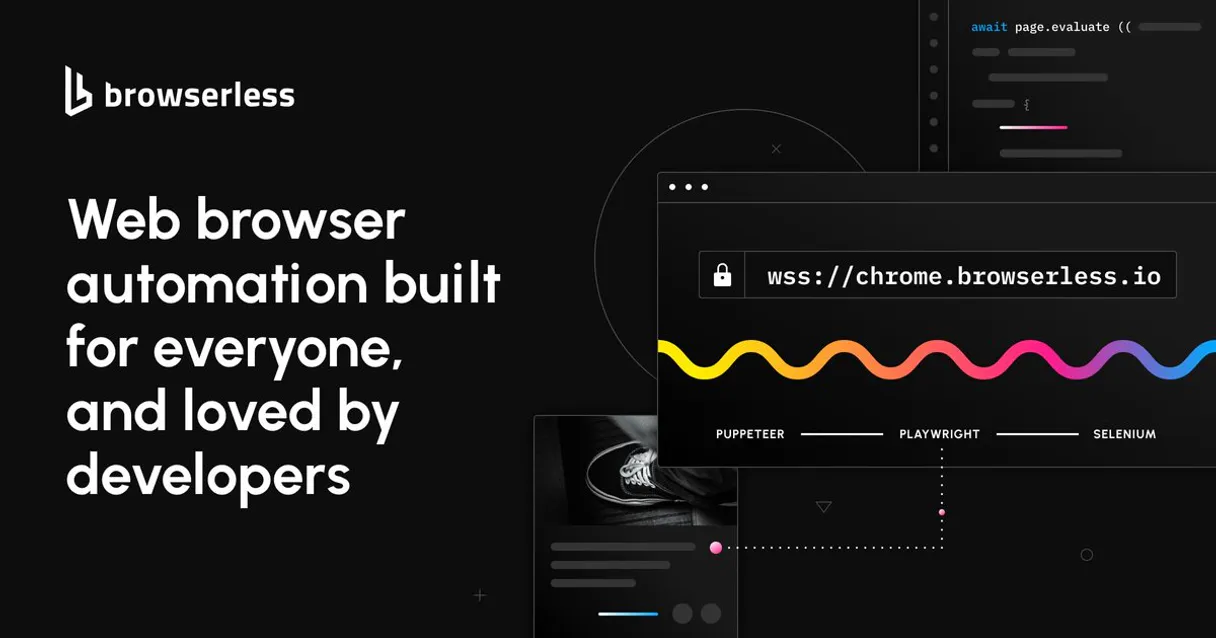
Independent Platform Disclaimer: Vinkius is an independent platform and is not affiliated with, endorsed by, sponsored by, verified by, or otherwise authorized by Playwright Cloud. All third-party trademarks, logos, and brand names are the property of their respective owners. Their use on this website is strictly for informational purposes to identify service compatibility and interoperability.
VINKIUS INFRASTRUCTURE
Cloud Hosted
Managed infra
V8 Isolated
Sandboxed per request
Zero-Trust Proxy
No stored credentials
DLP Enforced
Policy on every call
GDPR Compliant
EU data residency
Token Compression
~60% cost reduction
Works with Claude, ChatGPT, Cursor, and more
The Model Context Protocol standardizes how applications expose capabilities to LLMs. Instead of operating in isolation, your AI gains direct access to external platforms, live data, and real-world actions through secure, standardized connections.
This server provides 10 capabilities that interface natively with Claude, ChatGPT, Cursor, and any MCP client. No middleware. No custom integration required.
Available Capabilities
Manual web scraping means copy-pasting data from half-rendered pages.
Today, scraping requires you to hit the target URL, wait for the page to load, and then manually click through the site to find the data. You often get partial HTML dumps that don't reflect the final state—missing prices, hidden menus, or dynamically loaded content that only appears after the page 'settles.'
With the Browserless MCP Server, you just tell your agent what you need. It runs the full browser lifecycle in the cloud, stabilizing the entire page. You get the fully rendered DOM, whether it’s a 450kb markup string or a clean PDF file. The data is ready for use.
Browserless (Playwright Cloud) MCP Server: Get full web data & page states
Manual scraping means running a series of isolated commands: first, fetch the HTML; then, if it's dynamic, run a separate JS script; then, if you need a visual record, run a third command to screenshot. These steps are brittle and hard to manage.
This MCP Server unifies the process. It handles the full sequence—from running `scrape_with_js` to extracting data via `scrape_elements`—in one flow. You get a single, reliable data output, regardless of how complex the source page is.
Common Questions About Browserless MCP
How do I use the `scrape_with_stealth` tool with Browserless (Playwright Cloud)? +
You use scrape_with_stealth when you expect the target site to block standard bots. It runs the scrape while mimicking human browser characteristics, allowing you to retrieve data even from sites with robust bot detection.
Can I use `get_pdf` with Browserless (Playwright Cloud) to convert a webpage? +
Yes, get_pdf renders the entire webpage content and outputs a clean, structured PDF document. This is perfect for archiving compliance reports or distributing professional-looking summaries.
What is the difference between `get_html_content` and `scrape_elements`? +
get_html_content dumps the entire raw HTML source. scrape_elements is more precise; it only pulls out the specific data you point to using a CSS selector, which is usually what you want.
How do I make sure the page is fully loaded before scraping? +
Use scrape_with_wait to pause the scraping process until a specific element (like a product price) appears. Alternatively, run scrape_with_js to trigger necessary interactions, like clicking a tab.
Can I use `get_screenshot` to verify a web page state? +
Yes. get_screenshot takes a full-page PNG of the site. It's a quick, visual way to confirm that a page rendered correctly or that a button is visible after an action.
How do I handle complex interactions using `scrape_with_js` with Browserless (Playwright Cloud)? +
You inject and run a custom JavaScript script directly into the remote browser context. This lets your agent manipulate the DOM—like clicking a button or expanding a modal—before the main scraping function runs. It's essential for modern, interactive single-page applications (SPAs).
What's the best way to scrape content from a proxy or private IP using `scrape_with_proxy`? +
Simply pass the desired proxy credentials and target URL to the scrape_with_proxy tool. The remote browser uses that specific endpoint, bypassing standard IP restrictions or geographical blocks for the extraction.
Do I need to use `scrape_with_stealth` if I'm getting blocked by Cloudflare? +
Yes, scrape_with_stealth is designed specifically to bypass anti-bot measures like Cloudflare and Data Dome. It emulates human browsing patterns, making your requests look legitimate to the target website's security systems.
Can the agent scrape modern SPAs built with React or Vue? +
Absolutely. Because Browserless exposes actual Chrome environments via Playwright, standard JavaScript rendering pipelines execute exactly as they do on a user's machine. The agent simply captures the stabilized final DOM states post-hydration, making it remarkably effective for highly dynamic single-page applications.
What does `scrape_with_wait` do exactly when instructed to an AI? +
If a website relies on extremely heavy animations or subsequent lazy-loaded payload responses, get_html_content might return prematurely. Requesting your agent to use scrape_with_wait accompanied by a distinct selector (e.g., #main-data-table) locks the Browserless virtual container actively polling the CDP port. Only when that element materializes will it snap the payload back to you.
Are the screenshots produced bound to specific screen dimensions? +
By default, calling get_screenshot leverages Browserless' intrinsic 'Full Page' modifier. It synthetically commands the headless browser frame to extend computationally, absorbing the complete top-to-bottom scroll bounds of the rendered website into a massive, crystal clear uncropped PNG artifact.
Use it with your favorite AI tools
Connect this server to Cursor, Claude, VS Code, and more.
More in this category
BugSnag
Monitor application errors via BugSnag — track stability, inspect error groups, and retrieve event details directly from any AI agent.
Directus
Manage any SQL database via Directus — handle collection items, audit schemas and fields, manage users, and track media storage directly from any AI agent.

Haversine Distance Engine
Calculate precise geographic distances between GPS coordinates instantly. Uses the Haversine formula for exact spherical routing.
You might also like

Stripe Legacy
Manage payments, customers, and account balances on Stripe via the legacy API with AI agents.
MaintainX
Manage work orders, assets, and facility locations via the MaintainX REST API.

U.S. Census Full — Complete Demographic & Economic Intelligence
The U.S. Census Mega-Server: 14 tools providing comprehensive access to the ACS and County Business Patterns. Analyze population, age, race, income, poverty, education, home values, rent, and businesses across all 50 states, 3,000+ counties, and cities.