
Heroku (PaaS) MCP. Manage cloud apps and dyno state from your chat client.
 Gemini
 Works with every AI agent you already use
…and any MCP-compatible client









Just plug in your AI agents and start using Vinkius.
Heroku (PaaS) MCP Server gives your AI agent full control over cloud-native application management. You can list all apps, audit environment variables, track dyno status, and perform hard reboots or toggle maintenance mode—all through natural conversation.
Manage your entire cloud infrastructure without leaving your IDE.
What your AI agents can do
Create app
Creates a fresh structural App container on Heroku.
Delete app
Permanently wipes an active App from Heroku servers. Warning: this is highly destructive.
Get app info
Fetches the app's runtime constraints, framework details, regional placement, and total code size.
Fetch detailed information about a specific app, including runtime constraints, framework details, and memory size.
Discover all active apps on Heroku and provision or delete entire application containers.
Dump decrypted application environment variables (Config Vars) and list attached third-party services.
List individual containerized dynos, check their status, and selectively or globally reboot them.
Rapidly switch an application's maintenance mode or hard reboot stalled application clusters.
Ask AI about this MCP
Supported MCP Clients
Gemini Waiting for input…
Heroku (PaaS) MCP Server: 10 Tools for App & Dyno Operations
These tools let your AI agent execute every operational command needed to manage Heroku applications, from creating new containers to forcing specific dyno reboots.
019d75b0create app
Creates a fresh structural App container on Heroku.
019d75b0delete app
Permanently wipes an active App from Heroku servers. Warning: this is highly destructive.
019d75b0get app info
Fetches the app's runtime constraints, framework details, regional placement, and total code size.
019d75b0list addons
Retrieves a mapping of third-party Platform Add-ons connected to an app.
019d75b0list apps
Lists all standard applications currently hosted on Heroku PaaS, providing their IDs and web URLs.
019d75b0list config vars
Dumps decrypted application environment variables, including sensitive tokens and keys.
019d75b0list dynos
Lists discrete containerized Dynos running inside an app, showing their current status (up, crashed, idle, starting).
019d75b0restart all dynos
Hard reboots all containers tied to an entire application, often fixing memory leaks in runtimes.
019d75b0restart specific dyno
Selectively reboots one isolated Dyno instance, useful for unsticking queue workers without affecting web traffic.
019d75b0toggle maintenance mode
Switches an application's maintenance mode, blocking inbound requests during migrations.
Choose How to Get Started
Build a custom MCP for your own tools, or connect a ready-made integration from our catalog.
Build Your Own
Turn any API into an MCP. Import a spec, define Agent Skills, or deploy with MCPFusion.
- Import from OpenAPI, Swagger, or YAML specs
- Create Agent Skills with progressive disclosure
- Deploy to edge with MCPFusion framework
- Built in DLP, auth, and compliance on every call
- Real time usage dashboard and cost metering
- Publish to catalog or keep private
Make Your AI Do More
Start with Heroku (PaaS), then connect any of our 4,700+ other servers whenever your AI needs more. One click, no limits.
- Use this MCP plus 4,700+ others, all in one place
- Add new capabilities to your AI anytime you want
- Every connection is secured and compliant automatically
- Track usage and costs across all your servers
- Works with Claude, ChatGPT, Cursor, and more
- New servers added to the catalog every week
What you can do with this MCP connector
Yo, you're gonna get full control over your cloud-native apps with this Heroku MCP Server. Your agent can manage everything—from listing apps to rebooting dynos—just by talking to it. You won't need to leave your IDE to handle your whole cloud stack.
View Application Details
Want to know the guts of an app? Use get_app_info to pull its runtime constraints, framework details, regional placement, and total code size. You can also run list_addons to see every third-party Platform Add-on hooked up to the app.
List and Manage Apps
Need to know what apps you've got running? list_apps spits out all the standard apps on Heroku, giving you their IDs and web URLs. If you need a new container, create_app spins up a fresh structural App. Be careful, though: delete_app permanently wipes an active App from the servers. It's highly destructive.
Audit Environment Variables
Want to check what's in the background? list_config_vars dumps the decrypted application environment variables, including sensitive tokens and keys. You can also use list_addons to get a map of all attached services.
Monitor and Reboot Dynos
Track your containers with list_dynos; it shows every individual Dyno running in an app and its status—whether it's up, crashed, idle, or starting. If you gotta fix something, you can hard reboot all containers with restart_all_dynos, which usually fixes those memory leaks. For a smaller fix, restart_specific_dyno lets you reboot just one isolated Dyno instance, perfect for unsticking queue workers without messing with web traffic.
Control Application State
Need to take the app offline for a migration? toggle_maintenance_mode switches the app's maintenance mode, blocking any inbound requests. If the whole cluster stalls, restart_all_dynos kicks it back into gear. You'll manage your whole cloud infrastructure using these tools.
How Heroku (PaaS) MCP Works
- 1 Subscribe to the Heroku server and provide your Heroku API Key.
- 2 Reference the target app (e.g., 'production-api') and the action (e.g., 'list all dynos').
- 3 Your AI client executes the required tool, and you get a real-time status report of the application state.
The bottom line is, your AI client talks to Heroku's API, and you get the operational status back, all without opening the web dashboard.
Who Is Heroku (PaaS) MCP For?
The DevOps Engineer who's tired of clicking through dashboards at 2 a.m. The Backend Developer who needs to check a config var or app status without leaving their IDE. System Admins who manage lifecycles across multiple regions—this is for anyone who treats infrastructure management as code.
Monitors dyno health, performs rolling restarts, or forces cluster reboots via natural conversation.
Checks environment variables, add-on statuses, and deployment regions directly from their coding environment.
Manages maintenance windows and application lifecycles across multiple environments and regions efficiently.
What Changes When You Connect
- See the full scope of your deployment with
list_apps. You immediately get IDs, web URLs, and git targets for every service you run. No guessing which app is which. - Audit sensitive credentials instantly.
list_config_varsdumps decrypted environment variables—your database URLs, SendGrid keys, and OAuth tokens—without switching tabs. - Pinpoint exactly what's wrong with a service. Instead of guessing, use
list_dynosto see if a specific container is 'crashed' or 'idle'. Then, userestart_specific_dynoto fix it. - Control the deployment window safely. Use
toggle_maintenance_modeto block traffic before a migration. You can't risk corrupted states from active sessions. - Diagnose performance issues fast.
get_app_infotells you the app's runtime constraints and total slug size in memory. This helps you understand the physical limits of the container. - Fix stalled processes reliably. Use
restart_all_dynoswhen a cluster is hanging due to memory leaks. It's a hard reboot that resolves transient issues fast.
Real-World Use Cases
The Emergency Dyno Reboot
A user notices the primary web app is slow. Instead of logging into the dashboard and guessing which worker is stuck, they prompt their agent: 'Restart all dynos for production-api.' The agent runs restart_all_dynos, recycling all containers and resolving the memory leak in minutes.
Pre-Migration Lockdown
The team needs to run a database migration. They first ask the agent to check the status: 'Is staging-web in maintenance mode?' The agent confirms it's off. The user then calls toggle_maintenance_mode to block inbound requests, ensuring the migration runs against zero active sessions.
Checking Secret Variables
A developer needs to verify the DATABASE_URL for a new feature branch. Instead of navigating to the settings page, they ask their agent to run list_config_vars. The agent immediately returns the decrypted variable, letting them code without context switching.
Full Infrastructure Audit
A sysadmin needs a full picture of a service. They prompt the agent to run get_app_info and list_addons. They get the region, the framework type, the total code size, and all connected add-ons in one chat response.
The Tradeoffs
Dashboard Diving
Manually clicking through the Heroku dashboard to find the dyno status, then clicking the specific dyno, and finally copying the runtime details. This takes five to ten clicks and involves context switching.
→
Tell your agent to run list_dynos for the specific app. It gives you the status ('up', 'crashed', 'idle') immediately. If you need more, run get_app_info to get the framework details and region.
Ignoring State Changes
Assuming a service is fine because the website loads. The problem is often a hung background worker that isn't impacting the frontend but is failing silently, wasting resources.
→
You need to check the background workers. Run list_dynos and look for workers that are 'crashed' or 'idle'. If they look bad, use restart_specific_dyno to reboot just that worker without touching the main web app.
Trying to guess config vars
Manually recalling or guessing which environment variable holds the latest endpoint or secret key, leading to deployment failures and manual credential retrieval.
→
Run list_config_vars. The agent dumps all decrypted environment variables. You see the source of truth for every key needed for deployment.
When It Fits, When It Doesn't
Use this if you need to treat your cloud infrastructure like an API: if you need to query the state of resources (e.g., 'What apps do I have?' -> list_apps) or perform a specific, documented action (e.g., 'Reboot the whole thing' -> restart_all_dynos). Don't use this if you just need to check a simple status indicator (e.g., 'Is the button green?'). For simple status checks, other basic monitoring tools might suffice, but if you need to act on the status or get deep metadata, this server is necessary. If your workflow involves checking configuration and then making a change, this is your tool.

Independent Platform Disclaimer: Vinkius is an independent platform and is not affiliated with, endorsed by, sponsored by, verified by, or otherwise authorized by Heroku. All third-party trademarks, logos, and brand names are the property of their respective owners. Their use on this website is strictly for informational purposes to identify service compatibility and interoperability.
VINKIUS INFRASTRUCTURE
Cloud Hosted
Managed infra
V8 Isolated
Sandboxed per request
Zero-Trust Proxy
No stored credentials
DLP Enforced
Policy on every call
GDPR Compliant
EU data residency
Token Compression
~60% cost reduction
Works with Claude, ChatGPT, Cursor, and more
The Model Context Protocol standardizes how applications expose capabilities to LLMs. Instead of operating in isolation, your AI gains direct access to external platforms, live data, and real-world actions through secure, standardized connections.
This server provides 10 capabilities that interface natively with Claude, ChatGPT, Cursor, and any MCP client. No middleware. No custom integration required.
Available Capabilities
Debugging a service shouldn't require clicking through five different dashboards.
Today, finding out why a service is slow is a nightmare. You check the dashboard for general status. Then you click into 'Apps' to see if the service container is running. Then you click into 'Variables' to see the connection string. You copy the data, open a spreadsheet, and then manually check the region settings. It's a multi-tab, multi-page, copy-paste routine.
With this MCP server, you just ask your agent to check the app status. It runs the necessary tools and spits out a single, structured response. You get the app ID, the dyno status, the region, and the configuration variables all in one go. It's immediate, actionable data.
Heroku (PaaS) MCP Server: Control App Lifecycle
You don't have to manually switch to maintenance mode, run a script, and then switch back. You ask your agent to `toggle_maintenance_mode` first. This locks the service down. Once the migration is confirmed complete, you ask the agent to unlock it. The entire lifecycle is orchestrated via chat commands.
The difference is control. You stop treating deployments as a series of manual steps. You treat them as a conversational workflow, where the agent handles the state transitions and failure points.
Common Questions About Heroku (PaaS) MCP
How do I list all my Heroku apps using the `list_apps` tool? +
Run the list_apps tool. It gives you a list of all active app IDs and their web URLs, which you need to reference for any subsequent operational command.
What is the difference between `restart_all_dynos` and `restart_specific_dyno`? +
restart_all_dynos hard reboots every container linked to an app. Use this for global memory leaks. Use restart_specific_dyno when you only need to unstick one isolated worker without impacting the main web traffic.
Can I audit my sensitive credentials with `list_config_vars`? +
Yes, list_config_vars dumps all decrypted application environment variables. This includes sensitive tokens like DATABASE_URL and OAuth keys, so treat the output as highly confidential.
How do I check if an app is ready for a database migration? +
First, run toggle_maintenance_mode to switch the app into maintenance mode. This blocks inbound requests, guaranteeing a clean state for your database changes.
How do I check the status of my deployed containers using the `list_dynos` tool? +
The list_dynos tool shows the exact status of each container. It tells you if a dyno is 'up', 'crashed', 'idle', or 'starting', which is key for troubleshooting. You can track the status directly from the internal slug runner engine's telemetry.
What kind of information does `get_app_info` provide about my application? +
It gives detailed information about the app's runtime constraints and framework details. You get the exact application routing URL map, the total code size in memory (the slug size), and regional datacenter placements, like US or EU.
Can I audit which third-party services are connected to my app using `list_addons`? +
Yes, the list_addons tool retrieves a map of third-party Platform Add-ons connected to your app. This helps you see if you're using services like Postgres or Redis.
How do I perform a hard reboot on my application cluster using `restart_all_dynos`? +
The restart_all_dynos tool forces a hard reboot on every container tied to the entire application. This often fixes transient issues, such as memory leaks in Node.js or Ruby runtimes that are stalling standard request processing.
Can I see the status of my dynos through my agent? +
Yes. Use the list_dynos tool to see the real-time status of each container process (e.g. web.1, worker.1). You'll know exactly if a dyno is up, crashed, starting, or idle.
How do I check my application's environment variables? +
The list_config_vars tool allows your agent to dump the full dictionary of environment variables injected into your dynos, including sensitive keys like DATABASE_URL or API tokens.
Can my agent restart a specific hung worker without affecting the web traffic? +
Absolutely. Use the restart_specific_dyno tool to reboot a single instance (e.g. worker.2). This is perfect for unsticking hung asynchronous queue workers without impacting your primary frontend traffic.
Use it with your favorite AI tools
Connect this server to Cursor, Claude, VS Code, and more.
More in this category

IBM Quantum
Connect IBM Quantum to any AI agent via MCP.
Volcengine RTC
Bring ByteDance's internal RTC Engine to your AI workflow. Administrate audio/video calls, manage servers, and start Mixes.
Zoho Inventory
Manage inventory, orders, and contacts on Zoho Inventory with AI agents.
You might also like

Messenger
Control and manage your Facebook Page conversations — audit messages and personas via AI.

Wikidata
Access the world's largest open knowledge graph—query entities via SPARQL, perform vector searches, and manage structured data directly from your AI agent.
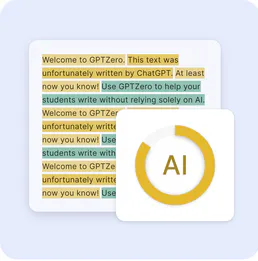
GPTZero
Detect AI-generated text with confidence scores and highlight exactly which passages were likely written by a language model.