
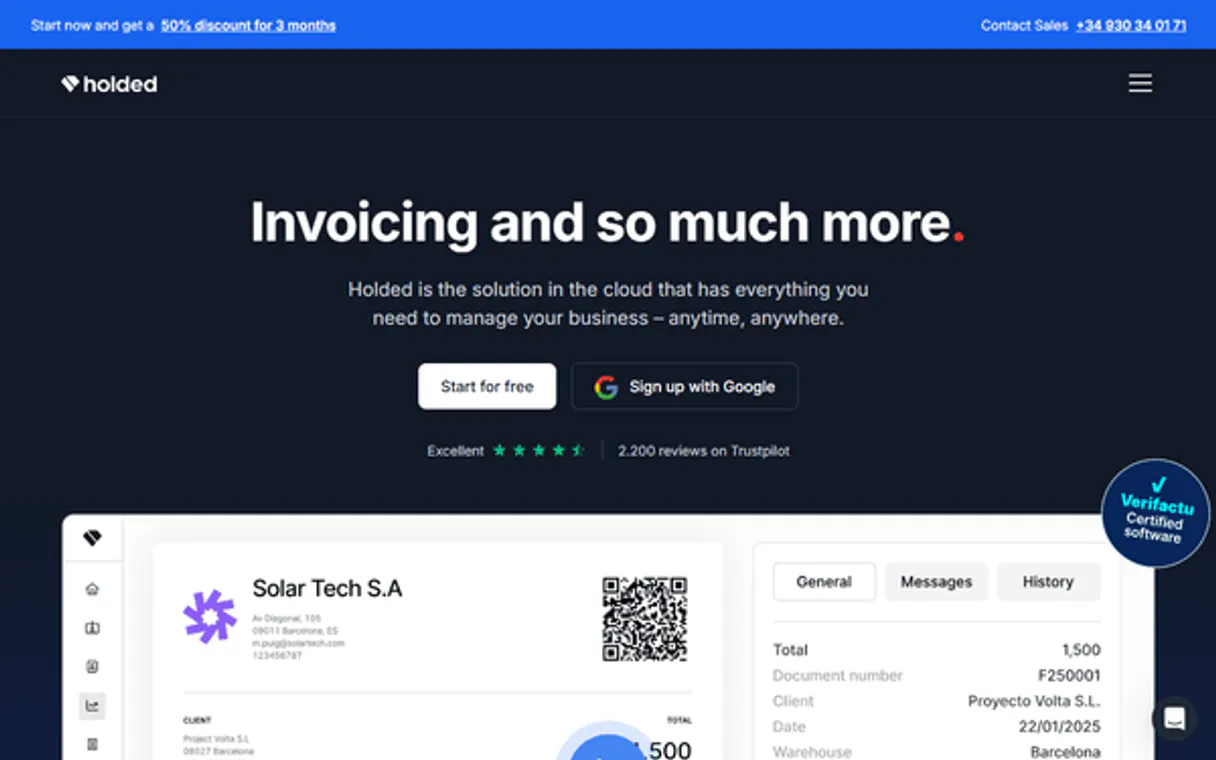
Holded MCP for AI. Handle full accounting and CRM tasks by talking to your agent.
 Gemini
 Works with every AI agent you already use
…and any MCP-compatible client









How this MCP server connects to your AI agent
Holded MCP connects your AI client directly to your accounting and business records in Spain and Latin America. Manage everything from generating invoices and tracking payments to handling inventory counts—all through natural conversation.
Get full control of your ERP workflows without navigating complex menus.
What AI agents can do with Holded Automation
Create invoice
Generates a brand-new invoice for a specified client and set of goods.
List contacts
Retrieves a list of all saved clients and contacts in the system.
List credit notes
Lists all credit notes issued through Holded.
Retrieve or list existing contacts and client information from your CRM.
Generate new invoices using specific contact details and product items.
Fetch lists of past sales invoices, credit notes, payments, and expenses for auditing.
Monitor supplier relationships by listing purchase orders and associated purchase invoices.
List all available products to confirm current stock levels in your warehouse.
Ask an AI about this
Waiting for input…
What AI agents can do with Holded MCP with 12 Tools
These tools let you perform specific actions like creating invoices, listing contacts, or managing purchase orders directly through your agent.
Make your AI actually useful.
Add this MCP to Claude, Cursor, or Windsurf and your AI stops guessing. It gets real tools to look things up, take action, and handle the stuff you keep doing by hand.
Start using Holded on VinkiusCreate Invoice
Generates a brand-new invoice for a specified client and set of goods.
List Contacts
Retrieves a list of all saved clients and contacts in the system.
List Credit Notes
Lists all credit notes issued through Holded.
List Expenses
Retrieves a list of recorded business expenses for review.
List Invoices
Lists all finalized sales invoices that have been issued.
List Payments
Pulls a list of recent payments received or processed.
List Products
Retrieves the current inventory list and stock details for all products.
List Purchase Invoices
Lists invoices received from your suppliers.
List Purchase Orders
Retrieves a list of purchase orders sent to vendors.
List Quotes
Shows all sales quotes that have been generated but not yet converted into an...
List Sales Orders
Lists all formal sales orders placed by customers.
List Webhooks
Shows a list of active webhook configurations for the account.
Security and governance baked right in.
Pick your AI client below to get set up. Just create a Vinkius account, subscribe, and you're instantly up and running. We handle the entire backend infrastructure, delivering out-of-the-box support for HTTPS Streamable, SSE, and OAuth2—zero messy routing required.
Claude AI
Open Claude Settings
Go to claude.ai, click your profile icon, then navigate to Customize → Connectors.
Add Custom Connector
Click the "+" button and select Add custom connector. Paste your Vinkius endpoint URL:
https://edge.vinkius.com/[YOUR_TOKEN_HERE]/mcp
Replace [YOUR_TOKEN_HERE] with your token
from cloud.vinkius.com. For OAuth-protected servers, expand
Advanced settings to add credentials.
Start a conversation
Open a new chat. The Holded integration is available immediately — no restart needed.
Choose How to Get Started
Build a custom MCP for your own tools, or connect a ready-made integration from our catalog.
Build Your Own
Turn any API into an MCP. Import a spec, define Agent Skills, or deploy with MCPFusion.
- Import from OpenAPI, Swagger, or YAML specs
- Create Agent Skills with progressive disclosure
- Deploy to edge with MCPFusion framework
- Built in DLP, auth, and compliance on every call
- Real time usage dashboard and cost metering
- Publish to catalog or keep private
Make Your AI Do More
Start with Holded, then connect any of our 5,100+ other servers whenever your AI needs more. One click, no limits.
- Use this MCP plus 5,100+ others, all in one place
- Add new capabilities to your AI anytime you want
- Every connection is secured and compliant automatically
- Track usage and costs across all your servers
- Works with Claude, ChatGPT, Cursor, and more
- New servers added to the catalog every week
Independent Platform Disclaimer: Vinkius is an independent platform and is not affiliated with, endorsed by, sponsored by, verified by, or otherwise authorized by Holded. All third-party trademarks, logos, and brand names are the property of their respective owners. Their use on this website is strictly for informational purposes to identify service compatibility and interoperability.
VINKIUS INFRASTRUCTURE
Cloud Hosted
Managed infra
V8 Isolated
Sandboxed per request
Zero-Trust Proxy
No stored credentials
DLP Enforced
Policy on every call
GDPR Compliant
EU data residency
Token Compression
~60% cost reduction
Built on the Model Context Protocol (MCP) for Claude, ChatGPT, Cursor, and more
The Model Context Protocol standardizes how applications expose capabilities to LLMs. Instead of operating in isolation, your AI gains direct access to external platforms, live data, and real-world actions through secure, standardized connections.
This connection provides 12 powerful capabilities that interface natively with Claude, ChatGPT, Cursor, and other compatible AI platforms. No middleware. No custom integration required.
The constant jumping through menus kills workflow speed., Solved with Vinkius AI Gateway
Right now, finding a simple customer balance requires clicking into the client record, switching tabs to 'Invoices,' filtering by status, and then manually calculating if there are any outstanding amounts. If you have five clients to check, that's ten minutes of repetitive clicks.
With this MCP, you just ask your agent: 'How much do I owe on these three accounts?' It runs the necessary checks behind the scenes using tools like `list_invoices` and gives you a consolidated answer instantly. You get back time.
List Contacts & Manage Customer Data
Previously, if you needed to update an address or find a client ID for billing, you had to navigate the CRM module and manually search through dozens of records. It was slow and prone to human error.
Now, simply tell your agent: 'Check my contacts list for Jane Doe.' The tool handles the lookup using `list_contacts` and gives you the clean data you need right away. That's a massive difference.
What your AI can actually do with this
You can use this MCP to take over core parts of your business operations, making your AI agent function like a dedicated bookkeeper or administrator. Instead of logging into the Holded portal and clicking through tabs for every task, you just talk to your agent. It reads your customer list, checks what's owed, manages inventory counts, and even drafts sales orders and purchase tracking records.
Your agent handles everything from setting up a new contact record to listing all recent payments or retrieving specific financial reports. This centralization means you don't have to jump between multiple systems just to figure out a customer’s balance. It's like having an expert embedded right into your conversation flow, giving you immediate access to data that used to be buried deep in complex ERP menus.
For the best catalog of tools and integrations, check out Vinkius.
019dd104-9cb6-737a-8744-7f15a9c19907 
Here's how it actually works
The bottom line is that once it's connected, you just talk to your agent; it handles the complex backend calls for you.
Subscribe to this MCP on Vinkius.
Generate an API Key within your Holded settings (Settings > Developers).
Connect the key to your preferred AI client. Your agent can then access all accounting and CRM functions.
Who is this actually for?
Small-to-medium business owners and department heads who are spending too much time manually navigating ERP dashboards. You need someone who can pull financial data on demand without a manual request form.
Quickly gathering reports for month-end closing, like listing all unpaid sales invoices or compiling recent business expenses.
Maintaining supply chain accuracy by checking product inventory and managing supplier purchase orders.
Handling daily billing cycles, such as creating new invoices or updating contact records without having to log into the back office system.
What Changes When You Connect
Stop manually checking statuses. You can list all sales invoices or check for overdue payments with a single prompt, getting immediate financial status updates.
Streamline the initial sale process. Instead of drafting quotes in one spot and then creating an invoice later, you can manage everything from listing quotes to finally calling create_invoice right through your agent.
Keep track of money coming in and out. You don't have to jump between different screens to verify financial health; simply list payments or view recorded business expenses.
Manage the supply chain without logging into inventory software. Use list_products to get an instant count of stock, ensuring you know what you can sell right now.
Simplify purchasing records. You can check supplier relationships by listing purchase orders and comparing them against received invoices using list_purchase_invoices.
See it in action
The month-end financial audit
An accountant needs to know how much money is owed. They ask their agent to list all sales invoices and then follow up by listing the payments received last week, getting a complete picture of receivables without opening two separate reports.
Handling an urgent customer billing request
A business owner needs to bill a client immediately. They use list_contacts first to verify the ID, then tell their agent to create an invoice for them using create_invoice, getting it done in three natural steps.
Verifying stock before a big sale
An operations manager needs to confirm if they have enough items. They ask the agent to list products, check the quantities, and then use that data to draft sales orders for the team.
Reviewing vendor payments
A finance controller wants to reconcile accounts payable. They instruct their agent to list purchase invoices from three months ago and compare them against any existing purchase orders using list_purchase_orders.
The honest tradeoffs
Trying to find a single customer's balance
Logging into the portal, navigating to 'Clients,' searching for the name, clicking on them, then finding the tab for 'Invoices' and finally looking through the list.
Just ask your agent. Tell it: 'What is the current outstanding balance for [Client Name]?' It handles checking all necessary tools like list_invoices and calculating the difference.
Listing everything in one go
Asking, 'Give me every single piece of data about money.' This results in a massive dump of irrelevant files, making it impossible to find what you need.
Be specific. Ask: 'List all unpaid sales invoices over 30 days old' or 'Show me the expenses from last month' (using list_expenses). Keep the scope narrow.
Assuming data is always ready
Telling your agent to create a payment schedule without first checking if the customer has any outstanding quotes or sales orders.
Always confirm the starting point. First, run list_quotes or list_sales_orders. Then, use that confirmed data to ask the agent to generate the schedule.
When It Fits, When It Doesn't
Use this MCP if your core business processes revolve around structured accounting tasks: invoicing, tracking sales/purchases, and managing physical inventory. You need an AI layer that can execute multi-step financial logic across specific records, like checking a contact's history before creating an invoice. Don't use it if you just need general data storage or simple messaging—other types of MCPs are better for those jobs. If your goal is merely to read documentation or generate generic text, this isn't the right tool. However, if your pain point is constantly switching between billing software, CRM, and inventory sheets, then this MCP saves you massive time.
Questions you might have
How do I create an invoice using Holded MCP? +
You tell your agent to generate a new invoice, specifying the contact and items. The create_invoice tool handles generating the document with all the required fields.
What is the difference between list_invoices and list_sales_orders in Holded MCP? +
list_sales_orders shows pending orders that haven't been billed yet. list_invoices shows the final billing documents, meaning payment should be due soon.
Can I list payments using Holded MCP? +
Yes. The list_payments tool lets your agent pull a record of all recent money transfers and transactions recorded in the system.
Does Holded MCP help with inventory? +
It does. You can use the list_products tool to instantly check stock levels for any item without visiting the dedicated inventory dashboard.
When I run `list_contacts`, what specific data points does my agent receive about each contact? +
The tool returns core CRM details like name, email, phone number, and associated ID. You can also find linked records for their invoices or expenses within the same API call.
How should I handle rate limits when querying `list_purchase_invoices` repeatedly? +
The MCP handles standard API rate limiting, but if you run many queries in a short time span, your agent will receive an explicit error code. You'll need to implement a small delay or batch your requests.
If I use `list_webhooks`, can the MCP help me monitor for real-time changes across my accounts? +
The tool lists existing webhooks, but it doesn't trigger them. To get real-time updates, you must configure your AI client to listen for events fired by Holded itself.
When calling `list_credit_notes`, what do I need to know about the required date range parameters? +
You must specify a valid start and end date for accurate results. If the date range overlaps with no recorded notes, the tool simply returns an empty list, which is expected behavior.
Where do I find my API Key? +
You can generate your API key inside your Holded account under Settings > Developers.
Does the integration support inventory management? +
Yes, you can list and manage products, variants, and stock levels using the list_products and related tools.
Can I create invoices automatically with my AI agent? +
Yes, the server includes tools to create sales invoices, quotes, and credit notes by providing the necessary customer and item details.
We've already built the connector for Holded. Just plug in your AI agents and start using Vinkius.
No hosting. No infrastructure. No complex setup.
All 12 tools are live and waiting.
You're up and running in seconds.
Gemini Vinkius gives your AI agents access to the full catalog of app connectors, all fully managed, secure, and enterprise-ready. One subscription, every tool you need.
Built, hosted, and secured by Vinkius. You just connect and go.