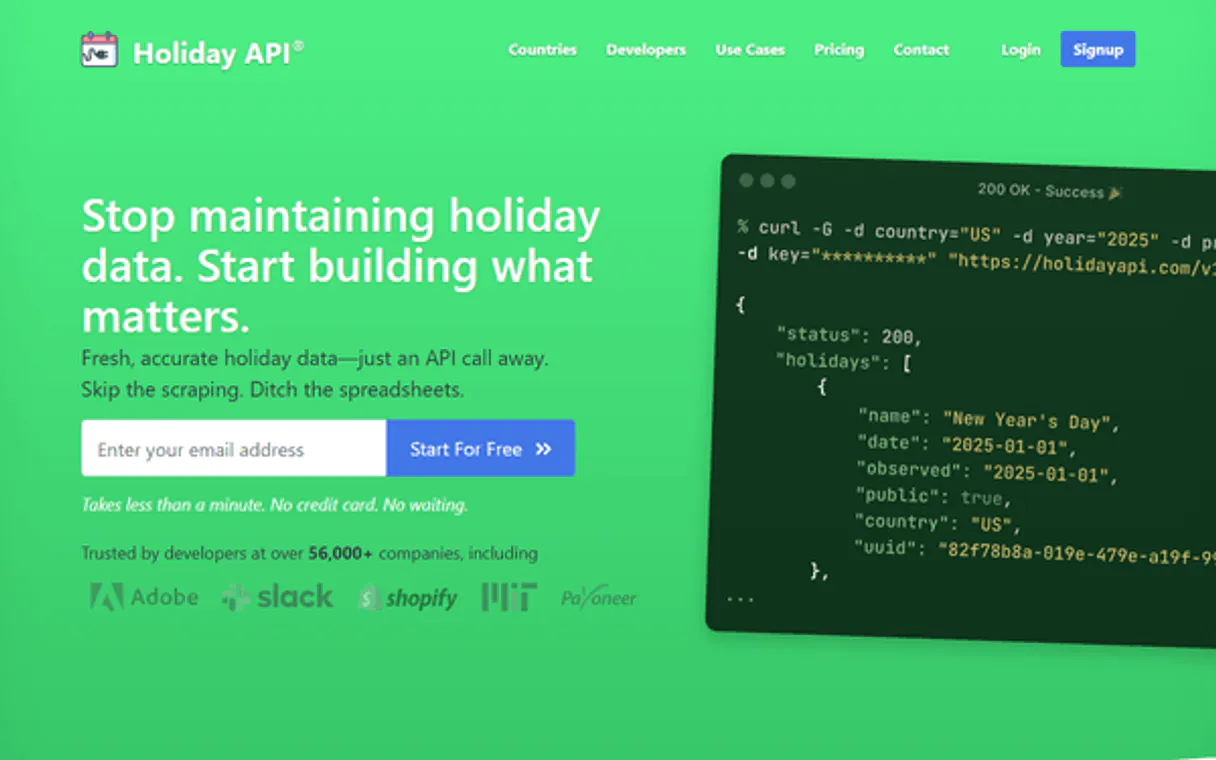
Holiday API MCP. Audit global holidays and workdays instantly.
Works with every AI agent you already use
…and any MCP-compatible client

Just plug in your AI agents and start using Vinkius.
Holiday API manages global holiday data. Your AI agent reads public and federal holidays for over 200 countries, helping you audit workdays and plan international logistics.
It calculates workdays between dates or finds the next working day, eliminating manual calendar checks for global payroll and event planning.
What your AI agents can do
Get holidays
Gets a list of public holidays for a specified country and year.
Get next workday
Calculates the date that falls after a specific number of workdays from a starting date.
Get workdays count
Counts the total number of working days between two given dates.
Gets a list of public and federal holidays for a specific country and year.
Counts the number of working days between two specified dates.
Calculates the date that falls after a specified number of workdays from a starting date.
Retrieves a list of all countries and languages the API can process.
Ask AI about this MCP
Supported MCP Clients
Waiting for input…
019d8445get holidays
Gets a list of public holidays for a specified country and year.
019d8445get next workday
Calculates the date that falls after a specific number of workdays from a starting date.
019d8445get workdays count
Counts the total number of working days between two given dates.
019d8445list supported countries
Lists all country codes that the Holiday API supports.
019d8445list supported languages
Lists all languages supported by the Holiday API.
Choose How to Get Started
Build a custom MCP for your own tools, or connect a ready-made integration from our catalog.
Build Your Own
Turn any API into an MCP. Import a spec, define Agent Skills, or deploy with MCPFusion.
- Import from OpenAPI, Swagger, or YAML specs
- Create Agent Skills with progressive disclosure
- Deploy to edge with MCPFusion framework
- Built in DLP, auth, and compliance on every call
- Real time usage dashboard and cost metering
- Publish to catalog or keep private
Make Your AI Do More
Start with Holiday API, then connect any of our 4,700+ other servers whenever your AI needs more. One click, no limits.
- Use this MCP plus 4,700+ others, all in one place
- Add new capabilities to your AI anytime you want
- Every connection is secured and compliant automatically
- Track usage and costs across all your servers
- Works with Claude, ChatGPT, Cursor, and more
- New servers added to the catalog every week
What you can do with this MCP connector
The Holiday API gives your AI agent access to global holiday data. Your agent reads public and federal holidays for over 200 countries, letting you audit workdays and plan international logistics. It calculates workdays between dates or finds the next working day, eliminating manual calendar checks for global payroll and event planning.
Your agent can get a list of public holidays for a specific country and year using get_holidays. It counts the total number of working days between two dates with get_workdays_count. You can figure out the date that falls after a specified number of workdays from a starting date using get_next_workday.
It also lists all country codes it supports with list_supported_countries and all languages it supports with list_supported_languages.
How Holiday API MCP Works
- 1 Subscribe to the server and input your unique Holiday API key.
- 2 Prompt your AI client to perform the necessary date calculation or data lookup (e.g., 'What are the holidays in Germany for 2025?').
- 3 The agent executes the tool, retrieves the precise data, and returns the result to you.
The bottom line is your AI agent performs the complex calendar work using dedicated tools, giving you accurate global date intelligence without manual effort.
Who Is Holiday API MCP For?
This is for Ops Leads, HR Specialists, Logistics Managers, and Travel Planners. If your job involves coordinating people or shipments across borders, you need this. It eliminates the pain of manually cross-referencing country-specific holiday calendars, especially when dealing with global payroll or international deadlines.
Verifies global public holidays and audits payroll cycles for international employees.
Monitors international holidays and calculates workdays for shipping routes and inventory planning.
Performs rapid audits of local events and identifies peak holiday periods for client scheduling.
Automates holiday data querying to manage cross-functional global team schedules.
What Changes When You Connect
- It calculates workdays between two dates using
get_workdays_count, so you get an accurate count of operational periods, ignoring weekends and public holidays. - You can check public holidays for any country and year using
get_holidays, eliminating the need to search multiple national holiday websites. - Determine the next available workday using
get_next_workday, which is crucial for scheduling project milestones that must account for local holidays. - Before running any query, use
list_supported_countriesandlist_supported_languagesto ensure your target region is supported by the API. - It handles complex global scheduling for HR and Logistics, letting your agent act as a real-time event consultant.
- The API provides visibility into its own usage, letting you maintain strict control over your research volume.
Real-World Use Cases
Planning a Global Team Kickoff
A project lead needs to schedule a kickoff meeting for 15 people across six countries. Instead of manually checking six different national holiday calendars, they ask their agent: 'What is the next available workday for a team of 15 people, starting on 2025-01-01, considering US, UK, and German holidays?' The agent uses get_holidays and get_next_workday to return a single, compliant date.
Auditing International Payroll
An HR specialist must verify the correct workdays for a quarterly bonus payout across various regions. They prompt their agent: 'Count the workdays between 2024-06-01 and 2024-09-30 in Australia.' The agent runs get_workdays_count, accounting for local public holidays and weekends, providing a definitive number for payroll.
Scheduling Global Deliveries
A logistics manager needs to know the earliest possible delivery date for a shipment from China to Brazil. They ask the agent to find the next workday after the shipment leaves, using get_next_workday. The agent uses this tool, confirming the date accounts for Brazilian public holidays, giving the manager a reliable timeline.
Researching Event Timing
A travel planner is scoping out a marketing campaign that needs to run near a major event. They ask the agent to list all supported countries using list_supported_countries and then check for public holidays in the target market using get_holidays to avoid scheduling conflicts.
The Tradeoffs
Manual Calendar Checking
Opening 5 different country government websites, searching for the year 2025, and cross-referencing the dates for federal holidays and local bank holidays.
→
Use get_holidays to query all public holidays for the target country and year in one go. This keeps the process in your agent's workflow, not in 5 browser tabs.
Simple Date Math
Using a basic date function that only counts weekends, ignoring local public holidays (e.g., assuming 2025-01-01 is a workday).
→
Always use get_workdays_count or get_next_workday. These tools account for country-specific public holidays, giving you the true operational period.
Ignoring Scope
Trying to calculate a date for a country code the API doesn't know, leading to vague or inaccurate results.
→
Always start by running list_supported_countries to validate your target region. This prevents bad data from entering your schedule.
When It Fits, When It Doesn't
Use this server if your job requires date calculations that must respect national public holidays and time zone differences. Specifically, if you need to count workdays between two dates, use get_workdays_count. If you need to know what the next business day is, use get_next_workday. If you need a list of holidays for a specific year, run get_holidays. Don't use this if you only need to calculate the difference between two arbitrary dates—a simple date math library will suffice. If you need to know which countries you can query, run list_supported_countries first. This tool is built for global business logic, not simple date math.
Independent Platform Disclaimer: Vinkius is an independent platform and is not affiliated with, endorsed by, sponsored by, verified by, or otherwise authorized by Holiday API. All third-party trademarks, logos, and brand names are the property of their respective owners. Their use on this website is strictly for informational purposes to identify service compatibility and interoperability.
VINKIUS INFRASTRUCTURE
Cloud Hosted
Managed infra
V8 Isolated
Sandboxed per request
Zero-Trust Proxy
No stored credentials
DLP Enforced
Policy on every call
GDPR Compliant
EU data residency
Token Compression
~60% cost reduction
Works with Claude, ChatGPT, Cursor, and more
The Model Context Protocol standardizes how applications expose capabilities to LLMs. Instead of operating in isolation, your AI gains direct access to external platforms, live data, and real-world actions through secure, standardized connections.
This server provides 5 capabilities that interface natively with Claude, ChatGPT, Cursor, and any MCP client. No middleware. No custom integration required.
Available Capabilities
Global scheduling shouldn't require a degree in international law.
Before this server, figuring out a global deadline was a mess. You'd open multiple government sites, checking federal holidays for the US, then finding the local bank holidays in Brazil, then checking if China was open. You'd spend hours just cross-referencing dates and figuring out which holidays applied to which payroll cycle. It was a manual, high-risk process.
Now, your agent handles it. You tell it the countries and the dates. It calls `get_holidays` and `get_workdays_count` and spits out a single, auditable number. You get instant, compliant global date intelligence.
Holiday API: Get compliant workdays with `get_workdays_count`
The biggest manual step that goes away is the back-and-forth emailing with finance or HR just to confirm a payout date. You don't have to wait for someone to check the calendar for you.
You can ask your agent to count workdays between two dates, and it handles all the regional holidays automatically. The calculation is definitive and always accurate.
Common Questions About Holiday API MCP
How do I use the `get_holidays` tool? +
The get_holidays tool takes a country code and a year. You simply ask your agent for the public holidays in 'CA' for 2025. It returns the full list of federal and public holidays for that region.
What is the difference between `get_workdays_count` and `get_next_workday`? +
get_workdays_count counts the number of workdays between two dates. get_next_workday calculates the date that falls after a specified number of workdays from a start date.
Do I need to know all supported countries before using `get_holidays`? +
No, but it's smart to run list_supported_countries first. This gives you a master list of every country code the API recognizes, preventing errors later.
What if I need to plan for a future year? +
The get_holidays tool supports querying specific years. Just make sure you provide the year you want to audit (e.g., 2026).
How do I use `list_supported_countries` to check for country codes? +
It returns a list of supported country codes. You use these codes directly in the get_holidays tool. This ensures you provide the correct input for accurate holiday data.
What happens if I use `get_workdays_count` with non-existent dates? +
The tool handles invalid date inputs by returning an error message. Your AI client receives a clear error, allowing your agent to correct the dates before retrying the calculation.
Can I use `get_holidays` to check holidays for multiple years? +
No, the get_holidays tool only accepts one year parameter. To check multiple years, you must run the tool sequentially for each year you need to audit.
Is there a way to check global support using `list_supported_languages`? +
Yes, list_supported_languages gives you a full catalog of supported languages. Your agent then uses this list to ensure the correct language parameter is passed when querying holiday details.
How do I find my Holiday API Key? +
Log in to your Holiday API dashboard, and you will find your API Key on the main page. Copy and paste it below.
Does the agent support historical years? +
Yes. Holiday API provides historical data. Depending on your plan, you can query holidays for past years to audit previous events.
Can the agent calculate the number of workdays? +
Yes. The get_workdays_count tool allows your agent to calculate the exact number of non-holiday business days between two dates for any country.
Use it with your favorite AI tools
Connect this server to Cursor, Claude, VS Code, and more.
More in this category
USCIS Case Status (Immigration)
Track USCIS immigration case statuses and processing history directly from your AI agent using receipt numbers.
Make.com Webhook Trigger
This MCP does exactly one thing: it sends JSON payloads to Make.com Webhooks. That's its only function. Incredible for connecting AI agents to thousands of visual automation workflows instantly.
Customers.ai
Identify anonymous website visitors by name and turn them into leads with AI-powered visitor identification and outreach automation.
You might also like
Stirling PDF
Manage PDF documents via Stirling PDF — add watermarks, convert images to PDF, sign documents with certificates, and monitor server metrics directly.
Enspire Commerce
Equip your AI agent to manage omni-channel orders, track inventory, and monitor shipments via the Enspire API.
Indy
Manage your freelance business with proposals, contracts, time tracking, and invoicing that covers the entire client lifecycle.