
Humaans MCP. Query employee data and HR records directly.
 Gemini
 Works with every AI agent you already use
…and any MCP-compatible client









Just plug in your AI agents and start using Vinkius.
Humaans MCP Server. Manage your company's entire employee life cycle. This server gives your AI client direct access to the Humaans HRIS API to list employees, check leave status, view organizational structure, and manage documents.
You can query team assignments, departments, and roles without leaving your agent environment. It handles employee directories, leave requests, and office locations in one place.
What your AI agents can do
Get employee
Retrieves specific details for one employee.
Get me
Gets the current authenticated user's profile information.
List departments
Lists all departments within the organization.
Use get_employee to pull a specific person's record, including contact info and job details.
List departments, teams, offices, and roles using dedicated tools to build an accurate organizational chart.
Call list_leaves to retrieve all current and past employee leave requests.
List all company and employee documents using list_documents.
Run get_me to pull the basic details of the user running the agent.
Use list_employees to get a comprehensive list of every employee in the organization.
Ask AI about this MCP
Supported MCP Clients
Gemini Waiting for input…
019d75b5get employee
Retrieves specific details for one employee.
019d75b5get me
Gets the current authenticated user's profile information.
019d75b5list departments
Lists all departments within the organization.
019d75b5list documents
Lists all company and employee documents.
019d75b5list employees
Provides a list of every employee in the system.
019d75b5list leaves
Lists all recorded employee leave requests.
019d75b5list offices
Lists all physical office locations.
019d75b5list public holidays
Retrieves a list of official public holidays.
019d75b5list roles
Lists all job roles defined in the organization.
019d75b5list teams
Lists all defined internal teams.
Choose How to Get Started
Build a custom MCP for your own tools, or connect a ready-made integration from our catalog.
Build Your Own
Turn any API into an MCP. Import a spec, define Agent Skills, or deploy with MCPFusion.
- Import from OpenAPI, Swagger, or YAML specs
- Create Agent Skills with progressive disclosure
- Deploy to edge with MCPFusion framework
- Built in DLP, auth, and compliance on every call
- Real time usage dashboard and cost metering
- Publish to catalog or keep private
Make Your AI Do More
Start with Humaans, then connect any of our 4,700+ other servers whenever your AI needs more. One click, no limits.
- Use this MCP plus 4,700+ others, all in one place
- Add new capabilities to your AI anytime you want
- Every connection is secured and compliant automatically
- Track usage and costs across all your servers
- Works with Claude, ChatGPT, Cursor, and more
- New servers added to the catalog every week
What you can do with this MCP connector
The Humaans MCP Server connects your AI client directly to the full Humaans HRIS API. You'll use this server to manage your company's entire employee life cycle, pulling employee data, tracking leave, and mapping out the whole organizational structure. You can query team assignments, departments, and roles without leaving your agent environment.
To pull a specific person's record, use get_employee to get their contact info and job details. You can run list_employees to get a list of every employee in the system. You can also run get_me to grab the basic details of the user running the agent.
To map the company structure, run list_departments to see all departments. Use list_teams to list internal teams. Call list_offices to see all physical office locations. Run list_roles to list all job roles defined in the organization.
To check on leave, call list_leaves to retrieve all current and past employee leave requests. You can also check the official public holidays using list_public_holidays.
To view company documents, use list_documents to list all company and employee files. You can also see a list of every defined team using list_teams.
How Humaans MCP Works
- 1 Your agent determines the need (e.g., 'Find the manager of John Doe').
- 2 It calls the specific tool, like
get_employee, passing required parameters (e.g., John Doe's ID). - 3 The server executes the API call and returns a structured JSON object with the requested employee data.
The bottom line is: your agent speaks to the Humaans API through a set of predefined tools, getting structured data back every time.
Who Is Humaans MCP For?
HR administrators, People Operations Managers, and Internal IT support teams. This is for anyone who needs a single source of truth for employee data without logging into multiple dashboards. It eliminates the manual steps of cross-referencing spreadsheets and HR portals.
Runs reports on leave balances, checks for employees who haven't logged in recently, or validates organizational structure changes.
Generates reports detailing who belongs to which department, which team, and what roles are available for new hires.
Quickly verifies an employee's correct department ID, office location, or manager's contact details when setting up access.
What Changes When You Connect
- Checks who's out of the office. Use
list_leavesto see pending or approved time off across the company, instantly knowing who's unavailable. - Builds a complete org chart. Run
list_departmentsandlist_teamstogether to map the entire corporate structure, from department down to individual team assignments. - Gets employee records fast. Instead of navigating 10 tabs, call
get_employeeand get a person's full profile in one go. - Handles global time off. Use
list_public_holidaysto confirm if a target date is a holiday, which is key for scheduling and leave planning. - Tracks all corporate knowledge. Run
list_documentsto index and retrieve company policies or employee manuals without needing a separate document system. - Knows who the user is.
get_mequickly pulls the authenticated user's details, which is useful for context-aware workflows.
Real-World Use Cases
Finding who to contact for a project.
A project manager needs to know the lead on a new initiative. They ask their agent: 'Who is the lead for the Q3 marketing campaign?' The agent runs list_employees and then filters the results by department and role, using get_employee to pull the specific contact details.
Planning a team meeting across locations.
The office manager needs to schedule a meeting for people in multiple locations. They check list_offices for all sites, then use list_public_holidays to ensure no one is scheduled on a national holiday. This prevents scheduling conflicts.
Onboarding a new hire.
A new hire starts and needs to know their direct manager's contact info. The HR admin runs get_employee using the new hire's ID, and then uses list_departments to confirm their department assignment, keeping the data consistent.
Investigating a leave discrepancy.
An employee questions their leave balance. The agent runs list_leaves to show the employee's full history of requests. This provides a clear, auditable record for resolving the discrepancy.
The Tradeoffs
Guessing the right API call
A user might try to list all employees and then manually filter the list in the chat window to find the Marketing department's people. This is slow, error-prone, and fails if the list is huge.
→
Don't rely on chat filtering. First, call list_departments to get the department ID, then use list_employees and pass that ID as a filter parameter. This keeps the data clean and actionable.
Treating the API like a database query
A user might try to ask, 'Give me all employees who worked in Marketing AND have pending leave.' The system might fail because it can't join the data automatically.
→
Break it down. First, call list_employees to get the full list. Then, run list_leaves and cross-reference the resulting IDs. Your agent needs to execute these two tools sequentially to build the answer.
Asking for general 'HR data'
A prompt like 'Show me all the people stuff' is too vague. It forces the agent to guess which tools to run, leading to incomplete or irrelevant results.
→
Be specific. Start by asking, 'What are the departments in the company?' This forces the agent to use list_departments first, giving you a clear, structured starting point.
When It Fits, When It Doesn't
Use this if you need to query, list, or pull structured data about people, roles, or company structure. If the goal is purely reporting (e.g., 'create a PDF report'), you'll need an external reporting tool. If you only need to know if a date is a holiday, list_public_holidays is enough. Don't use this if you need to change a record (like approving leave or changing a role); you'll need a separate write/action tool for that. This server is read-only data retrieval.
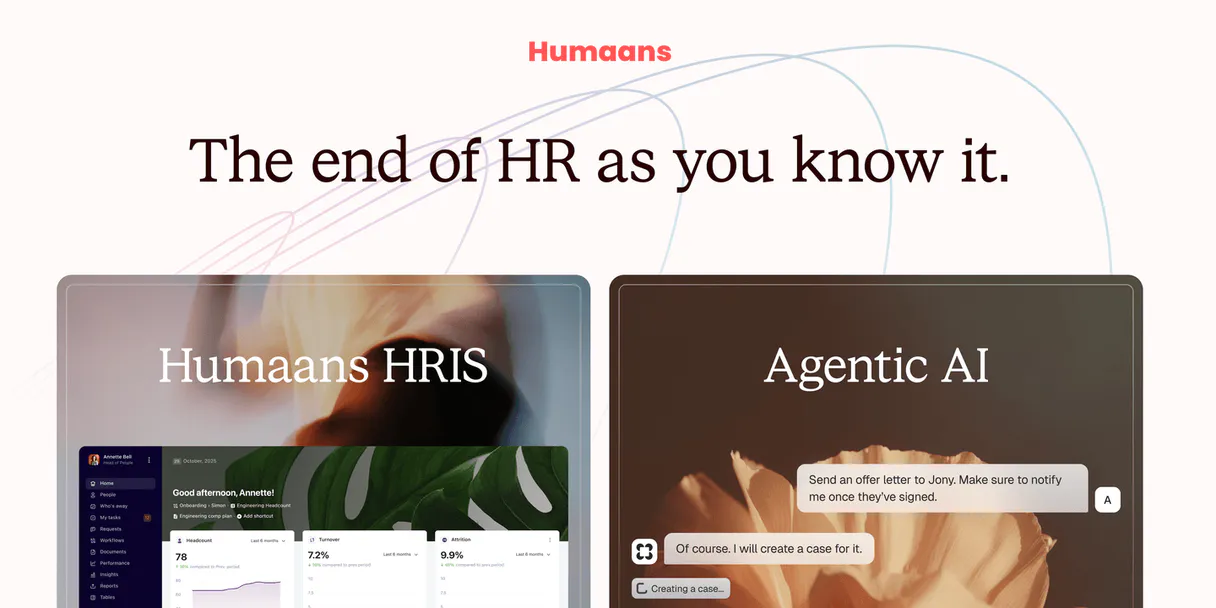
Independent Platform Disclaimer: Vinkius is an independent platform and is not affiliated with, endorsed by, sponsored by, verified by, or otherwise authorized by Humaans. All third-party trademarks, logos, and brand names are the property of their respective owners. Their use on this website is strictly for informational purposes to identify service compatibility and interoperability.
VINKIUS INFRASTRUCTURE
Cloud Hosted
Managed infra
V8 Isolated
Sandboxed per request
Zero-Trust Proxy
No stored credentials
DLP Enforced
Policy on every call
GDPR Compliant
EU data residency
Token Compression
~60% cost reduction
Works with Claude, ChatGPT, Cursor, and more
The Model Context Protocol standardizes how applications expose capabilities to LLMs. Instead of operating in isolation, your AI gains direct access to external platforms, live data, and real-world actions through secure, standardized connections.
This server provides 10 capabilities that interface natively with Claude, ChatGPT, Cursor, and any MCP client. No middleware. No custom integration required.
Available Capabilities
Manual HR lookups require jumping between 5 different internal dashboards.
Today, finding out if John Doe is still working in the correct department requires logging into the HR portal, checking the org chart tab. Then, if you need his manager's contact, you jump to the directory. If you need to know his leave status, you open the separate Leave Management system. It's three different logins, five different clicks, and a lot of copy-pasting.
With the Humaans MCP Server, you just ask your agent: 'What is John Doe's manager's email, and is he currently on leave?' Your agent runs `get_employee` and `list_leaves` in the background and gives you one clean answer.
Humaans MCP Server: Get structured data from the HRIS.
No more hunting through siloed spreadsheets. You don't have to copy department names from one spreadsheet and then paste them into a different system to count people. The agent uses `list_departments` to get the clean, official ID, and then uses `list_employees` to pull the accurate list based on that ID.
It's a unified data source. You get the structured data—the IDs, the names, the relationships—right in the chat. That's the difference.
Common Questions About Humaans MCP
How do I use the `get_employee` tool with Humaans MCP Server? +
You must provide a unique employee identifier (like an ID or email). The agent calls get_employee(employee_id=...) and returns the full profile data for that single person.
Does `list_employees` show inactive workers? +
The list includes all employees currently managed by the system. Check the specific fields returned by the tool to confirm if the data includes terminated or inactive users.
Can I check my own leave status using `list_leaves`? +
Yes. Your agent can filter the results of list_leaves by your authenticated user ID (obtained via get_me) to show only your personal request history.
`list_departments` vs `list_teams`: what's the difference? +
A department is a major functional unit (e.g., Marketing, Finance). A team is a smaller group within that department (e.g., Social Media Team, Payroll Team). The tools map this hierarchy.
What data does `list_public_holidays` provide? +
It returns a list of dates and the associated holiday name for the year. This is useful for pre-empting scheduling conflicts.
How do I use `get_me` to verify my current user information? +
It returns the authenticated user's details immediately. This is useful for verifying user permissions or checking the identity of the agent making the request.
Does `list_documents` handle both company and employee files? +
Yes, it retrieves records for both company-wide and specific employee documents. You can use it to find policies or personal records by searching the document metadata.
What parameters are needed when calling `list_offices`? +
The list_offices tool requires no parameters. It simply returns a comprehensive list of all organization offices, allowing you to know where the company operates.
How do I get Humaans API credentials? +
You can generate an Access Token in your Humaans user profile settings under 'API'. Ensure you have the necessary permissions to access organizational data.
Can I see salary information? +
Access to sensitive fields like salary depends on the permissions of the Access Token provided. This MCP uses the standard people and organization endpoints.
Does it support leave management? +
Yes, the list_leaves tool allows you to track and monitor employee leave requests.
Use it with your favorite AI tools
Connect this server to Cursor, Claude, VS Code, and more.
More in this category

Wizehire
Manage candidates, job postings, and hiring stages via Wizehire directly from your AI agent.

Acuity Scheduling
Manage appointments, availability, calendars, classes, and products for your Acuity Scheduling-powered business through natural conversation.

Corpay One
Simplify business payments with automated AP processing, virtual cards, and vendor management that saves your finance team hours.
You might also like

GrainSure
Access silo monitoring via GrainSure — track grain fill levels, usage rates, predicted days to empty, and manage deliveries from any AI agent.

Uselessfacts
Access a vast database of quirky, useless facts to entertain, break the ice, or learn something new every day.
Toggl Plan
Manage your team's visual timelines, track project phases, and balance workloads securely via your AI agent.