
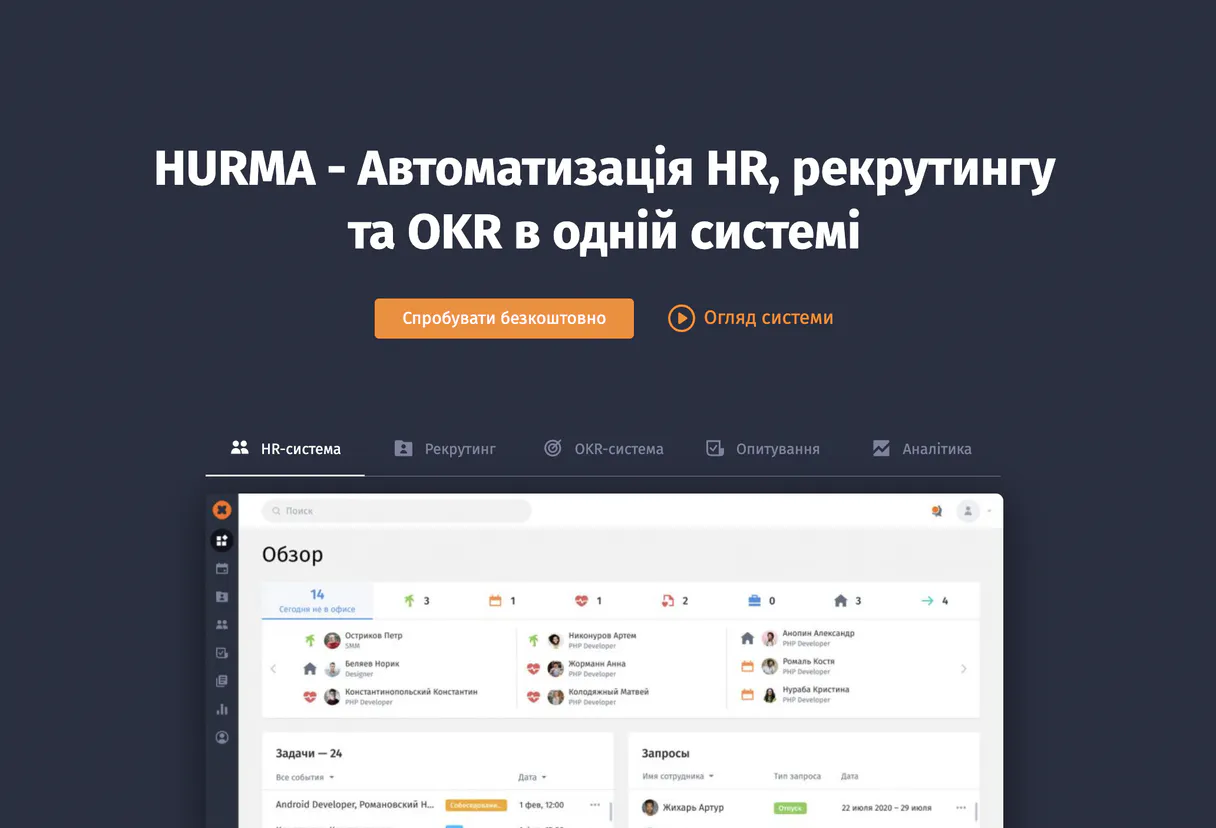
Hurma MCP for AI. Manage HR and people operations in conversation.
 Gemini
 Works with every AI agent you already use
…and any MCP-compatible client









How this MCP server connects to your AI agent
Hurma manages your entire HR lifecycle—from candidate intake to time-off requests and employee directories. Connect it via MCP to any AI client and handle complex people operations through natural conversation, eliminating dashboard hopping.
This allows you to check vacation balances, track candidates in the pipeline, list department structures, and monitor who is out of office without ever leaving your chat window.
What AI agents can do with Hurma Automation
Create candidate
Creates a brand new profile record for a job applicant.
Create leave request
Submits an official request for time away from work.
Export overtimes
Downloads a report detailing employee overtime hours.
List candidates, inspect their profiles, or create new leads directly from conversation.
Check an employee’s PTO balance, list who is out of office, or submit a formal leave request.
Retrieve detailed profiles for any current staff member, view the full department list, or understand custom fields used in records.
Monitor new hires against checklists and track their specific setup stages.
Ask an AI about this
Waiting for input…
What AI agents can do with Hurma: 12 Tools for HR Management
These tools allow you to perform every core function of people operations—from tracking new hires to submitting time-off requests—all within your agent's chat interface.
Make your AI actually useful.
Add this MCP to Claude, Cursor, or Windsurf and your AI stops guessing. It gets real tools to look things up, take action, and handle the stuff you keep doing by hand.
Start using Hurma on VinkiusCreate Candidate
Creates a brand new profile record for a job applicant.
Create Leave Request
Submits an official request for time away from work.
Export Overtimes
Downloads a report detailing employee overtime hours.
Get Vacation Balance
Retrieves how many days of paid time off an employee has remaining.
Get Candidate Details
Pulls up all known information for a specific job applicant.
Get Employee Details
Retrieves the full profile and current status of an existing employee.
List Candidates
Generates a list of all people currently in your recruitment pipeline.
List Departments
Shows the names and structure of every department within the company.
List Employees
Provides a list of all current employees in the system.
List Out Of Office
Lists every employee who has an active out-of-office schedule right now.
List Custom Properties
Shows the definitions for unique, non-standard data fields used across records.
List Vacancy Stages
Lists the standardized stages a candidate moves through during hiring.
Security and governance baked right in.
Pick your AI client below to get set up. Just create a Vinkius account, subscribe, and you're instantly up and running. We handle the entire backend infrastructure, delivering out-of-the-box support for HTTPS Streamable, SSE, and OAuth2—zero messy routing required.
Claude AI
Open Claude Settings
Go to claude.ai, click your profile icon, then navigate to Customize → Connectors.
Add Custom Connector
Click the "+" button and select Add custom connector. Paste your Vinkius endpoint URL:
https://edge.vinkius.com/[YOUR_TOKEN_HERE]/mcp
Replace [YOUR_TOKEN_HERE] with your token
from cloud.vinkius.com. For OAuth-protected servers, expand
Advanced settings to add credentials.
Start a conversation
Open a new chat. The Hurma integration is available immediately — no restart needed.
Choose How to Get Started
Build a custom MCP for your own tools, or connect a ready-made integration from our catalog.
Build Your Own
Turn any API into an MCP. Import a spec, define Agent Skills, or deploy with MCPFusion.
- Import from OpenAPI, Swagger, or YAML specs
- Create Agent Skills with progressive disclosure
- Deploy to edge with MCPFusion framework
- Built in DLP, auth, and compliance on every call
- Real time usage dashboard and cost metering
- Publish to catalog or keep private
Make Your AI Do More
Start with Hurma, then connect any of our 5,100+ other servers whenever your AI needs more. One click, no limits.
- Use this MCP plus 5,100+ others, all in one place
- Add new capabilities to your AI anytime you want
- Every connection is secured and compliant automatically
- Track usage and costs across all your servers
- Works with Claude, ChatGPT, Cursor, and more
- New servers added to the catalog every week
Independent Platform Disclaimer: Vinkius is an independent platform and is not affiliated with, endorsed by, sponsored by, verified by, or otherwise authorized by Hurma. All third-party trademarks, logos, and brand names are the property of their respective owners. Their use on this website is strictly for informational purposes to identify service compatibility and interoperability.
VINKIUS INFRASTRUCTURE
Cloud Hosted
Managed infra
V8 Isolated
Sandboxed per request
Zero-Trust Proxy
No stored credentials
DLP Enforced
Policy on every call
GDPR Compliant
EU data residency
Token Compression
~60% cost reduction
Built on the Model Context Protocol (MCP) for Claude, ChatGPT, Cursor, and more
The Model Context Protocol standardizes how applications expose capabilities to LLMs. Instead of operating in isolation, your AI gains direct access to external platforms, live data, and real-world actions through secure, standardized connections.
This connection provides 12 powerful capabilities that interface natively with Claude, ChatGPT, Cursor, and other compatible AI platforms. No middleware. No custom integration required.
The pain of constant dashboard hopping, Solved with Vinkius AI Gateway
Today, managing staff status means opening five different tabs: one for employee directory details, another to check who has PTO remaining, a third to see the open job positions, and two more just to track new hires. You spend half your day clicking between these systems, copying names, pasting IDs, and cross-referencing dates.
With this MCP connected through Vinkius, you don't click anything. You tell your agent what you need—for example, 'List all employees in Marketing who are out of office next week.' The agent runs the necessary checks behind the scenes and gives you one clean answer right there.
Hurma MCP: Instant visibility into employee records
You eliminate the need to remember which system holds specific data. You don't have to manually check department structures or list all job vacancies; you ask, and it delivers.
The result is a single conversation that provides immediate, comprehensive answers about your people operations—it changes how fast you can make decisions.
What your AI can actually do with this
Hurma lets you manage all things HR right where you work. Instead of jumping between a separate ATS (Applicant Tracking System) for hiring, a separate intranet for employee records, and a calendar app just to check PTO status, you handle it all through conversation. You can ask your agent to list every active candidate or pull up the full department structure instantly.
If an employee needs time off, you don't have to manually update a spreadsheet; you simply trigger a request directly. This capability means HR data—from job positions to current team availability—is always accessible via natural language prompts. You connect this MCP through Vinkius and get immediate access to the entire catalog of tools, giving your AI agent a single point of truth for all employee records.
019dd107-f8ae-706b-8cd1-fcfa7fd3dccf 
Here's how it actually works
The bottom line is that you get all your HR data consolidated into one conversation.
Subscribe to the Hurma MCP on Vinkius, then provide your required Hurma domain name and API key.
Connect this MCP to your preferred AI client (Cursor, Claude, etc.).
Ask your agent a natural language question like, 'Who is in Engineering and needs time off next month?'
Who is this actually for?
HR Coordinators who spend half their day switching between 4 different web apps, or Hiring Managers who need to quickly check team availability before scheduling an interview. This is for anyone whose job involves juggling employee data and recruiting pipelines across multiple dashboards.
Checking vacation balances, listing employees by department, and creating leave requests without opening the main HR portal.
Reviewing candidate profiles, listing all applicants in a specific stage, or creating new candidates for open positions.
Checking who is currently out of office and getting details on team members' roles to plan coverage.
What Changes When You Connect
Stop manually checking who is available. You can instantly query the list of out-of-office employees, letting you plan team coverage minutes before a meeting starts.
Streamline onboarding status checks. Monitor new hires' progress and department structures to ensure every person gets set up correctly right away.
Handle time off without friction. Use the capability to get vacation balance or create leave requests directly through your chat agent, no dashboard required.
Improve hiring speed dramatically. Instead of browsing multiple tabs, you can list candidates and use get_candidate_details to review profiles instantly in conversation.
Centralize employee data. You retrieve full details for any staff member using the get_employee_details tool, giving your agent a complete picture of their role and history.
See it in action
Need to schedule a team meeting with limited availability.
A team lead asks their agent: 'Show me who is out of office next Tuesday in the Sales department.' The agent uses list_out_of_office and list_departments, providing an immediate, actionable list so scheduling happens in seconds.
Hiring manager needs to quickly vet a potential candidate.
A hiring manager asks: 'Tell me about Maria Silva.' The agent uses get_candidate_details, pulling up her full profile and current status. They can then decide if they should create_candidate for an alternate role.
Employee needs to report a long absence.
The employee simply types: 'I need two weeks off in October.' The agent uses create_leave_request, submitting the request and tracking it through the system immediately.
HR needs to review payroll discrepancies.
An HR specialist asks the agent to list all employees and then export_overtimes for a given month. The resulting file is ready for payroll without manual data extraction.
The honest tradeoffs
Tracking leave via spreadsheets
Manually updating a shared Google Sheet every time someone calls in sick or requests PTO, leading to conflicting dates and outdated information.
Use the create_leave_request tool. It automatically logs the absence against the employee's record using your agent.
Searching for employees by department
Opening the main directory, clicking 'Engineering,' and then manually scrolling through dozens of names to find one specific person.
Ask your agent to list_employees or get_employee_details. You can query by role or department without navigating a single webpage.
Tracking candidate status across platforms
Having candidates' application statuses logged in the CRM, but their profile details stored elsewhere, requiring cross-referencing.
Use list_candidates and get_candidate_details. This MCP pulls all relevant data points into one conversation window.
When It Fits, When It Doesn't
Use this if your biggest time sink is context switching between HR systems—the ATS, the directory, the PTO tracker. You need a single conversational entry point to manage multiple types of people operations data. This MCP excels at reporting status (like list_out_of_office) and transactional tasks (like create_leave_request). Don't use this if you primarily need to store unstructured documents; for that, look for document management tools. Also, don't use it if your only goal is running payroll reports—while export_overtimes helps, full financial integrations require specialized accounting MCPs. This tool is built for the operational workflow of HR teams.
Questions you might have
How do I check an employee's PTO balance using the Hurma MCP? +
You simply ask your agent to get_vacation_balance. The tool retrieves and displays the current available paid time off for any specified staff member.
Can I list all departments with the Hurma MCP? +
Yes, you can use list_departments to see every official department name within your company's organizational chart. This helps confirm structure when querying employees.
Does the Hurma MCP let me create a new job candidate? +
Absolutely. You use the create_candidate tool, and it handles generating a new record for an applicant in your system's pipeline.
What if I need to see who is out of office right now with Hurma MCP? +
You just ask your agent to list_out_of_office. It provides a real-time report of everyone on an active leave schedule.
Is the data from list_employees comprehensive? +
Yes, list_employees pulls up all current staff records. You can then follow up by using get_employee_details to drill down into any person's specific record.
We've already built the connector for Hurma. Just plug in your AI agents and start using Vinkius.
No hosting. No infrastructure. No complex setup.
All 12 tools are live and waiting.
You're up and running in seconds.
Gemini Vinkius gives your AI agents access to the full catalog of app connectors, all fully managed, secure, and enterprise-ready. One subscription, every tool you need.
Built, hosted, and secured by Vinkius. You just connect and go.