
IBGE Full Access MCP. Pull official Brazilian census, economic, and demographic data.
 Gemini
 Works with every AI agent you already use
…and any MCP-compatible client









Just plug in your AI agents and start using Vinkius.
IBGE Full Access — Dados Brasileiros is a mega-server providing 15 tools for official Brazilian statistics. Access census data, economic classifications (CNAE), name popularity trends, and country comparisons all in one zero-auth integration.
It lets you pull detailed, structured data on anything from municipal GDP to global socioeconomic indicators, eliminating the need to manage multiple government data portals.
What your AI agents can do
Get agregado data
Retrieves specific metrics from a large, pre-defined SIDRA aggregate table.
Get agregado metadados
Fetches the metadata detailing the structure and contents of a SIDRA aggregate table.
Get municipio
Gets detailed information for a specific municipality using its IBGE code.
Combine location data (like get_municipio) with economic and demographic indicators to create a complete profile for any Brazilian city.
Use get_subclasse_cnae to retrieve detailed economic classifications and then correlate them with aggregated data from SIDRA tables.
Determine the popularity and frequency of names across different decades and sexes using get_nome_frequencia.
Retrieve socioeconomic indicators for any country worldwide using the M49 code via get_pais_indicadores.
Retrieve lists of states (list_estados), regions (list_regioes), and specific municipalities to define the scope of your query.
Get the latest news releases directly from the official IBGE news agency using get_noticias_ibge.
Ask AI about this MCP
Supported MCP Clients
Gemini Waiting for input…
IBGE Full Access — Dados Brasileiros: 15 Tools
These 15 tools let your agent manage demographic, economic, and survey data for Brazil, covering everything from local census to global comparisons.
019d75b6get agregado data
Retrieves specific metrics from a large, pre-defined SIDRA aggregate table.
019d75b6get agregado metadados
Fetches the metadata detailing the structure and contents of a SIDRA aggregate table.
019d75b6get municipio
Gets detailed information for a specific municipality using its IBGE code.
019d75b6get municipios por uf
Lists all municipalities located within a given Brazilian state.
019d75b6get nome frequencia
Calculates how often a name was given at birth across different decades for a specific name.
019d75b6get noticias ibge
Pulls the latest news releases and announcements from the official IBGE news agency.
019d75b6get pais indicadores
Retrieves general socioeconomic indicators for any country using its M49 code.
019d75b6get ranking nomes
Gets a ranked list of the most popular Brazilian names, optionally filtering by decade or sex.
019d75b6get resultados pesquisa
Retrieves specific survey results for a selected municipality.
019d75b6get subclasse cnae
Gets detailed information and classification codes for a specific CNAE economic subclass.
019d75b6list agregados
Lists all available, pre-built SIDRA aggregate tables you can query.
019d75b6list estados
Lists all 27 Brazilian states by name and code.
019d75b6list pesquisas
Lists all the major surveys and research programs conducted by IBGE.
019d75b6list regioes
Lists the five macro-regions of Brazil for geographical grouping.
019d75b6list secoes cnae
Lists the primary 21 economic sections used in the CNAE classification.
Choose How to Get Started
Build a custom MCP for your own tools, or connect a ready-made integration from our catalog.
Build Your Own
Turn any API into an MCP. Import a spec, define Agent Skills, or deploy with MCPFusion.
- Import from OpenAPI, Swagger, or YAML specs
- Create Agent Skills with progressive disclosure
- Deploy to edge with MCPFusion framework
- Built in DLP, auth, and compliance on every call
- Real time usage dashboard and cost metering
- Publish to catalog or keep private
Make Your AI Do More
Start with IBGE Full Access — Dados Brasileiros, then connect any of our 4,700+ other servers whenever your AI needs more. One click, no limits.
- Use this MCP plus 4,700+ others, all in one place
- Add new capabilities to your AI anytime you want
- Every connection is secured and compliant automatically
- Track usage and costs across all your servers
- Works with Claude, ChatGPT, Cursor, and more
- New servers added to the catalog every week
What you can do with this MCP connector
This server gives you full access to official Brazilian statistics from IBGE. You don't gotta jump between five different government websites to get a full picture—it's all in one place. You can pull detailed, structured data on anything from municipal GDP to global socioeconomic indicators.
Generate Full Municipal Profiles: You can combine location data using get_municipio with economic and demographic indicators. You'll get a complete profile for any Brazilian city. To define your area, you can list all 27 states using list_estados, or list the five macro-regions using list_regioes, and list all municipalities within a given state using get_municipios_por_uf.
Track Economic Activity by Sector: You can use get_subclasse_cnae to get detailed economic classifications and then correlate them with aggregated data from SIDRA tables. To see what aggregates are available, check list_agregados, or list all available CNAE primary economic sections using list_secoes_cnae.
Perform Historical Name Trend Analysis: You can determine how often a name was given at birth across different decades and sexes using get_nome_frequencia. You can also pull a ranked list of the most popular Brazilian names, optionally filtering by decade or sex, with get_ranking_nomes.
Compare Brazil to Global Data Sets: You can retrieve general socioeconomic indicators for any country worldwide using its M49 code via get_pais_indicadores.
Query Specific Data Points: You can get detailed information for a specific municipality using get_municipio or retrieve specific survey results for a selected municipality with get_resultados_pesquisa. You can also list all major surveys and research programs conducted by IBGE with list_pesquisas.
Explore Economic and Demographic Data: You can get specific metrics from a large, pre-defined SIDRA aggregate table using get_agregado_data, and you can fetch the metadata detailing the structure and contents of a SIDRA aggregate table using get_agregado_metadados. You can list all available SIDRA aggregate tables you can query using list_agregados.
Stay Current: You can pull the latest news releases and announcements directly from the official IBGE news agency using get_noticias_ibge.
How IBGE Full Access MCP Works
- 1 First, use a listing tool (like
list_estadosorlist_regioes) to define the geographical scope (e.g., 'I only care about the Northeast region'). - 2 Next, call a specific data retrieval tool (like
get_agregado_data) using the scope and the required data table ID to get the raw metrics. - 3 Finally, pass the raw data into your agent to correlate it with other structured data (like CNAE codes or population rankings) for a complete answer.
The bottom line is: you define the scope, pull the raw numbers, and then stitch the data together in your agent.
Who Is IBGE Full Access MCP For?
Policy analysts and researchers who need to build reports on regional performance, demographic shifts, or economic comparisons across Brazil. If your job requires comparing municipal GDP to national trends or tracking industry shifts, this is for you. You're the person tired of jumping between the IBGE site, the Census API, and the CNAE database just to get a single figure.
Uses get_municipio and get_agregado_data to map infrastructure needs by comparing population density to economic activity in specific neighborhoods.
Runs name frequency checks (get_nome_frequencia) alongside CNAE classifications (get_subclasse_cnae) to profile consumer demographics in a target market.
Compares Brazilian indicators to other nations (get_pais_indicadores) and uses list_regioes to structure policy recommendations across macro-regions.
What Changes When You Connect
- Access 10,000+ data points: Instead of calling multiple endpoints for GDP, population, and employment,
get_agregado_datapulls metrics from massive SIDRA tables, saving you calls and time. - Full geographical context: You can start by calling
list_regioesorlist_estadosto narrow down your scope, then useget_municipioto pinpoint the exact city profile you need. - Economic depth: Don't just get an industry name. Use
get_subclasse_cnaeto drill down into the 1,332 CNAE subclass details, giving you granular market data. - Name and trend analysis: Use
get_nome_frequenciato see how name popularity shifts decade by decade, a unique demographic layer unavailable from standard census tools. - Global comparison: Need to benchmark Brazil?
get_pais_indicadoreslets you pull comparable socioeconomic data for any country using the M49 code. - Structured data flow: The tools are designed to build on each other. For example, you can list all states, then get a municipality, and finally pull its survey results via
get_resultados_pesquisa.
Real-World Use Cases
Profiling a Target City's Economy
A market analyst needs a full picture of the city of João Pessoa. They first use get_municipio to get the basic profile. Next, they run get_subclasse_cnae to see which economic sectors dominate. Finally, they use get_agregado_data to get the latest GDP metrics for that city, combining geography and economy in one run.
Comparing Brazil's Demographic Shifts to Neighbors
A global consultant wants to compare Brazilian population density to Argentina. They first use get_pais_indicadores for both countries. They then use list_estados to pull Brazil's internal state breakdown, giving a multi-layered comparison that standard tools can't manage.
Auditing a Product's Niche Market
A developer building a niche consumer app wants to know the name popularity in a city. They run get_nome_frequencia to see the top names in the region, then use get_resultados_pesquisa to see if the local quality-of-life surveys mention any demographic gaps.
Mapping Out a New Policy Region
A policy advisor needs to define a new region encompassing several states. They start by using list_regioes to define the macro-area. They then use list_agregados to find the relevant SIDRA tables, pulling population and employment data for the entire macro-region to inform policy.
The Tradeoffs
Using only `get_municipio`
Running get_municipio gives you location details, but you're left blind regarding the city's actual economic output or population growth rates. You get the address, but not the financials.
→
Always pair get_municipio with get_agregado_data or get_resultados_pesquisa. This ensures you get the location data, and immediately follow up with the actual metrics required for the analysis.
Forgetting the Scope with `get_agregado_data`
Calling get_agregado_data without first knowing the correct table ID via list_agregados means you'll waste time guessing parameters and getting nothing but error messages.
→
Before running get_agregado_data, always run list_agregados to see what tables are available. Then, use get_agregado_metadados on the selected table to confirm the structure before pulling data.
Mixing Global and Local Data Sets
Trying to compare a specific Brazilian municipality's GDP (local data) directly to a country's total population figure (global data) in one call is impossible and leads to nonsensical results.
→
Separate the calls. First, use get_municipio and get_agregado_data for the local data. Then, run get_pais_indicadores for the country comparison. Keep the data sources separate until you're ready to manually combine them.
When It Fits, When It Doesn't
Use this server if your goal is deep, multi-layered data analysis on Brazilian geography, demographics, or economy. Specifically, you need to correlate data across different dimensions: for example, matching a municipality's location (get_municipio) with its economic activity (get_subclasse_cnae) and its population trends (get_agregado_data).
Don't use this if you only need a single, simple list (e.g., just listing states). For that, list_estados works fine. If you only need current news, get_noticias_ibge is sufficient. Use this server when the core problem is the correlation of data from multiple, disparate official sources.
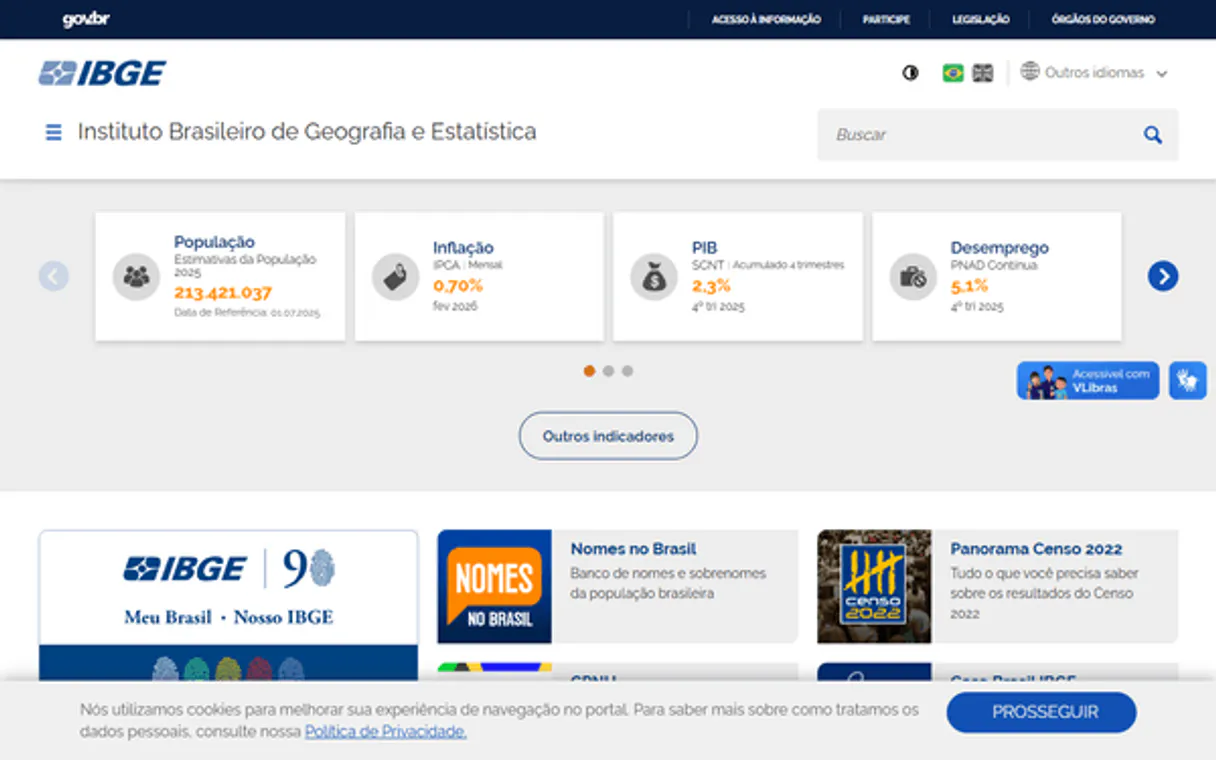
Independent Platform Disclaimer: Vinkius is an independent platform and is not affiliated with, endorsed by, sponsored by, verified by, or otherwise authorized by IBGE. All third-party trademarks, logos, and brand names are the property of their respective owners. Their use on this website is strictly for informational purposes to identify service compatibility and interoperability.
VINKIUS INFRASTRUCTURE
Cloud Hosted
Managed infra
V8 Isolated
Sandboxed per request
Zero-Trust Proxy
No stored credentials
DLP Enforced
Policy on every call
GDPR Compliant
EU data residency
Token Compression
~60% cost reduction
Works with Claude, ChatGPT, Cursor, and more
The Model Context Protocol standardizes how applications expose capabilities to LLMs. Instead of operating in isolation, your AI gains direct access to external platforms, live data, and real-world actions through secure, standardized connections.
This server provides 15 capabilities that interface natively with Claude, ChatGPT, Cursor, and any MCP client. No middleware. No custom integration required.
Available Capabilities
Sourcing reliable Brazilian stats shouldn't feel like a scavenger hunt.
Right now, getting a full profile requires bouncing between the IBGE site, the SIDRA database, and the CNAE portal. You spend time navigating different UIs, manually downloading spreadsheets, and then copy-pasting key figures into a single master sheet. It's slow, and you're always worried about using the wrong version of the data.
With this MCP server, you just tell your agent what you need. It runs the necessary tools—like `get_municipio` and `get_agregado_data`—and returns a structured, consolidated JSON payload. You get the raw data, clean and ready for analysis, without the manual copy-paste step.
IBGE Full Access — Dados Brasileiros MCP Server
You eliminate the need for multiple manual lookups: no more checking the CNAE site for codes, then going to the census site for metrics, and finally looking up the location in a third system. It's all in one place.
The server handles the data plumbing. Your agent doesn't just get data; it gets the *context*—the link between the name trends, the economic sector, and the physical location. That's the difference.
Common Questions About IBGE Full Access MCP
How do I use the `get_agregado_data` tool to pull metrics? +
get_agregado_data requires three main inputs: the aggregate table ID, the specific metrics you want, and the geographical level (N1, N3, or N6). Always run list_agregados first to find the correct table ID.
Can I compare Brazil to another country using `get_pais_indicadores`? +
Yes. You must use the M49 country code for both countries you want to compare. The tool pulls comparable socioeconomic indicators for any two nations.
What is the difference between `get_municipio` and `list_estados`? +
list_estados simply gives you a list of all 27 states. get_municipio requires a specific IBGE code and returns a deep, detailed profile for that single municipality.
Does the `get_subclasse_cnae` tool include population data? +
No. get_subclasse_cnae only provides details and codes for economic classifications (CNAE). You must use a separate tool, like get_agregado_data, to get the corresponding population or economic metrics.
How do I find the most popular name using `get_nome_frequencia`? +
You need to provide the name and the decade you are interested in. You can also filter by sex to narrow the results, giving you historical name trends.
How do I list all possible economic classifications using the `list_secoes_cnae` tool? +
The list_secoes_cnae tool returns the top 21 economic sections (CNAE). You use this list to narrow down your search before using the get_subclasse_cnae tool to find specific subclasses.
What is the difference between `list_agregados` and `get_agregado_metadados`? +
Use list_agregados first to get a list of all available SIDRA aggregate tables. Then, pass a specific table name to get_agregado_metadados to view its column names and data structure.
If I need to check the population of a city, which tool should I use: `get_municipio` or `get_resultados_pesquisa`? +
For basic population and core demographics, use get_municipio. If you need specific indicators like health or education quality-of-life scores, use get_resultados_pesquisa instead.
Why choose the Full server instead of individual ones? +
The Full server bundles all 15 tools from all 5 domain-specific servers plus 2 exclusive extras (News + Countries). Ideal for multi-disciplinary AI agents that need cross-domain Brazilian intelligence in a single integration.
Use it with your favorite AI tools
Connect this server to Cursor, Claude, VS Code, and more.
More in this category

Exa AI
Search the web with neural embeddings that understand meaning, not just keywords, and return the most relevant results for any query.

TalkingData
Leading big data and product analytics platform in China — manage event tracking and user growth via AI.

Wolfram Alpha Solver
Empower your AI with the world's most powerful computational engine. Solve complex calculus, extract exact scientific facts, and eliminate mathematical hallucinations.
You might also like

Gingr
Retrieve pet owner profiles, track reservations, and oversee check-ins via AI agents with Gingr.

Render
Equip your AI to orchestrate cloud infrastructure, manage service deployments, and execute scaling operations natively on your Render platform.

Workvivo
Manage social posts, employee profiles, and collaboration spaces on Workvivo — the employee experience platform.