
Image Router MCP. Automatically select the right model for your image prompts.
 Gemini
 Works with every AI agent you already use
…and any MCP-compatible client









Just plug in your AI agents and start using Vinkius.
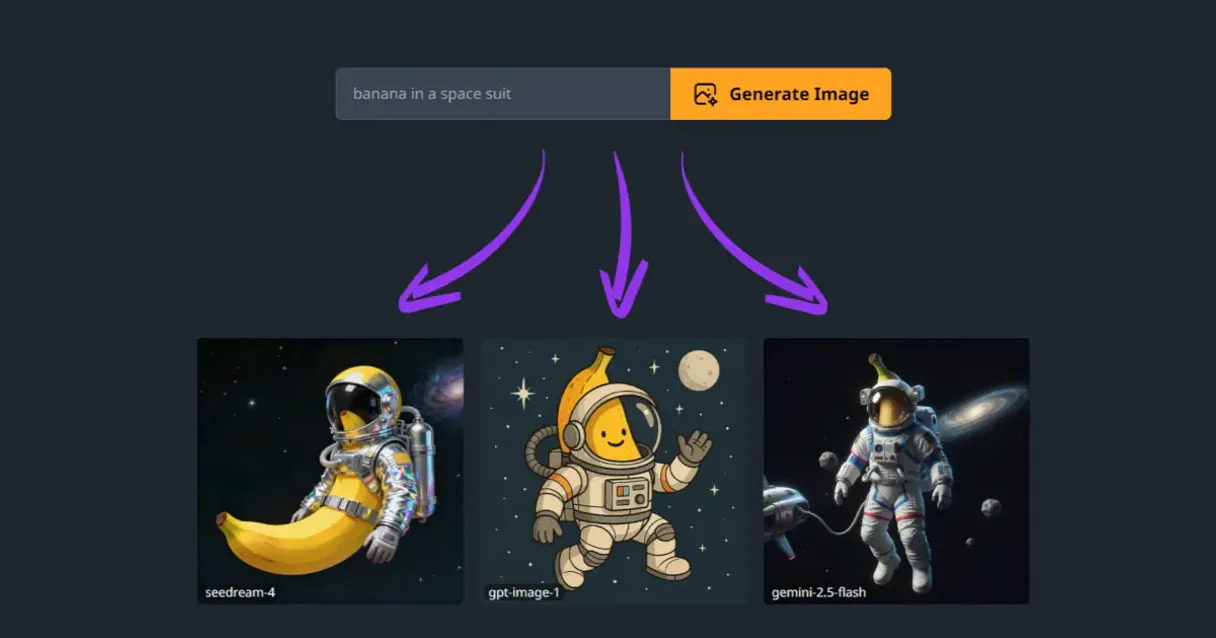
Image Router lets your AI agent automatically select the best image model for any prompt. It handles everything from basic text-to-image generation to advanced editing and upscaling.
You can list models by category, apply styles, and manage the entire workflow from one place. It routes requests to the optimal backend, saving you time and ensuring high-quality results every time.
What your AI agents can do
Check imagerouter status
Verifies the API connection and operational status of the Image Router server.
Edit image
Modifies an existing image using a descriptive text prompt.
Generate image
Creates a new image solely from a text prompt.
The agent creates a new image using a text prompt and the best available model.
The agent edits a specific image by applying descriptive changes or adjusting parameters.
The agent uses advanced options to define size, seed, steps, and negative prompts for maximum control.
The agent lists and filters available image models by category or specific criteria.
The agent increases the pixel count of a generated image using an upscaling tool.
Ask AI about this MCP
Supported MCP Clients
OAuth 2.0 Compatible Gemini Waiting for input…
Image Router MCP Server: 11 Tools for Image Generation
Generate, edit, upscale, and manage images using multiple models. These tools give your AI agent full control over the entire visual asset pipeline.
Make your AI actually useful.
Add this MCP to Claude, Cursor, or Windsurf and your AI stops guessing. It gets real tools to look things up, take action, and handle the stuff you keep doing by hand.
Start using Image Router on Vinkius019dd108check imagerouter status
Verifies the API connection and operational status of the Image Router server.
019dd108edit image
Modifies an existing image using a descriptive text prompt.
019dd108generate image
Creates a new image solely from a text prompt.
019dd108generate image advanced
Generates an image using full control over parameters like size, seed, steps, and negative prompts.
019dd108generate variation
Creates a visually similar but distinct version of an existing image.
019dd108get generation status
Checks the current status of an asynchronous image generation job.
019dd108get model
Retrieves specific details about a single available image generation model.
019dd108list models
Provides a complete list of all image models supported by the router.
019dd108list models by category
Lists available image models, filtered by predefined artistic or technical categories.
019dd108list styles
Retrieves a catalog of available artistic styles that can be applied to generations.
019dd108upscale image
Increases the resolution and detail of an existing image.
Choose How to Get Started
Build a custom MCP for your own tools, or connect a ready-made integration from our catalog.
Build Your Own
Turn any API into an MCP. Import a spec, define Agent Skills, or deploy with MCPFusion.
- Import from OpenAPI, Swagger, or YAML specs
- Create Agent Skills with progressive disclosure
- Deploy to edge with MCPFusion framework
- Built in DLP, auth, and compliance on every call
- Real time usage dashboard and cost metering
- Publish to catalog or keep private
Make Your AI Do More
Start with Image Router, then connect any of our 4,800+ other servers whenever your AI needs more. One click, no limits.
- Use this MCP plus 4,800+ others, all in one place
- Add new capabilities to your AI anytime you want
- Every connection is secured and compliant automatically
- Track usage and costs across all your servers
- Works with Claude, ChatGPT, Cursor, and more
- New servers added to the catalog every week
Independent Platform Disclaimer: Vinkius is an independent platform and is not affiliated with, endorsed by, sponsored by, verified by, or otherwise authorized by Image Router. All third-party trademarks, logos, and brand names are the property of their respective owners. Their use on this website is strictly for informational purposes to identify service compatibility and interoperability.
VINKIUS INFRASTRUCTURE
Cloud Hosted
Managed infra
V8 Isolated
Sandboxed per request
Zero-Trust Proxy
No stored credentials
DLP Enforced
Policy on every call
GDPR Compliant
EU data residency
Token Compression
~60% cost reduction
Works with Claude, ChatGPT, Cursor, and more
The Model Context Protocol standardizes how applications expose capabilities to LLMs. Instead of operating in isolation, your AI gains direct access to external platforms, live data, and real-world actions through secure, standardized connections.
This server provides 11 capabilities that interface natively with Claude, ChatGPT, Cursor, and any MCP client. No middleware. No custom integration required.
Creating a consistent visual style across all your campaigns is a pain.
Today, creating a cohesive visual identity means manually jumping between five different AI platforms. You generate a base image on one, download it, plug it into a second tool for 'refinement,' then upload it somewhere else just to upscale it. You spend time managing uploads and hoping the outputs match the desired style.
With the Image Router MCP Server, you define the style once. You tell your agent: 'Give me a set of images in the 'cyberpunk' style.' The router handles the model selection, the generation, and the application of that style, giving you a cohesive set of assets instantly.
Image Router MCP Server: Get the right model for the job.
Before, you'd have to read the documentation for every single image model (DALL-E, Midjourney, Stable Diffusion) to figure out which one handled 'hyper-realism' versus 'oil painting.' You'd waste time guessing.
Now, the agent uses `list_models_by_category` to check the library, letting you pick from categories. The router routes the job to the best model, so you focus on the creative brief, not the API documentation.
What you can do with this MCP connector
Image Router handles all your AI image needs, making sure your agent uses the best model for every prompt. You'll use check_imagerouter_status to confirm the API connection is live. To start generating, your agent uses generate_image to create a new picture just from a text prompt. If you need more control, generate_image_advanced lets your agent specify size, seed, steps, and negative prompts.
Need to tweak an existing photo? Use edit_image to modify it with a descriptive text prompt. You can also create a visually similar but different version using generate_variation. When you want to beef up the resolution, upscale_image increases the pixel count and detail of an existing image. For model management, your agent can use list_models for a full rundown of supported models, or list_models_by_category to filter by specific styles or technical types.
To see what styles are available, use list_styles. To learn about a specific model, your agent runs get_model. You'll use get_generation_status to check on any long-running image generation jobs. Finally, you'll use get_generation_status to check on any long-running image generation jobs.
019dd109-2540-71ab-82fb-bba055feabf5 
How Image Router MCP Works
- 1 Tell your agent what you need: a new image, an edit, or an upscale. Specify the prompt, style, or existing image.
- 2 The Image Router agent analyzes the request, determines the best model (e.g., DALL-E 3 for realism, Stable Diffusion for art), and executes the necessary tool call.
- 3 The agent returns the resulting image data and metadata, ready for your next step or final output.
The bottom line is, you stop worrying about which AI model works best for your prompt; the router handles the selection and execution for you.
Who Is Image Router MCP For?
Creative directors, digital marketing specialists, and UI/UX designers. This is for anyone whose job involves generating, iterating, or managing visual assets at scale. If you're tired of jumping between multiple web interfaces just to get one good image, this is for you.
Generates dozens of ad creatives and lifestyle images for A/B testing, ensuring every image matches a specific brand style.
Creates complex, multi-stage visual assets—first generating a base image, then varying it, and finally upscaling it for final print resolution.
Uses the agent to generate mockups and variations of UI elements, testing different visual outcomes rapidly without manual rendering.
What Changes When You Connect
- You don't have to guess which model works best. The Image Router automatically selects the optimal backend for your prompt, whether you need a hyper-realistic photo or a watercolor painting.
- Complex workflows are simple. You can generate a base image using
generate_image, then rungenerate_variationon it, and finally useupscale_imageto get print-ready output—all in one agent flow. - Full control without the overhead. Need to set the negative prompt or define the exact seed? Use
generate_image_advancedto lock down every parameter without needing separate tools. - Manage models like a library. Use
list_modelsorlist_models_by_categoryto see what's available, letting your agent choose the best option for the job. - Handle slow tasks gracefully. If a generation takes minutes, use
get_generation_statusto check progress instead of waiting for a timeout error. - Refine your output iteratively. If the first image is close but not perfect, use
edit_imageto make targeted changes before running a final pass.
Real-World Use Cases
Creating a full campaign set of ad visuals
A marketing manager needs 10 variations of a product shot in 5 different styles. Instead of manually running 50 API calls, they ask their agent: 'Generate 10 variations of the watch, applying the 'cinematic' style.' The agent uses list_models_by_category to select a suitable model, then runs generate_variation repeatedly, saving the entire set of assets.
High-res assets for a magazine spread
A concept artist needs a base image of a futuristic city, but the final print needs 4K resolution. They use the agent to run generate_image first, then immediately pipe the result into upscale_image to ensure the final output meets the required print quality.
Iterative design of character concept art
A game developer needs to iterate on a character's appearance. They start with a prompt using generate_image_advanced. They then use generate_variation to test different poses and finally use edit_image to change the character's outfit color without starting over.
Building a style guide for a brand
A brand strategist wants to test which visual style works best. They ask the agent to 'Generate three images of a coffee cup, one in the 'minimalist' style, one in the 'pop art' style, and one in the 'oil painting' style.' The agent uses list_styles and then executes the necessary generations to build the comparison set.
The Tradeoffs
Assuming a single tool is enough
Trying to create a hyper-realistic, varied image by just running generate_image once, and hoping the prompt is perfect. You'll get a low-res, basic image that misses the mark.
→
Use generate_image_advanced first to lock down parameters (seed, size). Then, run generate_variation to explore different angles, and finally upscale_image to get the required fidelity. This multi-step approach is necessary.
Ignoring model suitability
Sending a complex, stylized prompt (like 'Baroque oil painting of a robot') to a generic model, which will fail to capture the intended aesthetic or simply refuse the prompt.
→
First, use list_models_by_category to find models known for art or specific styles. The router handles the routing, but checking the model list first ensures you're starting with the right tool.
Forgetting status checks
Running generate_image and assuming the result is immediate. The job might be queued or running in the background, leading to frustrating timeouts.
→
After initiating a large job, immediately use get_generation_status to check the job's progress. Use the status to know when the final image is ready for retrieval.
When It Fits, When It Doesn't
Use Image Router if your workflow requires generating, editing, or iterating on visual assets, and you need to switch between multiple AI models or parameters. It's ideal for iterative design and content pipelines. Don't use it if you just need a simple, single-shot image based on a basic prompt—in that case, running generate_image might suffice. But if you need control (like setting a negative prompt or ensuring a specific size), you must use generate_image_advanced. If your primary need is quality assurance, always check the model availability first using list_models_by_category to ensure the best model is available for your style.
Common Questions About Image Router MCP
How do I use generate_image_advanced with Image Router? +
You specify the desired parameters (size, seed, steps) directly in the prompt. generate_image_advanced allows you to override the default settings, giving you total control over the generation process.
Does Image Router handle editing existing images? +
Yes, you use the edit_image tool. You simply provide the image and a text prompt detailing the change, and the router handles the modification process.
What's the difference between generate_image and generate_variation? +
Use generate_image for a completely new concept from scratch. Use generate_variation when you like the original image but want to explore slight, related changes to it.
How do I know when an image job is finished with get_generation_status? +
After starting a generation, you use get_generation_status with the job ID. This tool provides a real-time check, telling you when the image is ready or if there was an error.
How do I use list_models_by_category to find the right image generator? +
It lists models by category. This helps you narrow down choices like 'anime' or 'photorealistic' before generating. You can filter your results to match the specific look you're going for.
What should I use to check the connection status with check_imagerouter_status? +
The tool verifies your API connectivity. If it returns a success code, your agent knows the connection works. If it fails, you'll get an error message telling you exactly what's wrong with your credentials.
Can generate_image_advanced handle complex parameters like seeds and negative prompts? +
Yes, it handles all advanced options. You can set specific seeds, define negative prompts to exclude unwanted elements, and control the steps for granular control over the output.
How do I handle image generation jobs using get_generation_status? +
You poll the status endpoint. Your agent sends the job ID, and the tool reports the progress. It tells you when the image is ready or if the job failed, letting you build proper waiting logic.
Can my AI generate images from text? +
Yes. generate_image creates images from any text prompt using AI models like Stable Diffusion.
Can I upscale or create variations? +
Yes. upscale_image increases resolution and generate_variation creates visual alternatives of an existing image.
How do I browse available models? +
Use list_models for all models or list_models_by_category to filter by style category.
Use it with your favorite AI tools
Connect this server to Cursor, Claude, VS Code, and more.