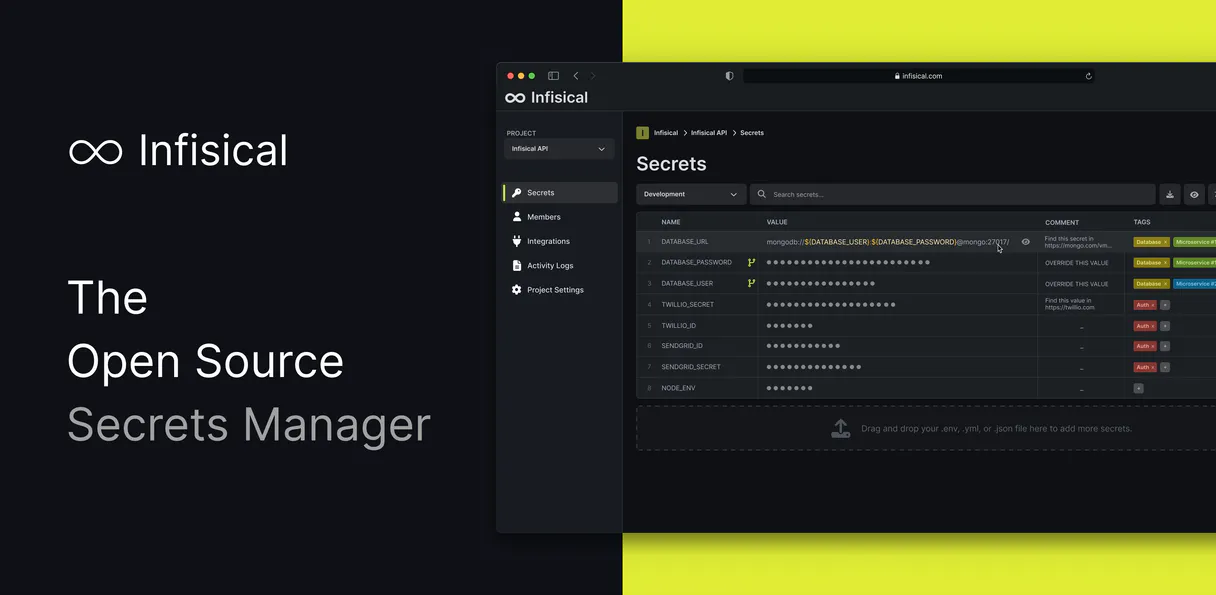
Infisical MCP. Manage secrets, keys, and access from your chat client.
Works with every AI agent you already use
…and any MCP-compatible client

Just plug in your AI agents and start using Vinkius.
Infisical. Manage your secrets infrastructure directly from your AI client. This server lets you list, create, update, and delete secrets across multiple environments (dev, staging, prod) and audit access patterns using natural language commands.
It's your full-stack secret management console, built into your chat agent.
What your AI agents can do
Create secret
Creates a new secret value or credential at a specified path in the Infisical project.
Delete secret
Permanently removes an existing secret from the Infisical project. Use this with caution.
Get project info
Retrieves metadata and configuration details for the entire Infisical project.
The server fetches and displays detailed audit logs and lists all service identities, giving you a clear picture of who is accessing the secrets store.
You can create new secrets (create_secret), fetch existing values (get_secret), and update values (update_secret) without leaving your current workflow.
The server lists all configured environments (list_environments) and allows you to target secrets within specific contexts (e.g., production vs. staging).
You can list all secrets in a given path (list_secrets) or check the overall configuration of the Infisical project (get_project_info).
The server provides a controlled way to delete secrets (delete_secret), which is critical for compliance cleanup.
Ask AI about this MCP
Supported MCP Clients
Waiting for input…
019d8448create secret
Creates a new secret value or credential at a specified path in the Infisical project.
019d8448delete secret
Permanently removes an existing secret from the Infisical project. Use this with caution.
019d8448get project info
Retrieves metadata and configuration details for the entire Infisical project.
019d8448get secret
Fetches the value of a specific secret using its exact key name and optional path.
019d8448list audit logs
Lists recent audit log entries, essential for checking compliance and tracking access history.
019d8448list environments
Lists all configured environments (like dev, staging, prod) available for the project.
019d8448list identities
Lists all machine identities configured in the organization for access control review.
019d8448list secrets
Lists all secrets within a given path or the project root to verify existing configurations.
019d8448update secret
Changes the value of an existing secret credential without recreating the key.
Choose How to Get Started
Build a custom MCP for your own tools, or connect a ready-made integration from our catalog.
Build Your Own
Turn any API into an MCP. Import a spec, define Agent Skills, or deploy with MCPFusion.
- Import from OpenAPI, Swagger, or YAML specs
- Create Agent Skills with progressive disclosure
- Deploy to edge with MCPFusion framework
- Built in DLP, auth, and compliance on every call
- Real time usage dashboard and cost metering
- Publish to catalog or keep private
Make Your AI Do More
Start with Infisical, then connect any of our 4,700+ other servers whenever your AI needs more. One click, no limits.
- Use this MCP plus 4,700+ others, all in one place
- Add new capabilities to your AI anytime you want
- Every connection is secured and compliant automatically
- Track usage and costs across all your servers
- Works with Claude, ChatGPT, Cursor, and more
- New servers added to the catalog every week
What you can do with this MCP connector
You're gonna manage your whole secrets infrastructure right from your AI client. This server lets your agent list, create, update, and delete credentials across multiple environments (dev, staging, prod), and it'll even let you audit access patterns just by talking to it. It's your full-stack secret console, built right into your chat agent.
Provisioning and Modifying Credentials
Your agent can create a new secret value or credential at any path in the Infisical project using create_secret. It can fetch an existing secret's value using get_secret with its exact key name and an optional path. If a value changes, it'll update an existing secret credential without having to rebuild the key using update_secret.
You can also permanently remove a secret using delete_secret, which is critical for cleanup and compliance.
Inspecting the Entire Secret Catalog
Need to see what secrets you've got? You can list all secrets within a specific path or check the whole project's configuration details using list_secrets or get_project_info. To figure out what environments exist for the project, your agent runs list_environments.
Audit and Identity Management
To track who's doing what, your agent runs list_audit_logs to get recent audit entries, which is essential for compliance and tracking access history. It also runs list_identities to list all machine identities configured in the organization, letting you review who has access. You can also use list_secrets to check existing configurations for secrets in a given path or the project root.
You'll use these tools to target secrets in specific contexts—for example, making sure you're working on the production versus staging secrets.
How Infisical MCP Works
- 1 Subscribe to the Infisical server and provide your necessary credentials (Service Token, API URL, Project ID, and environment slug).
- 2 Your AI client connects to the server and executes a tool call (e.g., asking to list secrets).
- 3 The server runs the tool against Infisical and sends the structured data back to your AI client for a plain-text response.
The bottom line is that your AI client executes the secure, complex API calls, and you just get a readable, formatted answer.
Who Is Infisical MCP For?
DevOps engineers who hate context switching. Security teams that need immediate audit trails. Platform engineers who automate secret rotation. If you spend more time clicking through dashboards than actually building, this is for you.
Manages secrets across multiple environments (dev, staging, prod) without having to switch tabs or dashboards to run a simple check or update.
Audits secret access patterns and identity permissions by listing audit logs and service identities directly from the terminal, instead of running complex reports in a separate portal.
Automates secret rotation and environment configuration workflows by programmatically calling tools like create_secret or update_secret within a single script or chat session.
What Changes When You Connect
- Audit Trail: Use
list_audit_logsto get a complete, immediate record of secret access. You don't have to export and analyze CSVs later; the data is right here. - Context Switching Eliminated: Instead of jumping to a dashboard to check environments, call
list_environmentsand target secrets by environment context. Your workflow stays in one place. - Rapid Provisioning: Need a new credential?
create_secretprovisions it instantly. If you need to change it,update_secrethandles the change, all via a natural conversation. - Full Visibility: Use
list_secretsto audit what's available in a path, orlist_identitiesto see which service accounts have access. Everything is surfaced via the agent. - Compliance Check: Need to prove a secret was deleted?
delete_secretperforms the action, andlist_audit_logsconfirms the cleanup. It’s auditable, end-to-end. - Project Overview:
get_project_infogives you the high-level status of the entire secret store, letting you confirm the project setup before you start building.
Real-World Use Cases
Investigating a production access breach
A security analyst notices unusual activity. Instead of logging into the dashboard, they ask their agent to run list_audit_logs. The agent pulls the latest entries, highlighting which service identity accessed a key outside of normal hours, solving the investigation immediately.
Adding a new service credential
A platform engineer needs a new key for a microservice. They prompt the agent: 'Create a new secret named SERVICE_X_API_KEY in the staging environment.' The agent calls create_secret, and the key is provisioned, minimizing manual steps and preventing misconfiguration.
Updating a stale database password
The ops engineer finds the staging database password needs rotation. They instruct the agent to update_secret for the specific key. The agent runs the update and confirms the change, completing the rotation without leaving their terminal.
Verifying environment secrets before deployment
A developer needs to confirm all required secrets exist in the target environment. They ask the agent to run list_secrets for the / path in the staging environment, verifying credentials like REDIS_URL and STRIPE_SECRET_KEY are present before the deployment starts.
The Tradeoffs
Copy-pasting from the UI
Manually opening the Infisical dashboard, navigating to the correct environment, finding the key, and then copy-pasting the value into a script. This is slow, prone to human error, and leaves no verifiable log in your agent's history.
→
Keep your agent pointed at the server. Ask it to get_secret and pipe the output directly into your script. This is faster, cleaner, and the action is logged by the server.
Assuming the correct environment
Running a script meant for dev against the prod environment because you forgot to manually set the correct variable. This is a massive, expensive failure.
→
Always start by running list_environments through the agent. Confirm the current context is correct before running any other commands. Never guess the environment.
Bulk listing without scope
Running a general list command that pulls thousands of secrets and credentials, flooding your terminal and making it impossible to find the one key you actually needed.
→
Always specify a path or use list_secrets with a scope. For example, ask to list_secrets only under the /api/v2 path to narrow down the results and focus on what you need.
When It Fits, When It Doesn't
Use this server if your workflow requires managing, auditing, or modifying secrets credentials programmatically and across multiple environments. You need to pass credentials to your agent to run an operation, and you need the results immediately.
Don't use this if you just need to look at a secret once in a hurry. For simple viewing, a dedicated UI might be faster. But if you need to verify it, change it, or track who looked at it, you need the tools provided here. If your need is only to view configuration metadata, get_project_info helps, but for any operational task, use the full suite of tools.
Independent Platform Disclaimer: Vinkius is an independent platform and is not affiliated with, endorsed by, sponsored by, verified by, or otherwise authorized by Infisical. All third-party trademarks, logos, and brand names are the property of their respective owners. Their use on this website is strictly for informational purposes to identify service compatibility and interoperability.
VINKIUS INFRASTRUCTURE
Cloud Hosted
Managed infra
V8 Isolated
Sandboxed per request
Zero-Trust Proxy
No stored credentials
DLP Enforced
Policy on every call
GDPR Compliant
EU data residency
Token Compression
~60% cost reduction
Works with Claude, ChatGPT, Cursor, and more
The Model Context Protocol standardizes how applications expose capabilities to LLMs. Instead of operating in isolation, your AI gains direct access to external platforms, live data, and real-world actions through secure, standardized connections.
This server provides 9 capabilities that interface natively with Claude, ChatGPT, Cursor, and any MCP client. No middleware. No custom integration required.
Available Capabilities
Secrets management used to require a dozen clicks and a full context switch.
Before this server, updating a credential meant jumping into the Infisical dashboard. You'd click 'Environment,' select 'Staging,' navigate to the 'Database' section, find the key, and then copy the value. If you were working on multiple keys or multiple environments, that process repeated dozens of times, and you'd lose track of which secret belonged where.
Now, you just talk to your agent. You tell it, 'Update the staging database password.' The agent calls the `update_secret` tool, runs the change, and gives you confirmation. The entire operation stays in your chat window, making it fast and traceable.
Infisical MCP Server: Manage secrets, keys, and access
The granular control is the biggest win. You can't just change a key; you can audit it first using `list_audit_logs` to see who changed it last. Then, you can list all identities using `list_identities` to verify permissions before you even touch the secret. It's a controlled, auditable workflow, not just a single action.
This means you can build complex, multi-step workflows—like 'Check environments, list secrets, then update the primary key'—all in one conversation. You're not just calling a tool; you're automating a security process.
Common Questions About Infisical MCP
How do I list all secrets in the production environment using the list_secrets tool? +
You need to ask your agent to run list_secrets and specify the environment and path. The tool targets secrets in a given path and context, so specifying the environment is key to getting the right list.
Can I use the create_secret tool to add a key to a specific project? +
Yes, the create_secret tool provisions a new secret value. You just need to tell the agent the exact path and the desired key name for the new credential.
What is the difference between list_secrets and get_secret? +
list_secrets shows you what secrets exist in a path. get_secret actually fetches and returns the value of a single, specific secret.
Do I need to use the list_identities tool to manage access? +
The list_identities tool lists all service identities. This is how you audit who has access to the secrets store, which is a critical step in any access review.
Is the delete_secret tool irreversible? +
Yes, delete_secret permanently removes a secret. The description explicitly warns that this action cannot be undone, so always confirm before proceeding.
How do I use the list_audit_logs tool to check for compliance violations? +
The list_audit_logs tool fetches detailed records of access and changes. You can filter these logs by date range or user ID to pinpoint specific compliance events.
What happens if I try to update a secret that doesn't exist using the update_secret tool? +
The update_secret tool requires the key to exist; otherwise, it returns an error. You must use create_secret first to provision a new secret.
Can the get_secret tool handle secrets stored in different environments (dev, staging, prod)? +
Yes, the get_secret tool handles environment context. You just need to specify the correct environment path when calling the tool.
Is it safe to manage secrets through an AI agent? +
Your credentials are stored encrypted in the Vinkius vault, transmitted only to the Infisical API at runtime. The AI agent never sees raw secret values in its context — only structured operational results.
Use it with your favorite AI tools
Connect this server to Cursor, Claude, VS Code, and more.
More in this category
PractiTest
Bring your end-to-end QA management to your AI — list tests, instances, test sets, requirements, and trace logical software defects natively.
Northflank (Developer Cloud & Orchestration)
Manage cloud infrastructure via Northflank — deploy microservices, trigger CI builds, and audit background jobs.
Deterministic Color Engine
Equip your AI with precise UI design capabilities. Deterministically convert HEX/RGB/HSL, manipulate luminance, and generate mathematically perfect palettes.
You might also like
Hookdeck
Manage and monitor webhooks with Hookdeck — list connections, create sources, and control event routing directly from your AI agent.
EasyPost
Equip your AI agent to manage shipments, track packages, and monitor carrier accounts via the EasyPost API.
Legal Deadline Calculator Engine
Compute rigorous procedural deadlines in business days without risking LLM mathematical hallucination.