
Inworld AI MCP. Give your AI agent a voice and a personality.
 Gemini
 Works with every AI agent you already use
…and any MCP-compatible client









Just plug in your AI agents and start using Vinkius.
Inworld AI provides advanced multimodal tools for building conversational agents. You can clone voices from audio samples, generate speech streams, and manage complex character routing.
This server handles everything from text-to-speech (TTS) synthesis to audio transcription (STT), giving your AI agent a full, lifelike voice and personality.
What your AI agents can do
Chat completions
Generates chat completions using the LLM Router to guide conversational responses.
Clone voice
Creates a new voice profile by analyzing and cloning an existing audio sample.
Create realtime call
Initiates a WebRTC real-time audio call session.
Build conversational logic and multi-stage interactions using create_router and chat_completions to guide your agent's decision-making.
Produce high-fidelity voice output, either by generating a single file (synthesize_speech_sync) or streaming it live (synthesize_speech_stream).
Clone a voice from an audio sample (clone_voice) or define a completely new voice using only a text description (design_voice).
Process recorded audio files and get a clean text transcript using transcribe_audio.
List, update, and retrieve details on all your voices and model routers using tools like list_voices and get_voice.
Ask AI about this MCP
Supported MCP Clients
Gemini Waiting for input…
019e5d27chat completions
Generates chat completions using the LLM Router to guide conversational responses.
019e5d27clone voice
Creates a new voice profile by analyzing and cloning an existing audio sample.
019e5d27create realtime call
Initiates a WebRTC real-time audio call session.
019e5d27create router
Builds a new LLM Router to manage and direct conversational flow.
019e5d27delete router
Removes an existing LLM Router from your workspace.
019e5d27delete voice
Deletes a specific voice asset from your library.
019e5d27design voice
Creates a voice profile based purely on a text description prompt.
019e5d27get router
Retrieves detailed information about a specific LLM Router by ID.
019e5d27get voice
Gets all metadata and details for a specific voice asset.
019e5d27list models
Fetches a list of all available LLM models for use in routing and generation.
019e5d27list routers
Lists all currently defined LLM Routers in your workspace.
019e5d27list tts voices
Lists TTS voices (Deprecated); use `list_voices` instead.
019e5d27list voices
Retrieves a list of all voice assets stored in your workspace.
019e5d27publish voice
Marks a draft or preview voice as a finalized, usable asset.
019e5d27synthesize speech stream
Generates speech audio in a continuous, streaming format for real-time output.
019e5d27synthesize speech sync
Generates complete speech audio in one go for predictable, non-streaming use cases.
019e5d27transcribe audio
Converts an audio file into text format synchronously.
019e5d27update router
Modifies the configuration parameters of an existing LLM Router.
019e5d27update voice
Updates the metadata and properties of an existing voice asset.
Choose How to Get Started
Build a custom MCP for your own tools, or connect a ready-made integration from our catalog.
Build Your Own
Turn any API into an MCP. Import a spec, define Agent Skills, or deploy with MCPFusion.
- Import from OpenAPI, Swagger, or YAML specs
- Create Agent Skills with progressive disclosure
- Deploy to edge with MCPFusion framework
- Built in DLP, auth, and compliance on every call
- Real time usage dashboard and cost metering
- Publish to catalog or keep private
Make Your AI Do More
Start with Inworld AI, then connect any of our 4,700+ other servers whenever your AI needs more. One click, no limits.
- Use this MCP plus 4,700+ others, all in one place
- Add new capabilities to your AI anytime you want
- Every connection is secured and compliant automatically
- Track usage and costs across all your servers
- Works with Claude, ChatGPT, Cursor, and more
- New servers added to the catalog every week
What you can do with this MCP connector
You're connecting Inworld AI to your agent. This server gives you everything you need to build voices and conversation logic. You'll handle everything from generating realistic speech to managing complex character paths.
Creating Character Logic
You build conversational logic and multi-stage interactions using create_router and chat_completions to guide your agent's decisions. You can set up an LLM Router to manage and direct conversational flow, and then use chat_completions to generate responses guided by that router. You'll get detailed info on existing LLM Routers using get_router, and if you need to tweak the rules, you'll use update_router; remember you can also delete old routers with delete_router.
You can list all your existing routers with list_routers and modify the rules for any voice asset using update_voice.
Generating Speech Audio
Produce high-fidelity voice output, either by generating a single file with synthesize_speech_sync or streaming it live with synthesize_speech_stream. You can also generate a brand-new voice profile using only a text description with design_voice. If you have an existing audio sample, you can create a clone of that voice using clone_voice.
You can also publish a voice you've been working on as a final asset with publish_voice.
Handling Input and Assets
Process recorded audio files and get a clean text transcript using transcribe_audio. You can list all voice assets in your workspace with list_voices, and get all the metadata for a specific voice with get_voice. You can also update a voice's details with update_voice, or delete a voice you don't need anymore using delete_voice.
You'll find a list of all available LLM models for use in generation and routing by calling list_models.
Manually Managing Voices
If you need to manage the raw voice assets, you can list them all with list_voices. You can also get detailed info on a specific voice asset using get_voice. You can delete a voice asset from your library with delete_voice.
How Inworld AI MCP Works
- 1 Subscribe to the server and input your Inworld API credentials.
- 2 Your AI client sends a request to a specific tool, like
synthesize_speech_stream. - 3 The server executes the function (e.g., generating audio or routing logic) and sends the result back to your client.
The bottom line is you get to treat voice generation, character logic, and transcription as native functions within your agent's workflow.
Who Is Inworld AI MCP For?
Game developers need voices for NPCs that feel real, not canned. Content creators need to automate voiceovers and dialogue using unique, custom-cloned voices. AI Engineers build sophisticated agentic workflows that demand advanced routing and multimodal interaction.
Creates dynamic, voiced NPCs that respond to player input with unique personalities and real-time dialogue.
Automates character dialogue and voiceovers, using custom-designed or cloned voices for massive projects.
Builds agentic workflows that require managing multiple context-aware conversations and advanced audio/text routing.
What Changes When You Connect
- Start generating dynamic audio. Use
synthesize_speech_streamfor real-time character dialogue, orsynthesize_speech_syncwhen you need a single, pre-rendered audio file. - Build believable characters.
clone_voicelets you capture a real person's voice, whiledesign_voicelets you create a character's voice from scratch using text prompts. - Handle complex conversations.
create_routerlets you define how your agent moves between different topics or personas, usingchat_completionsto execute the logic. - Process voice input instantly. Feed audio into the system and get clean text back using
transcribe_audio. This makes voice commands work seamlessly. - Manage your assets easily. Use
list_voicesto see every voice you own, orget_voiceto pull up specific details on a character's voice profile.
Real-World Use Cases
NPC dialogue in a video game
A game developer needs an NPC to respond to player actions. They use create_router to define the NPC's state machine, and then the agent calls synthesize_speech_stream to deliver a real-time, voiced response, making the interaction feel live.
Automated podcast episode creation
A content creator needs to record a podcast segment without hiring actors. They use design_voice to create a unique 'Host' voice, then call synthesize_speech_sync repeatedly to generate all the episode's dialogue, saving massive time.
Building a voice-command financial assistant
A fintech engineer needs their agent to understand spoken queries. They use transcribe_audio on the user's voice input, pass the text to the router, and then use synthesize_speech_stream to give a spoken answer.
Multi-persona customer support bot
A business intelligence team builds a support bot. They use create_router to manage different conversation modes (Billing, Technical, Sales). The router directs the conversation, and the agent uses chat_completions with the appropriate voice and flow.
The Tradeoffs
Trying to make a voice from pure text.
Just typing 'make a voice' and hoping for the best. You can't just ask the agent to synthesize a voice from a simple text prompt without defining the character's style.
→
Use design_voice with a detailed text prompt (e.g., 'a deep, gravelly voice like a grizzled detective') to generate a usable voice preview. Then, you can publish_voice it for the agent to use.
Failing to handle real-time audio.
Calling synthesize_speech_sync for a live chat interaction, which waits for the full audio file to render before starting the conversation. This introduces noticeable lag.
→
For live, back-and-forth conversation, use synthesize_speech_stream. This sends audio chunks as they are generated, making the agent feel responsive and natural.
Ignoring the conversation flow.
Calling synthesize_speech_sync repeatedly without telling the agent why it's speaking, leading to disconnected, robotic responses that don't fit the current context.
→
Always manage the flow using create_router and chat_completions. This ensures the agent knows which persona to use and what the current goal of the conversation is.
When It Fits, When It Doesn't
Use this server if your agent needs to speak, hear, or manage character personalities. Specifically, if you need to handle complex, multi-step dialogue (use create_router and chat_completions) or generate speech in real-time (use synthesize_speech_stream).
Don't use this if your goal is simply to convert a static document into an audio file—though you can still do that, the tooling is built for dynamic, interactive character interaction. If you only need simple text-to-speech without character routing, a basic TTS API might suffice, but you'll miss the context management features.

Independent Platform Disclaimer: Vinkius is an independent platform and is not affiliated with, endorsed by, sponsored by, verified by, or otherwise authorized by Inworld AI. All third-party trademarks, logos, and brand names are the property of their respective owners. Their use on this website is strictly for informational purposes to identify service compatibility and interoperability.
VINKIUS INFRASTRUCTURE
Cloud Hosted
Managed infra
V8 Isolated
Sandboxed per request
Zero-Trust Proxy
No stored credentials
DLP Enforced
Policy on every call
GDPR Compliant
EU data residency
Token Compression
~60% cost reduction
Works with Claude, ChatGPT, Cursor, and more
The Model Context Protocol standardizes how applications expose capabilities to LLMs. Instead of operating in isolation, your AI gains direct access to external platforms, live data, and real-world actions through secure, standardized connections.
This server provides 19 capabilities that interface natively with Claude, ChatGPT, Cursor, and any MCP client. No middleware. No custom integration required.
Available Capabilities
Getting a consistent, natural voice for your characters is a pain.
Right now, if you build a multi-character system, you're dealing with a mess of separate voice services. You have to manage voice assets in one place, then remember to call a separate API just for synthesis, and if you need the character to react in real-time, you're hitting latency walls and writing complex glue code just to stitch the audio together.
With the Inworld AI MCP Server, you handle all of it. You can define a voice using `design_voice`, generate the audio, and manage the character's reaction flow using `create_router`. The result is a single, cohesive conversational experience.
The Inworld AI MCP Server: Advanced Voice & Character Routing
You no longer have to manually manage the transition between different conversational modes or personas. Instead of writing complex logic to check the user's intent and then calling a separate TTS function, you let the agent use `create_router` and `chat_completions` to decide the next action and the corresponding voice.
Your agent's response is now governed by a dedicated, stateful router. This means the conversation doesn't just sound good; it logically behaves like a real person talking.
Common Questions About Inworld AI MCP
How do I get the best real-time audio quality using synthesize_speech_stream? +
You must use synthesize_speech_stream for the lowest latency. This method sends audio data in chunks as it generates it, which is essential for making your agent sound genuinely responsive during live conversations.
Can I clone a voice using clone_voice if I only have a short audio clip? +
Yes, clone_voice accepts audio samples. The quality and success of the clone depend on the source audio's length and clarity. Check the documentation for specific audio sample requirements.
Is `chat_completions` the right tool for managing character dialogue? +
Yes, chat_completions is used in conjunction with create_router to guide the conversational flow. It lets the agent decide what to say, and the router ensures the right voice and context are applied.
What's the difference between `synthesize_speech_sync` and `synthesize_speech_stream`? +
synthesize_speech_sync renders the entire audio file before delivering it (better for pre-recorded content). synthesize_speech_stream delivers audio in chunks as it's generated (required for live chat).
How do I manage my voice assets using `list_voices`? +
You use list_voices to retrieve a directory of all current voices in your workspace. This list includes published models and drafts, letting you see exactly which assets are available for your agents.
Does `design_voice` require me to provide specific emotional parameters? +
No, design_voice accepts a text prompt describing the desired characteristics. The tool handles the interpretation of the text to generate a unique voice preview for you.
What happens if I try to update a voice using `update_voice` with invalid metadata? +
The system returns an explicit error message indicating the invalid metadata field. This prevents the corrupted voice data from being saved or used by your agents.
How do I handle complex conversational flow using `create_router`? +
You build conversational flow by defining the router's logic and connecting it to specific tools. The router directs the conversation to the correct function or model based on the context.
How can I create a custom voice using only a text description? +
You can use the design_voice tool. Simply provide a prompt like 'Warm, friendly male voice' and a preview text. The tool will generate voice options that you can later publish to your library.
What is the difference between synchronous and streaming speech synthesis? +
Use synthesize_speech_sync to receive the full audio file once processing is complete. Use synthesize_speech_stream for real-time applications where you want to receive audio chunks as they are generated for lower latency.
Can I manage multiple AI characters or models through this server? +
Yes. You can use list_routers and get_router to manage your orchestration layers, and list_models to see available AI models in your Inworld workspace.
Use it with your favorite AI tools
Connect this server to Cursor, Claude, VS Code, and more.
More in this category

CAMB.AI
Translate and dub audio content into dozens of languages using AI voices that sound natural and preserve speaker identity.

Amazon Bedrock KB
Connect your AI agent to AWS Bedrock Knowledge Bases — execute semantic searches, managed RAG, and sync vector datasources natively.

Play.ht (AI Voice Generation & TTS)
Generate ultra-realistic AI voices and convert text to speech instantly using Play.ht's advanced neural engine.
You might also like

Roblox Experience Discovery
The definitive server for Roblox experiences — search games, track live players, and discover trends via AI.

DebtPayPro
Equip your AI agent to manage contacts, track payments, and monitor sales opportunities via the DebtPayPro API.
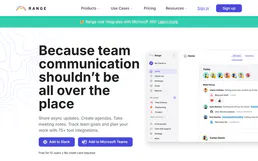
Range
Keep distributed teams in sync with async check-ins, team updates, and meeting tools that reduce unnecessary status meetings.