
Iterable MCP. Audit campaign performance and user data fast.
 Gemini
 Works with every AI agent you already use
…and any MCP-compatible client









Just plug in your AI agents and start using Vinkius.
Iterable MCP Server manages all cross-channel marketing efforts. Your AI agent can list campaigns, grab user profiles by email, check engagement metrics, and audit templates across email, SMS, and other channels.
It's how you automate customer lifecycle management and growth marketing directly from your client.
What your AI agents can do
Get campaign
Retrieves the message content, audience targeting, and scheduling settings for a single campaign.
Get campaign metrics
Gets performance data, such as open rates and click-through rates, for a specific campaign ID.
Get user
Fetches detailed profile information and activity history for a user using their email address.
The agent retrieves campaign details, audience targeting, and performance metrics for specific outreach efforts.
The agent fetches detailed user profiles by email and lists available contact segments for targeted messaging.
The agent lists available message templates, message types, and communication channels to audit content assets.
The agent lists and reviews automated workflows and configured webhooks that run marketing logic.
The agent lists all campaigns, channels, and contact lists to get an overview of your marketing stack.
Ask AI about this MCP
Supported MCP Clients
Gemini Waiting for input…
Iterable MCP Server: 10 Tools for Marketing Automation
Use these tools to retrieve, list, and audit everything from user profiles and campaign metrics to message templates and automation workflows.
019d75bcget campaign
Retrieves the message content, audience targeting, and scheduling settings for a single campaign.
019d75bcget campaign metrics
Gets performance data, such as open rates and click-through rates, for a specific campaign ID.
019d75bcget user
Fetches detailed profile information and activity history for a user using their email address.
019d75bclist campaigns
Lists all marketing campaigns, showing their names, unique IDs, and current status.
019d75bclist channels
Lists every communication channel available (e.g., Email, SMS, Push) for reaching your users.
019d75bclist lists
Lists all defined contact segments and user groups, allowing you to target specific audiences.
019d75bclist message types
Lists all defined message categories, like 'Welcome Email' or 'Weekly Newsletter', for content auditing.
019d75bclist templates
Lists all stored message templates, which are the actual content assets used in campaigns.
019d75bclist webhooks
Lists all system integrations and data export hooks that are currently active.
019d75bclist workflows
Lists all automated marketing logic and trigger-based user journeys.
Choose How to Get Started
Build a custom MCP for your own tools, or connect a ready-made integration from our catalog.
Build Your Own
Turn any API into an MCP. Import a spec, define Agent Skills, or deploy with MCPFusion.
- Import from OpenAPI, Swagger, or YAML specs
- Create Agent Skills with progressive disclosure
- Deploy to edge with MCPFusion framework
- Built in DLP, auth, and compliance on every call
- Real time usage dashboard and cost metering
- Publish to catalog or keep private
Make Your AI Do More
Start with Iterable, then connect any of our 4,700+ other servers whenever your AI needs more. One click, no limits.
- Use this MCP plus 4,700+ others, all in one place
- Add new capabilities to your AI anytime you want
- Every connection is secured and compliant automatically
- Track usage and costs across all your servers
- Works with Claude, ChatGPT, Cursor, and more
- New servers added to the catalog every week
What you can do with this MCP connector
Yo, this Iterable MCP Server hooks your AI client right into your entire marketing stack. You're gonna be able to list every campaign, pull user profiles by email, check engagement numbers, and audit templates across email, SMS, and everything else. It's how you automate the whole customer lifecycle and growth marketing straight from your client.
Audit Campaigns and Performance
Your agent can grab the details for any outreach effort, pulling the message content, audience targeting, and scheduling settings using get_campaign. It can also check performance data, like open rates and click-through rates, for a specific campaign ID via get_campaign_metrics. To get the full picture, you can list all campaigns with list_campaigns and see their names, unique IDs, and current status.
You can also list all available channels with list_channels and see what methods you're using to reach people.
Profile and Segment Users
Need to know what a user's up to? get_user pulls detailed profile information and activity history just from an email address. You can also check which groups you're targeting with list_lists, which shows all defined contact segments and user groups.
Manage Marketing Content
Want to audit your content? list_templates shows every message template you've stored—that's the actual content assets. list_message_types lists all defined message categories, like 'Welcome Email' or 'Weekly Newsletter', which helps you categorize things. You can also review the full scope of your marketing logic by listing all available message types using list_message_types.
Monitor Automation Logic
Your agent can check out all the automated stuff. list_workflows shows all automated marketing logic and trigger-based user journeys. If you're using data exports, list_webhooks lists all system integrations and data export hooks that are currently active.
View Campaign Status
To get a quick overview, you can use list_campaigns to see all active campaigns. You can also use list_lists to see all contact segments, and list_channels to know what communication methods are live. You can also list all message templates with list_templates to see what content is ready to go.
How Iterable MCP Works
- 1 First, tell your AI client which resource you need (e.g., 'I need the metrics for Campaign X').
- 2 The agent calls the specific tool (e.g.,
get_campaign_metrics) and provides any required inputs (like the campaign ID). - 3 The API returns a structured JSON object containing the requested data (e.g., open rates, click-through rates, or user demographics).
The bottom line is: you get structured marketing data from Iterable directly into your agent's memory.
Who Is Iterable MCP For?
This is for Marketing Operations Managers, Growth Engineers, and Product Marketing Leads. You're the person who spends hours clicking between dashboards—checking campaign status, verifying user segmentation, and making sure the right message hits the right segment. You need to automate the audit process and get raw data fast.
Uses list_campaigns and list_workflows to audit the entire marketing tech stack and ensure all automated sequences run correctly.
Calls get_user and get_campaign_metrics to build custom reporting dashboards or trigger personalized user journeys based on real-time performance data.
Uses list_templates and get_campaign to review and modify the actual message content and targeting rules before launching a new campaign.
What Changes When You Connect
- See campaign performance metrics instantly. Don't guess if a campaign worked; use
get_campaign_metricsto pull real ROI data for any campaign ID. - Know your audience segments immediately. Use
list_liststo identify exactly which groups of users are available for a targeted message, instead of manually checking list exports. - Audit every piece of content. Call
list_templatesandlist_message_typesto get a full inventory of all message assets and their intended categories. - Understand the user journey.
get_usergives you a full profile of an individual, showing their activity history, which is critical for personalizing messaging. - Map out your system logic.
list_workflowsshows you every automated rule running in the background, letting you quickly verify if a new user path is firing correctly. - Get a complete system overview. Running
list_campaignsandlist_channelstogether gives you a map of every active outreach effort and available path.
Real-World Use Cases
Campaign Retrospective: Why did Campaign X fail?
A marketer needs to know if a recent campaign was a flop. They ask their agent to run get_campaign_metrics for Campaign ID '123' and cross-reference that with get_campaign to see the targeting parameters. The agent returns the performance data and the original setup in one call, letting the marketer immediately identify if the issue was poor targeting or low engagement.
Auditing User Access: Who was last active?
A support engineer needs to check a specific user's history. Instead of navigating to the web portal, they ask the agent to run get_user for the user's email. The agent returns the profile and activity history, letting the engineer solve the problem and provide a concrete answer instantly.
Pre-Flight Check: What content is available?
Before launching a new email, a content manager asks the agent to run list_templates and list_message_types. The agent returns a full catalog of available templates and their assigned categories, ensuring the new message fits existing governance and content standards.
Mapping Automation: What triggers run when a user signs up?
A growth engineer needs to understand the sign-up flow. They ask the agent to run list_workflows and list_channels. The agent returns a list of automated workflows and the available channels, confirming exactly what sequence of messages a new user will receive.
The Tradeoffs
Manual data gathering
Opening the campaign dashboard, copying the ID, opening the user dashboard, searching for the user, and then jumping to the templates section to check the message body.
→
Tell your agent to combine the requests: First, run list_campaigns to find the ID. Then, run get_campaign_metrics with that ID. Finally, use get_user to pull the profile data for the audience you care about. It all happens in one conversation.
Assuming template scope
Thinking that list_templates only shows email content, so you forget to check if the message can be used for SMS.
→
Use list_templates to see all content assets. Then, use list_channels to understand all available paths. This forces you to account for both the message and the delivery method.
Over-relying on UI filtering
Spending 20 minutes in the web UI trying to filter campaigns by 'Active' status, only to realize the API handles status checks better.
→
Just ask the agent to run list_campaigns. It returns the status directly. If you need details, use get_campaign to verify the specific settings.
When It Fits, When It Doesn't
Use this MCP server if your primary job is auditing, reporting, or managing cross-channel marketing assets (campaigns, user data, templates, workflows). You need to know what was sent, who received it, and how it was scheduled. Don't use it if you just need to send a single, one-off message without tracking or segmenting. If you only need to check basic user existence, a simple identity verification tool might suffice. However, if you need to know the context (e.g., 'What campaign is this user part of?', 'What was the message body?'), then you need the full suite of tools here.

Independent Platform Disclaimer: Vinkius is an independent platform and is not affiliated with, endorsed by, sponsored by, verified by, or otherwise authorized by Iterable. All third-party trademarks, logos, and brand names are the property of their respective owners. Their use on this website is strictly for informational purposes to identify service compatibility and interoperability.
VINKIUS INFRASTRUCTURE
Cloud Hosted
Managed infra
V8 Isolated
Sandboxed per request
Zero-Trust Proxy
No stored credentials
DLP Enforced
Policy on every call
GDPR Compliant
EU data residency
Token Compression
~60% cost reduction
Works with Claude, ChatGPT, Cursor, and more
The Model Context Protocol standardizes how applications expose capabilities to LLMs. Instead of operating in isolation, your AI gains direct access to external platforms, live data, and real-world actions through secure, standardized connections.
This server provides 10 capabilities that interface natively with Claude, ChatGPT, Cursor, and any MCP client. No middleware. No custom integration required.
Available Capabilities
Checking campaign performance and user data is a nightmare of tabs and manual copies.
Today, checking if a campaign worked means jumping between the Campaign Dashboard, the Metrics tab, and then exporting the user list to cross-reference who opened it. You copy the Campaign ID, paste it in the metrics tool, and then repeat the process for every user segment you want to analyze. It's slow, it's error-prone, and you lose context by the time you're done.
With the Iterable MCP Server, you tell your agent to look at the campaign performance and the associated user segment. The agent runs `get_campaign_metrics` and `get_user` in sequence, stitching the performance data to the user profile. You get the full picture—metrics tied to specific users—in one output. No copy-pasting needed.
Iterable MCP Server: Get full visibility into campaigns and users.
Previously, figuring out what content was available meant logging into the template section, then checking the message type definitions, and finally running a manual list to see if the campaign had the right targeting set up. It was a multi-step, manual audit process that often missed edge cases.
Now, you ask the agent to run `list_templates` alongside `list_message_types`. The agent pulls a complete inventory of all content assets and their definitions. You see everything—the content, the rules, the categories—without having to click through five different menus.
Common Questions About Iterable MCP
How do I use `get_user` to check a subscriber's activity? +
The get_user tool returns detailed profile information, including activity history. You just need to provide the user's email address, and the agent pulls the full history.
What is the difference between `list_campaigns` and `get_campaign`? +
list_campaigns gives you a high-level overview: a list of all campaigns and their IDs. get_campaign dives deep into one specific campaign, showing its audience targeting, scheduling, and message content.
Can I check campaign metrics for a specific segment? +
Yes. You first use list_lists to identify the segment ID, and then you pass that context when requesting metrics via get_campaign_metrics.
What tools do I need to manage content assets? +
You should use list_templates to see the content itself, and list_message_types to understand the content's categorization rules.
How do I check all available communication paths using `list_channels`? +
It lists every channel you use, like Marketing or Transactional. This helps you understand all the paths available for reaching your users.
When should I use `list_templates` instead of `get_campaign`? +
list_templates shows every message template asset available in your account. Use this when you need to audit or identify the content blocks themselves, not a live campaign setup.
How can I find all the user groups I can target using `list_lists`? +
It pulls a list of all contact lists, allowing you to identify user segments. You use these segments to target specific groups of people with messages.
Does `get_user` require specific parameters for the user's email? +
Yes, get_user requires the user's email address to function. You must provide this parameter to retrieve the correct profile and activity history.
How do I get Iterable API credentials? +
Log in to your Iterable project, navigate to Integrations > API Keys, and generate a new API Key. Note your project's data center (US or EU).
Which data centers are supported? +
This MCP supports both US-based (api.iterable.com) and EU-based (api.eu.iterable.com) Iterable projects.
Can I see real-time campaign metrics? +
Yes, the get_campaign_metrics tool provides access to performance data like opens, clicks, and conversions for your campaigns.
Use it with your favorite AI tools
Connect this server to Cursor, Claude, VS Code, and more.
More in this category

Constant Contact
Equip your AI agent to construct, analyze, and dispatch robust email marketing campaigns seamlessly through Constant Contact.

Pinterest Ads
Manage advertising and pins via Pinterest Ads — list campaigns, track analytics, and audit audiences directly from any AI agent.

Drip
Manage subscribers, campaigns, and events in Drip via your AI Agent.
You might also like

Fluxguard
Monitor website changes, track visual differences, and receive alerts via AI agents with Fluxguard.
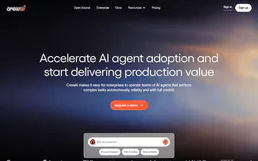
CrewAI Platform
Orchestrate multi-agent workflows via CrewAI — list crews and agents, kickoff autonomous runs, and monitor task execution directly from any AI agent.

Deterministic 50/30/20 Budget Engine
Transform your AI into a hyper-precise financial controller. Mathematically enforce the 50/30/20 budgeting rule on pre-categorized expense pipelines to detect exact capital deviations.