
Jebbit MCP. Access zero-party data and segment audiences via your AI client.
 Gemini
 Works with every AI agent you already use
…and any MCP-compatible client









Just plug in your AI agents and start using Vinkius.
Jebbit MCP Server gives your AI client direct access to zero-party data and interactive experience results. It lets your agent list experiences, pull consumer attributes, manage audience segments, and check campaign metrics via the Jebbit API.
Use this to automate marketing insights and build targeted campaigns from user-captured data.
What your AI agents can do
Get account
Retrieves the current account details and verification status.
Get experience
Gets details about a specific interactive experience, like a quiz or survey.
List attributes
Lists all consumer attributes that users captured across multiple experiences.
Your agent fetches details for a single quiz or survey, giving you the structure or overall results.
Your agent lists every consumer attribute captured across all your interactive experiences.
Your agent lists all audience segments, which you can use for targeted marketing efforts.
Your agent retrieves account details (get_account), lists platform users (list_users), and checks configured webhooks (list_webhooks).
Your agent lists active campaigns (list_campaigns) and monitors the status of large data reports (list_reporting_jobs).
Ask AI about this MCP
Supported MCP Clients
Gemini Waiting for input…
Jebbit MCP Server: 10 Tools for Audience & Experience Data
Use these tools to programmatically list and retrieve everything from your Jebbit account, including user attributes, campaigns, and experience details.
019d75bcget account
Retrieves the current account details and verification status.
019d75bcget experience
Gets details about a specific interactive experience, like a quiz or survey.
019d75bclist attributes
Lists all consumer attributes that users captured across multiple experiences.
019d75bclist campaigns
Lists all active marketing campaigns currently running.
019d75bclist experiences
Returns a list of all interactive content available in the account.
019d75bclist integrations
Lists all active integrations connected to the Jebbit platform.
019d75bclist reporting jobs
Checks the status and history of large data reporting requests.
019d75bclist segments
Lists all defined audience segments for targeted marketing.
019d75bclist users
Lists all registered users and their account permissions.
019d75bclist webhooks
Lists all configured webhooks for data flow auditing.
Choose How to Get Started
Build a custom MCP for your own tools, or connect a ready-made integration from our catalog.
Build Your Own
Turn any API into an MCP. Import a spec, define Agent Skills, or deploy with MCPFusion.
- Import from OpenAPI, Swagger, or YAML specs
- Create Agent Skills with progressive disclosure
- Deploy to edge with MCPFusion framework
- Built in DLP, auth, and compliance on every call
- Real time usage dashboard and cost metering
- Publish to catalog or keep private
Make Your AI Do More
Start with Jebbit, then connect any of our 4,700+ other servers whenever your AI needs more. One click, no limits.
- Use this MCP plus 4,700+ others, all in one place
- Add new capabilities to your AI anytime you want
- Every connection is secured and compliant automatically
- Track usage and costs across all your servers
- Works with Claude, ChatGPT, Cursor, and more
- New servers added to the catalog every week
What you can do with this MCP connector
Jebbit MCP Server lets your AI client connect directly to your zero-party data and interactive experience results. Your agent can list experiences, pull consumer attributes, manage audience segments, and check campaign metrics using the Jebbit API.
Account & Platform Info
Your agent checks your current account details and verification status using get_account.
It also lists every registered user and their account permissions via list_users.
And you can see all configured webhooks for data flow auditing using list_webhooks.
Experiences & Data
Your agent gets details for a specific interactive experience, like a quiz or survey, using get_experience.
It returns a list of every interactive content available in the account via list_experiences.
To see every consumer attribute users captured across multiple experiences, your agent runs list_attributes.
Audience & Campaigns
Your agent lists all defined audience segments for targeted marketing using list_segments.
It lists all active marketing campaigns currently running via list_campaigns.
Integrations & Reporting
Your agent lists all active integrations connected to the Jebbit platform with list_integrations.
It lists all available audience segments using list_segments.
Your agent checks the status and history of large data reporting requests using list_reporting_jobs.
How Jebbit MCP Works
- 1 You prompt your AI client to find data, for example, 'What attributes did users capture?'
- 2 Your AI client calls the appropriate tool, like
list_attributes, which connects to the Jebbit API. - 3 The API returns a structured list of attributes, and your agent presents the results directly in your chat interface.
The bottom line is, your agent can execute complex data queries against Jebbit and give you the structured data you need, without you writing any code.
Who Is Jebbit MCP For?
This is for marketing ops managers and data analysts who spend too much time clicking through separate dashboards to piece together a single consumer profile. If your job involves understanding why a campaign failed or who the next target segment should be, this server saves you hours of manual data wrangling.
Uses the server to check campaign performance (list_campaigns) and segment audiences (list_segments) to refine ad spend.
Retrieves zero-party data using list_attributes and cross-references it with user data from list_users to build reports.
Uses list_experiences to audit the content catalog and get_experience to review the structure of a specific quiz.
What Changes When You Connect
- Segment audiences instantly: Use
list_segmentsto pull high-value user cohorts directly into your agent workflow, skipping manual segmentation reports. - Audit user behavior:
get_experiencelets you check the structure of a quiz or survey, so your agent knows exactly what data points are available for analysis. - Track campaign performance:
list_campaignslists all active campaigns, letting your agent gather performance metrics and compare them against segment lists. - Automate data gathering: By calling
list_attributes, your agent pulls every consumer insight across the platform, giving you a single source of truth for data points. - Manage data jobs: If you need a massive data dump,
list_reporting_jobschecks the status, so your agent tells you when the data is ready, instead of you waiting on a dashboard. - Maintain data flow:
list_integrationsandlist_webhookslet your agent audit your setup, confirming that data moves from Jebbit to other platforms correctly.
Real-World Use Cases
Understanding Quiz Failures
A product manager sees a campaign underperforming. They ask their agent to investigate. The agent runs get_experience to understand the quiz structure, then uses list_attributes to see what data points users actually captured. The PM gets a report detailing that the 'purchase intent' attribute was never prompted, pointing to a fix in the quiz itself.
Building a Retargeting List
A marketing ops manager needs a list of high-value leads. They ask their agent to find them. The agent runs list_segments to identify the target cohort, then uses list_users to cross-check permissions and build a clean, ready-to-use list for the ad platform.
Checking Data Pipeline Health
A data engineer notices an integration is failing. They ask their agent to check the status. The agent runs list_integrations and list_webhooks, confirming which connections are active and if the required data flow endpoints are configured correctly.
Prioritizing New Content
A content team lead needs to know where to focus their next quiz. They ask their agent to list all existing experiences (list_experiences), then run list_campaigns to see which ones are currently driving the most traffic. This directs them to the most needed content.
The Tradeoffs
Only checking one type of data
Checking list_campaigns only tells you where traffic came from. You don't know what the users thought about the content.
→
To get a full picture, your agent must combine list_campaigns with list_attributes and get_experience. This links the source of the traffic to the specific data points the user captured.
Assuming all data is available
Thinking that because you see an attribute listed, it means every user captured it. That's not true.
→
Always run list_attributes first. This confirms exactly what data points are available before you try to build a segment or analyze a specific user.
Manually checking data flow
Logging into the dashboard, clicking 'Integrations,' and manually confirming each webhook URL is correct.
→
Let your agent handle it. Use list_integrations and list_webhooks to instantly audit all configured data flows across the platform.
When It Fits, When It Doesn't
Use this server if your workflow requires linking user behavior (from experiences) to defined marketing segments and campaign performance. Specifically, if you need to know what data was captured and who that data belongs to, this is the right tool. Don't use it if you only need simple data storage or basic user management outside of marketing context. If you just need to see a list of all users, list_users works. But if you need to know what those users captured, you need the full suite of tools, especially list_attributes and list_segments.

Independent Platform Disclaimer: Vinkius is an independent platform and is not affiliated with, endorsed by, sponsored by, verified by, or otherwise authorized by Jebbit. All third-party trademarks, logos, and brand names are the property of their respective owners. Their use on this website is strictly for informational purposes to identify service compatibility and interoperability.
VINKIUS INFRASTRUCTURE
Cloud Hosted
Managed infra
V8 Isolated
Sandboxed per request
Zero-Trust Proxy
No stored credentials
DLP Enforced
Policy on every call
GDPR Compliant
EU data residency
Token Compression
~60% cost reduction
Works with Claude, ChatGPT, Cursor, and more
The Model Context Protocol standardizes how applications expose capabilities to LLMs. Instead of operating in isolation, your AI gains direct access to external platforms, live data, and real-world actions through secure, standardized connections.
This server provides 10 capabilities that interface natively with Claude, ChatGPT, Cursor, and any MCP client. No middleware. No custom integration required.
Available Capabilities
Gathering consumer insights used to be a mess of tabs and exports.
Today, finding out what a user knows about your brand involves jumping between the campaign dashboard, the experience results page, and the segment list. You download a spreadsheet from the campaign view, then you manually copy names over to a different tab to check for specific attributes, and finally, you cross-reference that with the segment definitions. It's slow, and it’s prone to copy-paste errors.
With the Jebbit MCP Server, your agent handles the whole process. You ask it to find attributes for a specific campaign, and it combines the necessary data from `list_campaigns`, `list_attributes`, and `get_experience` into one structured response. You get the insight, not the spreadsheet.
List Attributes MCP Server: See exactly what zero-party data users captured.
Before this server, knowing what data points were available required digging into platform settings and documentation. You had to guess what the system could track. You often missed valuable attributes like 'purchase intent' because they weren't visible in the main reporting view.
Now, simply calling `list_attributes` gives your agent a definitive list of every single attribute captured across the whole platform. You know exactly what data you can use, and you can build your marketing strategy on facts, not assumptions.
Common Questions About Jebbit MCP
How do I use `list_experiences` with the Jebbit MCP Server? +
It lists all active interactive content (quizzes, surveys) in your account. Use this first to get a list of IDs, which you can then pass to get_experience to pull details on a specific quiz.
Can I check the status of a large data request using `list_reporting_jobs`? +
Yes. list_reporting_jobs shows the status of your recent data reporting jobs. Your agent will tell you if the job is pending, complete, or failed, so you don't have to check the dashboard repeatedly.
What is the difference between `list_attributes` and `list_segments`? +
list_attributes tells you what data points are available (e.g., 'favorite color'). list_segments lists the actual, pre-defined groups of users that have been created using those attributes.
How do I check account permissions using `list_users`? +
The list_users tool lists every account user and their permissions. This is useful for auditing and ensuring your agent only accesses data it should have access to.
What should I use `get_experience` for if I need to check the results of a specific quiz? +
Use get_experience to fetch the structure and overall results of a specific quiz or survey. This lets you see exactly what data points were generated for that experience.
How do I view all the integrations that are connected to my Jebbit account using `list_integrations`? +
list_integrations retrieves a list of every active integration. This is useful for auditing which platforms are currently receiving data from Jebbit.
Does `list_campaigns` help me figure out where my traffic is coming from? +
Yes, list_campaigns lists all active marketing campaigns. By checking these, you can monitor the source of traffic flowing into your interactive experiences.
What tools can I use to audit the webhooks set up on my Jebbit account? +
The list_webhooks tool lists every configured webhook. This allows you to verify and audit the specific data flow rules connected to your services.
How do I get Jebbit API credentials? +
You need a Client ID and Client Secret. Please contact your Jebbit account representative or visit the developer settings in your Jebbit dashboard to obtain these credentials.
What is zero-party data? +
Zero-party data is data that a customer intentionally and proactively shares with a brand, often through interactive experiences like quizzes or surveys.
Can I see campaign performance? +
Yes, the list_reporting_jobs and get_experience tools allow you to access data related to how users are interacting with your Jebbit content.
Use it with your favorite AI tools
Connect this server to Cursor, Claude, VS Code, and more.
More in this category

Umami (Privacy Analytics)
Manage your Umami analytics — track events, manage websites, and oversee users directly through your AI agent.
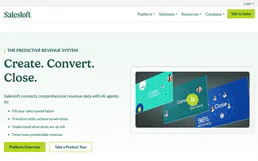
Salesloft
Automate sales engagement via Salesloft — manage cadences, people, and accounts directly from any AI agent.

emfluence Marketing
Equip your AI agent to manage marketing emails, track contact groups, and monitor performance via the emfluence API.
You might also like
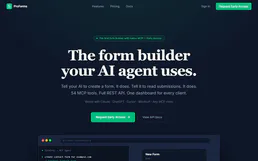
Proforms
Online form builder and data collection.

ThirdWeb
Integrate Web3 capabilities into your AI agent — manage wallets, authenticate users, and interact with smart contracts across multiple blockchains.

CaptivateIQ
Manage incentive compensation via CaptivateIQ — track commission payouts, statements, and employee plans directly from any AI agent.