
Kavak MCP. Find, inspect, finance, and reserve used cars instantly.
 Gemini
 Works with every AI agent you already use
…and any MCP-compatible client









Just plug in your AI agents and start using Vinkius.
Kavak MCP Server handles everything from searching used cars to calculating trade-in values and financing. Connect your AI agent to instantly find, inspect, and reserve certified pre-owned vehicles across Mexico.
Get market pricing, full vehicle history, and instant buy-back offers without leaving your chat window.
What your AI agents can do
Create reservation
Reserves a specific vehicle for purchase and takes it off the marketplace for a defined period.
Estimate trade in
Calculates a buy-back offer for your current vehicle based on its make, model, year, mileage, and condition.
Get financing options
Calculates available credit plans for a specific vehicle across different payment terms.
Find specific used cars by using filters for make, model, year, or price range.
Retrieve full records including ownership count, accident reports, and service history for any listed vehicle.
Get an instant buy-back offer for your current vehicle based on its make, model, year, mileage, and condition.
Calculate multiple credit plans for a vehicle across different terms and down payment scenarios.
View the detailed 240-point mechanical inspection report that every Kavak vehicle undergoes.
Reserve a vehicle for purchase and schedule a test drive at a local Kavak hub.
Ask AI about this MCP
Supported MCP Clients
Gemini Waiting for input…
Kavak MCP Server: 14 Tools for Automotive Transactions
Manage car reservations, check vehicle history, calculate trade-ins, and find market prices using these 14 dedicated tools.
019d844dcreate reservation
Reserves a specific vehicle for purchase and takes it off the marketplace for a defined period.
019d844destimate trade in
Calculates a buy-back offer for your current vehicle based on its make, model, year, mileage, and condition.
019d844dget financing options
Calculates available credit plans for a specific vehicle across different payment terms.
019d844dget market pricing
Retrieves current market pricing intelligence and trends for a specific car model.
019d844dget reservation
Checks the current status of a vehicle reservation using its ID.
019d844dget vehicle
Retrieves all core details about a specific car, including photos and basic specs.
019d844dget vehicle history
Checks the full ownership and accident history records for any listed vehicle.
019d844dget vehicle inspection
Views the detailed 240-point mechanical inspection report for a listed vehicle.
019d844dlist locations
Lists all Kavak showroom locations, including addresses, hours, and available services.
019d844dlist makes
Lists all car manufacturers currently available in the Kavak inventory.
019d844dlist models
Lists all specific car models available for a chosen manufacturer.
019d844dlist reservations
Retrieves a list of all active vehicle reservations made by the user.
019d844dschedule test drive
Schedules a test drive, including options for the vehicle to be delivered to the user's address.
019d844dsearch vehicles
Finds available used cars in the Kavak inventory based on filters and criteria.
Choose How to Get Started
Build a custom MCP for your own tools, or connect a ready-made integration from our catalog.
Build Your Own
Turn any API into an MCP. Import a spec, define Agent Skills, or deploy with MCPFusion.
- Import from OpenAPI, Swagger, or YAML specs
- Create Agent Skills with progressive disclosure
- Deploy to edge with MCPFusion framework
- Built in DLP, auth, and compliance on every call
- Real time usage dashboard and cost metering
- Publish to catalog or keep private
Make Your AI Do More
Start with Kavak, then connect any of our 4,700+ other servers whenever your AI needs more. One click, no limits.
- Use this MCP plus 4,700+ others, all in one place
- Add new capabilities to your AI anytime you want
- Every connection is secured and compliant automatically
- Track usage and costs across all your servers
- Works with Claude, ChatGPT, Cursor, and more
- New servers added to the catalog every week
What you can do with this MCP connector
You're dealing with Kavak, Mexico's biggest certified pre-owned car marketplace. Your AI agent connects right here, letting you search, inspect, finance, and reserve vehicles using natural conversation. You get full access to the whole vehicle process, from finding a car to locking it down.
Finding Your Ride
Your agent finds cars using search_vehicles, letting you filter by make, model, year, or price range. You can narrow down the inventory by listing all available makes using list_makes or all models for a given manufacturer using list_models. You can also see all Kavak showroom locations, addresses, and hours by running list_locations.
Checking the Nuts and Bolts
To check a specific car, your agent uses get_vehicle to pull up core details and photos. You can deep-dive into the car's story with get_vehicle_history, which shows the full ownership and accident reports. You'll also get a detailed mechanical breakdown using get_vehicle_inspection, which covers 240 points. If you want to check the status of a car you already reserved, you use get_reservation with its ID.
You can pull up a list of all your active reservations using list_reservations.
Financing and Trades
Need to know what a car costs? Your agent runs get_market_pricing to give you current market pricing intelligence and trends for any model. If you want to see how much you can finance, get_financing_options calculates available credit plans across different payment terms and down payment scenarios. Want to trade in your current ride? Just feed your agent the make, model, year, mileage, and condition, and it runs estimate_trade_in to give you an instant buy-back offer.
Locking it Down
When you find the perfect car, you can use create_reservation to reserve it for a defined period, taking it off the marketplace for you. You can also use schedule_test_drive to book a test drive, and it even gives you the option of delivering the vehicle to your address.
How Kavak MCP Works
- 1 Subscribe to the Kavak server and provide your API Key and Secret.
- 2 Tell your AI agent what you need (e.g., 'Find me a red SUV under $300,000').
- 3 The agent runs the necessary tools, pulls the data, and presents the results to you in natural conversation.
The bottom line is you get all the car data you need—from market pricing to finance options—without opening a browser.
Who Is Kavak MCP For?
Car buyers who hate endless scrolling and need instant, accurate data. Financial advisors needing to present multiple financing options to clients. Used car dealers who need reliable market pricing intelligence for competitive sales analysis.
Uses search_vehicles to find cars and get_vehicle_history to vet the background before committing to a purchase.
Runs get_financing_options to show clients multiple payment scenarios and calculates potential trade-in values using estimate_trade_in.
Calls get_market_pricing to check current average prices for specific models, helping them price inventory correctly.
What Changes When You Connect
- See instant buy-back offers with
estimate_trade_in. You don't have to manually estimate what your current car is worth; the tool factors in mileage, condition, and current market prices. - Get the full story on any car using
get_vehicle_history. This tool goes beyond the listing to check ownership count and accident records, giving you real transparency. - Calculate financing options for clients using
get_financing_options. It runs through multiple terms (12 to 60 months) and down payment scenarios, giving you a complete picture. - Verify mechanical condition with
get_vehicle_inspection. Instead of reading vague descriptions, you get access to the detailed 240-point inspection report. - Find the right car using
search_vehicles. You can filter by specific criteria—make, model, year, and price—and get a list of available inventory instantly. - Manage your purchases by running
create_reservation. This tool takes the vehicle off the marketplace, securing it for you while you finalize the details.
Real-World Use Cases
Buying a car with an old vehicle trade-in
A user wants a new SUV but needs to know what their 2015 sedan is worth. They run estimate_trade_in first to get the value. Then, they use search_vehicles to filter SUVs within their budget and run get_financing_options on the top picks. The agent pulls everything together into one recommendation.
Vetting a car for a client
A financial advisor needs to sell a car to a client. They use get_vehicle to get the basic data, then get_vehicle_history to check for clean title status. Finally, they run get_financing_options to present a full, vetted plan. This saves hours of manual research.
Comparing market values for inventory
A used car dealer needs to know if a specific model is overpriced. They run get_market_pricing to see the average price range for that make/model/year in the Mexican market. This intelligence helps them price their own inventory competitively.
Securing a vehicle immediately
The user finds the perfect car via search_vehicles and wants to guarantee it before the seller changes their mind. They immediately run create_reservation to reserve it, securing the vehicle and setting up the next steps.
The Tradeoffs
Searching without filters
Just asking the agent, 'Show me cars.' The agent gets overwhelmed and gives a massive, useless list of every single vehicle, forcing you to scroll through pages of results.
→
Always use search_vehicles with specific parameters. Specify the make, model, year range, or price limits to get a manageable, targeted list.
Ignoring vehicle history
Assuming a car looks clean on the surface. You check the price and reserve it, but the agent never runs get_vehicle_history, so you might miss accident reports or title issues.
→
Before reserving or financing, always run get_vehicle_history to verify ownership count and accident records. It’s the most critical step.
Over-relying on simple search
Running only search_vehicles and assuming the price is final. You get a list of cars, but you don't know the true cost of ownership or the current financing rates.
→
After finding a car, run get_financing_options and get_vehicle_inspection to get the total cost and mechanical verification. Never buy based on price alone.
When It Fits, When It Doesn't
Use this if you need a single point of contact to manage the entire used car purchasing process. You need to compare a car's market value (get_market_pricing), check its legal status (get_vehicle_history), and calculate payment options (get_financing_options) all in one chat thread.
Don't use this if you are only checking one single piece of data, like just listing car models (list_models). For simple lookups, it might be overkill. Instead, use a dedicated, simple lookup tool if one exists. But if the task involves a workflow (search, vet, finance, buy), Kavak is your answer.

Independent Platform Disclaimer: Vinkius is an independent platform and is not affiliated with, endorsed by, sponsored by, verified by, or otherwise authorized by Kavak. All third-party trademarks, logos, and brand names are the property of their respective owners. Their use on this website is strictly for informational purposes to identify service compatibility and interoperability.
VINKIUS INFRASTRUCTURE
Cloud Hosted
Managed infra
V8 Isolated
Sandboxed per request
Zero-Trust Proxy
No stored credentials
DLP Enforced
Policy on every call
GDPR Compliant
EU data residency
Token Compression
~60% cost reduction
Works with Claude, ChatGPT, Cursor, and more
The Model Context Protocol standardizes how applications expose capabilities to LLMs. Instead of operating in isolation, your AI gains direct access to external platforms, live data, and real-world actions through secure, standardized connections.
This server provides 14 capabilities that interface natively with Claude, ChatGPT, Cursor, and any MCP client. No middleware. No custom integration required.
Available Capabilities
Buying used cars shouldn't feel like a full-time job.
Right now, buying used cars means jumping between the dealer website, the VIN checker, and the finance calculator. You click through five different tabs, copy a VIN, paste it into a third-party checker, and then you have to switch over to a separate site just to see loan terms. It’s a mess of tabs and copy-pasting.
With the Kavak MCP Server, you just talk to your agent. You tell it the make and model, and the agent runs the checks for you—history, inspection, market price—and spits out the full report. You get the data, not the headache.
Kavak MCP Server: Reserve vehicles & view history
You no longer have to wait for a human sales rep to run the numbers. The agent can instantly run `get_financing_options` and `estimate_trade_in`, comparing multiple loan rates and calculating your buy-back offer in seconds.
The difference is workflow. Instead of a manual, multi-step process, you get a single, automated conversation that delivers actionable results. That's how it's supposed to work.
Common Questions About Kavak MCP
How do I use `search_vehicles` to find a car? +
You need to tell the agent your criteria (e.g., 'Toyota RAV4, 2020-2023, under $400,000'). The agent then runs search_vehicles and returns a list of matching vehicles with key details.
What is the difference between `get_vehicle_inspection` and `get_vehicle_history`? +
get_vehicle_inspection shows the mechanical condition (240-point check). get_vehicle_history shows the vehicle's paperwork (ownership, accidents). You need both to know if the car is safe and clean.
Can I use `estimate_trade_in` for a car I haven't seen yet? +
Yes, you can. Just give the agent the make, model, year, mileage, and condition. The tool uses current market data to give you a solid estimate, which is great for budgeting.
How do I reserve a car using `create_reservation`? +
First, use search_vehicles to find the car ID. Then, run create_reservation and provide your required contact details. This secures the car immediately.
Can I see financing options for a car using `get_financing_options`? +
Yes. Provide the vehicle ID and the desired down payment. The tool calculates monthly payments and interest rates across 12, 24, 36, 48, and 60 months.
How does `get_market_pricing` help me compare car models? +
It provides market intelligence by querying average prices, price ranges, and trends for a specific make/model/year in the Mexican used car market. Use this tool before buying to make sure you're getting a fair price.
What information do I need for `schedule_test_drive`? +
You need to specify the vehicle, your desired date, and your location. Kavak can even arrange home test drives in certain cities, so you don't always have to go to a showroom.
Can I use `list_locations` to find a nearby showroom? +
Yes, this tool returns the address, operating hours, available services (like inspections or test drives), and contact details for all Kavak locations. This is great for planning a physical visit.
Can I get an instant trade-in offer for my current car? +
Yes! Use the estimate_trade_in tool with your car's make, model, year, mileage, and condition. Kavak's AI valuation engine will return an instant buy-back offer based on current Mexican market conditions and comparable recent transactions.
What does the 240-point inspection cover? +
Use get_vehicle_inspection to see the full 240-point report. It covers engine health, transmission status, brake system, tire condition, electrical systems, suspension, body/paint integrity, interior condition, and all safety features. Each point is rated as pass, warning, or replaced.
Can I calculate monthly payments for different financing scenarios? +
Yes. Use get_financing_options with the vehicle ID and an optional down payment amount (enganche). It returns a matrix of monthly payment options across 12, 24, 36, 48, and 60-month terms, each with interest rates, total cost, and CAT (Costo Anual Total).
Use it with your favorite AI tools
Connect this server to Cursor, Claude, VS Code, and more.
More in this category

Boeing Developer Tools
Global aviation intelligence, Jeppesen aerodromes, and aircraft models.
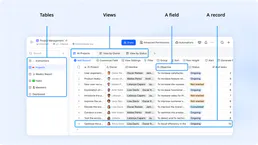
Feishu Bitable
Collaborative multi-dimensional table platform by Lark — manage bases, tables, and records via AI.

JD Cloud / 京东云
China's leading supply chain cloud platform — manage VMs, storage, and cloud infrastructure via AI.
You might also like

Permit.io
Orchestrate full-stack authorization, manage RBAC/ReBAC policies, and evaluate permissions in real-time via Permit.io.

Porter PaaS
Orchestrate Kubernetes clusters via Porter — manage apps, projects, container tags, and enforce rollouts directly with your AI.

AdaptiveWork (Clarizen)
Enterprise project management — manage projects, tasks, resources, and portfolios via AI.