
Leadfeeder MCP. Find out which companies are visiting your site right now.
 Gemini
 Works with every AI agent you already use
…and any MCP-compatible client









Just plug in your AI agents and start using Vinkius.
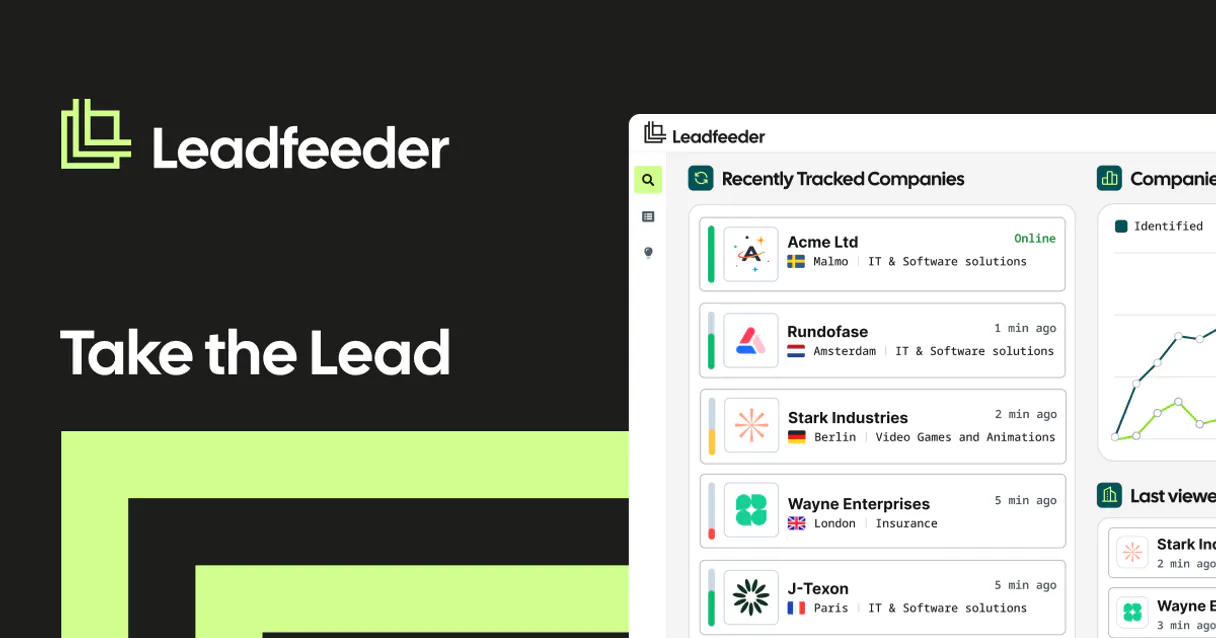
Leadfeeder MCP Server connects your AI agent directly to your B2B visitor intelligence. It finds out which verified companies visit your website, even if they aren't on your list.
Use tools like `list_account_visits` and `list_leads` to pull concrete data on corporate traffic, pinpointing industry interest and repeat visitors. Stop guessing who's looking at your site.
What your AI agents can do
Get account
Gets specific details for a single Leadfeeder account.
Get custom feed
Gets details for a specific custom feed filter setup.
Get lead
Gets specific details for one individual lead.
Retrieves specific information about a single Leadfeeder account using the get_account tool.
Retrieves detailed data for a single identified lead using the get_lead tool.
Retrieves a list of all managed accounts connected to your Leadfeeder profile via list_accounts.
Retrieves a list of all discovered leads associated with your account using list_leads.
Pulls aggregate visit data across an entire account using list_account_visits.
Retrieves the specific website visit history tied to one individual lead using list_lead_visits.
Handles supplementary data like custom feeds (list_custom_feeds) or the primary tracking script (get_tracking_script).
Ask AI about this MCP
Supported MCP Clients
Gemini Waiting for input…
Leadfeeder MCP Server: 9 Tools for B2B Visitor Intelligence
Use these tools to retrieve account details, visit history, and lead information directly from Leadfeeder, all through your AI agent.
019d75c5get account
Gets specific details for a single Leadfeeder account.
019d75c5get custom feed
Gets details for a specific custom feed filter setup.
019d75c5get lead
Gets specific details for one individual lead.
019d75c5get tracking script
Gets the tracking script needed for the account.
019d75c5list account visits
Gets aggregate visit data across the entire account.
019d75c5list accounts
Retrieves a list of all managed accounts in your Leadfeeder profile.
019d75c5list custom feeds
Retrieves a list of active custom feeds within a specific account.
019d75c5list lead visits
Gets the website visits directly associated with a specific lead.
019d75c5list leads
Retrieves a list of all discovered leads within your account.
Choose How to Get Started
Build a custom MCP for your own tools, or connect a ready-made integration from our catalog.
Build Your Own
Turn any API into an MCP. Import a spec, define Agent Skills, or deploy with MCPFusion.
- Import from OpenAPI, Swagger, or YAML specs
- Create Agent Skills with progressive disclosure
- Deploy to edge with MCPFusion framework
- Built in DLP, auth, and compliance on every call
- Real time usage dashboard and cost metering
- Publish to catalog or keep private
Make Your AI Do More
Start with Leadfeeder, then connect any of our 4,700+ other servers whenever your AI needs more. One click, no limits.
- Use this MCP plus 4,700+ others, all in one place
- Add new capabilities to your AI anytime you want
- Every connection is secured and compliant automatically
- Track usage and costs across all your servers
- Works with Claude, ChatGPT, Cursor, and more
- New servers added to the catalog every week
What you can do with this MCP connector
You're connecting your AI agent directly to Leadfeeder for B2B visitor intelligence. It lets your agent analyze high-quality B2B internet traffic, giving you visitor data right where you need it, without needing a whole separate dashboard. You can use this server to stop guessing who's looking at your site and start acting on concrete data.
Get Account Details: You can use get_account to pull specific information about a single Leadfeeder account. List All Accounts: You'll use list_accounts to pull a list of every managed account connected to your Leadfeeder profile. Get Lead Information: Need to know more about a single person? get_lead pulls detailed data for one identified lead. List Discovered Leads: Use list_leads to pull a list of all discovered leads associated with your account. Get Account Visit History: list_account_visits pulls aggregate visit data across an entire account. Get Lead Visit History: You'll use list_lead_visits to get the specific website visit history tied to one individual lead. Manage Feeds and Scripts: You can use list_custom_feeds to get a list of active custom feeds, and get_tracking_script gives you the primary tracking script needed for the account.
How Leadfeeder MCP Works
- 1 Install the MCP Server base via Vurb and provide your secure API Developer token.
- 2 Tell your AI agent what you need. For example, 'List all accounts that visited the pricing page last month.'
- 3 The agent uses the tools, running calls like
list_accountsorlist_lead_visits, and returns a clean, structured data payload you can read immediately.
The bottom line is, you talk to your AI client, and it handles the complex API calls to pull targeted B2B visitor data.
Who Is Leadfeeder MCP For?
This is for B2B Sales Reps and Marketing Pros who need verifiable proof of interest. If you're tired of relying on generic Google Analytics reports that don't show company names, this is for you. It's for the person who needs to know who is visiting, not just how many.
Needs to find out the top company visits of the day without leaving the chat pipeline tool. They use the agent to check recent traffic patterns before calling a prospect.
Must verify if a recent campaign is driving traffic from target industries. They prompt the agent to filter traffic by specific sectors or domains.
Needs to extract clean, actionable lead directories easily. They use the tools to build a target list for a client presentation.
What Changes When You Connect
- See real company names and industry types. Instead of just knowing '100 visitors,' you use
list_leadsto find out 'Microsoft Corp' visited today. This changes follow-up strategy. - Deep dive into specific traffic. Need to know what a single lead did? Use
list_lead_visitsto pull a complete session history for that one company. - Analyze overall account behavior. Use
list_account_visitsto get aggregate data across the whole account, which is faster than jumping through multiple dashboards. - Build instant target lists. The agent can run
list_accountsand thenlist_leadsto compile a clean, actionable directory of prospects for your team. - Isolate campaign effectiveness. Prompt the agent to filter traffic by specific criteria or domains, immediately verifying which campaigns are working.
- Access system context. Tools like
get_tracking_scriptandget_custom_feedgive your agent the necessary setup details to run complex queries.
Real-World Use Cases
Identifying High-Value Prospects
A B2B Sales Rep needs a list of companies that viewed the pricing page this week. Instead of logging into the dashboard, they ask their agent. The agent calls list_leads and filters the results, returning a clean list of target companies ready for outreach.
Verifying Campaign ROI
A Marketing Manager runs a new landing page campaign. They ask their agent to check the traffic using list_account_visits. The agent pulls aggregate data, showing if the new page is actually attracting traffic from key industries, giving instant campaign feedback.
Following Up on Specific Competitors
An Agency Exec wants to track a competitor's interest. They ask the agent to check the activity using list_lead_visits for a specific company. The agent returns the full visit history, letting the exec know exactly what content the competitor was looking at.
Auditing Account Health
An Account Manager needs a quick overview of all major accounts and their recent activity. They prompt the agent to run list_accounts and then list_account_visits, getting a summary of activity without manually compiling data from multiple tabs.
The Tradeoffs
Treating it like a dashboard
Trying to manually filter the last 30 days of traffic by clicking through the Leadfeeder UI, which is slow and requires multiple context switches.
→
Just ask your agent. Tell it, 'Show me all visits from manufacturing companies in the last two weeks.' The agent uses list_accounts and list_leads to run the query directly.
Assuming full data context
Thinking that just listing accounts is enough. You get a list of names, but no activity or visit data attached.
→
You need to follow up. After running list_accounts, ask the agent to run list_account_visits using the returned account IDs to get the actual traffic data.
Overlooking the lead-to-account link
Only checking the general account activity, missing the specific details of a high-value individual lead who might only have visited once.
→
Use list_leads to get the specific lead list, and then use list_lead_visits to nail down the exact session details for that high-priority individual.
When It Fits, When It Doesn't
Use this if your primary need is answering 'Who visited, and what did they look at?' You need to move past simple counts and get verifiable company names and specific actions. This server is best for targeted, deep-dive intelligence on B2B traffic, complementing CRM data.
Don't use it if you just need to manage API keys or check general marketing metrics that don't involve identifying the visitor's company name. For broad, non-attributed metrics, a standard analytics platform is better. If you just need to check the server's setup, get_tracking_script works, but for actual sales intelligence, you'll need the list tools (list_accounts, list_leads) paired with the activity tools (list_account_visits, list_lead_visits).
Independent Platform Disclaimer: Vinkius is an independent platform and is not affiliated with, endorsed by, sponsored by, verified by, or otherwise authorized by Leadfeeder. All third-party trademarks, logos, and brand names are the property of their respective owners. Their use on this website is strictly for informational purposes to identify service compatibility and interoperability.
VINKIUS INFRASTRUCTURE
Cloud Hosted
Managed infra
V8 Isolated
Sandboxed per request
Zero-Trust Proxy
No stored credentials
DLP Enforced
Policy on every call
GDPR Compliant
EU data residency
Token Compression
~60% cost reduction
Works with Claude, ChatGPT, Cursor, and more
The Model Context Protocol standardizes how applications expose capabilities to LLMs. Instead of operating in isolation, your AI gains direct access to external platforms, live data, and real-world actions through secure, standardized connections.
This server provides 9 capabilities that interface natively with Claude, ChatGPT, Cursor, and any MCP client. No middleware. No custom integration required.
Available Capabilities
Tracking who visits your site shouldn't require jumping between tabs.
Today, finding out who visited your site is a pain. You open your analytics dashboard, you filter by date range, and then you manually cross-reference the IP addresses against your CRM. It’s a three-step process that involves copy-pasting data between systems and spending time on basic data sanitation just to get a name.
With the Leadfeeder MCP Server, you just ask your agent. You tell it, 'Show me all corporate visitors who looked at the pricing page.' The agent handles the complex lookups across `list_accounts` and `list_leads`, giving you a clean list of company names and their interest level instantly.
Listfeeder MCP Server: Get the full visitor profile instantly
You eliminate the need to check separate dashboards for account data and lead data. Instead of running one report for the account and another for the lead, you let the agent orchestrate the calls—using `list_accounts` and then `list_lead_visits`—to pull both views into one structured response.
The difference is context. You don't just get a list; you get the full, connected profile, allowing your agent to prioritize follow-up actions based on verifiable, real-time traffic data.
Common Questions About Leadfeeder MCP
How do I use the `list_leads` tool with Leadfeeder MCP Server? +
The list_leads tool retrieves a list of all discovered leads within your account. You just need to ask your agent to run this tool, specifying any required filters like date range or industry.
Can I check general activity with `list_account_visits`? +
Yes, list_account_visits pulls aggregate visit data across the entire account. This is useful for a high-level overview of overall traffic patterns.
Does the `get_lead` tool give me historical data? +
The get_lead tool provides current, detailed information for a specific lead. For historical data, you must use list_lead_visits.
What is the difference between `list_accounts` and `list_leads`? +
Use list_accounts to get a list of major client organizations. Use list_leads to get a list of individual, discovered prospects associated with your account.
How do I get the current account details using the `get_account` tool? +
It pulls the main details for the specific Leadfeeder account. This includes vital metadata like the account name and associated tracking status.
Can `list_custom_feeds` help me manage my traffic filters? +
Yes, this tool retrieves all active custom feeds for an account. You can use the resulting list to confirm which filters are currently monitoring your web traffic.
What data does `list_lead_visits` provide for a specific lead? +
It gives you the website visit details tied directly to one lead. This includes specific pages viewed and the date of the visit, allowing granular tracking.
Is there a way to check all available visitor data using `list_accounts`? +
The list_accounts tool retrieves a directory of all connected accounts. You must then select a specific account ID to view detailed visit data.
How do I authenticate? +
Find your native API Integration string in your web dashboard and pass it as your LEADFEEDER_API_KEY. Our agent queries standard endpoints natively from it.
Can I filter visitors by country? +
Yes, depending on your prompts, the AI can filter the resulting arrays based on domain and geographical metadata provided.
How far back does the tracking retention go? +
This mirrors your existing subscription tier limits within the web platform.
Use it with your favorite AI tools
Connect this server to Cursor, Claude, VS Code, and more.
More in this category
Mailshake
Manage cold outreach campaigns, leads, and prospects via the Mailshake REST API.

AvoSMS
Powerful SMS automation — send messages, manage sender IDs, and coordinate contact lists via AI.

GrowingIO
Leading product analytics platform in China — manage events, segments, and metrics via AI.
You might also like

Mingdao Cloud
Enterprise zero-code application and workflow platform — manage worksheets, records, and automations via AI.

Universal Unit Converter
A zero-latency deterministic engine for exact physical conversions. Instantly convert weights, lengths, temperatures, and digital storage local.

Microsoft Clarity
See exactly how users interact with your website through heatmaps, session recordings, and behavioral analytics that reveal UX insights.