
Lemlist MCP. Manage outreach campaigns, leads, and engagement via conversation.
 Gemini
 Works with every AI agent you already use
…and any MCP-compatible client









Just plug in your AI agents and start using Vinkius.
Lemlist MCP Server connects your AI agent directly to cold email campaigns and lead pipelines. Manage entire outreach sequences—from adding a new prospect to analyzing open rates and clicks—without ever opening the Lemlist dashboard.
What your AI agents can do
Add lead
Adds a specific lead to an existing campaign sequence in Lemlist.
Delete lead
Removes a specified lead from their current campaign record.
Get campaign
Retrieves the full details and status of one specific email campaign.
Retrieve a full roster of existing email campaigns using list_campaigns.
Pull detailed performance reports for one campaign via get_campaign, showing key rates and totals.
Enroll a lead into a sequence using the add_lead tool, setting their initial status in the pipeline.
Control a lead's flow by pausing or resuming their activity with pause_lead or resume_lead.
View all leads associated with campaigns using list_leads, or remove them entirely via delete_lead.
Ask AI about this MCP
Supported MCP Clients
Gemini Waiting for input…
Lemlist MCP Server: 8 Tools for Outreach Automation
These tools let you list, read metrics on, add, delete, pause, or resume leads and campaigns directly through your conversational AI agent.
019d75c6add lead
Adds a specific lead to an existing campaign sequence in Lemlist.
019d75c6delete lead
Removes a specified lead from their current campaign record.
019d75c6get campaign
Retrieves the full details and status of one specific email campaign.
019d75c6get team
Fetches information about the connected Lemlist team account.
019d75c6list campaigns
Lists all campaigns currently set up within your Lemlist account.
019d75c6list leads
Retrieves a list of leads associated with specific campaign groups.
019d75c6pause lead
Temporarily stops the automated sequence for a lead, putting them on hold.
019d75c6resume lead
Reactivates a paused lead's position in their campaign sequence.
Choose How to Get Started
Build a custom MCP for your own tools, or connect a ready-made integration from our catalog.
Build Your Own
Turn any API into an MCP. Import a spec, define Agent Skills, or deploy with MCPFusion.
- Import from OpenAPI, Swagger, or YAML specs
- Create Agent Skills with progressive disclosure
- Deploy to edge with MCPFusion framework
- Built in DLP, auth, and compliance on every call
- Real time usage dashboard and cost metering
- Publish to catalog or keep private
Make Your AI Do More
Start with Lemlist, then connect any of our 4,700+ other servers whenever your AI needs more. One click, no limits.
- Use this MCP plus 4,700+ others, all in one place
- Add new capabilities to your AI anytime you want
- Every connection is secured and compliant automatically
- Track usage and costs across all your servers
- Works with Claude, ChatGPT, Cursor, and more
- New servers added to the catalog every week
What you can do with this MCP connector
Lemlist MCP Server connects your AI agent straight into your cold email campaigns and lead pipelines. You manage entire outreach sequences—from adding a new prospect to analyzing open rates and clicks—without ever touching the Lemlist dashboard. It’s all conversational.
Campaign Overview and Analysis
You can start by getting a full picture of what's running. Use list_campaigns to pull a complete roster of every email campaign you've got set up in Lemlist. This shows you exactly what exists before you dive into the details.
Need specifics? When you want detailed performance reports for one particular sequence, run get_campaign. That tool pulls comprehensive metrics and status updates for that single campaign. You see key rates and total counts right there—it’s a deep dive into how well your messaging is hitting its mark. For instance, you can check the exact open rates or click totals just by targeting one specific campaign.
Lead Management and Pipeline Control
This server lets your agent treat leads like individual accounts in a pipeline, giving you surgical control over who's where.
Want to bring someone new into the mix? You use add_lead; this enrolls a specific lead directly into an existing campaign sequence and sets their initial status right in the workflow. It’s fast, it’s clean. Conversely, if a prospect isn't relevant anymore or they asked you not to contact them, you run delete_lead to remove that specified lead from their current record.
To view who's sitting where, use list_leads. This tool retrieves the list of leads associated with specific campaign groups. It’s your roster check for outreach effectiveness.
You need to pause someone's activity? If a lead needs some time before they can receive another email, you run pause_lead to temporarily stop their automated sequence, putting them on hold without deleting their data. When the dust settles and it's time to follow up, use resume_lead to reactivate that paused lead's position in their original campaign flow.
Account and Team Status
Beyond the leads, your agent can handle account logistics too. You can pull information about the connected Lemlist team account using get_team. This helps confirm which account context your outreach is running under.
How it Works for You
When you're working on a campaign, say Campaign Alpha, and you want to know if Email #3 was effective, you run get_campaign for Alpha. That gives you the hard data: open rates, click totals, reply counts. If you find a lead named John Doe who should be in that sequence but isn't there yet, you use add_lead.
You don’t have to jump into Lemlist; your agent handles it.
Imagine this scenario: Your team is running five campaigns—Product Launch A, Outreach Beta, Follow-up Gamma. You run list_campaigns and see all five listed up front. Later, you spot a lead who opened the last email but didn't click anything; you use pause_lead on that person until your human team can manually intervene.
Once they reply to you, you tell your agent: 'Resume Lead X.' The system picks right back up where it left off.
If you need to quickly audit all leads for a specific campaign group, you call list_leads. If the whole effort has stalled and you decide Campaign Beta isn't worth pursuing anymore, you simply delete the entire lead pool using delete_lead on that group. This server lets your AI agent manage every step—from listing campaigns via list_campaigns to checking detailed metrics with get_campaign, all while giving you granular control over individual leads via add_lead, pause_lead, and resume_lead.
How Lemlist MCP Works
- 1 Subscribe to the Lemlist integration on the Vinkius Marketplace.
- 2 Generate an API key from your actual Lemlist account (Profile → Settings → Integrations).
- 3 Ask your AI agent a natural language question, like 'What's the open rate for my Q2 Outreach campaign?' The agent executes the necessary tool call.
The bottom line is: you talk to your agent, and it handles all the data retrieval and updates inside Lemlist without you touching the web UI.
Who Is Lemlist MCP For?
Growth marketers who get frustrated having to jump between spreadsheets, dashboards, and outreach tools. It's for the SDR or Marketing Ops person tired of spending time aggregating data across multiple screens just to report on a single campaign’s health.
Checks real-time open and click metrics immediately after a cold email sequence runs, allowing them to adjust their follow-up messaging.
Analyzes which specific step in a 5-email sequence performs best (e.g., Email #2 has an 82% open rate) to guide future content strategy.
Runs bulk tasks like pausing or resuming large batches of leads based on external criteria, maintaining data integrity across different campaigns.
What Changes When You Connect
- See real-time performance metrics. Instead of manually checking dashboards, ask the agent for campaign data—get open rates, click rates, and reply counts instantly using
list_campaignsorget_campaign. - Control lead flow programmatically. You can't wait for a manual action; use
add_leadto enroll prospects orpause_lead/resume_leadto adjust status without leaving your chat interface. - Gain deep sequence insights. The agent pulls multi-step analytics, telling you exactly which email in the flow is performing best—something that’s hard to track manually across multiple reports.
- Keep data clean and fast. Use
delete_leadwhen a prospect isn't relevant anymore. This keeps your lead lists accurate and prevents unnecessary data bloat for future queries. - Consolidate reporting. Need to know the total activity? Your agent aggregates opens, clicks, replies, and bounces across all campaigns from one chat prompt.
Real-World Use Cases
Identifying a low-performing sequence
The Marketing Manager noticed their 'Q3 Pitch' campaign was lagging. They asked the agent: 'What is the performance of my Q3 Pitch?' The agent ran get_campaign, revealing that Email #2 had only a 5% open rate, pinpointing exactly where they need to rewrite content.
Onboarding new high-value leads
An SDR captures a lead's email. Instead of copying data into a separate CRM and then Lemlist, they tell their agent: 'Add john@corp.com to the Founder Series campaign.' The agent runs add_lead instantly.
Handling disqualified prospects
A lead responds with pricing questions but is clearly not ready yet. Instead of leaving them in the active pipeline, the user tells their agent to 'Pause John Doe's status.' The agent runs pause_lead, keeping him tracked without sending further emails.
Auditing a campaign list
The Ops Lead needs to know which campaigns are running. They ask the agent, 'List all my active outreach campaigns.' The agent executes list_campaigns, providing an immediate overview of everything needing attention.
The Tradeoffs
Copying data into a spreadsheet
The user copies 50 leads from the Lemlist dashboard, pastes them into Google Sheets, and then manually types their emails back into the tool for tracking. This is slow, error-prone, and immediately out of date.
→
Instead, tell your agent to run add_lead for each prospect or use a bulk upload feature if available in Lemlist. Use the conversational interface to keep data flow direct.
Assuming campaign status
The user thinks a lead is inactive because they haven't replied, but manually sends a follow-up email anyway, potentially violating sequence rules or spamming the prospect.
→
First, ask your agent to run get_campaign and check the lead's current status. If you need to stop outreach, use pause_lead. Only resume with resume_lead when necessary.
Manually tracking metrics
The user opens 4 different tabs—the main dashboard, the reply view, and the analytics report—just to find one number (e.g., click rate). This wastes time and requires context switching.
→
Just ask your agent: 'What was the average click rate for my Q2 outreach campaign?' The agent uses get_campaign and spits out the single, required metric immediately.
When It Fits, When It Doesn't
Use this if you need to manage a high volume of repetitive data actions—adding leads, checking metrics, or changing statuses—without ever leaving your AI client. It's perfect for teams where context switching is a massive time sink.
Don't use it if you need complex graphical visualizations or deep customization outside of standard campaign reporting (e.g., building custom, multi-layered funnels). For those tasks, stick to the native Lemlist dashboard or integrate with specialized workflow automation tools. This server manages state and data flow; it doesn't build a new UI layer.
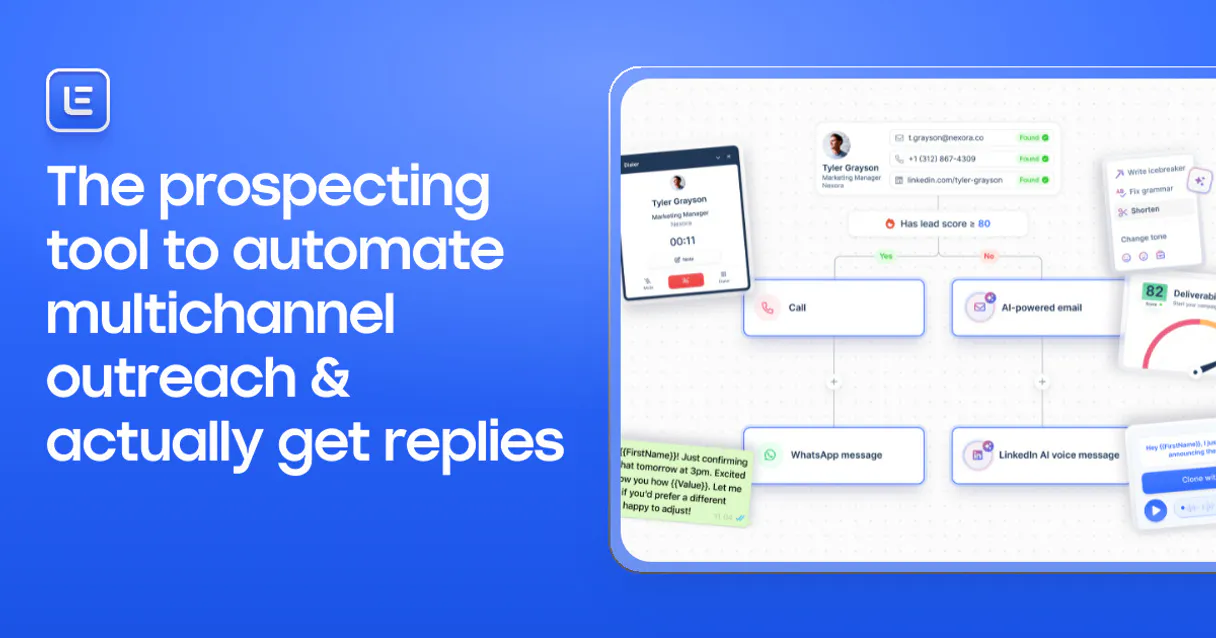
Independent Platform Disclaimer: Vinkius is an independent platform and is not affiliated with, endorsed by, sponsored by, verified by, or otherwise authorized by Lemlist. All third-party trademarks, logos, and brand names are the property of their respective owners. Their use on this website is strictly for informational purposes to identify service compatibility and interoperability.
VINKIUS INFRASTRUCTURE
Cloud Hosted
Managed infra
V8 Isolated
Sandboxed per request
Zero-Trust Proxy
No stored credentials
DLP Enforced
Policy on every call
GDPR Compliant
EU data residency
Token Compression
~60% cost reduction
Works with Claude, ChatGPT, Cursor, and more
The Model Context Protocol standardizes how applications expose capabilities to LLMs. Instead of operating in isolation, your AI gains direct access to external platforms, live data, and real-world actions through secure, standardized connections.
This server provides 8 capabilities that interface natively with Claude, ChatGPT, Cursor, and any MCP client. No middleware. No custom integration required.
Available Capabilities
Tracking outreach metrics shouldn't require opening five different tabs.
Right now, checking campaign health means jumping through hoops. You open the main dashboard to see overall activity. Then you click into a specific campaign to check the 'Open Rate.' If that’s okay, you then click another tab for detailed analytics, hoping to find the single metric you need—like the step-by-step performance of Email #2.
With this MCP Server, you just ask your agent: 'What's the open rate and top performing step for my Q3 pitch?' The agent uses `get_campaign` and delivers all that information in a single, clean response. You get data, not dashboard clicks.
Lemlist MCP Server: Manage campaigns and leads from your chat.
Before this, adjusting a lead's status meant finding the prospect in the list, navigating to their profile, and manually selecting 'Pause.' If you needed to update ten people, that was ten clicks, repeating a painful process over and over.
Now, tell your agent: 'Pause these 10 leads because they need follow-up next month.' The agent runs `pause_lead` for every single one. You manage the state of dozens of prospects with a simple command.
Common Questions About Lemlist MCP
How do I get my Lemlist API key? +
Log in to your Lemlist account at app.lemlist.com. Click your profile icon (bottom left corner). Select Settings, then navigate to the Integrations tab. Look for the API section and click Generate to create a new API key. Copy the key immediately and save it securely — it is only shown once. Paste it into the configuration field below.
Can I check which leads opened my emails today? +
Yes. Ask your AI agent 'Who opened my emails today?' and it returns a list of leads with their email addresses, campaign names, open timestamps, and total open counts — giving your SDR team warm lead signals in real-time.
Can my agent add new leads to an existing campaign? +
Yes. Provide the lead's email, first name, and any custom variables, and your AI agent adds them directly to any active campaign — they'll automatically enter the sequence at step 1. Perfect for sales teams who find prospects and want to start outreach immediately.
What engagement metrics can I track? +
Your AI agent can pull opens, clicks, replies, bounces, and unsubscribes per campaign — plus step-by-step analytics showing which emails in your sequence perform best. Perfect for optimizing subject lines, send times, and follow-up cadences.
How do I use the `get_campaign` tool to pull detailed analytics for a specific campaign? +
The get_campaign tool pulls comprehensive data on one campaign, including its total leads and key metrics like open rates and click rates. This is better than just listing campaigns because it gives you actionable performance details for deep dives.
If I want to change a lead's status, should I use `pause_lead` or `resume_lead`? +
You use these tools when you need manual control over an individual lead. Calling pause_lead immediately stops their sequence, and running resume_lead gets them back into the active flow. This is useful for managing leads outside the standard schedule.
What happens if I exceed rate limits while using Lemlist MCP? Is there a specific error code? +
If you send too many requests in a short time, the API will return a rate limit error. You must build retry logic into your agent to wait and back off before trying again. Check the Lemlist documentation for specific throttling guidelines.
How do I use `list_leads`? Does it show all leads from my entire account? +
list_leads pulls a list of leads associated with a specific campaign ID you provide. It doesn't pull global data; always ensure you specify the correct campaign identifier to get the list you need.
Multi-server workflows that include Lemlist MCP
MCP Recipe for Cold Outreach That Gets Replies
Leads discovered, outreach launched, pipeline tracked , your AI agent runs cold sales without a BDR
Run Autonomous Outbound Campaigns Using MCP
Your SDR sends 200 cold emails per week from a spreadsheet of contacts scraped in January , 40% bounce because people changed jobs and nobody re-verified the list
Use it with your favorite AI tools
Connect this server to Cursor, Claude, VS Code, and more.
More in this category
FynCom
Reward customer attention with micro-payments and nano-rewards that boost survey completion and email engagement rates.

Postscript
Drive Shopify revenue with SMS and MMS marketing that feels personal, converts browsers into buyers, and builds lasting loyalty.

Mailsoftly
Manage marketing campaigns and contacts via the Mailsoftly REST API.
You might also like

Tencent COS / 腾讯云对象存储
China's dominant cloud storage platform — manage files, metadata, and CDN endpoints via AI.

Yitu Technology / 依图科技
China's leading enterprise computer vision platform — perform facial recognition, search, and repository management via AI.

FreeScout
Manage your FreeScout helpdesk — list mailboxes, handle conversations, reply to customers, and manage users directly via AI.