
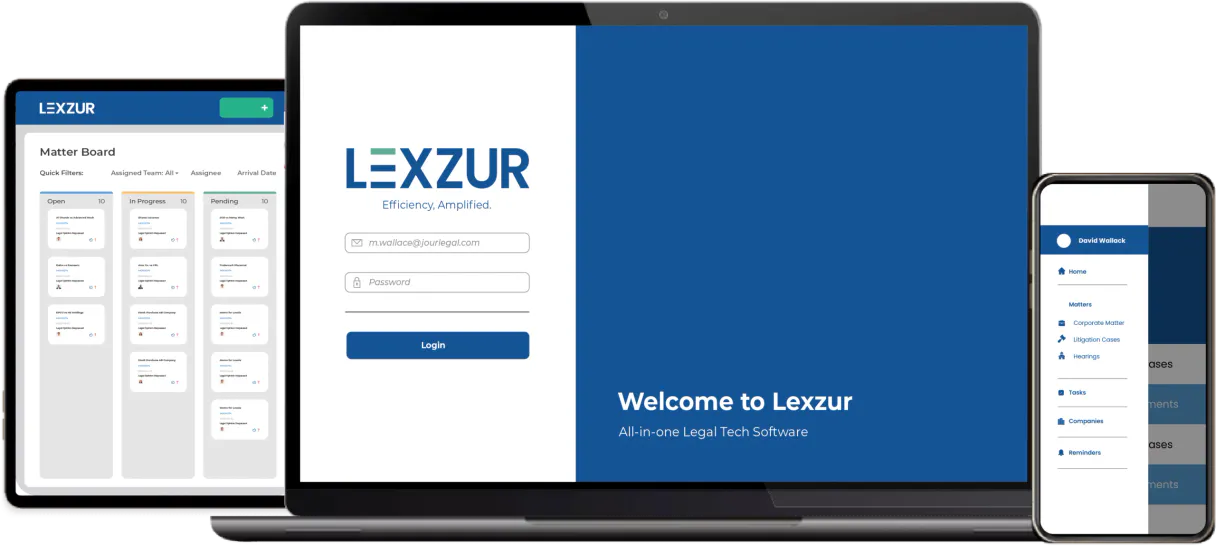
Lexzur MCP for AI. Orchestrate legal records from natural language.
 Gemini
 Works with every AI agent you already use
…and any MCP-compatible client









How this MCP server connects to your AI agent
Lexzur connects your agent directly into your legal practice management system. This MCP lets you manage entire corporate matters, track complex litigation cases, and keep records organized without ever logging into a dashboard.
You can retrieve detailed case history, list contacts, or pull the latest invoices—all through natural conversation.
What AI agents can do with Lexzur Automation
Create matter
Sets up a brand-new legal matter record in the system.
Get matter
Pulls all specific details for one designated legal matter.
List companies
Retrieves a list of all client companies or corporate entities.
Get detailed status updates and high-fidelity history for specific litigation cases.
List, retrieve, or organize information about companies and individual contacts.
Access and list all legal matters, documents, invoices, tasks, and time entries in one conversation.
Initiate a new legal matter directly through the agent interface.
Query specific matters or contacts using custom filters to maintain an organized audit trail.
Ask an AI about this
Waiting for input…
What AI agents can do with Lexzur: 10 Tools for Legal Operations
These tools let you programmatically interact with core Lexzur functions. Use them through your agent to list and manipulate matters, contacts, documents, tasks, and invoices.
Make your AI actually useful.
Add this MCP to Claude, Cursor, or Windsurf and your AI stops guessing. It gets real tools to look things up, take action, and handle the stuff you keep doing by hand.
Start using Lexzur on VinkiusCreate Matter
Sets up a brand-new legal matter record in the system.
Get Matter
Pulls all specific details for one designated legal matter.
List Companies
Retrieves a list of all client companies or corporate entities.
List Contacts
Provides a directory listing of individual contacts associated with the practice.
List Documents
Lists and retrieves metadata for all uploaded case documents.
List Invoices
Gets a list of all generated legal invoices for review or accounting purposes.
List Litigation
Retrieves an overview and status of active litigation cases.
List Matters
Lists all general legal matters currently managed by the firm.
List Tasks
Retrieves a list of outstanding administrative or follow-up tasks.
List Time Logs
Pulls all recorded time entries for billing and tracking purposes.
Security and governance baked right in.
Pick your AI client below to get set up. Just create a Vinkius account, subscribe, and you're instantly up and running. We handle the entire backend infrastructure, delivering out-of-the-box support for HTTPS Streamable, SSE, and OAuth2—zero messy routing required.
Claude AI
Open Claude Settings
Go to claude.ai, click your profile icon, then navigate to Customize → Connectors.
Add Custom Connector
Click the "+" button and select Add custom connector. Paste your Vinkius endpoint URL:
https://edge.vinkius.com/[YOUR_TOKEN_HERE]/mcp
Replace [YOUR_TOKEN_HERE] with your token
from cloud.vinkius.com. For OAuth-protected servers, expand
Advanced settings to add credentials.
Start a conversation
Open a new chat. The Lexzur integration is available immediately — no restart needed.
Choose How to Get Started
Build a custom MCP for your own tools, or connect a ready-made integration from our catalog.
Build Your Own
Turn any API into an MCP. Import a spec, define Agent Skills, or deploy with MCPFusion.
- Import from OpenAPI, Swagger, or YAML specs
- Create Agent Skills with progressive disclosure
- Deploy to edge with MCPFusion framework
- Built in DLP, auth, and compliance on every call
- Real time usage dashboard and cost metering
- Publish to catalog or keep private
Make Your AI Do More
Start with Lexzur, then connect any of our 5,100+ other servers whenever your AI needs more. One click, no limits.
- Use this MCP plus 5,100+ others, all in one place
- Add new capabilities to your AI anytime you want
- Every connection is secured and compliant automatically
- Track usage and costs across all your servers
- Works with Claude, ChatGPT, Cursor, and more
- New servers added to the catalog every week
Independent Platform Disclaimer: Vinkius is an independent platform and is not affiliated with, endorsed by, sponsored by, verified by, or otherwise authorized by Lexzur. All third-party trademarks, logos, and brand names are the property of their respective owners. Their use on this website is strictly for informational purposes to identify service compatibility and interoperability.
VINKIUS INFRASTRUCTURE
Cloud Hosted
Managed infra
V8 Isolated
Sandboxed per request
Zero-Trust Proxy
No stored credentials
DLP Enforced
Policy on every call
GDPR Compliant
EU data residency
Token Compression
~60% cost reduction
Built on the Model Context Protocol (MCP) for Claude, ChatGPT, Cursor, and more
The Model Context Protocol standardizes how applications expose capabilities to LLMs. Instead of operating in isolation, your AI gains direct access to external platforms, live data, and real-world actions through secure, standardized connections.
This connection provides 10 powerful capabilities that interface natively with Claude, ChatGPT, Cursor, and other compatible AI platforms. No middleware. No custom integration required.
Legal knowledge shouldn't require a PhD in database queries., Solved with Vinkius AI Gateway
Today, tracking case progress means logging into Lexzur, pulling up the matter dashboard, clicking through tabs for documents, then switching to another section just to check associated contacts. If you need financials, you have to open the invoices module. It’s a painful cycle of context switching and manual data collation.
With this MCP, your agent handles all that complexity behind the scenes. You simply tell your AI client: 'Tell me everything about Matter XYZ.' The system aggregates status updates, contacts, documents, and tasks into one direct answer.
Lexzur MCP Lets You Build an Operational Memory
You stop wasting time compiling reports by manually listing matters, then running separate queries for associated invoices or time entries. The agent ties these disparate pieces of data together instantly.
What changes is that your legal knowledge becomes conversational. You get actionable answers immediately, without the clicks.
What your AI can actually do with this
Your AI client talks to Lexzur, giving your agent control over your legal practice data. Instead of opening ten different tabs to check status updates, you just ask your agent for what you need. It pulls accurate, high-fidelity information on matters and cases across your entire portfolio.
Need to know the history of a specific corporate matter? Your agent retrieves it instantly. Want to coordinate with external parties? You can pull detailed metadata on contacts and companies, keeping everyone in sync. The system also lets you monitor operational details, like checking active tasks or viewing time logs.
Because this MCP runs through Vinkius, you connect once from any compatible client and gain access to all of these legal tools right where you work.
It's less about managing data and more about getting answers instantly, acting as a dedicated coordinator for your firm.
019dd118-2d4d-7155-b2dd-4a8fe3eacb1e 
Here's how it actually works
The bottom line is that your AI client acts as a dedicated legal coordinator, pulling complex practice data into simple conversation threads.
First, you subscribe to this MCP and grab your API Token and Instance URL from the Lexzur dashboard.
Next, you connect those credentials to your AI client. Your agent now has direct access to all of Lexzur's data endpoints.
Finally, you just ask your agent a question—like 'List all active corporate matters for Q3.'—and it pulls the structured answer back to you.
Who is this actually for?
This MCP is for the corporate lawyer who hates logging into multiple dashboards. It’s for the Legal Operations professional tired of manually compiling reports and the paralegal who needs to manage hundreds of records without clicking through menus.
Instantly retrieve detailed case summaries or matter statuses using natural language commands, so you can focus on strategy, not data retrieval.
Monitor overall practice health by listing matters and verifying contact metadata across the organization without leaving your primary workspace.
Automate routine data management, such as pulling all necessary time logs or drafting new matter records based on client requests.
What Changes When You Connect
You can instantly get a summary of any case using the get_matter tool, eliminating the need to deep-dive into complex dashboards just for status checks.
Never lose track of who you're talking to. Use list_contacts and list_companies to pull complete metadata on your entire network in seconds.
Keep a perfect audit trail by using custom filters against specific matters or contacts through the agent, ensuring nothing falls through the cracks.
Simplify billing by running list_time_logs or list_invoices directly. You get all necessary financial data without navigating multiple accounting tabs.
Manage your workload proactively. Use list_tasks to see what needs immediate attention and quickly create_matter when a new issue pops up.
See it in action
Handling a New Client Inquiry
A partner gets an email from an old client. Instead of manually searching for the account, they ask their agent to pull up all associated records. The agent uses list_companies and then calls get_matter to show the last five active matters immediately.
Preparing for a Status Meeting
A legal ops manager needs to report on practice health. Instead of running reports, they ask their agent to list all open litigation cases using list_litigation and then pull the associated time logs via list_time_logs, giving them an instant snapshot.
Tracking a New Issue
A paralegal learns about a potential new legal issue. Instead of creating a manual entry, they tell their agent to run the create_matter tool, which sets up the official record and flags it for review immediately.
Auditing Compliance
A lawyer needs proof of all communication related to a client. They ask their agent to query documents using list_documents, cross-referencing them against key contacts found with list_contacts for full compliance verification.
The honest tradeoffs
Treating the MCP like a simple database lookup.
Thinking you just need to type 'List all matters' and get a boring spreadsheet. This misses the context of what those matters mean for your firm.
Ask your agent specific, contextual questions: 'Show me all active corporate matters related to Acme Legal that have outstanding invoices.' Use list_matters in combination with list_invoices.
Ignoring the data structure and asking for vague summaries.
Telling your agent, 'Give me everything about Case XYZ.' This results in a wall of text that requires hours to parse for actionable details.
Be specific. Use get_matter and follow up with targeted requests: 'For this matter, what are the outstanding tasks? Now list all associated contacts.'
Trying to manually manage relationships outside of Lexzur.
Keeping a separate spreadsheet for company details because the legal dashboard feels too complicated. This guarantees data drift and missed links.
Use list_companies and list_contacts. The MCP ensures that every interaction is tied back to the single source of truth, keeping your relationship ecosystem accurate.
When It Fits, When It Doesn't
Use this MCP if you manage legal or corporate matters and need a conversational layer over structured data. This tool shines when you need to combine multiple types of information—like cross-referencing an invoice (list_invoices) with a specific matter (get_matter). Don't use this if your goal is simply document storage; that requires a dedicated file system connector, not a practice management one. Similarly, don't rely on it for complex legal advice or drafting contracts (those are specialized generative tools). Use it strictly for querying, creating, and retrieving structured operational data points like contacts, tasks, and time logs.
Questions you might have
Does Lexzur MCP handle document version control? +
Yes, it allows you to list documents and retrieve metadata for uploaded files, helping you track which versions are active on a specific matter.
What is the difference between `list_matters` and `list_litigation`? +
list_matters gives a general overview of all legal portfolios. You use list_litigation when you specifically need to track formal, ongoing court cases.
Can I create a new matter using the Lexzur MCP? +
Absolutely. The create_matter tool allows your agent to initiate and set up an entirely new legal record directly in Lexzur when needed.
How does this MCP help with billing? +
It simplifies billing by giving you access to both list_time_logs and list_invoices. You can pull all necessary entries for a client's account in one conversation.
Is the data I get from list_contacts current? +
The MCP accesses high-fidelity, real-time metadata. This means you are pulling directly from Lexzur’s source of truth for your contact and company records.
We've already built the connector for Lexzur. Just plug in your AI agents and start using Vinkius.
No hosting. No infrastructure. No complex setup.
All 10 tools are live and waiting.
You're up and running in seconds.
Gemini Vinkius gives your AI agents access to the full catalog of app connectors, all fully managed, secure, and enterprise-ready. One subscription, every tool you need.
Built, hosted, and secured by Vinkius. You just connect and go.