
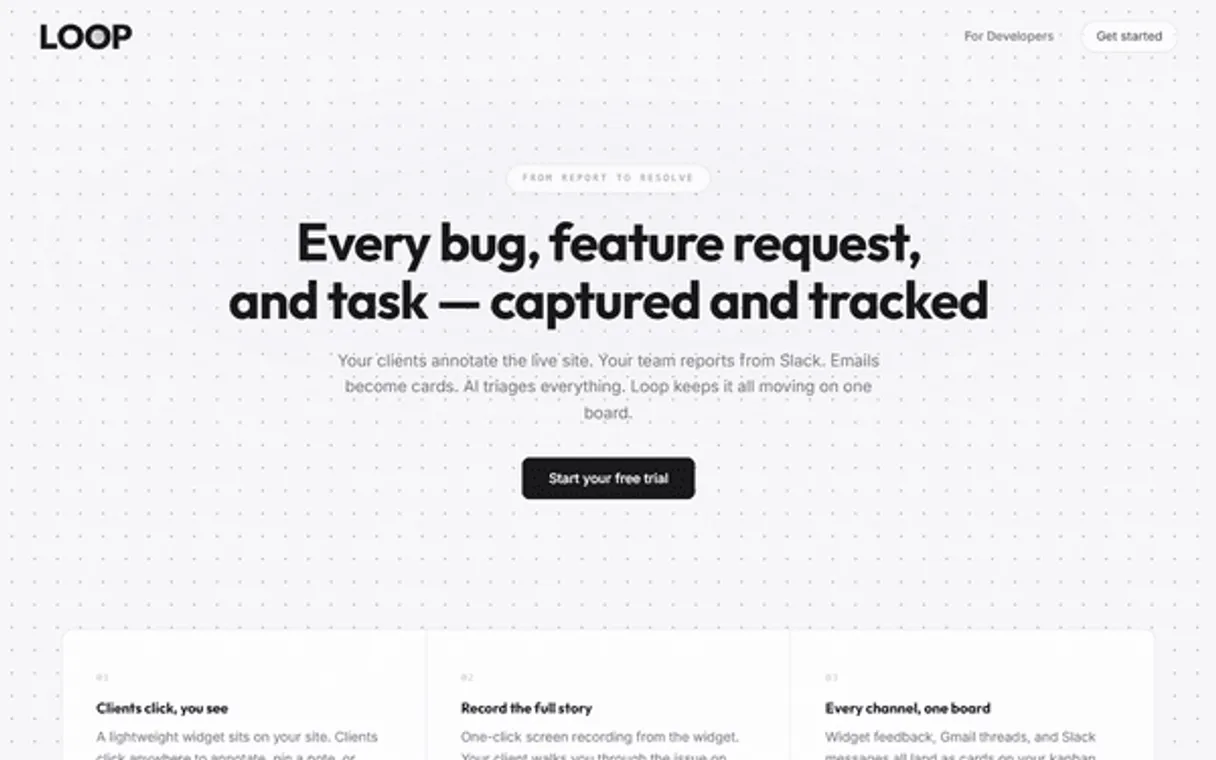
Loop MCP. Track returns, analyze sentiment, and manage feedback loops.
 Gemini
 Works with every AI agent you already use
…and any MCP-compatible client









Just plug in your AI agents and start using Vinkius.
Loop manages e-commerce operations by letting your AI agent handle complex customer interactions. It connects to your feedback loop and order history to process returns, analyze sentiment, and track product issues using natural conversation.
What your AI agents can do
Add internal note
Attaches a private note to a specific piece of customer feedback for internal team reference.
Get feedback details
Retrieves all available data points—text, source, and metadata—for one particular feedback item.
Get me
Pulls basic account information to confirm the user context for operations.
Get overall sentiment analytics from collected feedback to gauge product perception.
Retrieve lists of all customer feedback items, allowing you to see the source or theme of each submission.
Fetch detailed information on specific development tickets related to product issues.
Access the current state of returns, including pending refunds, approved exchanges, and associated amounts.
Attach private, actionable notes to specific feedback items for team visibility.
Ask AI about this MCP
Supported MCP Clients
OAuth 2.0 Compatible Gemini Waiting for input…
Loop MCP Server: 10 Tools for E-commerce Ops
These tools let your agent pull everything from customer conversations to refund status, turning raw data into actionable insights.
Make your AI actually useful.
Add this MCP to Claude, Cursor, or Windsurf and your AI stops guessing. It gets real tools to look things up, take action, and handle the stuff you keep doing by hand.
Start using Loop on Vinkius019dd11aadd internal note
Attaches a private note to a specific piece of customer feedback for internal team reference.
019dd11aget feedback details
Retrieves all available data points—text, source, and metadata—for one particular feedback item.
019dd11aget me
Pulls basic account information to confirm the user context for operations.
019dd11aget sentiment metrics
Calculates and retrieves overall sentiment analytics (NPS, CSAT scores) from the feedback data pool.
019dd11aget ticket details
Fetches all context—including status, owner, and history—for a developer-assigned ticket.
019dd11alist dev tickets
Lists all currently open or closed developer tickets generated from feedback data.
019dd11alist feedback
Retrieves a list of customer feedback items, allowing filtering by date range or source.
019dd11alist feedback sources
Shows every integrated channel—like chat widgets or surveys—that feeds data into the system.
019dd11alist feedback themes
Lists recurring themes identified in feedback, helping group complaints by topic (e.g., 'sizing issues').
019dd11alist projects
Retrieves a list of active projects within the Loop system for context.
Choose How to Get Started
Build a custom MCP for your own tools, or connect a ready-made integration from our catalog.
Build Your Own
Turn any API into an MCP. Import a spec, define Agent Skills, or deploy with MCPFusion.
- Import from OpenAPI, Swagger, or YAML specs
- Create Agent Skills with progressive disclosure
- Deploy to edge with MCPFusion framework
- Built in DLP, auth, and compliance on every call
- Real time usage dashboard and cost metering
- Publish to catalog or keep private
Make Your AI Do More
Start with Loop, then connect any of our 4,800+ other servers whenever your AI needs more. One click, no limits.
- Use this MCP plus 4,800+ others, all in one place
- Add new capabilities to your AI anytime you want
- Every connection is secured and compliant automatically
- Track usage and costs across all your servers
- Works with Claude, ChatGPT, Cursor, and more
- New servers added to the catalog every week
Independent Platform Disclaimer: Vinkius is an independent platform and is not affiliated with, endorsed by, sponsored by, verified by, or otherwise authorized by Loop. All third-party trademarks, logos, and brand names are the property of their respective owners. Their use on this website is strictly for informational purposes to identify service compatibility and interoperability.
VINKIUS INFRASTRUCTURE
Cloud Hosted
Managed infra
V8 Isolated
Sandboxed per request
Zero-Trust Proxy
No stored credentials
DLP Enforced
Policy on every call
GDPR Compliant
EU data residency
Token Compression
~60% cost reduction
Works with Claude, ChatGPT, Cursor, and more
The Model Context Protocol standardizes how applications expose capabilities to LLMs. Instead of operating in isolation, your AI gains direct access to external platforms, live data, and real-world actions through secure, standardized connections.
This server provides 10 capabilities that interface natively with Claude, ChatGPT, Cursor, and any MCP client. No middleware. No custom integration required.
Sifting through endless spreadsheets of 'Customer Pain Points' is a total waste of time.
Today, if you want to know why Product X keeps getting returned, you have to juggle three tools: the CRM for initial complaints, the Inventory dashboard for return codes, and then manually copy-pasting everything into a Google Sheet. You spend hours just aggregating data points instead of fixing problems.
With this MCP server, your agent pulls all that together conversationally. You ask about Product X, and it runs `list_feedback` and cross-references the results with return history. You get one clean summary: 'The main issue is sizing (39% rate), which correlates to a $450 refund average.'
Loop MCP Server: Use `get_sentiment_metrics` to quantify customer feeling.
Without this server, calculating your Net Promoter Score (NPS) or Customer Satisfaction (CSAT) means exporting data and running a separate calculation in Excel. It’s slow, prone to formula errors, and always behind the curve of real-time feedback.
Now, you just ask for sentiment metrics. The agent runs `get_sentiment_metrics` instantly and gives you the score right away. You get real-time operational intelligence, not yesterday's spreadsheet.
What you can do with this MCP connector
You connect Loop to your AI client and manage every corner of your e-commerce lifecycle—from initial customer feedback through product returns and refunds. Your agent uses these tools so you don't gotta jump between dashboards just to figure out what went wrong or how much money is owed. It pulls actionable data, analyzes sentiment, tracks specific product issues, and lets you document findings right inside the conversation.
Customer Feedback Analysis
You can pull a list of all customer submissions using list_feedback, letting you filter those records by date range or even by where they came from. To see every channel that feeds data into the system—like chat widgets or survey forms—you run list_feedback_sources. You'll find recurring complaints and topics instantly when you use list_feedback_themes, which groups feedback submissions by common issues, for instance, 'sizing issues' or 'missing parts.' Need to know what people think overall? Running get_sentiment_metrics gives you the high-level numbers, like NPS and CSAT scores.
When you need the full story on a single piece of input, get_feedback_details retrieves all available data points for that item—the text, its original source, and all associated metadata.
Issue Tracking & Project Management
When things break, your agent handles it. You can pull a list of every open or closed developer ticket generated from feedback using list_dev_tickets. If you need the complete context for one specific bug report, get_ticket_details fetches everything—the status, who owns the ticket, and its entire history. To keep your operations organized, you'll also find list_projects, which retrieves a list of active projects within the Loop system, giving you scope context when dealing with a particular issue.
Operational Documentation & Context
When an agent identifies something critical during a review, it can attach private notes directly to that feedback record using add_internal_note. This keeps your team visible on key records for follow-up. For basic account verification or context checks, get_me pulls essential user information. You'll also find the ability to list all active projects within the Loop system via list_projects, which helps keep you grounded in the current scope of work.
Running Returns and Refunds
Your agent tracks return requests by status or reason code, handling the entire process from initial report through final resolution. It monitors your refund flow, letting you track all refunds, checking both the amount claimed and the current processing status for every single claim. When an exchange is needed, it even manages new order creation to make sure the replacement gets processed correctly.
019dd11a-ac5b-73cc-8e20-83b1a282c027 
How Loop MCP Works
- 1 Subscribe to the Loop server and connect your API key.
- 2 Your AI client calls the necessary tools (e.g.,
list_feedback,get_sentiment_metrics). - 3 The server returns structured data, which your agent then summarizes into plain English for you.
The bottom line is, you get a single chat window that pulls together data from your feedback collection, returns management, and ticket systems.
Who Is Loop MCP For?
Product Managers who need to translate qualitative customer comments into quantitative action items. Support Agents tired of toggling between the CRM, inventory system, and ticketing dashboard. Operations Leads managing the logistics fallout from high return rates.
Processes returns and exchanges by checking status codes and refund history, keeping records accurate on the fly.
Runs trend analyses to identify top return reasons or products that consistently fail quality checks.
Uses sentiment metrics and feedback themes to prioritize bug fixes against feature development goals.
What Changes When You Connect
- See total return rates instantly. By calling
list_feedbackand then analyzing the results, you get a clear picture of operational health across all products. - Stop guessing why customers complain: Use
list_feedback_themesto group thousands of comments into actionable topic buckets (e.g., 'shipping' or 'poor instructions'). - Know exactly what needs fixing: Instead of general notes, use
get_ticket_detailsandlist_dev_ticketsto trace feedback directly into an assigned development sprint. - Process complex customer histories in one shot. You can check a refund's status via return tracking and then cross-reference the original product complaint using
get_feedback_details. - Get immediate performance scoring: Running
get_sentiment_metricsgives you quick, quantifiable data (NPS/CSAT) without manual spreadsheet aggregation.
Real-World Use Cases
A customer complains about a damaged item and asks for next steps.
The agent first calls get_feedback_details to pull the original complaint text. Then, it checks the return status using the built-in refund tracking logic. Finally, it uses add_internal_note to flag the issue for Quality Control before confirming a replacement order.
The team needs to know if 'sizing' is actually a major problem.
A PM asks the agent to run list_feedback, filtering by text containing 'size'. The tool returns results, and then the agent runs list_feedback_themes to confirm that 'wrong size' is indeed the top recurring theme. This data dictates the next product batch change.
An existing bug report needs to be escalated to development.
A support rep reviews a ticket via get_ticket_details, sees it’s stalled, and then uses list_dev_tickets to see if similar issues were reported last week. This helps them add context using add_internal_note before escalating.
The CEO needs a quick pulse check on overall product health.
The agent calls get_sentiment_metrics to get the current NPS/CSAT score. It then follows up by running list_projects to show which specific product line is dragging down that metric.
The Tradeoffs
Trying to solve everything with general notes.
A user might just write, 'This needs attention.' This doesn't tell the agent what to look at or who owns the problem. The information gets lost in a wall of text.
→
Don't use vague requests. Instead, ask: 'For ticket ABC-123, run get_ticket_details and then list related feedback using list_feedback, focusing on sources that aren't surveys.' This keeps the focus tight.
Asking for data without context.
A request like 'Show me returns from last month' is too broad. The system might return thousands of records, forcing you to manually sift through everything.
→
Always narrow the scope: Use list_feedback and specify a filter (e.g., date range + product ID). If you need thematic grouping, use list_feedback_themes first.
Mixing up feedback data with ticket management.
Assuming that every piece of customer feedback automatically creates a development ticket is wrong. The tools are separate systems: one is input (list_feedback), and the other is tracking (list_dev_tickets).
→
Run get_feedback_details first to gather raw context, then manually initiate a ticket creation request using specific parameters (or confirm if an existing ticket is available via get_ticket_details).
When It Fits, When It Doesn't
Use this server when your workflow involves connecting three distinct data sets: customer comments/sentiment, product returns/refunds, and development bug tracking. It's perfect for Operations teams who need to correlate why something is broken (feedback) with what was returned (returns history). Don't use it if you only need basic reporting from one silo—like just viewing a list of projects (list_projects). For that, a simple API call would suffice. You must use this server when your question requires tracing an issue from the customer conversation all the way through to the development ticket status (using get_feedback_details -> add_internal_note -> get_ticket_details).
Common Questions About Loop MCP
How do I use list_feedback to find issues by theme? +
You should run list_feedback first to see available data. Then, you can follow up with the agent asking it to cross-reference those results against list_feedback_themes. This lets you narrow down complaints that share a topic.
What is the difference between list_dev_tickets and get_ticket_details? +
list_dev_tickets shows you an overview—it lists all tickets. get_ticket_details requires a specific ticket ID, giving you the full history and context for just that one issue.
Can I track returns using get_feedback_details? +
Yes. While get_feedback_details retrieves feedback data, the server's core functionality allows it to cross-reference this complaint with refund history and return status, giving you a complete view.
How do I get overall sentiment metrics using get_sentiment_metrics? +
You simply prompt your agent to run get_sentiment_metrics. It calculates the NPS and CSAT scores across all available feedback data points for you instantly.
What information does using `get_me` require for authentication? +
It requires your API Key and associated account credentials. This tool validates your connection, confirming which user profile is running the agent's actions.
How do I use `list_feedback_sources` to check where feedback is coming from? +
It lists all integrated channels that contribute data to Loop. If you see missing feedback, checking this list helps confirm if a source (like an app or specific website page) is properly connected.
When should I use `add_internal_note` instead of updating the record? +
Use it when your team needs to track context without changing the customer-facing data. Internal notes are for private discussions, follow-up assignments, or adding background details visible only to administrators.
How does `list_projects` help me segment my return and feedback data? +
It groups your operational data under specific project identifiers. This lets you run targeted reports that analyze performance, sentiment, or returns for a single initiative, like 'Q3 Website Redesign.'
Can I track return requests and process exchanges? +
Yes. Browse all return requests with status, reason codes, and product details. Track exchanges and new order fulfillment.
Can I analyze return trends and reasons? +
Yes. Access return rates, top return reasons, product-level return analytics, and trend data over time.
What API does Loop use? +
Bearer authentication against loop.solve-studio.co/api/v1.
Use it with your favorite AI tools
Connect this server to Cursor, Claude, VS Code, and more.