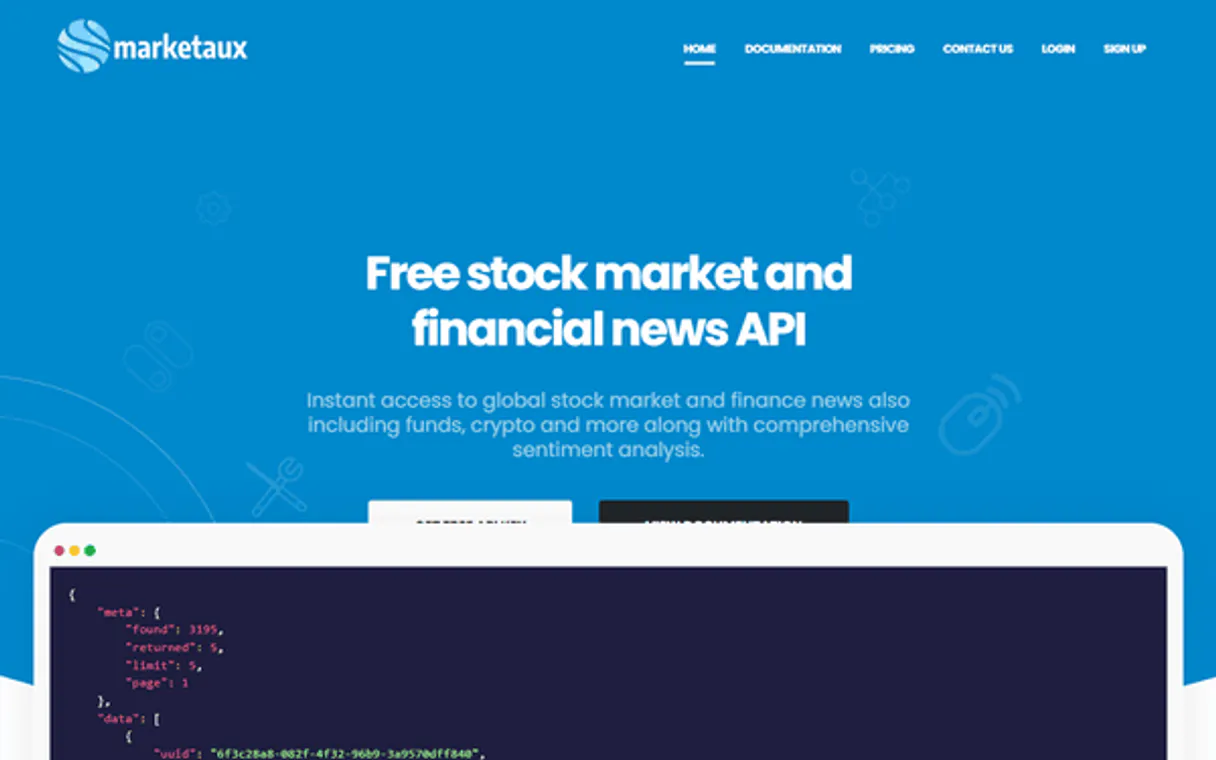
Marketaux MCP. Analyze market mood from live news feeds.
Works with every AI agent you already use
…and any MCP-compatible client

Just plug in your AI agents and start using Vinkius.
Marketaux connects your AI agent directly to global financial data. It lets you search news by symbol, check real-time market status, get sentiment scores for articles, and list indices like S&P 500 or NASDAQ.
Stop looking up symbols manually; just ask the agent.
What your AI agents can do
Get entities
Retrieves specific data points on recognized financial entities (e.g., a company or exchange).
Get indices
Lists key stock market indices, such as the S&P 500 or NASDAQ.
Get latest news
Fetches a list of the most recently published financial news articles.
Checks the current operating status of major stock exchanges and global indices.
Retrieves global news reports based on keywords, symbols, or specific timeframes.
Applies analysis to retrieved news content, returning a quantifiable score of the overall mood (positive, negative, neutral).
Provides a full list of every financial ticker symbol recognized by the Marketaux system.
Retrieves detailed data on companies, industries, and financial institutions.
Ask AI about this MCP
Supported MCP Clients
Waiting for input…
Marketaux: 10 Tools for Advanced Financial Data Access
These tools give your AI agent direct, structured access to global market indices, live news feeds, entity data, and sentiment scores.
019d75cfget entities
Retrieves specific data points on recognized financial entities (e.g., a company or exchange).
019d75cfget indices
Lists key stock market indices, such as the S&P 500 or NASDAQ.
019d75cfget latest news
Fetches a list of the most recently published financial news articles.
019d75cfget sentiment analysis
Analyzes provided news content and returns a quantifiable score showing its general market mood.
019d75cfget stock market status
Checks the current open/closed status of major global stock exchanges.
019d75cfget symbols
Lists all valid and supported financial ticker symbols that can be queried.
019d75cfget trending news
Pulls a feed of currently popular or high-interest financial news topics.
019d75cflist industries
Provides a structured list of major economic industries used for market grouping.
019d75cfsearch exchanges
Performs targeted searches to find specific global stock exchanges by name or region.
019d75cfsearch news
Searches the entire archive of global financial news using keywords and filters.
Choose How to Get Started
Build a custom MCP for your own tools, or connect a ready-made integration from our catalog.
Build Your Own
Turn any API into an MCP. Import a spec, define Agent Skills, or deploy with MCPFusion.
- Import from OpenAPI, Swagger, or YAML specs
- Create Agent Skills with progressive disclosure
- Deploy to edge with MCPFusion framework
- Built in DLP, auth, and compliance on every call
- Real time usage dashboard and cost metering
- Publish to catalog or keep private
Make Your AI Do More
Start with Marketaux, then connect any of our 4,700+ other servers whenever your AI needs more. One click, no limits.
- Use this MCP plus 4,700+ others, all in one place
- Add new capabilities to your AI anytime you want
- Every connection is secured and compliant automatically
- Track usage and costs across all your servers
- Works with Claude, ChatGPT, Cursor, and more
- New servers added to the catalog every week
What you can do with this MCP connector
Look, forget those clunky interfaces you're used to. Marketaux connects your agent straight into the global financial data feed. You stop wasting time manually looking up symbols or checking multiple websites; your AI client handles it all in natural conversation.
Fetching Real-Time Market Status and Indices
You wanna know if a market's open? Just ask. Your agent uses get_stock_market_status to check the current operating status of major global exchanges, so you always know when trading starts or stops. You can also run get_indices to pull up key stock market indices, like the S&P 500 or NASDAQ figures.
Searching and Analyzing Global News
Want news on a specific company? Use get_entities to grab detailed data points for recognized financial entities—it works whether you're querying a whole exchange, a specific industry using list_industries, or just a major corporation. If you need to find articles related to something else, your agent can use search_news; this tool searches the entire archive of global financial reports based on keywords and filters.
You can also narrow your focus by first running get_symbols to list every supported financial ticker symbol before searching for news directly against a specific ticker or using search_exchanges to pinpoint an exchange by name or region.
When you get the articles, don't just read 'em and move on. Your agent runs get_sentiment_analysis on the content, giving you a quantifiable score that tells you if the overall mood is positive, negative, or neutral for whatever topic you asked about. If you want to see what's hot right now, use get_trending_news to pull a feed of currently popular financial topics.
Querying Structured Market Data
If you need deep context on the market, your agent uses specialized tools to nail down exactly what you’re looking for. You can query specific details about major companies or financial institutions using get_entities. If you're building out a whole sector report, you can run list_industries first to get a structured list of major economic sectors to guide your analysis.
Putting It All Together
You don't gotta switch between tools. You tell your agent what you need—say, the sentiment around tech stocks in Europe—and it handles the whole chain: it uses search_news to pull European articles about technology, then feeds those results into get_sentiment_analysis, and maybe even checks the market status using get_stock_market_status just to make sure everything is operating during your query.
This setup lets you run complex analyses—like checking a specific symbol's news, analyzing its mood, and listing what indices are moving—all through simple conversation with your AI client.
How Marketaux MCP Works
- 1 Subscribe to the Marketaux server. Then, paste your unique Marketaux API Token into your AI client's settings.
- 2 Ask your agent a specific question, like 'What is the current sentiment on tech stocks?'
- 3 The agent calls the necessary tools (
get_sentiment_analysis,get_symbols) and returns a concise answer with supporting data points.
The bottom line is, you treat financial research like a chat conversation—you ask a question, and it pulls the live data to answer it.
Who Is Marketaux MCP For?
This is for Quant Analysts who spend hours stitching together market reports. If your job involves translating raw news feeds into actionable investment signals, you need this. It's built for people whose daily pain point is context switching between multiple financial dashboards.
Uses get_sentiment_analysis and search_news to process thousands of articles quickly, generating alpha signals before the broader market wakes up.
Checks global availability using get_stock_market_status before advising clients on trades in different time zones.
Combines get_entities with list_industries to build clean, structured datasets for predictive modeling and backtesting.
What Changes When You Connect
- Get instant sentiment scores. Don't just read a headline; use
get_sentiment_analysisto know if the article is genuinely positive or negative for a stock. - Know when to trade. Before building logic, check the market availability using
get_stock_market_status. It confirms if NYSE or NASDAQ are actually open right now. - Focus your search instantly. Instead of wading through general web results, use
search_newsand filter by symbols (like AAPL) to find only relevant articles. - Understand the whole picture. Use
get_entitiesalongsidelist_industries. This lets you map a specific company not just to its ticker, but to its entire economic sector. - Discover what's hot. Don't wait for your internal team to compile reports; let the agent pull data on today's biggest moves using
get_trending_news.
Real-World Use Cases
Assessing competitive risk in a sector.
A portfolio manager needs to know if their main competitor (XYZ) is facing bad press. They ask the agent: 'What's the sentiment on XYZ?' The agent runs get_sentiment_analysis and search_news, providing an immediate score and list of articles, saving hours of manual monitoring.
Comparing indices across different markets.
A quant needs to know if global trading is active. They first call get_stock_market_status for a quick check. Then, they use get_indices to pull the current status of three major indexes (Dow, FTSE, Nikkei) and compare them side-by-side.
Deep diving into a niche industry.
A data scientist wants to model energy sector shifts. They use list_industries to confirm the 'Energy' group. Then, they run get_symbols and filter by that industry list to get all relevant tickers for modeling.
Tracking a specific company over time.
An analyst needs all news on Microsoft (MSFT) from the last month related to AI. They run search_news with 'MSFT' and 'AI', then use get_entities to verify all associated corporate details, creating a complete research dossier.
The Tradeoffs
Asking for general news.
Prompting the agent: 'Tell me about global finance.' This results in vague, broad articles that don't help pinpoint actionable data or symbols.
→
Be specific. Use search_news and include a symbol or keyword. Example: 'Search for news on chip manufacturers (NVDA) using keywords like 'demand' or 'supply'.'
Assuming all tickers are supported.
The agent fails because the developer used a ticker they found in an old report, but it isn't globally recognized by Marketaux. The call returns an error.
→
Always validate your inputs first. Run get_symbols to get the definitive list of supported tickers before building any reports.
Confusing general search with finance data.
Trying to use a standard web search when you actually need structured financial metrics like index values or sentiment scores. The results are mixed and unquantifiable.
→
Use the dedicated tools: get_indices for benchmark status, or get_sentiment_analysis for quantified mood data.
When It Fits, When It Doesn't
Use this Marketaux server if your workflow requires linking live, structured financial metrics (symbols, indices) to unstructured narrative text (news articles). It's essential when you need to know if a market is open, and then immediately find out why it might move by analyzing sentiment.
Don't use this if: 1) You just want general web knowledge—use a standard search engine. 2) Your data source is proprietary and not covered by Marketaux’s API coverage area. 3) You only need to list names; for a basic symbol dump, get_symbols suffices, but you'll still need the context tools.
If your task involves answering 'What are people saying about this stock right now?' — it's the primary tool. If it’s 'What does the overall global market look like today?' — use get_stock_market_status and then augment that data with get_trending_news. Never pick just one; chain them.
Independent Platform Disclaimer: Vinkius is an independent platform and is not affiliated with, endorsed by, sponsored by, verified by, or otherwise authorized by Marketaux. All third-party trademarks, logos, and brand names are the property of their respective owners. Their use on this website is strictly for informational purposes to identify service compatibility and interoperability.
VINKIUS INFRASTRUCTURE
Cloud Hosted
Managed infra
V8 Isolated
Sandboxed per request
Zero-Trust Proxy
No stored credentials
DLP Enforced
Policy on every call
GDPR Compliant
EU data residency
Token Compression
~60% cost reduction
Works with Claude, ChatGPT, Cursor, and more
The Model Context Protocol standardizes how applications expose capabilities to LLMs. Instead of operating in isolation, your AI gains direct access to external platforms, live data, and real-world actions through secure, standardized connections.
This server provides 10 capabilities that interface natively with Claude, ChatGPT, Cursor, and any MCP client. No middleware. No custom integration required.
Available Capabilities
Reading through financial reports shouldn't require switching between 5 different tabs.
Today, synthesizing a market view means opening the news portal (for headlines), then checking an index dashboard (for numbers), and finally cross-referencing a separate corporate data sheet (for definitions). You spend time copy-pasting symbols from one page to another just to check if the source is reliable.
With Marketaux, you ask your agent: 'Give me the current sentiment for semiconductor stocks.' It runs `get_symbols` first, filters by sector using `list_industries`, pulls relevant news via `search_news`, and then scores it all in one go. You get a single, actionable report.
Using the Marketaux MCP Server: Get market mood from natural language.
The manual workflow requires you to check `get_stock_market_status` first. Then, if it's open, you have to manually query news by symbol using a different tool, and finally run the sentiment analysis on that article batch in a third system. It’s three steps across three separate applications.
Now, your agent handles the whole chain: 'What's happening with AAPL?' The server coordinates `get_symbols` to validate AAPL, then runs `get_latest_news`, and finally pipes that data through `get_sentiment_analysis`. It’s a single command. Period.
Common Questions About Marketaux MCP
How do I check if the market is open using get_stock_market_status? +
You simply ask your agent to 'Check global market status.' The tool returns a direct status report on major exchanges like NASDAQ or LSE, confirming if they are currently trading hours.
What is the difference between get_symbols and search_news? +
get_symbols gives you a static list of all valid tickers. search_news uses those symbols to find actual, current news articles that reference them.
Can I use get_sentiment_analysis on old news? +
The tool processes content provided by the API; if you retrieve older news using search_news, you can pass those texts to get_sentiment_analysis for historical mood tracking.
How do I find out what industries are covered? +
Run the list_industries tool. This provides a structured list of all sectors (e.g., Biotech, Energy, Tech) you can use to filter your symbol queries.
What API token do I need when calling get_latest_news? +
You must provide a valid Marketaux API Token for access. This key authenticates your connection and grants the agent permission to pull real-time data, like fetching the latest news articles.
Does running search_news repeatedly count against a rate limit? +
Yes, repeated calls are subject to standard API rate limits. These limits keep the service stable for all users. Check our official documentation for specific quota details and recommended call frequency.
When using get_entities, what parameters control the returned data structure? +
The function accepts several filtering parameters, typically including sector or region. You pass these arguments to refine the list of entities; this narrows down the scope and ensures relevant results.
Are the stock indices listed by get_indices limited to major North American markets? +
No, the index listings are comprehensive. The server covers primary global financial centers and includes major regional market indexes that extend far beyond North America.
How do I find my Marketaux API Token? +
Log in to your Marketaux account and navigate to the Dashboard to see your API Token.
What stock symbols are supported? +
Marketaux supports most major global stock symbols. You can use the get_symbols tool to search for specific ones.
Is the sentiment analysis accurate? +
Marketaux uses advanced AI to score news sentiment. Your token is encrypted at rest and injected securely at runtime.
Multi-server workflows that include Marketaux MCP
MCP Servers for Stock Screening by Sentiment
Stock fundamentals pulled, news sentiment scored, screener results in your spreadsheet , find undervalued stocks without the noise
Track Startup Exits and IPOs Using MCP
Acquisitions tracked, IPOs monitored, exit multiples calculated , know when your sector is heating up before the market prices it in
Use it with your favorite AI tools
Connect this server to Cursor, Claude, VS Code, and more.
More in this category
Microsoft Clarity
See exactly how users interact with your website through heatmaps, session recordings, and behavioral analytics that reveal UX insights.
Outlier Detection Engine
Identify statistical anomalies in massive datasets local using deterministic Z-Score and IQR methods. Stop LLMs from guessing which rows are outliers.
OpenWeatherMap
Access real-time weather data, 5-day forecasts, air quality metrics, and geocoding services globally via OpenWeatherMap.
You might also like
Adzuna
Search job listings and salary data — find vacancies and employment trends via AI.
Render
Equip your AI to orchestrate cloud infrastructure, manage service deployments, and execute scaling operations natively on your Render platform.
Vivo Game Open Platform
Manage Vivo Game Open Platform distribution — validate logins, query orders, and report game data directly from any AI agent.