
MemeLord MCP for AI Agents. Generate Viral Memes with Natural Conversation
MemeLord. Generate viral memes and humorous visual content instantly using AI prompts. This MCP lets your agent create custom images, add text overlays, and access a massive library of trending meme templates—all without needing design software.
 Claude
  ChatGPT
  Cursor
  Gemini
  Windsurf
  VS Code
  JetBrains
  Vercel
 Give Claude and any AI agent real-world access
Instantly generate a brand new meme image based on text prompts and selected templates.
Generate short, captioned video memes that are ready for social media posting.
Take an image you already have and modify it using descriptive instructions to change the style or content.
Check what meme formats are currently popular and trending across the internet.
List available classic meme templates or explore specific categories like 'Sports' or 'Relationships'.
Ask an AI about this


Waiting for input…
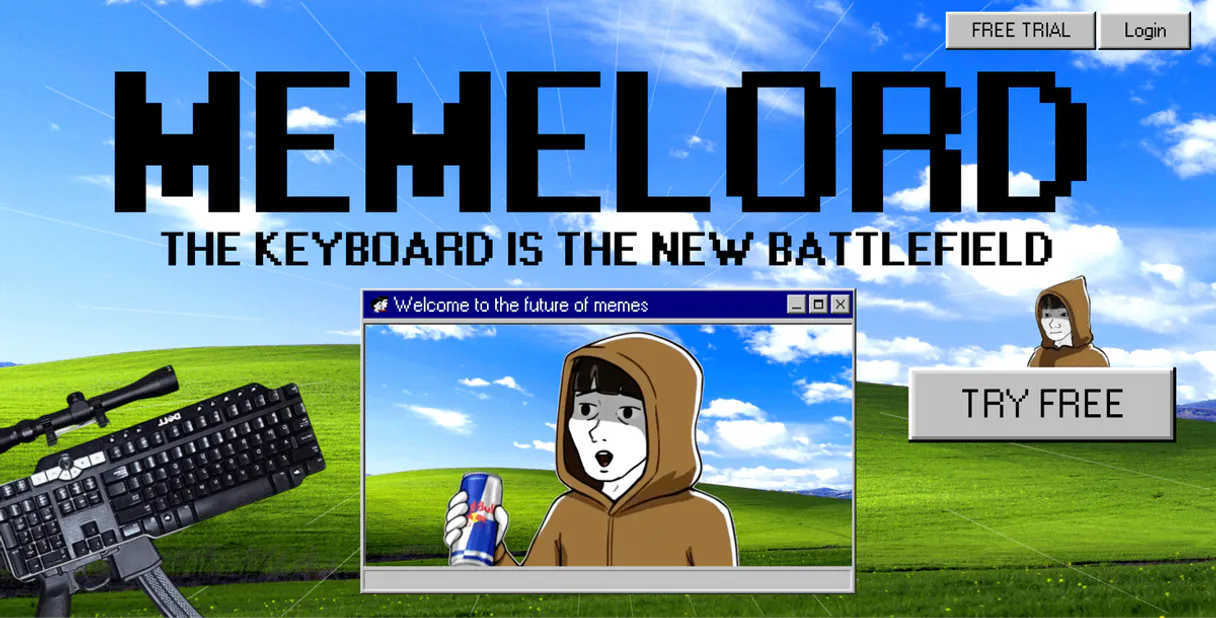
What AI agents can do with MemeLord with 12 Tools
These tools allow you to manage, check the health of, and execute every function related to meme creation, modification, and content discovery.
Make your AI actually useful.
Add this MCP to Claude, Cursor, or Windsurf and your AI stops guessing. It gets real tools to look things up, take action, and handle the stuff you keep doing by hand.
Start using MemeLord MCPCheck Api Health
Verifies that the MemeLord API connection is active and working correctly.
Generate Ai Meme
Creates a brand new meme image using AI based on your text description.
Generate Video Meme
Generates a complete, captioned video meme that is ready for posting online.
Edit Meme With Ai
Modifies an existing meme image by applying specific changes or instructions you...
Get User Account Profile
Retrieves the current user's account information for verification purposes.
Get Api Credit Usage
Checks how many content generation credits you have remaining.
Get Api Version Info
Retrieves details about the current API version and available features.
List Meme Categories
Shows you a list of all meme categories, such as Programming or Sports.
List My Collections
Lists any saved collections of memes you have created previously.
List Meme Templates
Provides a list of classic, ready-to-use meme templates.
List Trending Memes
Shows you the top and currently viral meme formats right now.
List Configured Webhooks
Lists all active webhooks set up for notifications regarding your content generation.
Security and governance baked right in.
Pick your AI client below to get set up. Just create a Vinkius account, subscribe, and you're instantly up and running. We handle the entire backend infrastructure, delivering out-of-the-box support for HTTPS Streamable, SSE, and OAuth2—zero messy routing required.
Claude AI
Open Claude Settings
Go to claude.ai, click your profile icon, then navigate to Customize → Connectors.
Add Custom Connector
Click the "+" button and select Add custom connector. Paste your Vinkius endpoint URL:
https://edge.vinkius.com/[YOUR_TOKEN_HERE]/mcp
Replace [YOUR_TOKEN_HERE] with your token
from cloud.vinkius.com. For OAuth-protected servers, expand
Advanced settings to add credentials.
Start a conversation
Open a new chat. The MemeLord integration is available immediately — no restart needed.




Choose How to Get Started
Build a custom MCP for your own tools, or connect a ready-made integration from our catalog.
Build Your Own
Turn any API into an MCP. Import a spec, define Agent Skills, or deploy with MCPFusion.
- Import from OpenAPI, Swagger, or YAML specs
- Create Agent Skills with progressive disclosure
- Deploy to edge with MCPFusion framework
- Built in DLP, auth, and compliance on each call
- Real time usage dashboard and cost metering
- Publish to catalog or keep private
Make Your AI Do More
Start with MemeLord, then connect any of our 5,200+ other servers whenever your AI needs more. One click, no limits.
- Use this MCP plus 5,200+ others, all in one place
- Add new capabilities to your AI anytime you want
- Connections are secured and governed automatically
- Track usage and costs across all your servers
- Works with Claude, ChatGPT, Cursor, and more
- New servers added to the catalog weekly
Independent Platform Disclaimer: Vinkius is an independent platform and is not affiliated with, endorsed by, sponsored by, verified by, or otherwise authorized by MemeLord. All third-party trademarks, logos, and brand names are the property of their respective owners. Their use on this website is strictly for informational purposes to identify service compatibility and interoperability.
VINKIUS INFRASTRUCTURE
Cloud Hosted
Managed infra
V8 Isolated
Sandboxed per request
Zero-Trust Proxy
No stored credentials
DLP Enforced
Policy on each call
GDPR Compliant
EU data residency
Token Compression
~60% cost reduction
Every marketer knows the pain of content drought. Solved with Vinkius AI Gateway
It's 4 PM on a Friday. You have zero fresh ideas for your social calendar, and the team needs five posts by Monday morning. Your current process involves searching through old assets, asking colleagues for templates, and spending hours manually adjusting text boxes and cropping images until one looks 'good enough.'
Now, with this MCP connected via Vinkius, you simply tell your agent: 'Generate a funny video meme about the weekend using the best-performing template from last month.' You get back a complete, captioned asset in seconds. The content pipeline moves at conversation speed.
MemeLord MCP Gives You Instant Visual Assets
The manual steps that disappear are the endless tabs open on meme template sites, the time spent figuring out which text box is editable, and the painful back-and-forth asking a designer to 'just tweak this one corner.'
What's different now is speed and conversational control. You stop managing assets and start generating virality.
What your AI can actually do with this
Connecting MemeLord to any AI client means you can talk to it naturally and get high-quality, shareable memes back. You prompt your agent with an idea, and the system handles the rest: finding the perfect template, adding custom text, and generating the final image or even a captioned video. Need content for Discord or social media? Just ask.
If you're building out complex workflows, Vinkius makes connecting this MCP simple, letting your agent access meme generation alongside other services in one place. It’s all about making internet culture into professional-grade visual assets on demand.
019dd122-e37c-737a-bf85-6883c00ef9cc 
Here's how it actually works
The bottom line is that instead of opening design software, you just talk to it and get the visual asset back.
Connect your AI agent to the MemeLord MCP using your API key.
Directly ask your agent for a meme, specifying what concept you want and which template you prefer.
The system returns the finished image or video, ready to be posted.
Who is this actually for?
Anyone who lives by the feed—social media managers, community moderators, or marketing developers. This MCP fixes the pain of running out of fresh, viral content ideas right before a campaign launch.
Needs to generate dozens of themed visual posts quickly for platforms like Instagram and X without hiring a dedicated graphic designer.
Requires a quick way to create funny, relevant memes in real time for Discord or Slack channels to keep engagement high.
Wants to build automated bots and applications that reliably generate visual assets using specific templates and APIs.
What Changes When You Connect
Stop wasting time in graphic design suites. With this MCP, you can generate a brand new meme using AI simply by asking your agent to 'make a funny image about work' and get the result instantly.
Need video content? Use the tool that generates video memes so you don’t have to manually stitch together captioned clips—it handles it all in one go.
You can always keep your content relevant. By calling list_trending_memes, your agent knows exactly which formats are currently blowing up online, ensuring maximum engagement for every post.
It's not just about creation; you can refine old work. If a meme isn't quite right, edit_meme_with_ai lets you modify the existing visual using descriptive language until it hits the mark.
Keep your whole creative process organized by listing available classic meme templates and browsing specific categories like Relationships or Gaming.
See it in action
A brand needs a quick, themed campaign image.
Instead of waiting for the design team to mock up ten different posts, the social media manager asks their agent: 'Generate a meme using the 'Two Buttons' template comparing our old product vs. the new one.' The system immediately creates the visual asset.
A community is running low on engagement in Discord.
The moderator prompts the MCP to look up current trends, sees 'Expanding Brain' is popular, and then asks the agent to generate a video meme about a recent server update using that template. The post lands instantly.
A developer needs an automated content pipeline.
The dev uses their MCP-compatible client to call list_meme_templates, iterates through the top five results, and runs generate_ai_meme on each one, automating content creation at scale.
A marketing team needs to refine a piece of existing collateral.
The manager uploads an image and tells their agent: 'Take this old product photo and edit it with AI by adding a deep-fry effect and making the text brighter.' The system returns the improved visual.
The honest tradeoffs
What to watch out for, and the recommended way to handle each one.
Assuming generic image generation
Asking your agent, 'Make me funny content about cats' and expecting a perfectly formatted social media post.
Use the specific tools. First, call list_meme_categories to find a relevant style, then use generate_ai_meme by referencing an available template ID or category.
Trying to manually manage templates
Opening the website and clicking through dozens of menus just to see if 'Distracted Boyfriend' is still a valid meme format.
Use list_meme_templates to get the full library, or better yet, use list_trending_memes to find what people are actually using right now.
Overlooking usage limits
Running a large batch job generating hundreds of memes without checking your account status.
Always check get_api_credit_usage first. This keeps the generation pipeline running smoothly and prevents unexpected failures.
When It Fits, When It Doesn't
Use this MCP if your primary need is rapid, text-prompted visual content creation—specifically memes or captioned videos. You should use it when you need to move from an idea ('Cats are funny') directly to a finished, shareable JPEG or MP4 without touching Photoshop or Canva. Don't use it if you need highly specialized illustration styles (like photorealistic concept art) because its focus is on proven, viral meme structures and templates. If your goal is pure data visualization or complex diagramming that doesn't rely on internet culture references, then look at a dedicated graphing tool instead. But for anything designed to be funny, shareable, and instantly recognizable as 'meme-worthy,' this MCP is the fastest route.
Questions you might have
How do I know if MemeLord can create videos? +
Yes, the generate_video_meme tool handles this. It doesn't just make a picture; it generates an entire captioned video meme ready for posting.
Can I see what templates are trending with MemeLord MCP? +
Absolutely. Use list_trending_memes to pull up the top and most viral formats right now, so your content never feels stale.
What if I want to change an existing meme's style? +
You can use edit_meme_with_ai. You simply give it instructions—like 'make this look like a Renaissance painting'—and the tool modifies the visual accordingly.
Is MemeLord MCP better than using Canva for memes? +
Canva is great for design, but this MCP is built around prompt-based AI generation. It lets you create complex, viral concepts conversationally, rather than clicking through menus.
How do I find out what categories are available? +
Just run list_meme_categories. This gives you a full breakdown of all the meme domains, like Sports or Relationships, so you know where to look for templates.