
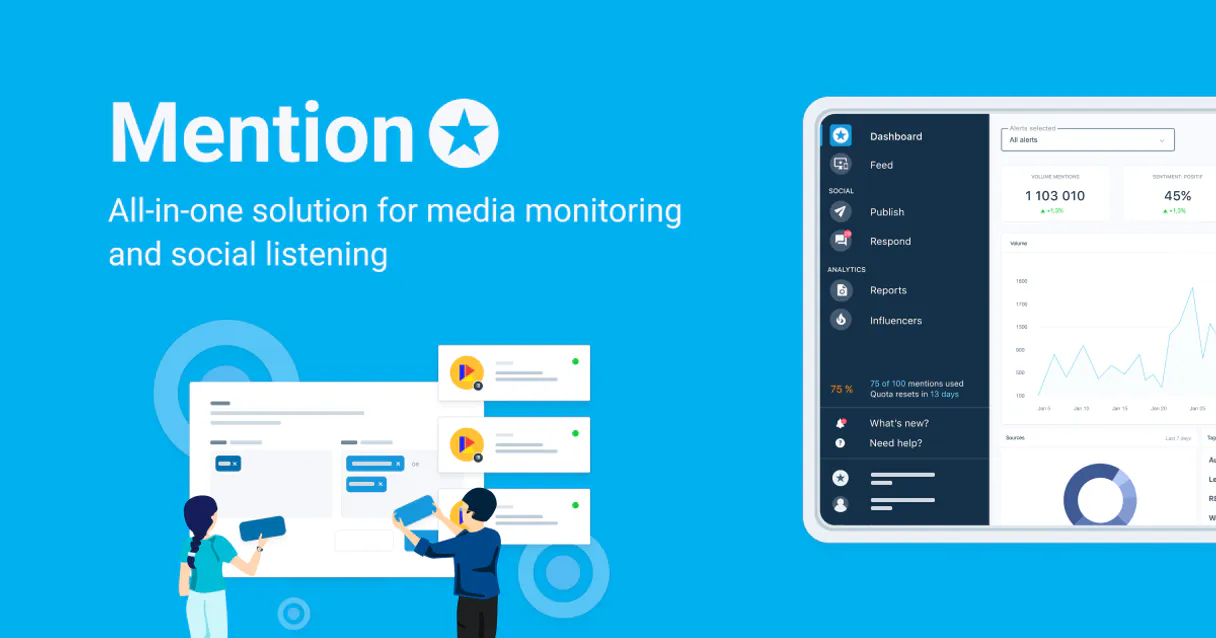
Mention MCP. Monitor every mention, spot sentiment shifts.
 Gemini
 Works with every AI agent you already use
…and any MCP-compatible client









Just plug in your AI agents and start using Vinkius.
Mention monitors brand mentions across social media, blogs, and news in real time. It lets your AI client track sentiment, spot negative buzz, and monitor competitors automatically.
You can set up keyword alerts or search for specific content without leaving your chat window.
What your AI agents can do
Create monitoring alert
Sets up a new keyword alert, telling the system exactly what topic or phrase to watch for.
Favorite mention
Flags an important mention in your feed so you can easily find it later.
Get alert details
Retrieves specific information and status updates about a monitoring alert you already have running.
Use search_mentions_by_keyword to instantly find mentions matching custom keywords across all tracked sources.
Create, list, and delete monitoring alerts using tools like create_monitoring_alert or list_monitoring_alerts to set up triggers for specific topics.
Get real-time analysis of the tone (positive/negative) from any retrieved mention content via tools like get_mention_content.
Use list_recent_mentions to pull a feed of all recent mentions, or call get_alert_details for specific alert metrics.
Ask AI about this MCP
Supported MCP Clients
OAuth 2.0 Compatible Gemini Waiting for input…
Mention MCP Server: 12 Tools for Reputation Tracking
These twelve tools let you monitor brand mentions, analyze sentiment, create keyword alerts, and manage campaign tracking directly through your AI agent.
Make your AI actually useful.
Add this MCP to Claude, Cursor, or Windsurf and your AI stops guessing. It gets real tools to look things up, take action, and handle the stuff you keep doing by hand.
Start using Mention on Vinkius019dd123create monitoring alert
Sets up a new keyword alert, telling the system exactly what topic or phrase to watch for.
019dd123favorite mention
Flags an important mention in your feed so you can easily find it later.
019dd123get alert details
Retrieves specific information and status updates about a monitoring alert you already have running.
019dd123get alert statistics
Checks the reach metrics, giving you numbers on how many people saw or talked about an alert topic.
019dd123get mention content
Reads all the details of a specific mention found online—the source, text, and timestamp.
019dd123get my profile
Pulls basic account information for confirmation or reporting purposes.
019dd123list active webhooks
Lists all the event configurations currently set up to push data to external services.
019dd123list monitoring alerts
Shows a list of every monitoring alert you've created and which ones are still active.
019dd123list recent mentions
Pulls the most recent mentions found across all sources into one view.
019dd123mark mention as read
Changes the status of a mention in your dashboard, indicating that you have reviewed it.
019dd123remove monitoring alert
Deletes an alert from your system when you no longer need to track that specific keyword or topic.
019dd123search mentions by keyword
Performs a targeted search across all monitored sources for a specific word or phrase.
Choose How to Get Started
Build a custom MCP for your own tools, or connect a ready-made integration from our catalog.
Build Your Own
Turn any API into an MCP. Import a spec, define Agent Skills, or deploy with MCPFusion.
- Import from OpenAPI, Swagger, or YAML specs
- Create Agent Skills with progressive disclosure
- Deploy to edge with MCPFusion framework
- Built in DLP, auth, and compliance on every call
- Real time usage dashboard and cost metering
- Publish to catalog or keep private
Make Your AI Do More
Start with Mention, then connect any of our 4,900+ other servers whenever your AI needs more. One click, no limits.
- Use this MCP plus 4,900+ others, all in one place
- Add new capabilities to your AI anytime you want
- Every connection is secured and compliant automatically
- Track usage and costs across all your servers
- Works with Claude, ChatGPT, Cursor, and more
- New servers added to the catalog every week
Independent Platform Disclaimer: Vinkius is an independent platform and is not affiliated with, endorsed by, sponsored by, verified by, or otherwise authorized by Mention. All third-party trademarks, logos, and brand names are the property of their respective owners. Their use on this website is strictly for informational purposes to identify service compatibility and interoperability.
VINKIUS INFRASTRUCTURE
Cloud Hosted
Managed infra
V8 Isolated
Sandboxed per request
Zero-Trust Proxy
No stored credentials
DLP Enforced
Policy on every call
GDPR Compliant
EU data residency
Token Compression
~60% cost reduction
Works with Claude, ChatGPT, Cursor, and more
The Model Context Protocol standardizes how applications expose capabilities to LLMs. Instead of operating in isolation, your AI gains direct access to external platforms, live data, and real-world actions through secure, standardized connections.
This server provides 12 capabilities that interface natively with Claude, ChatGPT, Cursor, and any MCP client. No middleware. No custom integration required.
Manually tracking brand mentions across seven different platforms is exhausting.
Right now, checking your reputation means logging into Twitter, then jumping to Reddit, then opening Google News, and cross-referencing all the hashtags in a spreadsheet. You're spending time copying URLs and manually changing filters—a process that guarantees you’ll miss critical mentions or negative sentiment because it takes too long.
With this MCP server, your agent handles the whole mess. It pulls data from every source automatically, aggregates it into one feed via `list_recent_mentions`, and provides immediate context on whether the tone is positive, neutral, or bad.
Search Mentions by Keyword: Pinpoint exact conversations in seconds.
If you're worried about a specific topic—say, 'data privacy policy'—you currently have to run five separate searches across different platforms. You might find mentions on Twitter but miss the deeper discussion happening on specialized industry blogs or forums.
The `search_mentions_by_keyword` tool fixes that. It runs one query against your entire monitored web, giving you a single, comprehensive list of every mention containing that phrase, no matter where it originated.
What you can do with this MCP connector
Mention lets your AI client monitor brand mentions across social media, blogs, and news sources in real time. You can set up triggers to watch for specific topics or phrases, letting you catch negative buzz or track competitor moves without even leaving your chat window.
Setting Up Your Watches (Alerts)
You don't have to manually check everything; you just need to tell the system what to look for. You use create_monitoring_alert when you want to set up a new keyword alert, telling it exactly which topic or phrase needs tracking. Once that’s done, you can run list_monitoring_alerts to pull up a list of every single monitoring alert you've got active.
If you need to change what you're watching, you first check the details using get_alert_details, and when you're done with a topic, you use remove_monitoring_alert to delete that specific trigger.
Checking Your Alert Performance
It ain't just about knowing if something was mentioned; it's about how big the deal was. You can check the reach metrics—the number of people who saw or talked about a topic—by calling get_alert_statistics. This gives you hard numbers on an alert’s visibility. If you wanna see what alerts are running right now, simply call list_active_webhooks to list all event configurations set up for pushing data out to other services.
Searching the Feed and Deep Diving into Mentions
Want a quick look at everything that went down in the last hour? Run list_recent_mentions; it pulls a feed of every mention found across all sources into one spot. If you're hunting for something specific, forget scrolling—you run search_mentions_by_keyword, which performs a targeted search across all monitored sites using your custom word or phrase.
When you see a mention that looks important—maybe it’s a great piece of PR or some negative garbage—you can use favorite_mention to flag it so you won't lose it later.
When you pull up any single mention, you get the full rundown using get_mention_content. This reads all the details for that specific post: where it came from (the source), what it says (the text), and exactly when it went live (the timestamp). When you've reviewed a piece of content, you run mark_mention_as_read to change its status in your dashboard.
Analyzing the Tone and Tracking Findings
Getting the raw text is only half the job. With any mention you pull up using get_mention_content, your agent can give you real-time analysis of the tone—whether it's positive or negative. You can also track all the alerts you’ve set up by calling list_monitoring_alerts to see a clear overview, and if you need to confirm basic account info for reporting purposes, just run get_my_profile.
If your system is tied into other tools that need constant data feeds, you use list_active_webhooks to verify all the event configurations are running smoothly.
019dd123-60f0-730f-a877-745e4d9613b9 
How Mention MCP Works
- 1 Subscribe to the Mention server and provide your Access Token and Account ID.
- 2 Your AI client connects this data stream—you tell it, 'Find out what people are saying about our new product launch.'
- 3 The agent runs the necessary tools (like
search_mentions_by_keyword) and returns a summarized report with sources, sentiment scores, and top mentions.
The bottom line is: you talk to your AI client like it's an employee who just pulled up your brand monitoring dashboard for you.
Who Is Mention MCP For?
This is for PR teams, marketing managers, and customer support leads. It’s necessary when the reputation of a single product line or executive is at stake. You need to know about bad buzz before it hits mainstream news, and you shouldn't have to switch between social media dashboards, Google Alerts, and your CRM just to check one thing.
Monitors real-time mentions of the company or executive. Uses list_recent_mentions and get_alert_statistics to track how media coverage shifts after a press release.
Tracks hashtags related to campaigns or industry topics. Calls create_monitoring_alert for specific keywords, then uses the data in AI prompts to generate content ideas based on public sentiment.
Watches online forums and social media streams for recurring complaints. Uses search_mentions_by_keyword to find patterns of negative mentions that signal a systemic product issue.
What Changes When You Connect
- Get full visibility into negative buzz. Use
get_alert_statisticsto see the volume and reach of mentions related to a topic before it becomes a PR crisis. - Stop hunting for details. Call
search_mentions_by_keywordwhen you need to find all references to 'Product X' from six months ago, regardless of source. - Know what needs attention right now. Use
list_recent_mentionswith your AI client to immediately pull a digest of everything happening in the last few hours. - Manage alerts without leaving chat. You can call
create_monitoring_alertand instantly set up tracking for a competitor or industry hashtag, all through conversation. - Keep records clean. Once you've analyzed a mention using
get_mention_content, usemark_mention_as_readto signal that it's been addressed.
Real-World Use Cases
Crisis Management: Catching the first whiff of trouble.
A PR manager suspects a product failure is causing chatter. Instead of manually checking Twitter, they ask their agent to 'Find all mentions related to overheating.' The agent runs search_mentions_by_keyword, which immediately returns 50 negative hits from niche blogs and forums. They then use get_mention_content on the top three to draft a statement.
Competitor Analysis: Tracking market share shifts.
A marketing team wants to see if Competitor X's new campaign is getting traction. They ask their agent to 'Compare our brand mentions vs. theirs.' The agent runs list_monitoring_alerts and compares the resulting metrics, showing a 40% spike in competitor volume over the last week.
Post-Launch Review: Measuring immediate public reaction.
After a major product launch, a support lead needs to know if the feature worked. They ask their agent to 'Check sentiment around the new dashboard.' The agent runs list_recent_mentions and provides a breakdown showing 65% positive vs. 20% negative mentions, directing them to read the flagged issues.
Ongoing Monitoring: Setting up passive surveillance.
A brand manager needs to track industry trends for Q3 planning. They ask their agent to 'Start tracking discussions about AI ethics.' The agent uses create_monitoring_alert with the appropriate keywords, setting the system up to automatically flag any future discussion.
The Tradeoffs
Thinking it's a generic search engine.
Trying to copy-paste 10 different hashtags into a web form and hoping they all get tracked. You'll miss sources or timeframes.
→
Use create_monitoring_alert first. Define the keywords once, then let the system automatically collect data from every source listed in your account.
Ignoring alert status.
Creating an alert for 'Service Down' and forgetting to check it later, assuming the server is still running fine.
→
Always use list_monitoring_alerts when you log in. Check that the alert is active and review its current metrics using get_alert_details.
Only looking at headlines.
Reading a news headline about your brand but having no idea if it was sarcastic or genuinely positive.
→
Never rely only on titles. Always use the agent to run get_mention_content to read the full text and analyze the sentiment.
When It Fits, When It Doesn't
Use this server if your primary job involves external reputation management—meaning, you need to know what people are saying about your company, product, or industry outside of your direct control. You must use it when monitoring shifts in public perception (e.g., a competitor launch, a bug report going viral).
Don't use this if your pain point is internal communication—for instance, tracking emails between departments or managing Slack channels; those require different tools. Also, don't rely on list_recent_mentions as a single source of truth; always cross-reference findings with specific alerts using get_alert_details to ensure you haven't missed a keyword scope.
Common Questions About Mention MCP
How do I set up monitoring alerts with Mention MCP Server? +
You use the create_monitoring_alert tool. You just tell your agent what keywords to watch for (e.g., 'pricing update'), and it handles setting up the persistent tracking.
What is the difference between list_recent_mentions and search_mentions_by_keyword? +
Listing recent mentions shows a time-based feed of everything that happened. Searching by keyword lets you filter the entire historical data set for one specific phrase, no matter when it was posted.
Can I check competitor performance with Mention MCP Server? +
Yes. You can create alerts and use get_alert_statistics to track mentions related to competitors, allowing you to compare their volume against your own brand's activity.
How do I see if an alert is still working? +
You run the list_monitoring_alerts tool. This shows all active alerts and allows you to use get_alert_details on any specific one to check its current status and metrics.
How do I check if my API access is valid using `get_my_profile`? +
Calling get_my_profile confirms your current account credentials and basic usage limits. It returns key details about your profile, confirming that the system recognizes your connection token and providing insight into your overall monitoring quota.
What extra data do I get when using the `get_mention_content` tool? +
You receive the full context of a mention, not just a snippet. This includes the source URL, the complete body text, and metadata like the exact time it was posted. You can analyze the content thoroughly.
How do I access deep performance metrics using `get_alert_statistics`? +
This tool gives you quantitative reach data beyond simple counts. It provides metrics on total impressions, unique sources, and time-based volume shifts. This helps you measure the true impact of your brand mentions.
What happens when I run `remove_monitoring_alert`? +
The tool immediately deletes the specified alert configuration from your account. Once removed, the system stops tracking and processing any data for that specific keyword or competitor set.
Can I monitor specific keywords and brands? +
Yes. Create alerts with boolean queries to track specific brand names, competitors, or industry hashtags.
How does Mention authentication work? +
Mention requires both an Access Token (Bearer) and an Account ID against api.mention.net/api/v1.
Does Mention provide sentiment analysis? +
Yes. Mentions are automatically tagged with positive, negative, or neutral sentiment scores.
Use it with your favorite AI tools
Connect this server to Cursor, Claude, VS Code, and more.