
MerchantSpring MCP. Get a single view of all sales and inventory data.
 Gemini
 Works with every AI agent you already use
…and any MCP-compatible client









Just plug in your AI agents and start using Vinkius.
MerchantSpring connects your entire e-commerce operation to your AI agent. Track sales, orders, inventory, and store health across all connected marketplaces (Amazon, eBay, etc.) from one chat window.
Instead of logging into five different seller dashboards, you ask your agent for a unified report on total revenue or product stock levels.
It lets you see everything—from active promotions to specific marketplace alerts—without leaving your AI client.
What your AI agents can do
Get inventory report
Generates a full report on current stock levels across your connected marketplaces.
Get sales summary
Returns an aggregated summary of total sales performance over a specified timeframe.
Get store details
Retrieves metadata and general details for one specific store account.
The tool calculates total sales performance across all connected stores for a specified period.
It retrieves the full list of every store account linked to your MerchantSpring profile.
The tool checks and reports the real-time health status and sync alerts for specific connected stores.
You can pull detailed inventory reports, listing stock levels for multiple products across various channels.
It pulls a list of recent order records and histories tied to one specific store account.
The tool lists any currently running sales or promotional campaigns for a selected marketplace.
Ask AI about this MCP
Supported MCP Clients
Gemini Waiting for input…
MerchantSpring MCP Server: 10 Tools for E-commerce Data Access
These tools allow your agent to read detailed performance metrics, order histories, product listings, and store statuses across all connected marketplaces.
019d75d2get inventory report
Generates a full report on current stock levels across your connected marketplaces.
019d75d2get sales summary
Returns an aggregated summary of total sales performance over a specified timeframe.
019d75d2get store details
Retrieves metadata and general details for one specific store account.
019d75d2get store health
Checks the current synchronization and operational health status of a connected store.
019d75d2list marketplaces
Lists all supported e-commerce marketplaces (e.g., Amazon, eBay) that can be monitored.
019d75d2list merchant alerts
Pulls a list of recent critical notifications and alerts from across all your connected stores.
019d75d2list store orders
Lists the order history for a specific store ID, allowing you to inspect past sales records.
019d75d2list store products
Retrieves an active list of product listings associated with a single store account.
019d75d2list store promotions
Lists all current promotional campaigns or discounts running within a specific marketplace.
019d75d2list stores
Provides the names and identifiers for every store account linked to your MerchantSpring profile.
Choose How to Get Started
Build a custom MCP for your own tools, or connect a ready-made integration from our catalog.
Build Your Own
Turn any API into an MCP. Import a spec, define Agent Skills, or deploy with MCPFusion.
- Import from OpenAPI, Swagger, or YAML specs
- Create Agent Skills with progressive disclosure
- Deploy to edge with MCPFusion framework
- Built in DLP, auth, and compliance on every call
- Real time usage dashboard and cost metering
- Publish to catalog or keep private
Make Your AI Do More
Start with MerchantSpring, then connect any of our 4,700+ other servers whenever your AI needs more. One click, no limits.
- Use this MCP plus 4,700+ others, all in one place
- Add new capabilities to your AI anytime you want
- Every connection is secured and compliant automatically
- Track usage and costs across all your servers
- Works with Claude, ChatGPT, Cursor, and more
- New servers added to the catalog every week
What you can do with this MCP connector
You run sales across multiple marketplaces, right? You've got Amazon, eBay, maybe some niche site—it’s a mess. Instead of jumping between five different seller dashboards just to check if you hit your quarterly goal, you connect MerchantSpring to your AI agent. This whole setup lets your agent talk directly to all your e-commerce data, giving you one unified view without ever leaving your client window.
It's basically having a dedicated analyst who knows where every single piece of inventory and sales record lives.
When you need to know what stores you manage, you call list_stores to get the full names and unique IDs for every account linked to your MerchantSpring profile; you can then use list_marketplaces if you need a rundown of all supported platforms. For deeper context on any single store ID, run get_store_details, which pulls general metadata about that specific seller account.
Keeping track of operational status is crucial. If something's broken or syncing weirdly, you don't want to wait for an email—you call get_store_health to check the real-time sync and functional status for any connected store. When critical things happen across your entire network, pull a list using list_merchant_alerts; this gathers all recent warnings and important notifications from every single marketplace you run.
If you need to know what products are available on which platform, first use list_store_products to get the active listing IDs for one store, then follow up with get_inventory_report to generate a full report detailing current stock levels across all your connected sales channels.
When it comes to cash flow and performance, you don't need to manually export spreadsheets. You ask for total revenue over a period, and get_sales_summary returns an aggregated summary of your overall sales performance against that timeframe. If you need granular detail on just one channel, use list_store_orders with a specific store ID to pull the complete order history records.
For tracking product availability across multiple channels, running get_inventory_report gives you those detailed stock numbers for every item you sell.
You can also manage expectations and sales campaigns directly through the agent. If there are discounts or promotions running right now on a specific platform, use list_store_promotions; this pulls all active sale details for one marketplace at a time. When you need to see exactly what products were sold in the past, you can call list_store_orders and review those records.
This server lets your agent act as your single pane of glass: it manages store visibility (list_stores), checks operational status (get_store_health), tracks inventory across channels (get_inventory_report), gives you sales numbers instantly (get_sales_summary), and flags critical issues from every platform (list_merchant_alerts). You get a unified command center for everything happening on your e-commerce operation.
How MerchantSpring MCP Works
- 1 First, subscribe to the MerchantSpring server and input your API Key.
- 2 Next, prompt your AI agent with a business question (e.g., 'What were my sales last month?').
- 3 The agent selects the necessary tool (like
get_sales_summary), executes the call using your credentials, and returns the structured data.
The bottom line is you get one conversational interface for all your complex, multi-site e-commerce data queries.
Who Is MerchantSpring MCP For?
This is for the E-commerce Operations Manager who spends hours jumping between seller dashboards. It's also for the Product Owner needing a real-time inventory check across 10+ channels, and the Financial Analyst doing quarterly revenue reporting. You need visibility without the constant clicking.
Uses list_merchant_alerts and get_store_health to immediately identify operational failures or syncing issues across multiple platforms.
Runs get_inventory_report and list_store_products together to ensure product availability matches sales targets before a major campaign launch.
Calls get_sales_summary repeatedly, grouping the output by marketplace, to build quick revenue models for stakeholders.
What Changes When You Connect
- See total revenue across every channel instantly. Instead of querying five different dashboards, running
get_sales_summarygives you an aggregated number for the entire business. - Know your operational status with one command. Using
get_store_healthchecks all connected stores and flags issues—like a sync alert on eBay AU—before they cost money. - Never lose track of stock again. Running
get_inventory_reportgives you an immediate, consolidated view of product counts across every single marketplace you run. - Keep your eye on the critical stuff. The
list_merchant_alertstool pulls all system notifications into one place, ensuring no platform-specific warning gets missed in a pile of emails. - Manage everything by store ID. You can use
list_store_ordersandlist_store_productstogether to audit specific accounts quickly, linking sales history directly to current listings.
Real-World Use Cases
Investigating a sudden drop in revenue.
A user asks: 'Why did Q3 sales dip?' The agent runs get_sales_summary (to identify the period and scale of the loss), then checks list_store_promotions (to see if a campaign ended early), and finally pulls list_merchant_alerts to check for platform-level issues. They pinpoint that an Amazon listing was flagged, solving the mystery.
Preparing for a major product re-launch.
The team needs total stock counts across all channels. The agent first runs list_stores to verify all accounts are connected, then calls get_inventory_report and list_store_products. They confirm that 300 units of the new gadget exist in every primary store before marketing starts.
Auditing a specific store account for compliance.
An analyst needs to review all activity on Store ID 'S_98765'. They use get_store_details for general info, follow up with list_store_orders for recent sales history, and then use list_store_promotions to verify the current pricing structure.
Checking if a store is ready for peak season.
Before Black Friday, the manager runs get_store_health on all accounts. If one returns an alert (like 'Sync Failure'), they know immediately which team needs to fix it before sales even start.
The Tradeoffs
Treating tools like separate reports
A user manually runs get_sales_summary and then separately reads the inventory report. They have to cross-reference two different documents in Excel to find total revenue vs. stock.
→
Ask your agent: 'Show me sales summaries for products with low inventory.' The agent chains calls between get_inventory_report and get_sales_summary, giving you a single, actionable output.
Forgetting to check store status
A user only checks sales figures using list_store_orders. They miss that the underlying store has an 'Operational Alert' preventing new orders from processing.
→
Always run get_store_health first. It tells you if your data is even reliable before you start crunching numbers with other tools.
Asking for general product info
A user asks, 'What are my products?' which gives a massive list of everything. They then have to manually filter it down by store.
→
Be specific. Use list_store_products and specify the exact Store ID you're interested in. This focuses the output immediately.
When It Fits, When It Doesn't
Use this server if your primary need is consolidated visibility across disparate, multi-channel sales data. If you manage products on Amazon and Shopify and eBay, this is essential. It lets your AI agent orchestrate calls between get_sales_summary, list_store_orders, and get_inventory_report based purely on intent.
Don't use this if your problem is internal process flow (e.g., 'How do I change the product description?'). For that, you need a CMS API tool, not an analytics one. If you only care about marketing copy or general site structure, stick to a dedicated e-commerce platform API. This server is purely for reading and reporting data; it doesn't write back updates.
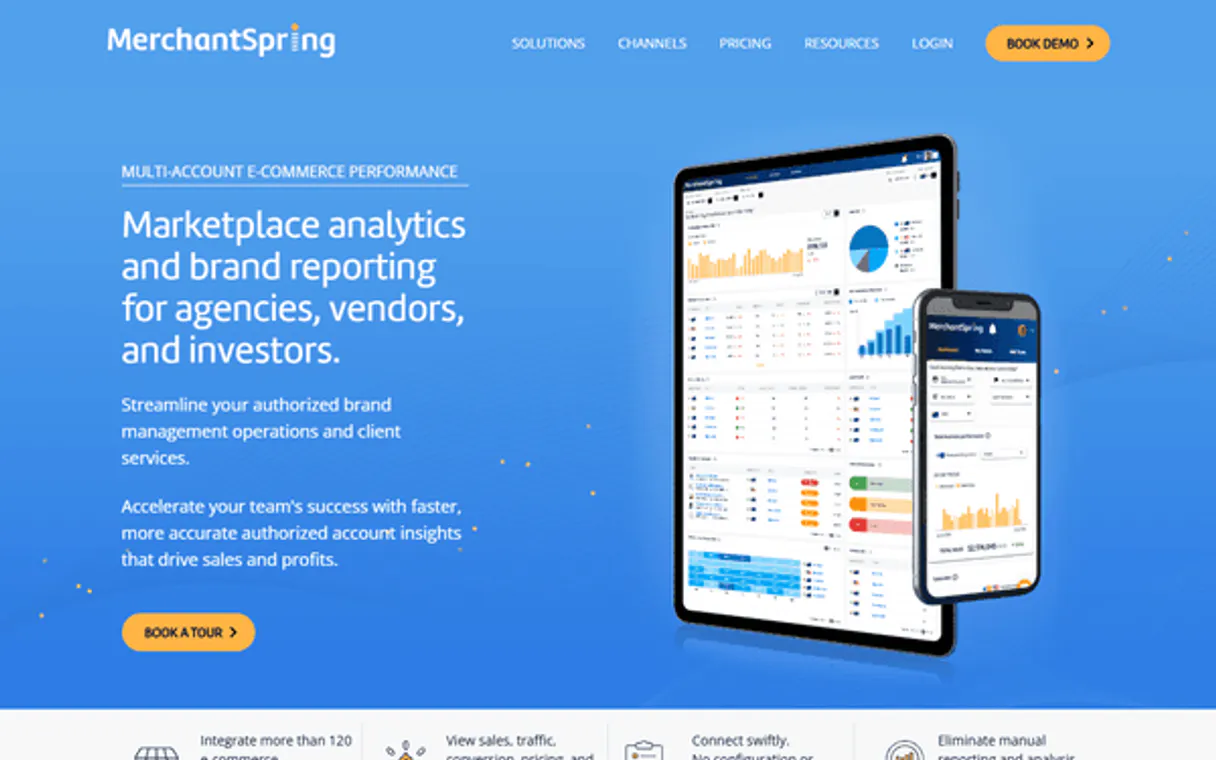
Independent Platform Disclaimer: Vinkius is an independent platform and is not affiliated with, endorsed by, sponsored by, verified by, or otherwise authorized by MerchantSpring. All third-party trademarks, logos, and brand names are the property of their respective owners. Their use on this website is strictly for informational purposes to identify service compatibility and interoperability.
VINKIUS INFRASTRUCTURE
Cloud Hosted
Managed infra
V8 Isolated
Sandboxed per request
Zero-Trust Proxy
No stored credentials
DLP Enforced
Policy on every call
GDPR Compliant
EU data residency
Token Compression
~60% cost reduction
Works with Claude, ChatGPT, Cursor, and more
The Model Context Protocol standardizes how applications expose capabilities to LLMs. Instead of operating in isolation, your AI gains direct access to external platforms, live data, and real-world actions through secure, standardized connections.
This server provides 10 capabilities that interface natively with Claude, ChatGPT, Cursor, and any MCP client. No middleware. No custom integration required.
Available Capabilities
Manually checking your multi-store performance is a nightmare of clicks.
Today, you have to open Amazon Seller Central, then log into eBay, then check Shopify. You copy the sales numbers from one dashboard and paste them into a spreadsheet, hoping nothing breaks. Then you repeat that process for inventory counts—a full hour of clicking just to get an overview.
With MerchantSpring MCP Server, you don't click anything. You ask your agent: 'What were my total Q3 sales?' The server runs the necessary `get_sales_summary` calls across all marketplaces and spits out a single, consolidated number. It takes seconds.
MerchantSpring MCP Server: Get real-time inventory reports.
You used to have to run `list_store_products` for every store and then manually count the 'Available' column. If you missed one, your product launch plan was wrong. It was a massive, error-prone spreadsheet task.
Now, just ask: 'Do I have enough stock of Widget X across all channels?' The agent runs `get_inventory_report`, cross-referencing everything into one clear answer. No guessing games.
Common Questions About MerchantSpring MCP
Can MerchantSpring MCP Server get sales data for stores that aren't listed? +
No, the server only works with connected accounts. You must first use list_stores to verify your desired store IDs are properly linked and authenticated.
How do I check if my inventory is low using get_inventory_report? +
You can ask the agent directly, 'List all products with less than 50 units in stock.' The tool handles the filtering logic for you after retrieving the full report.
Does list_merchant_alerts show technical errors only? +
No. list_merchant_alerts pulls all critical notifications, including inventory discrepancies and payment processing warnings, not just system tech issues.
What is the difference between list_store_orders and get_sales_summary? +
get_sales_summary gives you the aggregated dollar amount for a time period. list_store_orders lists the actual records—the individual orders, line items, and dates.
When I use `list_store_products`, can I filter results by product status? +
Yes, you can pass filters for specific statuses like 'Active' or 'Discontinued'. This narrows the output list to only the items that match your required criteria.
If `get_store_health` shows a "Sync Failure," what does that mean? +
A Sync Failure means data flow from the marketplace stopped. You must check your API credentials and manually re-sync the store connection through your MerchantSpring dashboard.
Are there rate limits when calling `get_sales_summary` repeatedly? +
The server handles high volume, but rapid calls can hit a limit. If you get an error, wait about 30 seconds before trying again to avoid throttling.
How do I ensure the `list_store_orders` tool covers all my connected stores? +
The server pulls data from every authorized store linked to your API key. You don't need to specify individual store IDs; just run the command.
How do I find my MerchantSpring API Key? +
Log in to MerchantSpring, navigate to your Profile (top right), and look for the API section to generate your key.
What marketplaces are supported? +
MerchantSpring supports over 120 marketplaces including Amazon, eBay, Walmart, Shopify, and many regional platforms.
Is my marketplace data secure? +
Absolutely. Your token is encrypted at rest and injected securely at runtime.
Use it with your favorite AI tools
Connect this server to Cursor, Claude, VS Code, and more.
More in this category

Siteminder
Manage hotel inventory, search properties, and handle reservations via Siteminder's Channels Plus and Direct Booking APIs.

Flexport Logistics
Manage e-commerce fulfillment, inventory, and returns via AI agents with Flexport Logistics.

GoBolt
Manage shipping rates, track parcel deliveries, and oversee logistics via AI agents with GoBolt.
You might also like

Calendly
Automate scheduling workflows via Calendly — manage event types, scheduled events, invitees, and availability directly from any AI agent.

Fizzpa
Market your restaurant or food business with digital menus, online ordering integration, and customer engagement tools.

UTM Campaign Builder
Equip Marketing Agents to generate flawless tracking links. Safely encode UTM parameters and prevent broken Google Analytics routing.