
Modash MCP. Find creators, map demographics across platforms.
 Gemini
 Works with every AI agent you already use
…and any MCP-compatible client









Just plug in your AI agents and start using Vinkius.
Modash lets you find and deep-analyze influencers across Instagram, TikTok, and YouTube. Access a database of over 350 million profiles and pull detailed audience demographics—all through your agent's natural conversation.
It handles the tedious work of cross-platform research so you don't have to switch tabs.
What your AI agents can do
Get instagram report
Pulls detailed analytics and audience demographics for any given Instagram profile.
Get raw profile
Fetches real-time, unfiltered data metrics directly from an influencer's public profile.
Get tiktok report
Generates comprehensive audience and performance reports specifically for TikTok accounts.
Your AI client finds matching profiles across Instagram, TikTok, and YouTube based on defined criteria like follower count or location.
It runs detailed reports that specify the audience's gender split, age range, and primary geographic locations for any given profile.
The tool fetches unfiltered, real-time metrics directly from a creator’s public profile feed.
You can search and pull reports for Instagram, TikTok, and YouTube using dedicated functions within the same workflow.
It searches structured databases to find specific IDs for locations, brands, or interests, allowing you to build precise search filters.
Ask AI about this MCP
Supported MCP Clients
Gemini Waiting for input…
Modash MCP Server: 11 Tools for Creator Intelligence
These tools allow your AI agent to perform multi-stage searches, pulling everything from location IDs to full platform analytics reports.
019d75d6get instagram report
Pulls detailed analytics and audience demographics for any given Instagram profile.
019d75d6get raw profile
Fetches real-time, unfiltered data metrics directly from an influencer's public profile.
019d75d6get tiktok report
Generates comprehensive audience and performance reports specifically for TikTok accounts.
019d75d6get youtube report
Provides detailed analytics, including viewership patterns and demographics, for a YouTube channel.
019d75d6list brands
Searches the metadata database to find specific IDs associated with brands.
019d75d6list interests
Retrieves structured lists of interest categories, which you can use to narrow down search criteria.
019d75d6list languages
Provides a list of available language IDs for filtering searches by speaker demographics.
019d75d6list locations
Searches the metadata database to get specific IDs for geographic locations, allowing highly targeted searches.
019d75d6search instagram
Executes a search query to find Instagram influencers matching specified criteria like follower count or location ID.
019d75d6search tiktok
Runs a targeted search for TikTok creators based on defined parameters and keywords.
019d75d6search youtube
Performs a search query to find YouTube channels that fit specific criteria set by the user.
Choose How to Get Started
Build a custom MCP for your own tools, or connect a ready-made integration from our catalog.
Build Your Own
Turn any API into an MCP. Import a spec, define Agent Skills, or deploy with MCPFusion.
- Import from OpenAPI, Swagger, or YAML specs
- Create Agent Skills with progressive disclosure
- Deploy to edge with MCPFusion framework
- Built in DLP, auth, and compliance on every call
- Real time usage dashboard and cost metering
- Publish to catalog or keep private
Make Your AI Do More
Start with Modash, then connect any of our 4,700+ other servers whenever your AI needs more. One click, no limits.
- Use this MCP plus 4,700+ others, all in one place
- Add new capabilities to your AI anytime you want
- Every connection is secured and compliant automatically
- Track usage and costs across all your servers
- Works with Claude, ChatGPT, Cursor, and more
- New servers added to the catalog every week
What you can do with this MCP connector
Modash lets your agent conduct deep, cross-platform research on creators across Instagram, TikTok, and YouTube. Your AI client pulls detailed audience demographics and analytics from over 350 million profiles; you don't have to jump between tabs to do the work.
Finding Creators: Targeted Discovery
You can use dedicated functions to find influencers based on specific criteria. Start with search_instagram to execute a query for IG accounts matching parameters like follower count or location ID. For TikTok, run search_tiktok to target creators using defined keywords and parameters. Similarly, search_youtube performs searches for channels that fit user-set criteria.
To make your search hyper-precise, you first look up metadata IDs. Use list_locations to pull specific geographic codes, which lets you drill down into highly targeted markets. You can narrow results by interest using list_interests, or filter by speaker demographics with list_languages. If brands are key, run list_brands to search the database and get associated IDs.
Analyzing Profiles: Reporting & Raw Data
Once you pinpoint profiles, your agent pulls full analytics for each platform. Use get_instagram_report to pull detailed audience demographics and analytics specifically for an Instagram profile. For TikTok performance, get_tiktok_report generates reports covering audience reach and general account performance. To analyze video viewership patterns, including age and location breakdowns, run get_youtube_report on a YouTube channel.
If you need immediate, unfiltered metrics without a formal report structure, get_raw_profile fetches real-time data directly from any creator’s public profile feed.
How It Works in Practice
Your agent handles the entire process conversationally. You'll tell your client things like: 'Find me five tech creators in London who speak Spanish.' The agent first runs list_locations and list_languages, then uses those IDs to refine a search via search_instagram. After compiling a list, you instruct it to run get_instagram_report on the top result.
It's built so your agent processes these multi-step actions—searching by criteria, retrieving metadata IDs, and pulling specific reports—all within one continuous conversation.
How Modash MCP Works
- 1 Subscribe to the Modash server and enter your API token. This authenticates your agent with the platform's data sources.
- 2 Ask your AI client to perform a multi-stage research query (e.g., 'Find creators in Berlin interested in fitness').
- 3 The agent executes search tools (
search_*), uses metadata lookups (list_*) to refine parameters, and finally calls reporting tools (get*_report) to deliver the structured data.
The bottom line is: you give your agent a goal, and it handles the entire technical workflow of searching, filtering, and report generation in one go.
Who Is Modash MCP For?
This is for the Digital Marketing Manager who has to run weekly competitive audits. You're tired of logging into three different social media dashboards—Instagram, TikTok, YouTube—and manually copying metrics just to see who’s winning in a niche market. It helps you prove ROI by giving you quantifiable data on audience demographics and engagement rates.
They use Modash to test out new market angles, querying for creators within specific interest IDs (via list_interests) before committing a budget.
They manage multiple client campaigns simultaneously, running parallel searches (search_instagram, search_tiktok) to compare performance metrics across different platforms.
They need to verify the authenticity and reach of potential partners. They use tools like get_raw_profile to validate if a creator's follower count matches their activity level.
What Changes When You Connect
- Pinpoint ideal niche profiles using
list_interestsandlist_brands. You don't have to guess what categories work; you find the exact IDs needed to narrow down your search criteria. - Get full performance transparency with
get_raw_profile. This tool bypasses summarized data, letting you pull unfiltered metrics right from the source for total data integrity checks. - Compare campaigns side-by-side. Running
search_instagram,search_tiktok, andsearch_youtubesequentially lets your agent gather a holistic view of cross-platform competition in one session. - Understand who's actually watching. Instead of just follower counts, use the dedicated report tools (
get*_report) to see audience demographics—like 65% female, aged 18-24—which is crucial for campaign planning. - Build hyper-specific search filters by querying metadata lists. Use
list_locationsandlist_languagesfirst; then feed those IDs intosearch_*tools to avoid vague searches.
Real-World Use Cases
Need a campaign in a specific city.
A client needs micro-influencers for a product launch in Miami. They use list_locations first to get the precise ID for 'Miami, FL'. Then, they run search_instagram using that ID and filtering by a small follower range (5k–10k), immediately narrowing down hundreds of profiles to a manageable list.
Evaluating competitor reach.
An agency wants to know if a rival's audience is diverse. They run get_tiktok_report and compare the resulting demographic breakdown (e.g., 70% US, 30% CA) against a different user using get_youtube_report. This side-by-side data comparison reveals geographic weaknesses.
Finding niche creators by topic.
A brand needs to find experts in sustainable fashion. They run list_interests to get the specific 'sustainability' ID, and then use this ID combined with a search on search_instagram. The agent filters results for high engagement rates, skipping over general lifestyle accounts.
Cross-platform audit of a single person.
A team wants to know if one creator is active everywhere. They use the name search functionality across search_instagram, search_tiktok, and search_youtube sequentially. Finally, they run all three report functions to create a unified view of that individual's total online reach.
The Tradeoffs
Searching only by name or handle.
The user just searches for 'fitness coach' and gets hundreds of results. They waste time manually clicking through pages, hoping to find one with the right demographic profile.
→
Don't rely on general search alone. First, use list_interests to get the exact ID for 'Fitness'. Then run a targeted search using that ID in combination with follower count ranges via search_* tools.
Assuming one report tool covers everything.
The user pulls data from get_instagram_report and assumes the same audience metrics apply to YouTube. This leads to flawed reporting because platform demographics are unique.
→
Always use dedicated tools for cross-platform analysis. If you need a full picture, run both get_instagram_report AND get_youtube_report in your workflow. Don't assume the data is interchangeable.
Ignoring metadata lists.
The user knows they want to target people interested in 'Tech,' but doesn't know which ID or language code to use. The search returns irrelevant, noisy results.
→
Start by running list_interests and list_languages. Use the precise IDs you find there—don't feed vague text strings into your searches.
When It Fits, When It Doesn't
Use this server if your goal is data retrieval, competitive benchmarking, or creating a verifiable influencer database. You need to know who is out there and what their audience looks like (e.g., 'Give me all creators in London with 10k-50k followers interested in Tech').
Don't use this if you just need creative ideas. If your goal is 'Write a catchy TikTok caption for our new shoe line,' don't waste time calling get_raw_profile. Use a generative writing tool instead. This server gives metrics, not copy. It’s an intelligence layer, not a content engine.
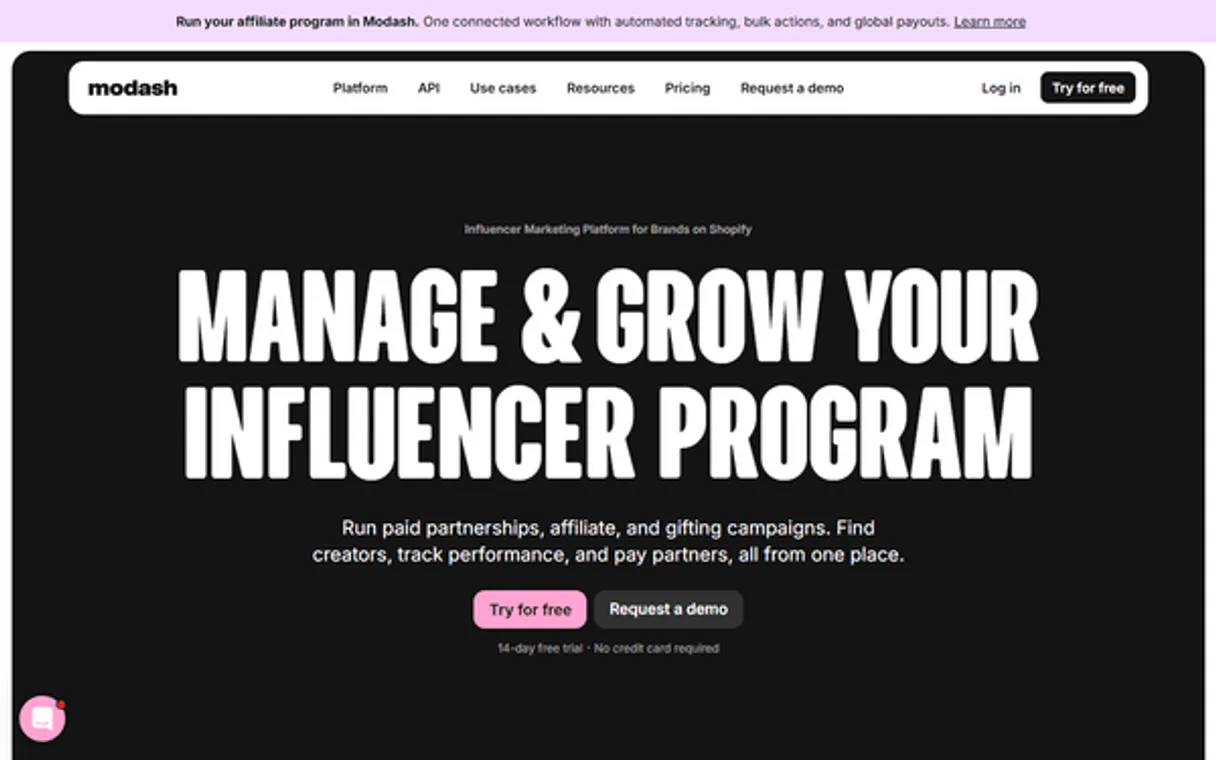
Independent Platform Disclaimer: Vinkius is an independent platform and is not affiliated with, endorsed by, sponsored by, verified by, or otherwise authorized by Modash. All third-party trademarks, logos, and brand names are the property of their respective owners. Their use on this website is strictly for informational purposes to identify service compatibility and interoperability.
VINKIUS INFRASTRUCTURE
Cloud Hosted
Managed infra
V8 Isolated
Sandboxed per request
Zero-Trust Proxy
No stored credentials
DLP Enforced
Policy on every call
GDPR Compliant
EU data residency
Token Compression
~60% cost reduction
Works with Claude, ChatGPT, Cursor, and more
The Model Context Protocol standardizes how applications expose capabilities to LLMs. Instead of operating in isolation, your AI gains direct access to external platforms, live data, and real-world actions through secure, standardized connections.
This server provides 11 capabilities that interface natively with Claude, ChatGPT, Cursor, and any MCP client. No middleware. No custom integration required.
Available Capabilities
Manual research shouldn't feel like navigating three separate websites.
Right now, finding a reliable creator profile means logging into Instagram to check the bio, opening TikTok to see their latest videos, and then switching over to YouTube just for audience stats. You end up copying metrics from one tab and pasting them into another spreadsheet—it's slow, tedious, and you always risk missing something.
With Modash MCP Server, that whole process disappears. You simply tell your agent: 'Compare the reach of a tech creator across all three major platforms.' It runs `search_instagram`, gathers the metrics with `get_instagram_report`, then moves to TikTok using `get_tiktok_report`—all before you finish reading this sentence.
Modash MCP Server: Get a full cross-platform view.
You used to have to run separate queries for each platform, hoping that the metadata lists were consistent across all of them. You’d struggle with whether 'Tech' was an interest ID on Instagram but not on TikTok. This manual effort eats up hours and leads to data conflicts.
Now, you establish your criteria once using tools like `list_interests` and then feed those universal IDs into multiple search functions (`search_*`). The result is a harmonized dataset that treats all platforms as one unified research field.
Common Questions About Modash MCP
How do I find creators in London using Modash MCP Server? +
You don't search manually. First, run list_locations to get the specific ID for London. Then use that ID with the appropriate search tool, like search_instagram, and define your desired follower range.
Can I compare metrics from TikTok and YouTube using Modash MCP Server? +
Yes. You run both dedicated report tools: get_tiktok_report and get_youtube_report. Your agent then compiles the resulting data into one structured output for easy comparison.
What is the difference between `search_*` and `list_*` in Modash MCP Server? +
list_* tools fetch metadata IDs (like interests or brands) that define your search boundaries. The search_* tools then use those specific, validated IDs to actually find profiles.
Does `get_raw_profile` give me all the data? What's missing? +
get_raw_profile gives you unfiltered real-time metrics. However, it won’t provide the audience demographics that the dedicated report tools (get*_report) pull from the platform's analytics backend.
What credentials do I need to use the `get_instagram_report` tool? +
You must provide a valid Modash API token. Your AI client needs this token in the context to authenticate your request and pull live data for the specified profile.
Are there rate limits when using `get_tiktok_report` repeatedly? +
Yes, like all external APIs, Modash enforces usage limits. If you send too many requests in quick succession, your agent will hit a throttle error. Wait at least 30 seconds between intensive calls.
How should I use the IDs generated by `list_locations`? +
The output from list_locations gives you specific ID codes for regions and areas. You must feed these exact IDs into your search queries to ensure accurate, localized results.
Can I compare metrics across channels after running `search_youtube`? +
Absolutely. The tool returns structured data (JSON) for the discovered channels. Your AI agent can then parse this output and compile a direct comparison chart showing common metrics.
Where can I get a Modash API Token? +
You can generate your API token in the Modash Developer Dashboard at https://marketer.modash.io/developer.
Does Modash support all social media platforms? +
Modash focuses on the big three: Instagram, TikTok, and YouTube.
Are audience insights real-time? +
Profile reports use high-quality cached data, while the Raw Data tools provide real-time metrics and posts.
Use it with your favorite AI tools
Connect this server to Cursor, Claude, VS Code, and more.
More in this category
Short.io
Automate branded link management via Short.io — manage domains, links, and analytics directly from any AI agent.

Keap
Manage CRM contacts, marketing campaigns, and sales automation via Keap.
MoonMail
Manage email marketing via MoonMail — track campaigns, subscriber lists, and engagement directly from your AI agent.
You might also like
Twelve Labs (Video Understanding)
Search, analyze, and extract semantic insights from video content using Twelve Labs' powerful multimodal AI models.

TaskForce
Manage leads, customers, cases, and invoices programmatically using AI.
PagePixels
Capture website screenshots and generate visual previews programmatically with an API that handles rendering at any resolution.